📒 Self hosted note taking app stored on S3
DEPRECATED, READ BELOW
To put it simply, this project is barely maintained anymore. I don't have time to work on Notea, and I've personally stopped using it too.
Not to fret, however! There are several good alternatives available:
- If you want something that can synchronise using S3 (or a variety of other methods), then I recommend Joplin.
- Qingwei (the original maintainer and creator of Notea) recommended Logseq. It's also decent.
That's about all I have to say/write. Farewell.
— tecc
Notea
Self-hosted note-taking app stored on S3.
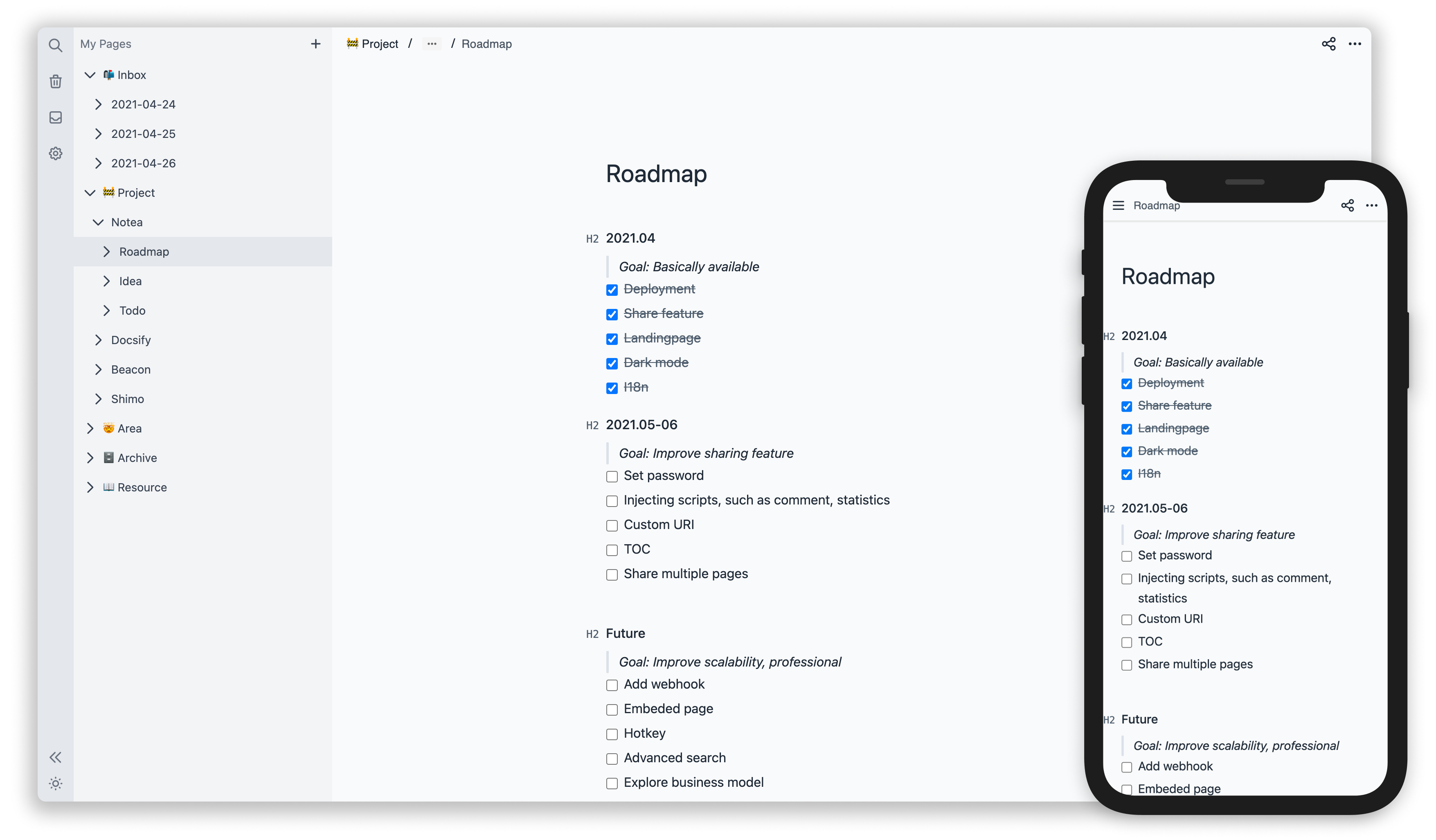

Features
- One-click deploy to Vercel/Netlify or deploy to host with Docker
- Support storage in Amazon S3, MinIO, Aliyun OSS, etc
- Notion-like markdown editor
Roadmap
- [x] Backlinks #39
- [x] Link embedding (YouTube, Github Gist, Google Docs, etc.)
- [ ] Editing offline #14
- [ ] Note versioning #49
- [ ] File upload
Quickstart
- Fork repo. It is recommended to install the
- Choose Storage and manually create bucket.
- Deploy App
Deploy
Vercel (Recommended)
Click https://vercel.com/new to deploy your fork repo.
Netlify
Click https://app.netlify.com/start to deploy your fork repo.
Docker
docker run -d \
  --name notea \
  -p 3000:3000 \
  -e STOREACCESSKEY=Q3AM3UQ867SPQQA43P2F \
  -e STORESECRETKEY=zuf+tfteSlswRu7BJ86wekitnifILbZam1KYY3TG \
  -e STORE_BUCKET=notea \
  -e STOREENDPOINT=http://play.minio.io \
  -e STOREFORCEPATH_STYLE=true \
  -e PASSWORD=notea \
  # -e COOKIE_SECURE=false \ # This is required on non-https sites
  cinwell/notea
You can use watchtower to keep the latest version.
docker run -d \
  -v /var/run/docker.sock:/var/run/docker.sock \
  containrrr/watchtower -c notea
If you are looking for MinIO + Notea docker configuration check this
Kubernetes Helm Chart
Use helm chart to deploy to Kubernetes via Helm.
Storage
Configure environment variables according to storage service.
MinIO
.env
STOREACCESSKEY=
STORESECRETKEY=
STORE_BUCKET=notea
STOREENDPOINT=http://localhost:9000
Required
STOREFORCEPATH_STYLE=true
PASSWORD=notea
Amazon S3
.env
STOREACCESSKEY=
STORESECRETKEY=
STORE_BUCKET=notea
STORE_REGION=us-east-1
PASSWORD=notea
Aliyun OSS
.env
STOREACCESSKEY=
STORESECRETKEY=
STORE_BUCKET=notea
STOREENDPOINT=https://oss-cn-hangzhou.aliyuncs.com
STORE_REGION=oss-cn-hangzhou
PASSWORD=notea
Tencent COS
.env
STOREACCESSKEY=
STORESECRETKEY=
STORE_BUCKET=notea # create the bucket first
STOREENDPOINT=https://cos.ap-guangzhou.myqcloud.com
STORE_REGION=ap-guangzhou
PASSWORD=notea
Oracle Object Storage
.env
STOREACCESSKEY=
STORESECRETKEY=
STOREENDPOINT=https://nampespace.compat.objectstorage.ap-chuncheon-1.oraclecloud.com
STOREFORCEPATH_STYLE=true
STORE_BUCKET=bucketname
STORE_REGION=ap-chuncheon-1
PASSWORD=notea
 bucketname,namespace and region “ap-chuncheon-1” need check your profile and https://docs.oracle.com/en-us/iaas/api/#/en/s3objectstorage/20160918/
Exoscale
.env
STOREACCESSKEY=
STORESECRETKEY=
STORE_BUCKET=notea # create the bucket first
STOREENDPOINT=https://sos-de-fra-1.exo.io
STORE_REGION=de-fra-1
STOREFORCEPATH_STYLE=true
PASSWORD=notea
Cloudflare R2
.env
STOREACCESSKEY=
STORESECRETKEY=
STORE_BUCKET=notea
STOREENDPOINT=
STORE_REGION=us-east-1
PASSWORD=notea
 The parameter of STOREENDPOINT is the S3 API link (https://...) stored in r2
Other services that support the s3 protocol can also be used. Contribution examples are welcome.
Environment variables
| Name | Description | Default | Optional | Required | | -------------------------- | ----------------------------------------------------------------------------------------------------------------------------------------------------------------------------------------------------------------------------------------------------- | --------- | -------- | -------- | | PASSWORD | Password to login to the app | | | true | | STOREACCESSKEY | AccessKey | | | true | | STORESECRETKEY | SecretKey | | | true | | STORE_BUCKET | Bucket | | | true | | STOREENDPOINT | Host name or an IP address. | | | | | STORE_REGION | region | us-east-1 | | | | STOREFORCEPATH_STYLE | Whether to force path style URLs for S3 objects | false | | | | STORE_PREFIX | Storage path prefix | '' | | | | COOKIE_SECURE | Only works under https: scheme If the website is not https, you may not be able to log in, and you need to set it to false | true | | | | BASE_URL | The domain of the website, used for SEO | | | | | DISABLEPASSWORD | Disable password protection. This means that you need to implement authentication on the server yourself, but the route /share/:id needs to be accessible anonymously, if you need share page. #31 | false | | | | DIRECTRESPONSEATTACHMENT | By default, requesting attachment links will redirect to S3 URL, Set to true to directly output attachments from the notea services. #28 | false | | |
Development
docker-compose up -d
yarn dev
FAQs
What is S3? And what is MinIO?
- Amazon Simple Storage Service (AKA Amazon S3). TLDR: Read and write stored files or pictures through RESTful API.
- MinIO: a self-hosted S3. Install by docker:
docker run -p 9000:9000 minio/minio server /data
Why not use Database?
Personally speaking, the data stored in Notea is mainly files (such as text or pictures) but the database is not good at reading and writing these type of files; S3 can generate a signed URL to access the remote files, but the database cannot do it.
Why not use filesystem storage?
There are many excellent offline note-taking apps supporting filesystem storage available. However, I couldn't find an APP that supports both self-hosted and easy to manage the synchronized data. The purpose of this project is to mitigate the above pain-point.
Backers
Thank you to all our backers! 🙏 [Become a backer]

Sponsors
Support this project by becoming a sponsor. Your logo will show up here with a link to your website. [Become a sponsor]