
JetBrain's file switcher, for neovim 😍 <C-Tab> like a pro and jump between open buffers ❤️



switcher-nvim
JetBrain's file switcher, for neovim :heart_eyes:
| DEFAULT (JetBrains) | CHEVRON | ICON MARGINS | MIXED |
|---|---|---|---|
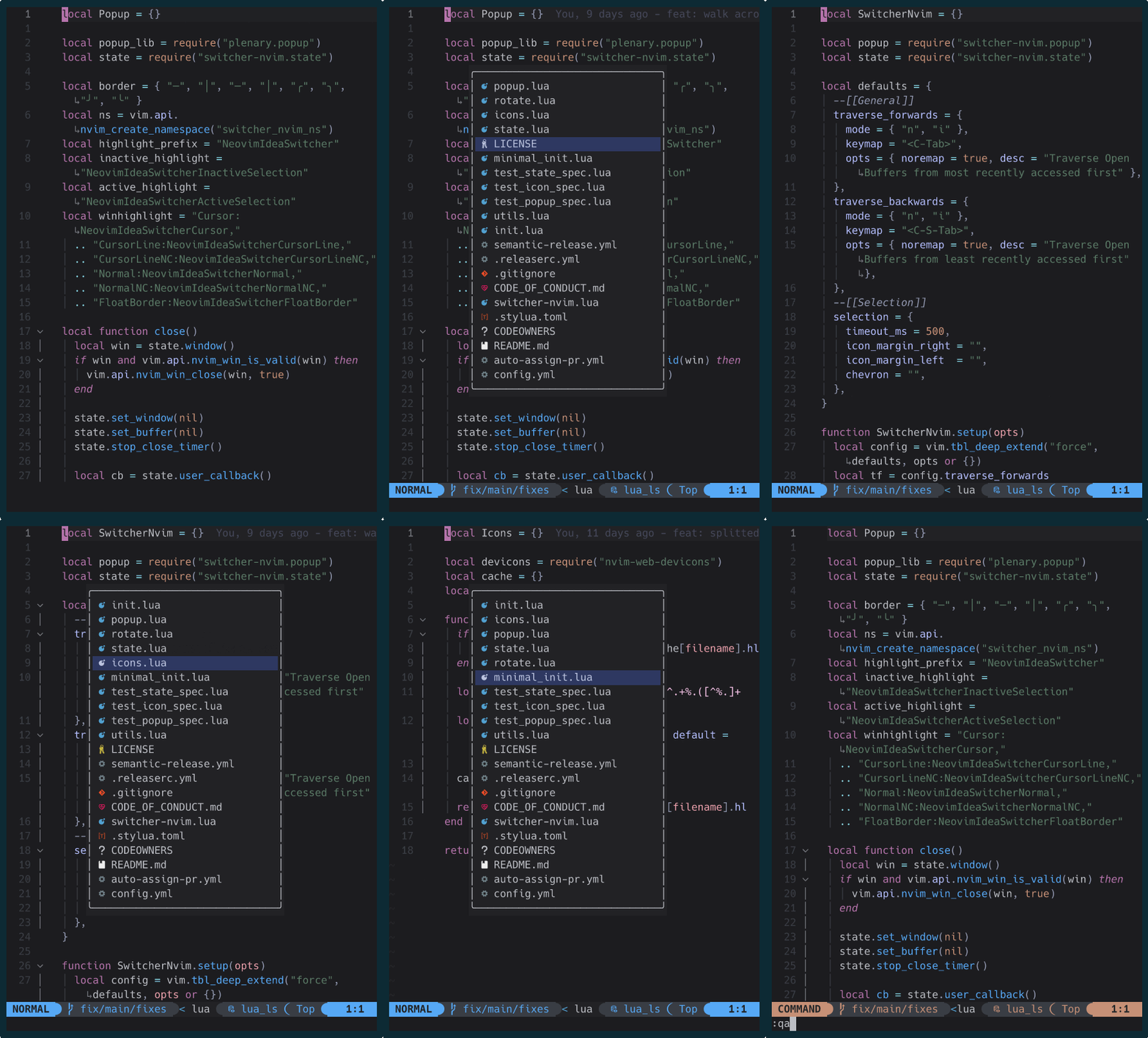 |
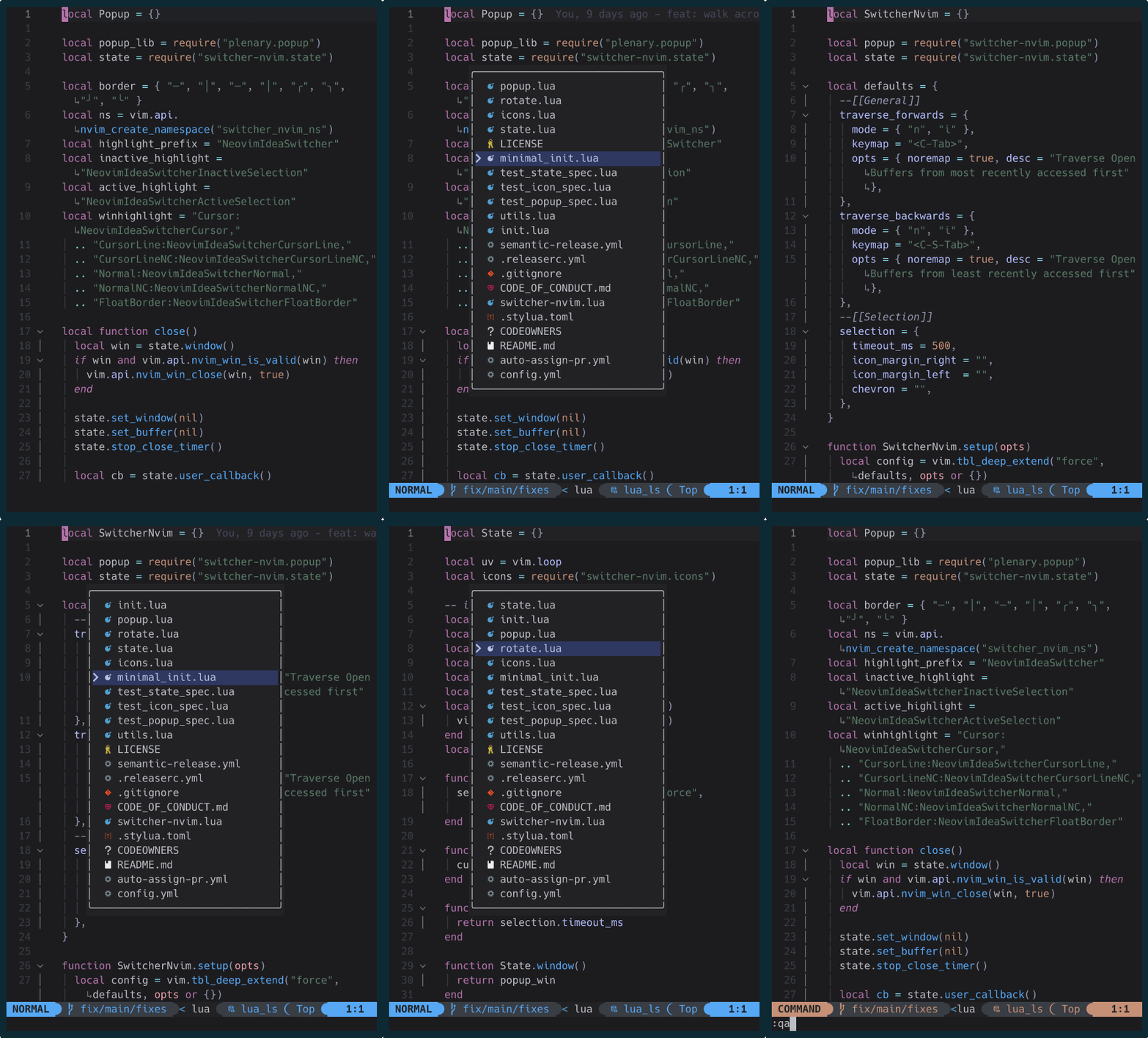 |
 |
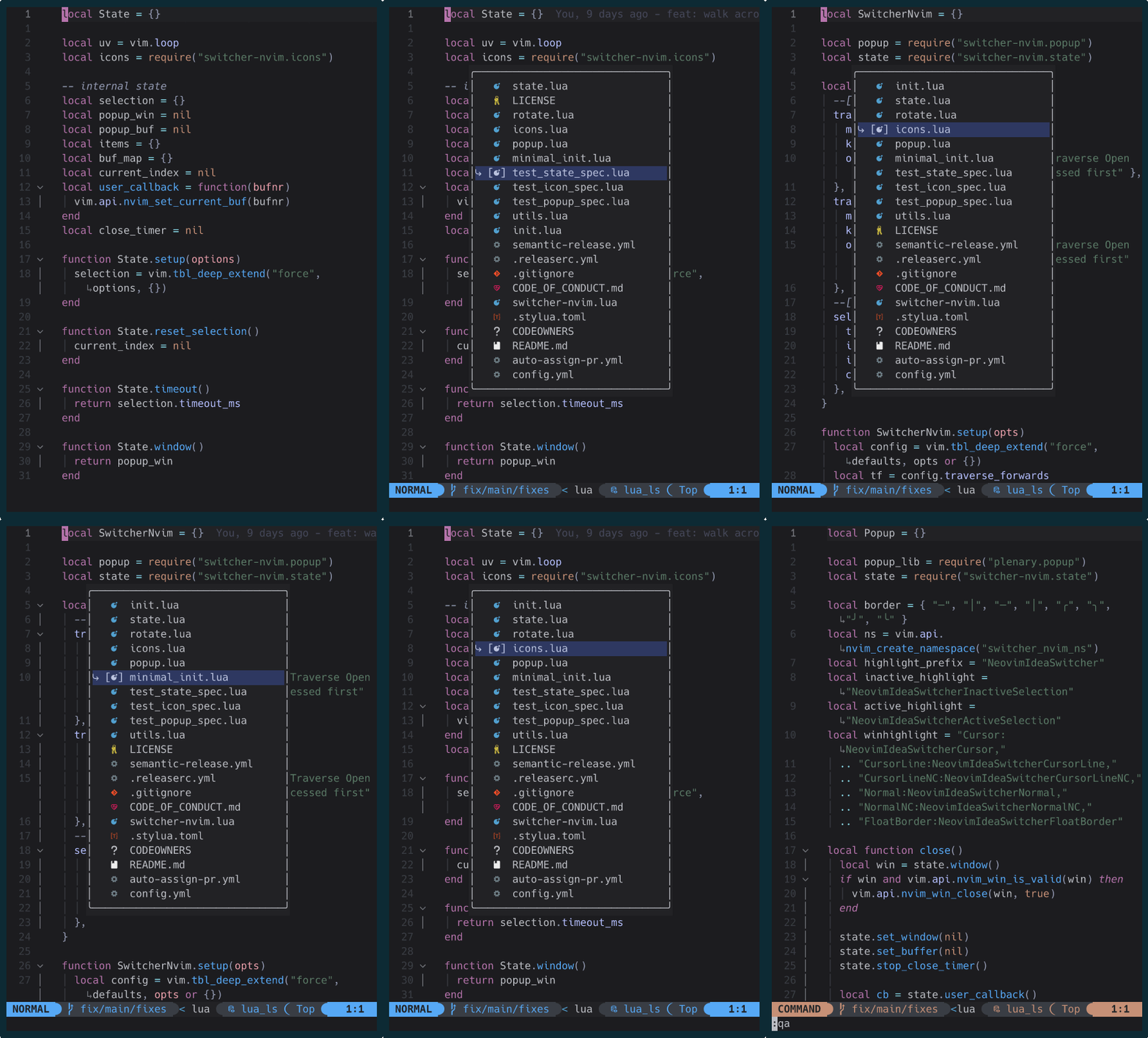 |
Usage
Hit <C-Tab> to open the switcher; hit it some more to select the buffer you're interested into. If you don't do anything for 500ms (configurable, see below), the popup will close, and the selected buffer will be displayed.
<C-Tab> traverses buffers from the most recently opened, to the oldest; if you want to "go back" to a previous buffer in the list, simply hit <C-S-Tab> as many times as you need.
Also, <C-S-Tab> does open the switcher, but it will start from the bottom of the list (aka the oldest buffer you've opened).
Installation
Requirements:
Lazy
[!IMPORTANT]
The plugin must NOT be lazy loaded!
{
  "neovim-idea/switcher-nvim",
  lazy = false,
  dependencies = {
    "nvim-lua/plenary.nvim",
    "nvim-tree/nvim-web-devicons"
  },
}
Packer
use {
  "neovim-idea/switcher-nvim",
  requires = {
    "nvim-lua/plenary.nvim",
    "nvim-tree/nvim-web-devicons"
    }
}
Plug
Plug "nvim-lua/plenary.nvim"
Plug "nvim-tree/nvim-web-devicons"
Plug "neovim-idea/switcher-nvim"
Setup
switcher-nvim comes already with sensible configuration options; just remember to call require("switcher-nvim").setup() and that's it, and you're good to go!
However, in case you'd like to change shortcuts or indicator appearances, you can tweak the options here below:
return {
"neovim-idea/switcher-nvim",
config = function()
require("switcher-nvim").setup({
--[[General]]
traverse_forwards = {
mode = { "n", "i" },
lhs = "<C-Tab>",
opts = { noremap = true, desc = "Traverse Open Buffers from most recently accessed first" },
},
traverse_backwards = {
mode = { "n", "i" },
lhs = "<C-S-Tab>",
opts = { noremap = true, desc = "Traverse Open Buffers from least recently accessed first" },
},
--[[Selection]]
selection = {
timeout_ms = 500,
iconmarginleft = "", -- or "[", "<<<" ... any string, really :)
iconmarginright = "", -- or "]", ">>>" ...
chevron = "", -- or "" , "", "-->" ...
},
--[[Borders]]
borders = { "─", "│", "─", "│", "╭", "╮", "╯", "╰" }, -- or { "═", "║", "═", "║", "╔", "╗", "╝", "╚" }
})
end,
}Styling
Should you desire to change the colors of the popup and buffer lines, you can do so by applying customized highlights to the following highlight groups
NeovimIdeaSwitcherCursor
NeovimIdeaSwitcherCursorLine
NeovimIdeaSwitcherCursorLineNC
NeovimIdeaSwitcherNormal
NeovimIdeaSwitcherNormalNC
NeovimIdeaSwitcherFloatBorder
Todo
- [ ] add tests!
- [x] protect main branch!
- [x] check if there are more than 2 buffers open, before opening the popup
- [x] start from the 2nd
- [x] walk the list in reverse order via
C-S-Tab
- [ ] add a right side panel for the actions
Buy me a :beer:
BTC 12CQ1L7qQvF3pPXhAgomnSfWaVkL19nV5F


