
A Neovim plugin for the JavaScript library i18next

JavaScript/TypeScript i18n library support for Neovim. powered by nabekou29/js-i18n-language-server.



Supported Libraries
✨ Features
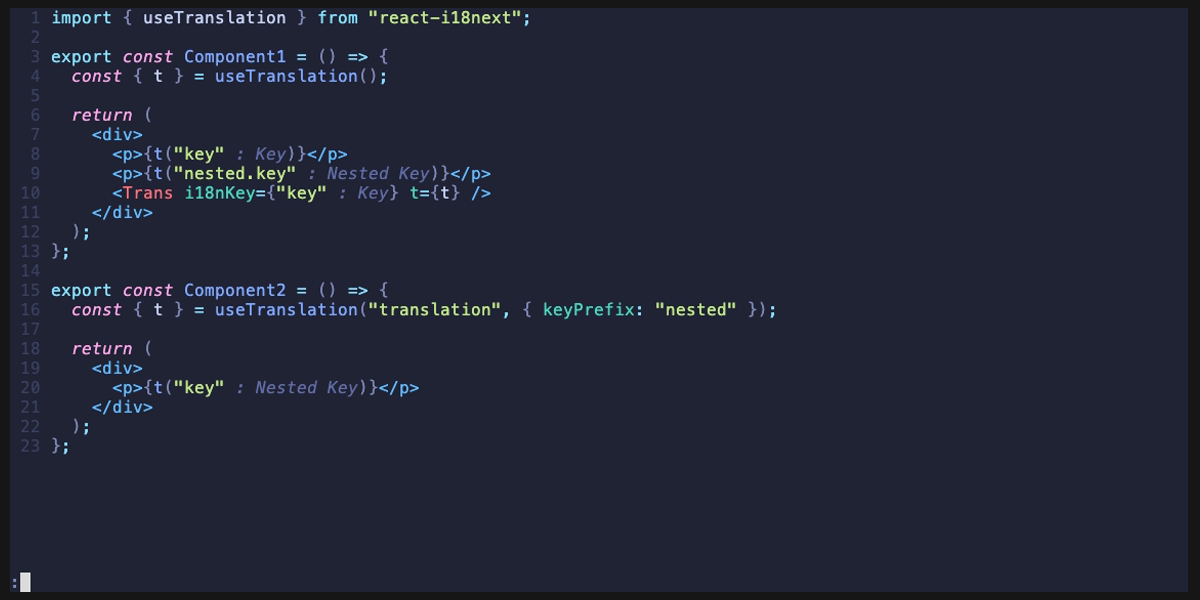
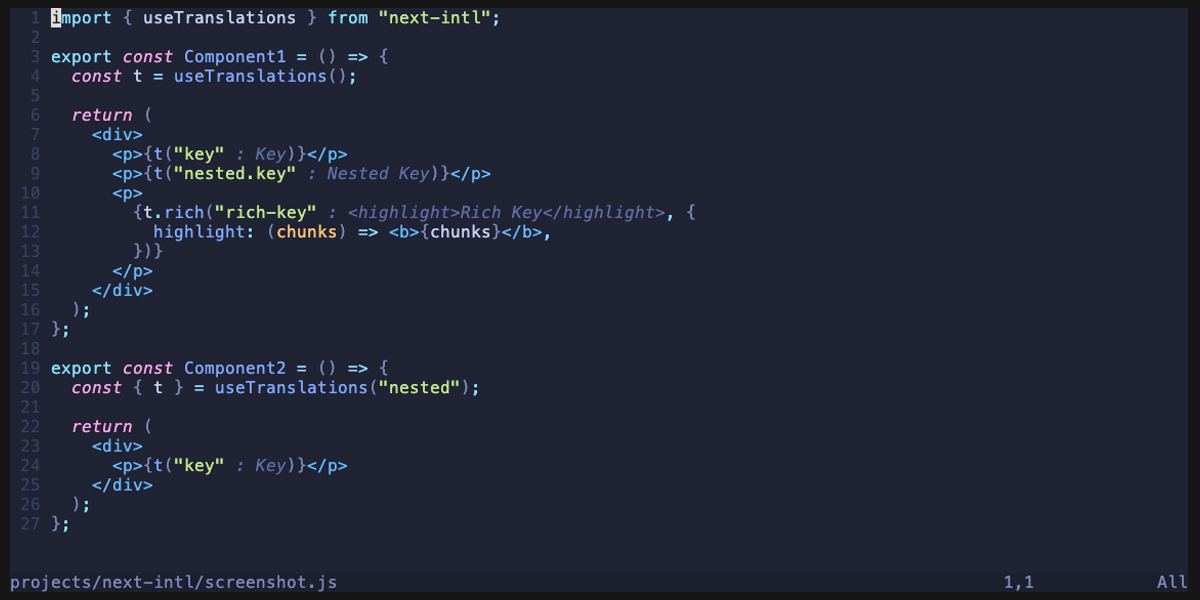
- Inline translation display -- See translation values directly in your code as virtual text
- Translation diagnostics -- Detect missing and unused translation keys
- Completion -- Auto-complete translation keys as you type
- Hover -- View all translation values by hovering over a key
- Go to definition -- Jump to the key definition in JSON translation files
- Find references -- Find all usages of a translation key in source code
- Edit translations -- Edit translation values from commands or code actions
- Copy key -- Copy the translation key at cursor to clipboard
- Delete unused keys -- Remove translation keys not referenced in code
Demo
i18next / react-i18next
next-intl
✅ Requirements
- Neovim >= 0.11
- js-i18n-language-server
npm install -g js-i18n-language-serverAlternatively, you can skip the global install and use npx by setting the server command in your config:
opts = {
    server = {
      cmd = { "npx", "-y", "js-i18n-language-server" },
    },
  }
📦 Installation
lazy.nvim
{
  "nabekou29/js-i18n.nvim",
  event = { "BufReadPre", "BufNewFile" },
  opts = {},
}
📚 Usage
Commands
:I18nSetLang [lang]- Sets the language. The set language is used for virtual text display and definition jumps.
:I18nEditTranslation [lang]- Edits the translation at the cursor position. If there is no matching translation for the key, a new translation is added.
lang is omitted, the currently displayed language is used.
:I18nVirtualTextEnable- Enables the display of virtual text.
:I18nVirtualTextDisable- Disables the display of virtual text.
:I18nVirtualTextToggle- Toggles the display of virtual text.
:I18nCopyKey- Copies the translation key at the cursor position to the clipboard.
:I18nDeleteUnusedKeys- Deletes unused translation keys from the current JSON file.
⚙️ Configuration
The default settings are as follows. For the complete list, refer to config.lua.
{
  -- Client-side (Neovim-specific) settings
  virt_text = {
    enabled = true,        -- Enable virtual text display
    format = ...,          -- Format function for virtual text
    conceal_key = false,   -- Hide keys and display only translations
    max_length = 0,        -- Max character length (0 = unlimited)
    max_width = 0,         -- Max display width (0 = unlimited)
  },
-- Server settings   -- Can also be configured via .js-i18n.json file (which takes priority)   server = {     cmd = { "js-i18n-language-server" },  -- Server command     translationfiles = { filepattern = "/{locales,messages}//*.json" },     key_separator = ".",     namespace_separator = nil,     default_namespace = nil,     primary_languages = nil,     required_languages = nil,     optional_languages = nil,     diagnostics = { unused_keys = true },   }, }
For server-side configuration details, see the js-i18n-language-server configuration docs.
Handling Flattened JSON
When using flattened JSON (e.g., { "some.deeply.nested.key": "value" }), you can handle it by setting key_separator to a character that is not normally used.
{
  server = {
    keyseparator = "?",  -- or "noseparate", or any character not included in your keys
  },
}
This will treat dot-separated keys as a single key instead of nested keys.
⬆️ Migration from v0.x
v1.0 has been rewritten to use the external js-i18n-language-server.
Key Changes
- Dependencies:
nvim-lspconfig,nvim-treesitter,plenary.nvim, andjqare no longer required - Requirements:
js-i18n-language-servermust be installed - Configuration: Server-related settings have moved into the
servertable
-- v0.x
{
  primary_language = { "ja" },
  translation_source = { "*/locales/.json" },
  key_separator = ".",
}
-- v1.0 {   server = {     primary_languages = { "ja" },     translationfiles = { filepattern = "*/locales/.json" },     key_separator = ".",   }, }


