
Fast as FUCK nvim completion. SQLite, concurrent scheduler, hundreds of hours of optimization.
coq.nvim 🐔
Named after the famous theorem prover
coq also means 鸡 in français québécois, and I guess 🥖.
Fast as FUCK and loads of features.
Faster Than Pure Lua
- Native C in-memory B-trees
- SQLite VM interrupts
- Coroutine based incremental & interruptible scheduler
- TCP-esque flow control
Features
Note: Due to compression, reality is faster than gifs
Fast as fuck
- Results on every keystroke
- Throttling? Never heard of her
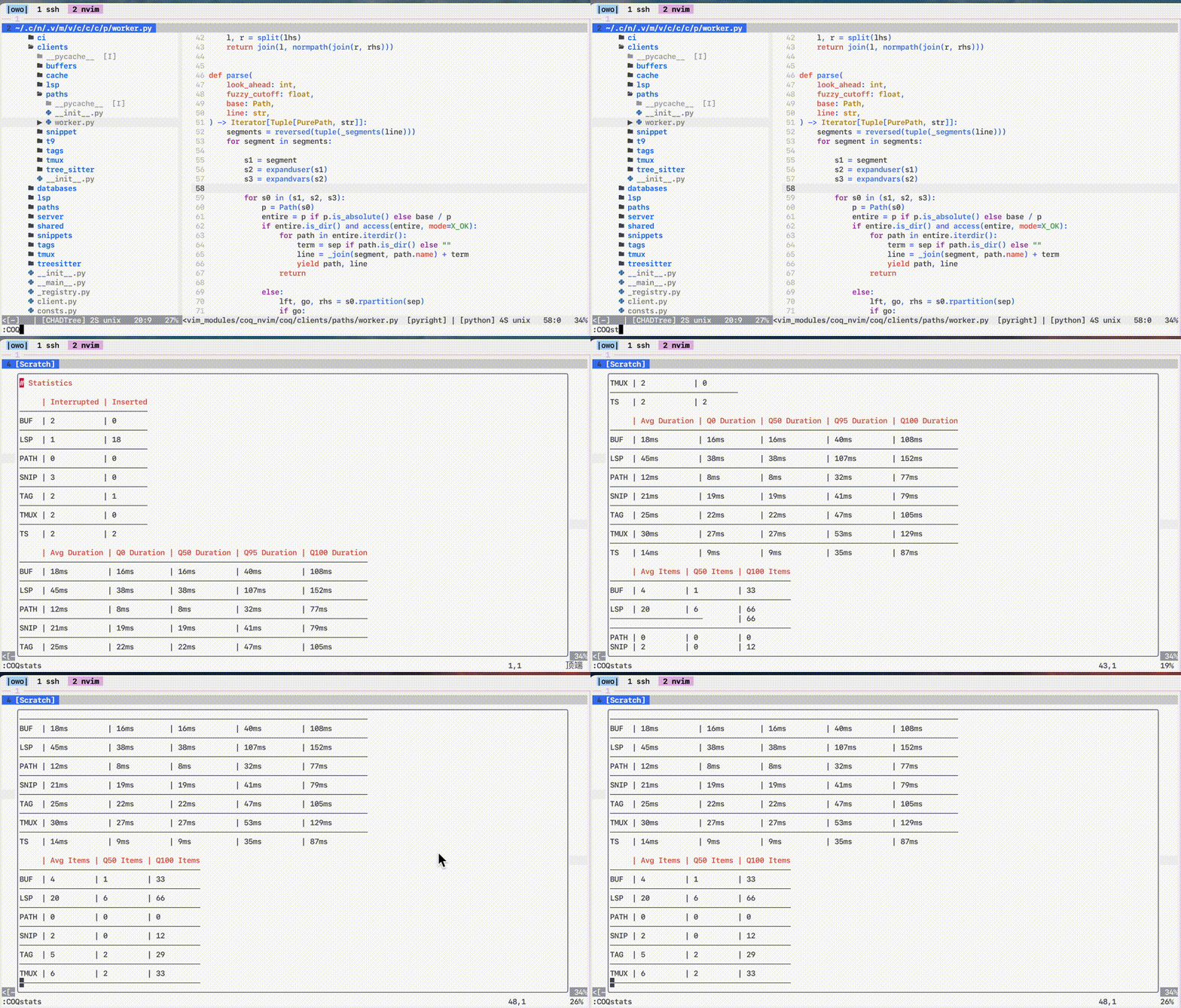
- Real time performance statistics
- Look at the gifs! The bottom few are the fastest when I didn't slow down on purpose to show features.
Fuzzy Search
- Typo resistant
- Recency bonus
- Proximity bonus
- Weighted average of relative ranks & ensemble metrics
cour -> colourspace, flgr -> flaggroup, nasp -> Namespace
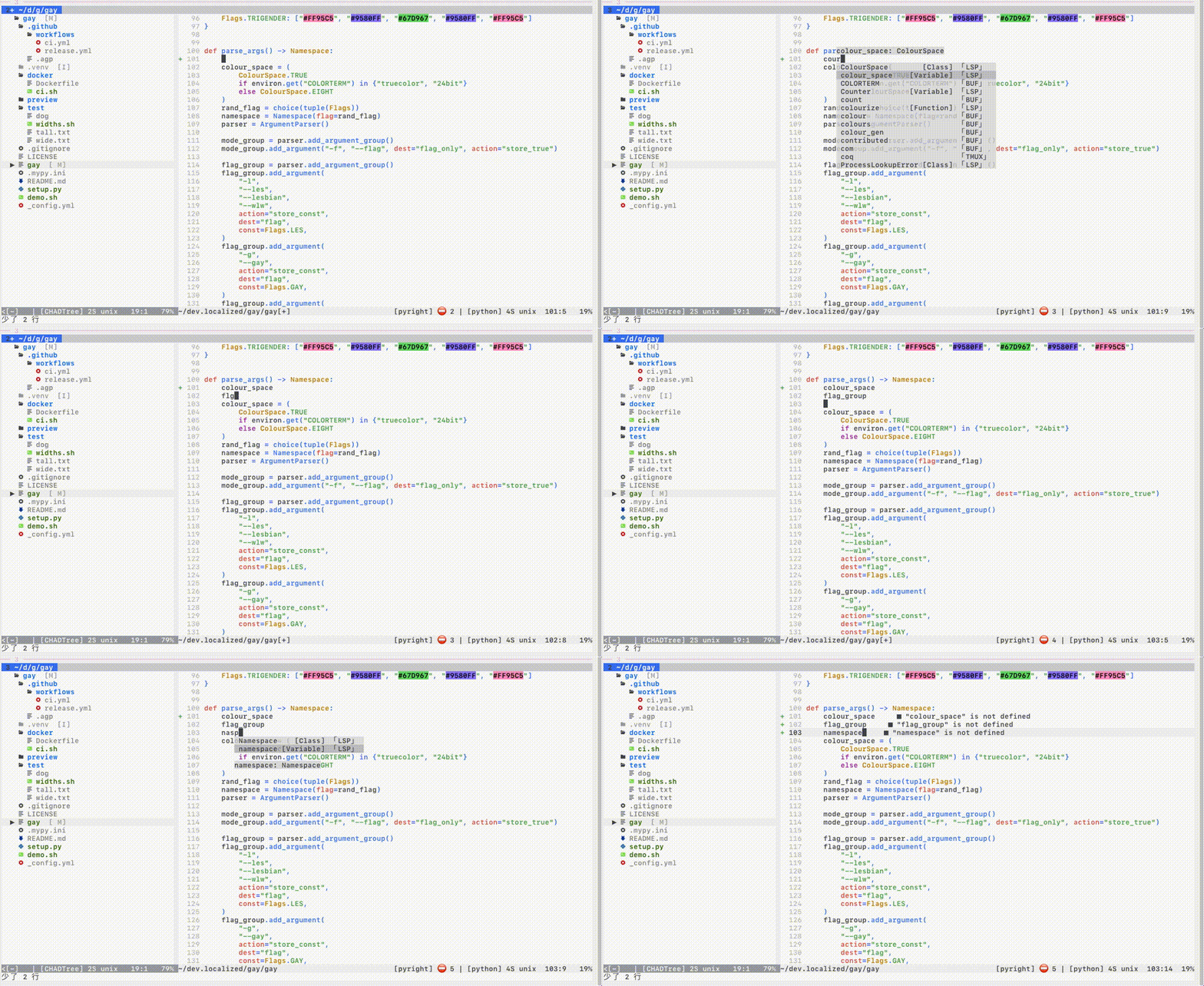
Preview
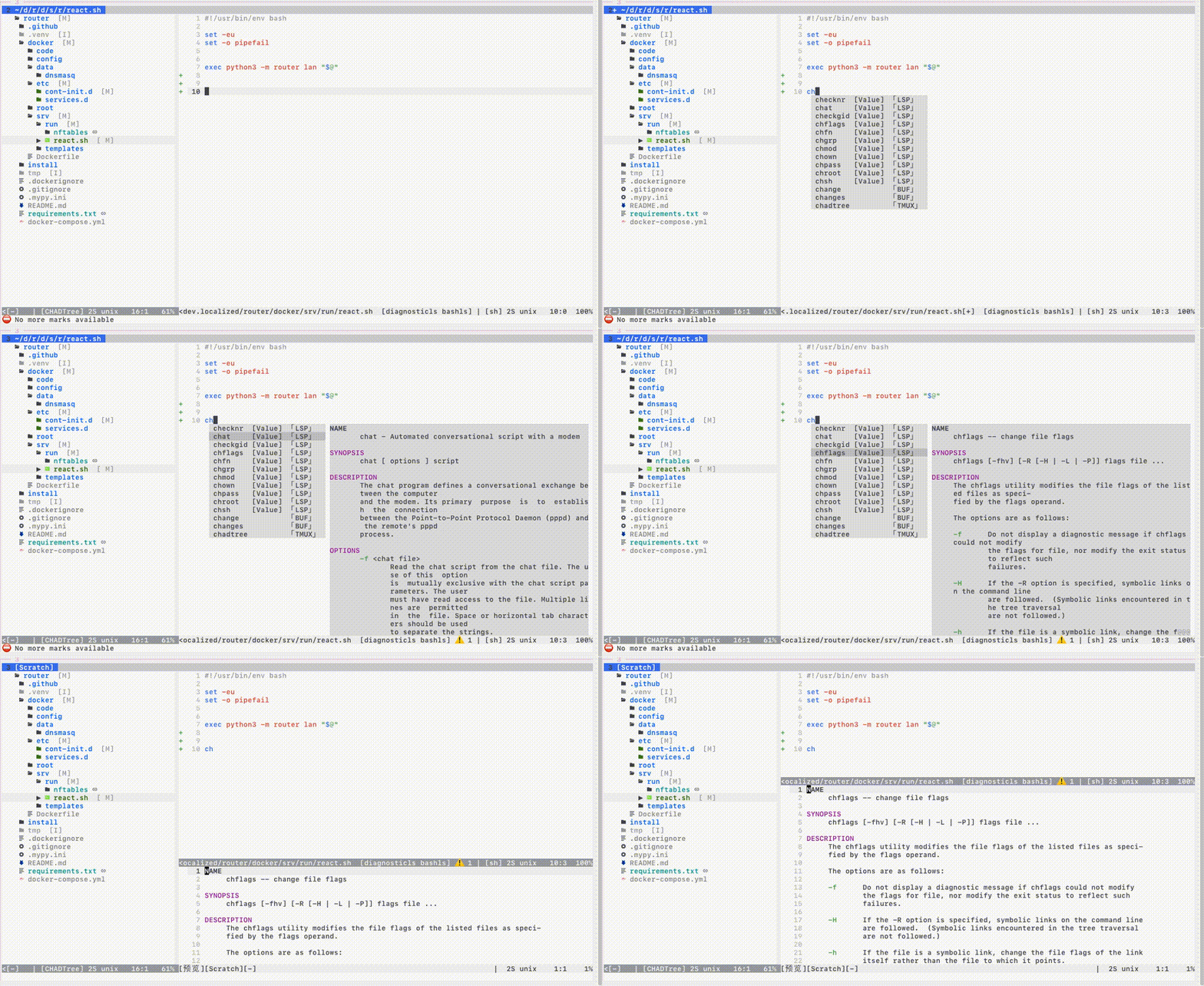
- Press key to view documentation in big buffer
- Auto open preview on side with most space
- Customizable location: n, s, w, e
- Ubiquitous: Tags, LSP, TreeSitter, Paths, Snippets
LSP
- Incremental completion
- Client-side caching
- Multi-server completion (i.e.
tailwind+cssls)
- Multi-encoding
utf-8,utf-16,utf-32
- Header imports

- Snippet Support

Install the Nvim Official LSP integration
Requires 2 lines of change to support LSP snippets
local coq = require "coq" -- add this
-- legacy style local lsp = require "lspconfig" lsp.<server>.setup(<stuff...>)                              -- before lsp.<server>.setup(coq.lspensurecapabilities(<stuff...>)) -- after
-- new style vim.lsp.config(<server>, <stuff...>)                              -- before vim.lsp.config(<server>, coq.lspensurecapabilities(<stuff...>)) -- after vim.lsp.enable(<server>)
Snippets
- 99% of LSP grammar, 95% of Vim grammar
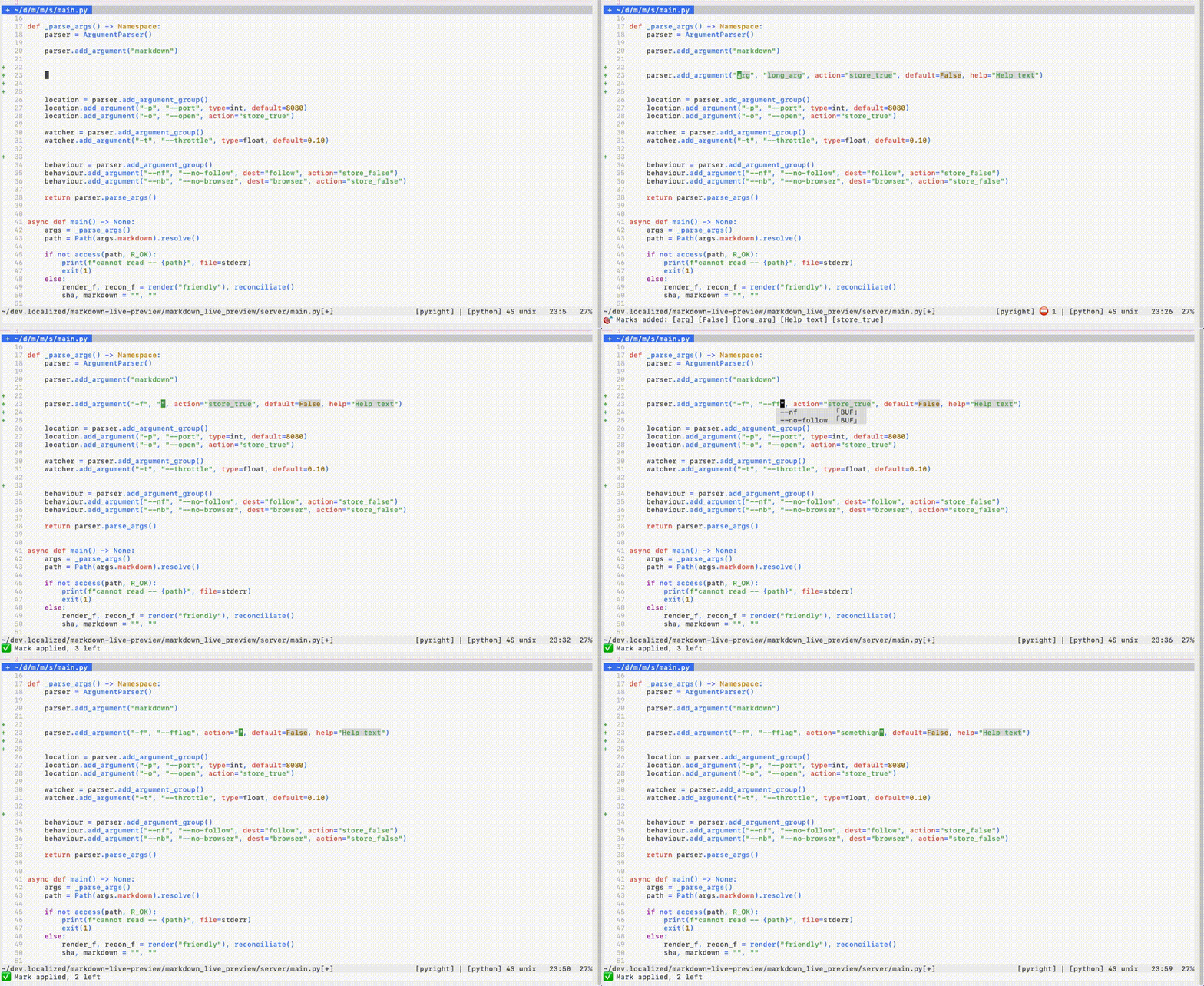
- Linked regions

- Custom snippets with Live Repl

The % statistic comes from compiling the 10,000 snippets
TreeSitter
- Shows context
- Partial document parsing
- Auto-disable if document is too big
- Unicode ready
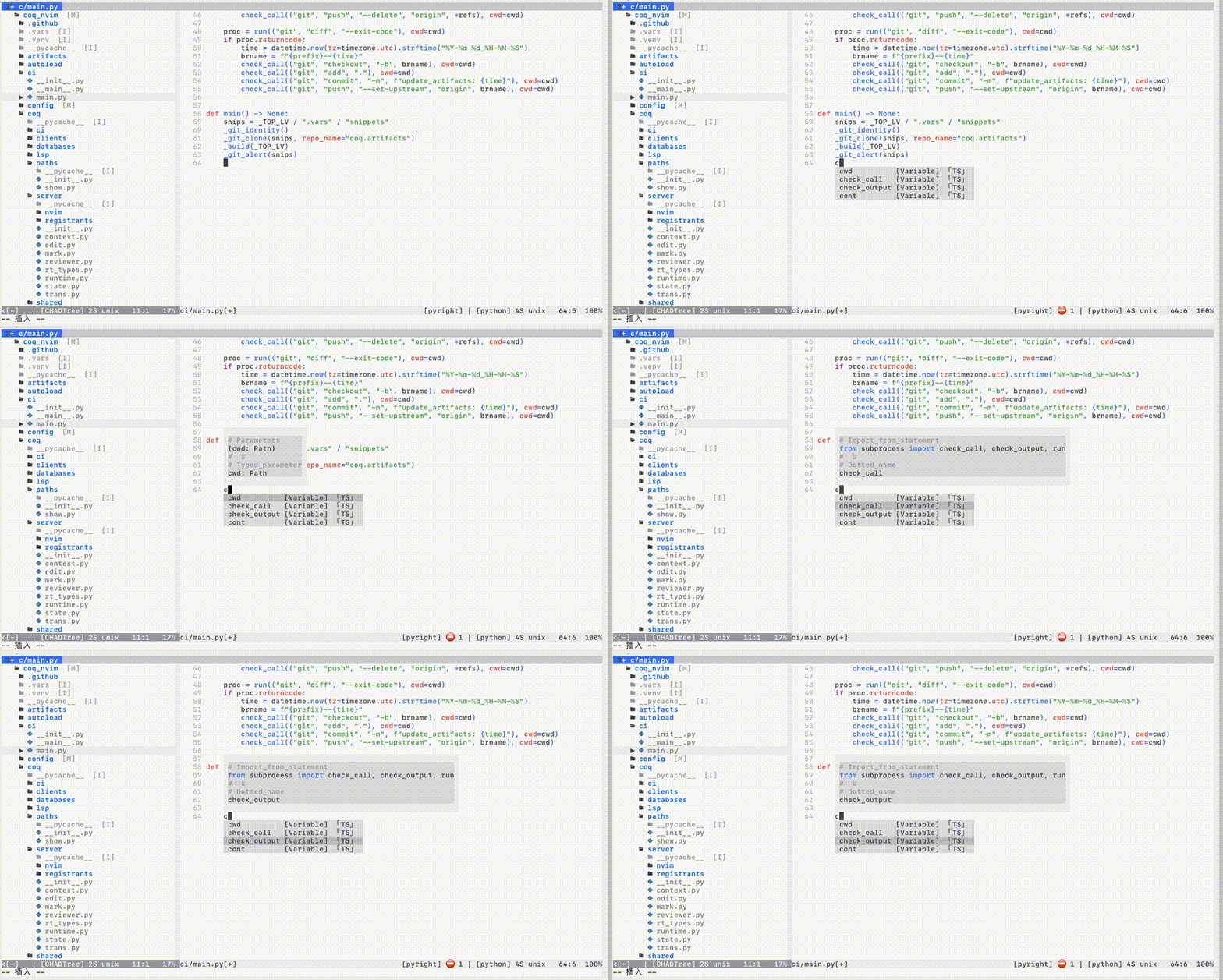
Treesitter is still unstable in nvim0.5: slow and crash prone
The promise is that Treesitter will have real time parsing on every keystroke, but it's actually too slow on big files.
The Treesitter source only parses a limited number of lines about the cursor and only on Idle events due to unrealized performance promises.
CTags
- LSP like
- Incremental & automatic background compilation
- Non-blocking
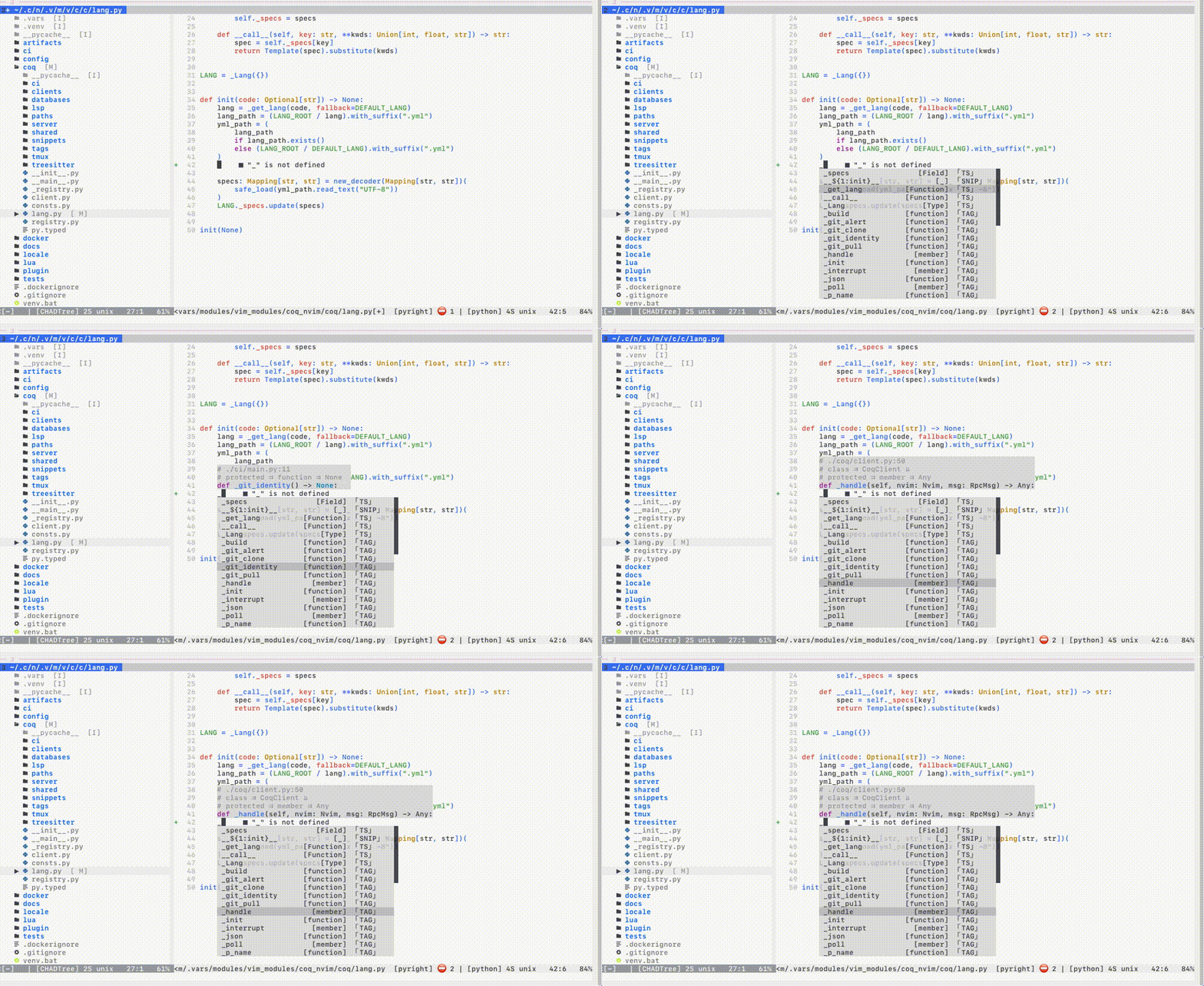
Requires Universal CTags, NOT ctags
# MacOS
brew uninstall ctags           # bad
brew install   universal-ctags # good
Ubuntu
apt remove  ctags              # bad
apt install universal-ctags    # good
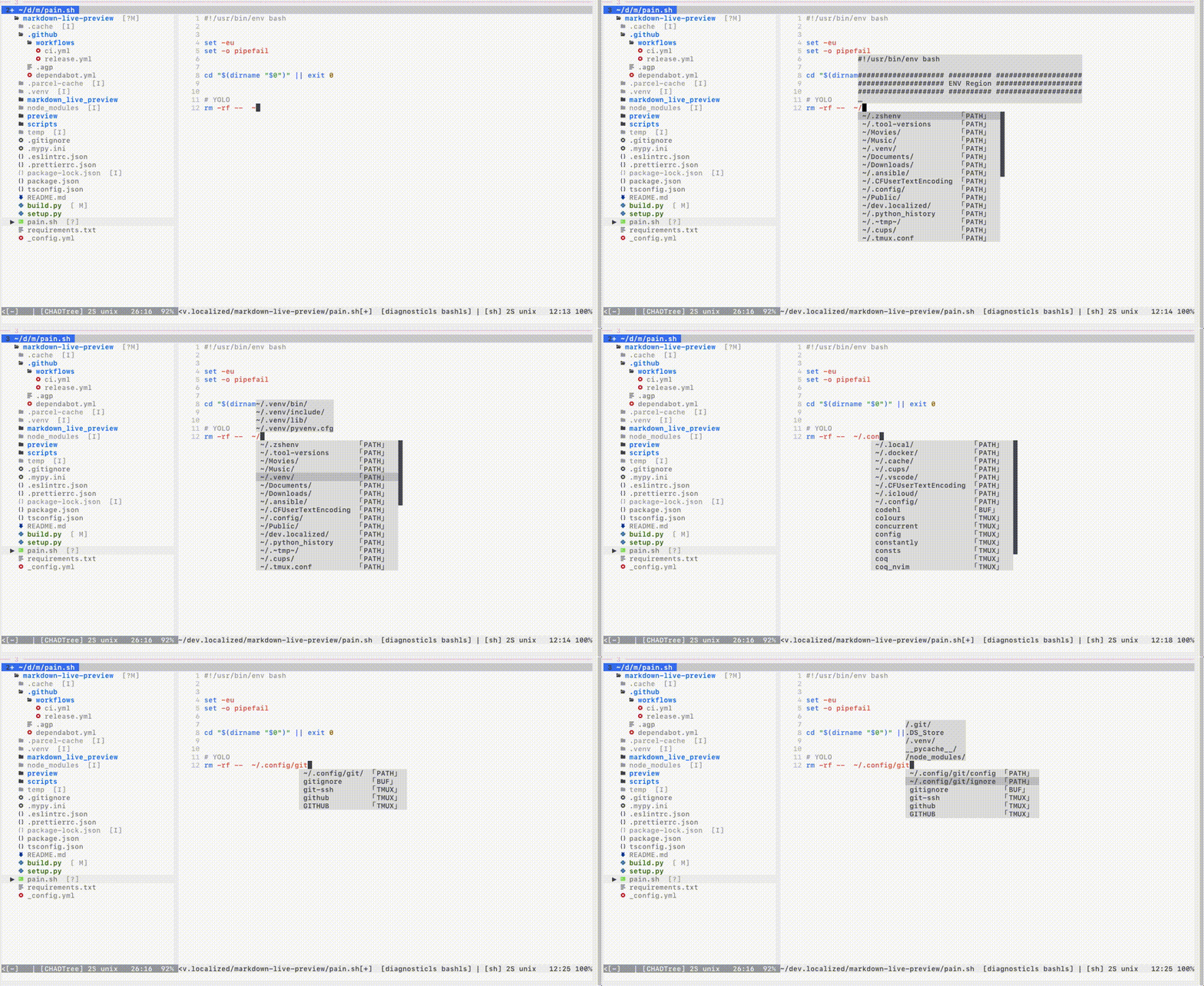
Paths
- Preview contents
$VARIABLEexpansion,%EVENUNDERWINDOWS%
- Relative to both
cwdand file path
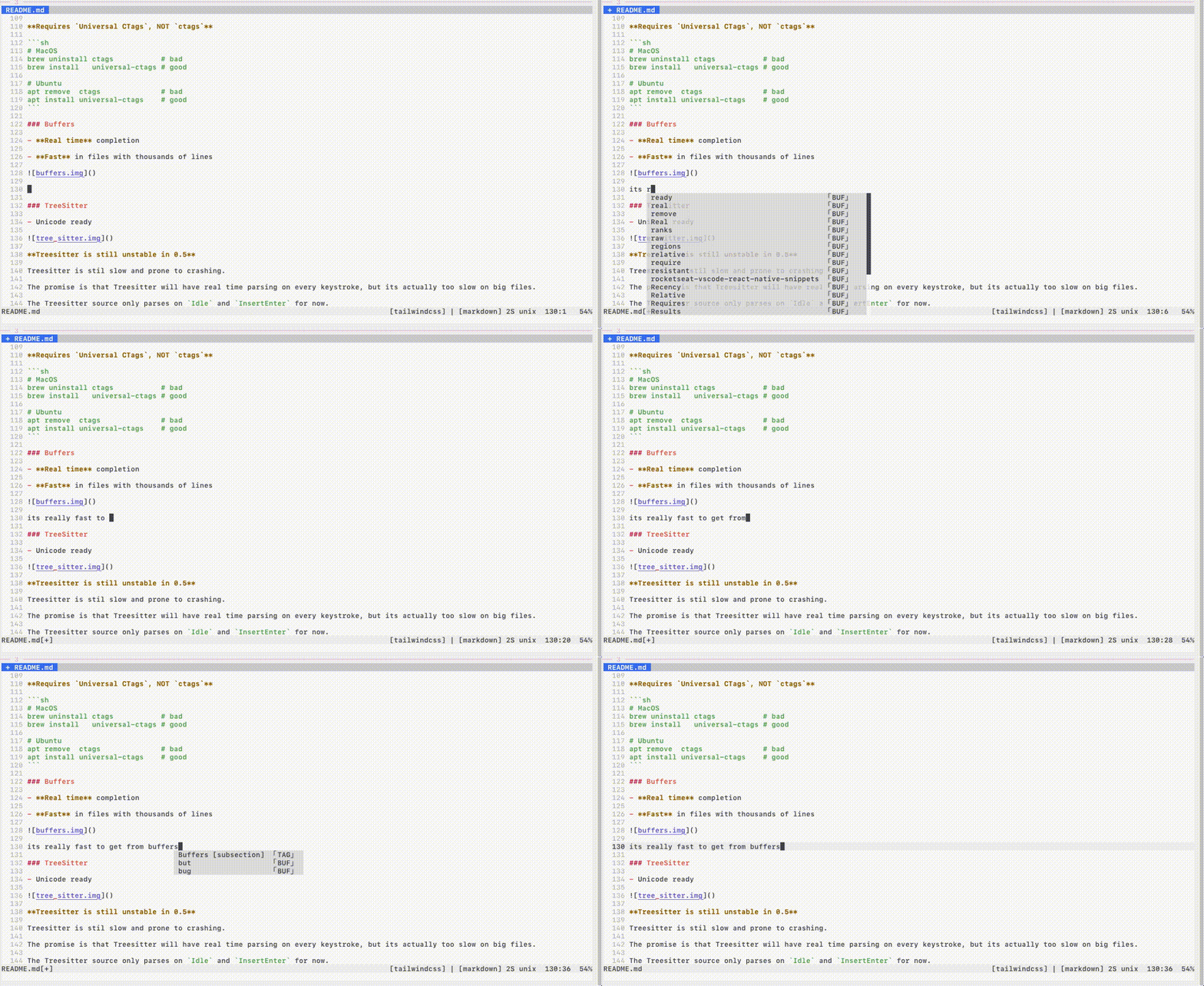
Buffers
- Real time completion
- Fast in files with thousands of lines
Registers
- words Last yank
0+ customa-zcoq_settings.clients.registers.words
- lines
coq_settings.clients.registers.lines(a-z)
Tmux
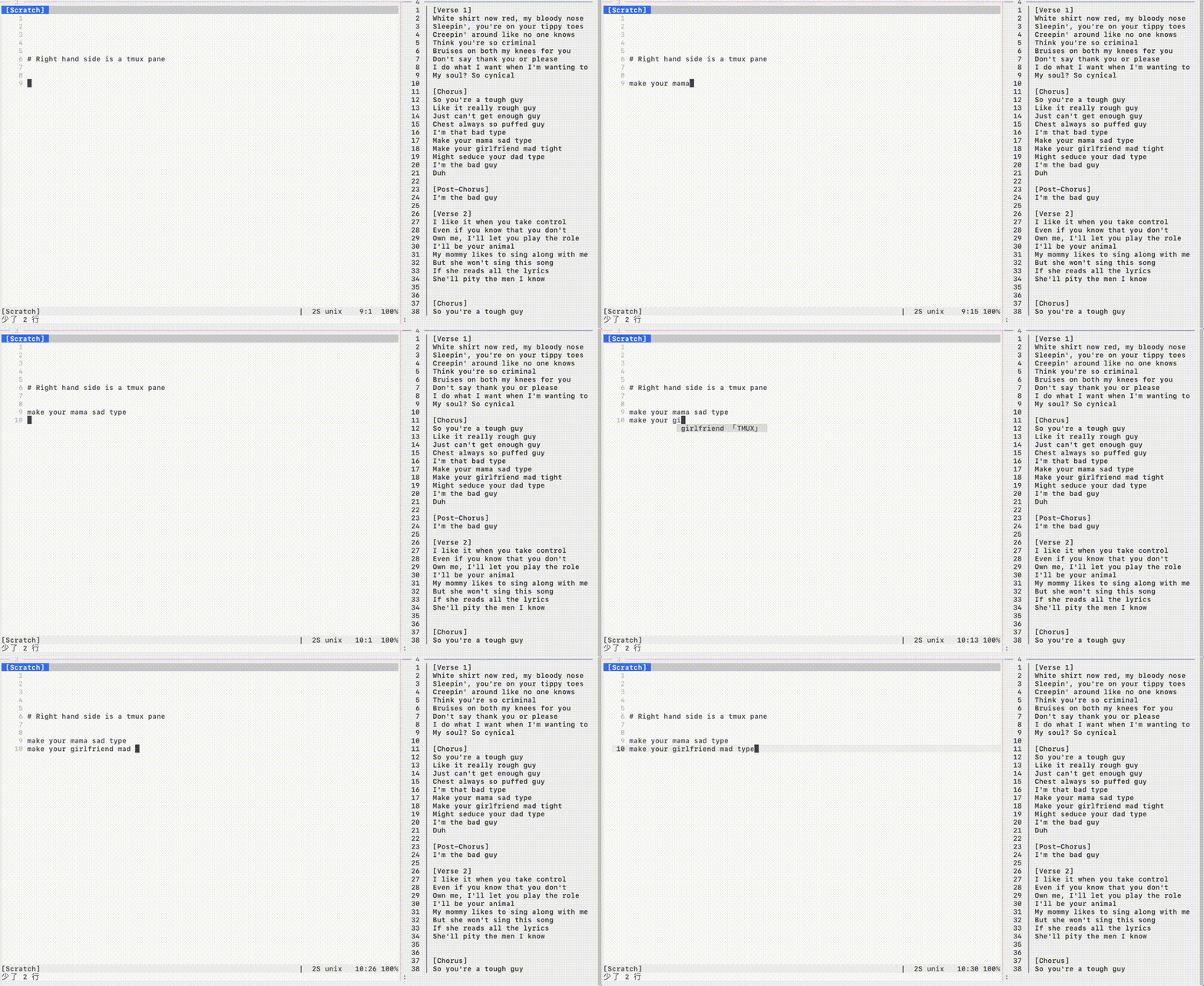
Modular lua sources & external third party integrations
- External third party plugins too
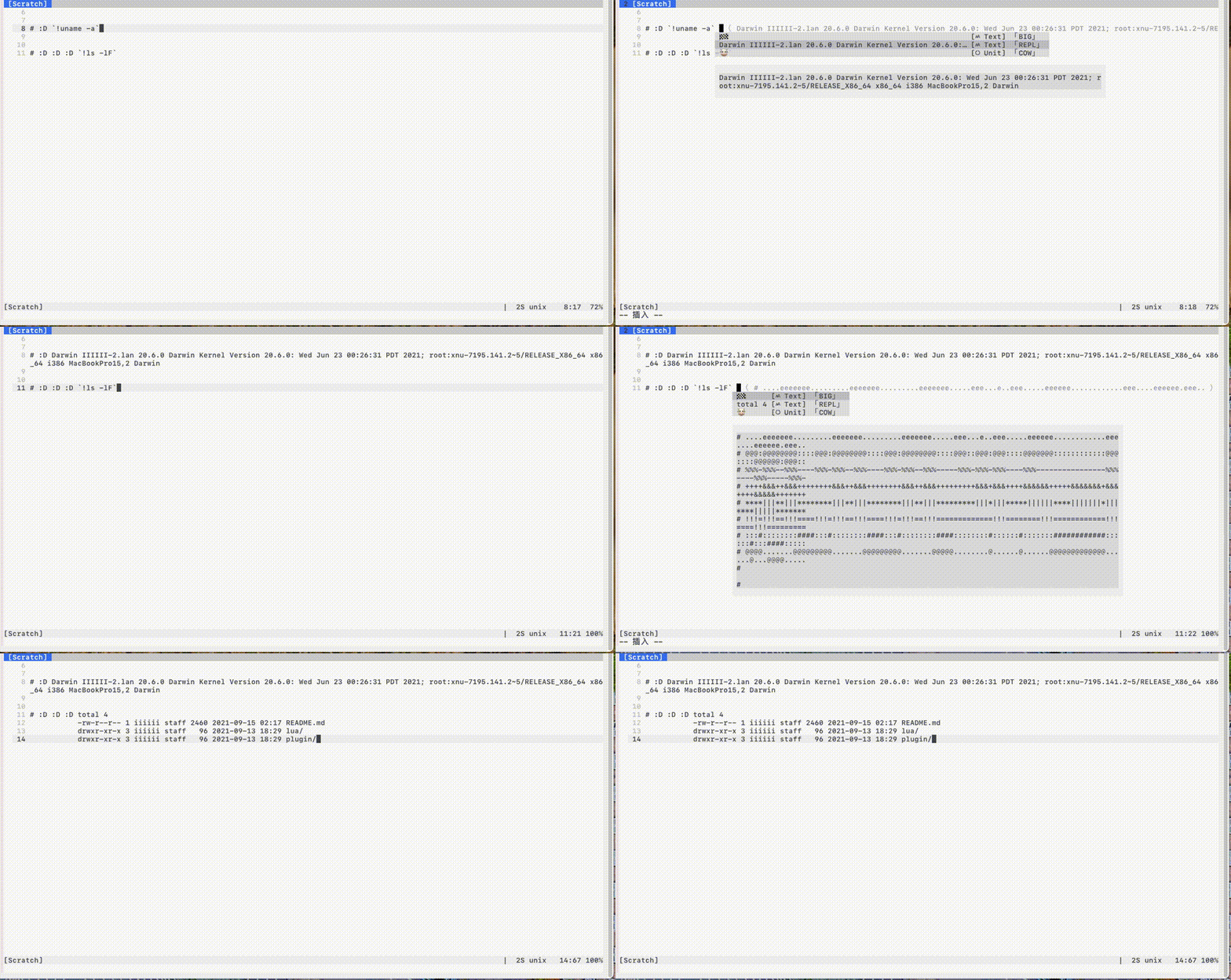
Shown above: shell repl.
Some other built-ins:
- nvim lua API
- vim runtime:
ada, c, clojure, css, haskell, html, js, php, syntax
Statistics
:COQ stats
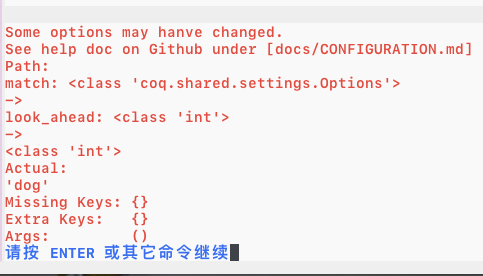
Validating config parser
- Prevents typos & type errors in your config
string instead of an integer.
Pretty
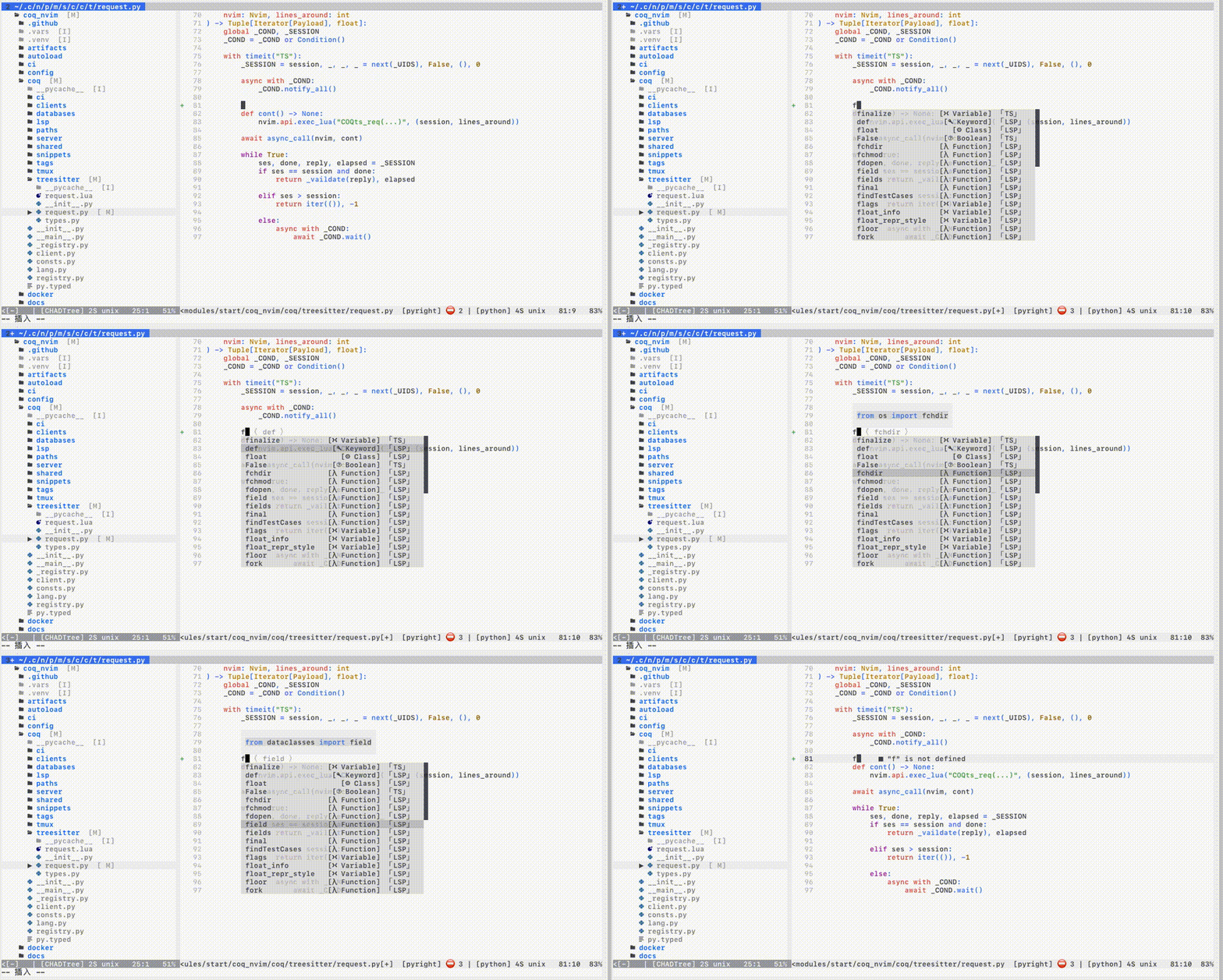
If you can't see icons properly:
Either set let g:coqsettings = { 'display.icons.mode': 'none' } to disable icons, or install a supported font
Install
Vim
Install the usual way, ie. VimPlug, Vundle, etc
" main one
Plug 'ms-jpq/coq_nvim', {'branch': 'coq'}
" 9000+ Snippets
Plug 'ms-jpq/coq.artifacts', {'branch': 'artifacts'}
" lua & third party sources -- See https://github.com/ms-jpq/coq.thirdparty " Need to configure separately
Plug 'ms-jpq/coq.thirdparty', {'branch': '3p'} " - shell repl " - nvim lua api " - scientific calculator " - comment banner " - etc
Neovim
lazy.nvim
{
  "neovim/nvim-lspconfig", -- REQUIRED: for native Neovim LSP integration
  lazy = false, -- REQUIRED: tell lazy.nvim to start this plugin at startup
  dependencies = {
    -- main one
    { "ms-jpq/coq_nvim", branch = "coq" },
-- 9000+ Snippets     { "ms-jpq/coq.artifacts", branch = "artifacts" },
-- lua & third party sources -- See https://github.com/ms-jpq/coq.thirdparty     -- Need to configure separately     { 'ms-jpq/coq.thirdparty', branch = "3p" }     -- - shell repl     -- - nvim lua api     -- - scientific calculator     -- - comment banner     -- - etc   },   init = function()     vim.g.coq_settings = {         -- Your COQ settings here     }   end,   config = function()     -- Your LSP settings here   end, }
Documentation
FAQ
Default hotkeys?
Always:
| key | function | | ----------- | ----------------- | | <c-space> | manual completion |
When completion menu is open:
| key | function | | ------------- | ----------------- | | <esc> | exit to normal | | <backspace> | backspace | | <enter> | select completion | | <tab> | next result | | <s-tab> | prev result |
For snippet placeholder navigation, bind vim.snippet.jump(±1) yourself.
When hovering over a result, entering any key [a-z] will select it. This is a vim thing.
LSP too slow to show up on keystroke.
Increase vim.o.autocompletetimeout. This slows feedback on every keystroke.
Or use manual completion (<c-space>), bounded by vim.o.completetimeout.
LSP sometimes not importing
Increase coqsettings.clients.lsp.resolvetimeout. Applying edits gets slower.
Missing Results
On keystroke only coqsettings.match.maxresults items are shown. Use the manual completion hotkey to see all.
If you like this...
Also check out
sad, it's a modernsedthat does previews with syntax highlighting, and lets you pick and choose which chunks to edit.
CHADTree, it's a FULLY featured file manager.
- isomorphic-copy, it's a cross platform clipboard that is daemonless, and does not require third party support.
Special Thanks & Acknowledgements
The snippets are compiled from the following open source projects:
Super special thanks goes to Typescript LSP.Nothing like good motivation to improve my design than dumping 1000 results on my client every other keystroke.


