
Highly accessible themes for Neovim, conforming with the highest standard for color contrast between background and foreground values (WCAG AAA). A Neovim port of the original Modus Themes built for GNU Emacs.
Modus Themes




Highly accessible themes for Neovim, conforming with the highest standard for color contrast between background and foreground values (WCAG AAA). This is a Neovim port of the original Modus Themes built for GNU Emacs.
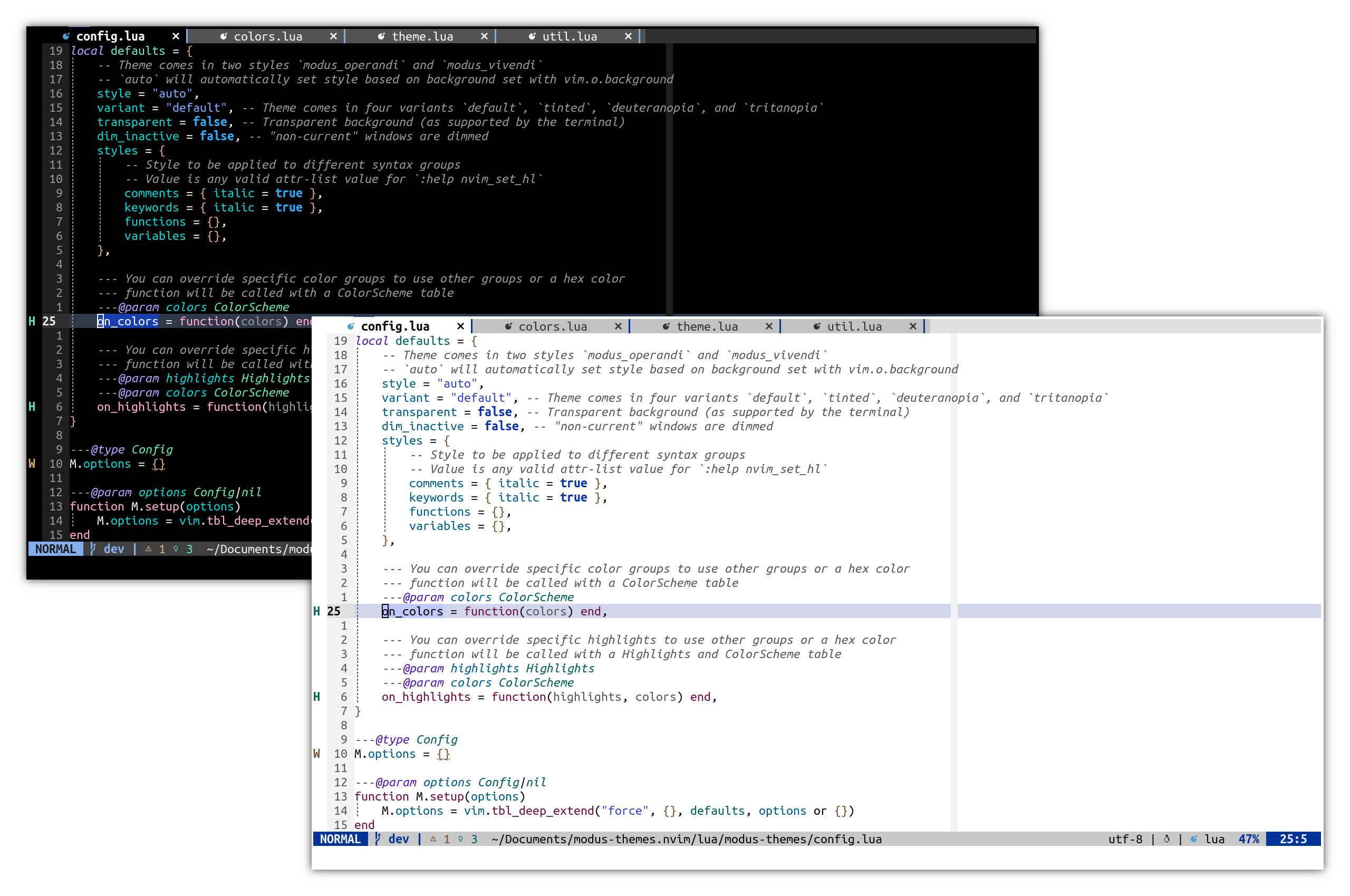
Overview
The Modus Themes are designed for accessible readability. They conform with the highest standard for color contrast between background and foreground values. For small sized text, this corresponds to the WCAG AAA standard, which specifies a minimum contrast ratio of at least 7:1, while large sized and bold text have a contrast ratio of at least 4.5:1. Incidental text that is part of an inactive user interface component, or that are for pure decoration, have no contrast requirement.
This is a Neovim port of the original Modus Themes for GNU Emacs, and follows the design philosophy. It is not intended to be an exact 1:1 correspondence with GNU Emacs, but rather follows the spirit of the design and ensures conformity to the WCAG AAA guidelines.
This project is hosted on GitHub. Any issues and contributions should be directed there.
Features
- Highly accessible — prioritizes color contrast and contains tinted, deuteranopia, and
- Extensive
TreeSittersyntax highlighting andLSPintegration - Supports most popular Neovim plugins
- Switch between light (
modusoperandi) and dark (modusvivendi) mode automatically
vim.o.background
- Provides extras to use Modus Themes with numerous other applications
Requirements
- Neovim >=
Installation
Install the theme with your preferred package manager.
{ "miikanissi/modus-themes.nvim", priority = 1000 }use({ "miikanissi/modus-themes.nvim" })Plug 'miikanissi/modus-themes.nvim'Usage
Lua
vim.cmd([[colorscheme modus]]) -- modusoperandi, modusvivendiVim Script
colorscheme modus " modusoperandi, modusvivendiConfiguration
Ensure the configuration is set BEFORE loading the color scheme with
colorscheme modus.By default, the theme will choose between light (modus_operandi) and dark (modus_vivendi) based on the background value set with vim.o.background.
If using the default options, there is no need to explicitly call setup.
-- Default options require("modus-themes").setup({ -- Theme comes in two stylesstyle modusvivendi = "default", -- Set variant formodusoperandiandmodusvivendi--autowill automatically set style based on background set with vim.o.background style = "auto",variant = "default", -- DEPRECATED: Use
variantsinstead -- Theme comes in four variantsdefault,tinted,deuteranopia, andtritanopiavariants = { modusoperandi = "default", -- Set variant formodusoperandimodusvivendi style }, transparent = false, -- Transparent background (as supported by the terminal) dim_inactive = false, -- "non-current" windows are dimmed hideinactivestatusline = false, -- Hide statuslines on inactive windows. Works with the standard StatusLine, LuaLine and mini.statusline linenrcolumn_background = true, -- Distinct background colors in line number column.falsewill disable background color and fallback to Normal background signcolumnbackground = true, -- Distinct background colors in sign column.falsewill disable background color and fallback to Normal background styles = { -- Style to be applied to different syntax groups -- Value is any valid attr-list value for:help nvimsethlcomments = { italic = true }, keywords = { italic = true }, functions = {}, variables = {}, },--- You can override specific color groups to use other groups or a hex color --- Function will be called with a ColorScheme table --- Refer to
extras/lua/modusoperandi.luaorextras/lua/modusvivendi.luafor the ColorScheme table ---@param colors ColorScheme on_colors = function(colors) end,--- You can override specific highlights to use other groups or a hex color --- Function will be called with a Highlights and ColorScheme table --- Refer to
extras/lua/modusoperandi.luaorextras/lua/modusvivendi.luafor the Highlights and ColorScheme table ---@param highlights Highlights ---@param colors ColorScheme on_highlights = function(highlights, colors) end, })
Example Settings with Color and Highlight Overrides
require("modus-themes").setup({ style = "modusoperandi", -- Always use modusoperandi regardless ofmodusvivendi = "tinted", -- Use tinted variant forvim.o.backgroundvariants = { modusoperandi = "deuteranopia", -- Use deuteranopia variant formodusoperandimodusvivendi }, styles = { functions = { italic = true }, -- Enable italics for functions },on_colors = function(colors) colors.error = colors.red_faint -- Change error color to the "faint" variant end, on_highlights = function(highlight, color) highlight.Boolean = { fg = color.green } -- Change Boolean highlight to use the green color end, })
Extras
- Aerc (aerc)
- Alacritty (alacritty)
- Bat (bat)
- Delta (delta)
- Dunst (dunst)
- eza (eza)
- Fish (fish)
- Foot (foot)
- Ghostty (ghostty)
- GitUI (gitui)
- iTerm (iterm)
- Kitty (kitty)
- Lua Table for testing and reference (lua)
- Oomox/Themix (oomox)
- PrismJS (prismjs)
- qt5ct (qt5ct)
- Terminator (terminator)
- Tilix (tilix)
- Tmux (tmux)
- WezTerm (wezterm)
- Windows Terminal (windowsterminal)
- Xfce Terminal (xfceterm)
- Xresources (xresources)
- Yazi (yazi)
- Zathura (zathura)
- Zellij (zellij)
Contributing
Contributions are welcome. Feel free to create a pull request on GitHub to add support for any missing plugins, or report an issue.
Please ensure the WCAG AAA contrast requirements are met. You can use this contrast checker for reference.
Extras are generated using a template system.
How to create a new extra template:
- Create a file such as
lua/modus-themes/extras/extra-app.lua. - Add the name and output file extension to the
extrastable in
lua/modus-themes/extras/init.lua.
- Run the following command to generate new extras from the Modus Themes
./scripts/extras.sh- Ensure the newly created themes in the
extras/directory are correct. Please **DO
Acknowledgements
- Modus Themes: Original Modus Themes for
- Tokyo Night: Neovim theme used for


