
A framework for building, orchestrating and deploying AI agents and multi-agent workflows with support for Python and .NET.
Welcome to Microsoft Agent Framework!




Microsoft Agent Framework (MAF) is an open, multi-language framework for building production-grade AI agents and multi-agent workflows in .NET and Python.
Microsoft Agent Framework is built for teams taking agents from prototype to production. It provides a consistent foundation for building, orchestrating, and operating agent systems across Python and .NET, while keeping architecture choices open as requirements evolve, and supports a broad ecosystem including Microsoft Foundry, Azure OpenAI, OpenAI, and the GitHub Copilot SDK, with samples and hosting patterns for both local development and cloud deployment.
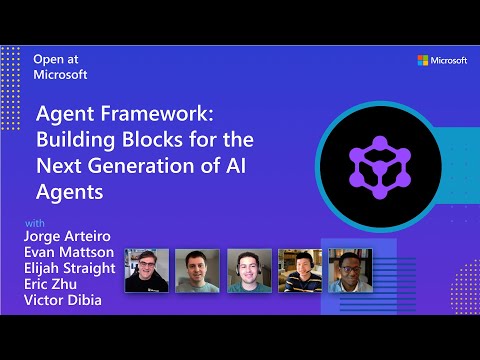
Watch the full Agent Framework introduction (30 min)
Is this the right framework for you?
MAF is a strong fit if you:
- are building agents and workflows you expect to run in production,
- need orchestration beyond a single prompt or stateless chat loop,
- want graph-based patterns such as sequential, concurrent, handoff, and group collaboration,
- care about durability, restartability, observability, governance, or human-in-the-loop control,
- need provider flexibility so your architecture can evolve without major rewrites.
Key Features
Explore new MAF capabilities and real implementation patterns on the official blog.- Python and C#/.NET Support: Full framework support for both Python and C#/.NET implementations with consistent APIs
- Multiple Agent Provider Support: Support for various LLM providers with more being added continuously
- Middleware: Flexible middleware system for request/response processing, exception handling, and custom pipelines
- Orchestration Patterns & Workflows: Build multi-agent systems with graph-based workflows supporting sequential, concurrent, handoff, and group collaboration patterns; includes checkpointing, streaming, human-in-the-loop, and time-travel
- Foundry Hosted Agents (new): Deploy and host your agents to Foundry-hosted infrastructure with just 2 additional lines of code
- Observability: Built-in OpenTelemetry integration for distributed tracing, monitoring, and debugging
- Declarative Agents: Define agents using YAML for faster setup and versioning
- Agent Skills: Build domain-specific knowledge bases from multiple sources—files, inline code, class libraries—for agents to discover and use
- AF Labs: Experimental packages for cutting-edge features including benchmarking, reinforcement learning, and research initiatives
- DevUI: Interactive developer UI for agent development, testing, and debugging workflows
Table of Contents
- Installation - Learning Resources - Quickstart - Basic Agent - Python - Basic Agent - .NETGetting Started
Installation
Pythonpip install agent-framework
This will install all sub-packages, see python/packages for individual packages.
It may take a minute on first install on Windows.
.NET
dotnet add package Microsoft.Agents.AI
For Foundry integration (used in the .NET quickstart below):
dotnet add package Microsoft.Agents.AI.Foundry
dotnet add package Azure.AI.Projects
dotnet add package Azure.Identity
Learning Resources
- Overview - High level overview of the framework
- Quick Start - Get started with a simple agent
- Tutorials - Step by step tutorials
- User Guide - In-depth user guide for building agents and workflows
- Migration from Semantic Kernel - Guide to migrate from Semantic Kernel
- Migration from AutoGen - Guide to migrate from AutoGen
Quickstart
Basic Agent - Python
Create a simple Azure Responses Agent that writes a haiku about the Microsoft Agent Framework
# pip install agent-framework
Use az login to authenticate with Azure CLI
import os
import asyncio
from agent_framework import Agent
from agent_framework.foundry import FoundryChatClient
from azure.identity import AzureCliCredential
async def main():     # Initialize a chat agent with Microsoft Foundry     # the endpoint, deployment name, and api version can be set via environment variables     # or they can be passed in directly to the FoundryChatClient constructor     agent = Agent(       client=FoundryChatClient(           credential=AzureCliCredential(),           # projectendpoint=os.environ["FOUNDRYPROJECT_ENDPOINT"],           # model=os.environ["FOUNDRYMODELDEPLOYMENT_NAME"],       ),       name="HaikuAgent",       instructi,     )
print(await agent.run("Write a haiku about Microsoft Agent Framework."))
if name == "main":     asyncio.run(main())
Basic Agent - .NET
Create a simple Agent, using Microsoft Foundry that writes a haiku about the Microsoft Agent Framework#
// This sample shows how to create and run a basic agent with AIProjectClient.AsAIAgent(...).
using Azure.AI.Projects; using Azure.Identity; using Microsoft.Agents.AI;
string endpoint = Environment.GetEnvironmentVariable("AZUREAIPROJECTENDPOINT") ?? throw new InvalidOperationException("AZUREAIPROJECTENDPOINT is not set."); string deploymentName = Environment.GetEnvironmentVariable("AZUREAIMODELDEPLOYMENTNAME") ?? "gpt-5.4-mini";
AIAgent agent = new AIProjectClient(new Uri(endpoint), new DefaultAzureCredential()) .AsAIAgent(model: deploymentName, instructions: "You are an upbeat assistant that writes beautifully.", name: "HaikuAgent");
// Once you have the agent, you can invoke it like any other AIAgent. Console.WriteLine(await agent.RunAsync("Write a haiku about Microsoft Agent Framework."));
More Examples & Samples
Python
- Getting Started: progressive tutorial from hello-world to hosting
- Agent Concepts: deep-dive samples by topic (tools, middleware, providers, etc.)
- Workflows: workflow creation and integration with agents
- Hosting: A2A, Azure Functions, Durable Task hosting
- End-to-End: full applications, evaluation, and demos
.NET
- Getting Started: progressive tutorial from hello agent to hosting
- Agent Concepts: basic agent creation and tool usage
- Agent Providers: samples showing different agent providers
- Workflows: advanced multi-agent patterns and workflow orchestration
- Hosting: A2A, Durable Agents, Durable Workflows
- End-to-End: full applications and demos
Community & Feedback
- Found a bug? File a GitHub issue to help us improve.
- Enjoying MAF?
to show your support and help others discover the project.
- Have questions? Join our Discord or visit weekly office hours.
Troubleshooting
Authentication
| Problem | Cause | Fix | |---------|-------|-----| | Authentication errors when using Azure credentials | Not signed in to Azure CLI | Run az login before starting your app | | API key errors | Wrong or missing API key | Verify the key and ensure it's for the correct resource/provider |
Tip:DefaultAzureCredentialis convenient for development but in production, consider using a specific credential (e.g.,ManagedIdentityCredential) to avoid latency issues, unintended credential probing, and potential security risks from fallback mechanisms.
Environment Variables
For environment variable configuration specific to each sample, refer to the README in the sample directory (Python samples | .NET samples).Contributor Resources
Important Notes
[!IMPORTANT]
If you use Microsoft Agent Framework to build applications that operate with any third-party servers, agents, code, or non-Azure Direct models (“Third-Party Systems”), you do so at your own risk. Third-Party Systems are Non-Microsoft Products under the Microsoft Product Terms and are governed by their own third-party license terms. You are responsible for any usage and associated costs.> >We recommend reviewing all data being shared with and received from Third-Party Systems and being cognizant of third-party practices for handling, sharing, retention and location of data. It is your responsibility to manage whether your data will flow outside of your organization’s Azure compliance and geographic boundaries and any related implications, and that appropriate permissions, boundaries and approvals are provisioned. > >You are responsible for carefully reviewing and testing applications you build using Microsoft Agent Framework in the context of your specific use cases, and making all appropriate decisions and customizations. This includes implementing your own responsible AI mitigations such as metaprompt, content filters, or other safety systems, and ensuring your applications meet appropriate quality, reliability, security, and trustworthiness standards. See also: Transparency FAQ


