
Docker image that echoes request data as JSON; listens on HTTP/S, useful for debugging.



mendhak/http-https-echo is a Docker image that can echo various HTTP request properties back to client in the response, as well as in the Docker container logs. It comes with various options that can manipulate the response output, see the table of contents for a full list.
The image is available on Docker Hub: mendhak/http-https-echo:41 The image is available on Github Container Registry: ghcr.io/mendhak/http-https-echo:41
Please do not use the :latest tag as it will break without warning, use a specific version instead.
This image is executed as non root by default and is fully compliant with Kubernetes or Openshift deployment.
- Basic Usage
- Choose your ports
- Use your own certificates
- Trust additional proxy IPs
- Decode JWT header
- Disable ExpressJS log lines
- Do not log specific path
- JSON payloads and JSON output
- No newlines
- Send an empty response
- Custom status code
- Set response Content-Type
- Add a delay before response
- Only return body in the response
- Include environment variables in the response
- Setting CORS(Cross-Origin Resource Sharing) headers in the response
- Client certificate details (mTLS) in the response
- Preserve the case of headers in response body
- Override the response body with a file
- Set a maximum header size
- Cookies and Signed Cookies
- Prometheus Metrics
- Screenshots
- Building
- Changelog
Basic Usage
Run with Docker
docker run -p 8080:8080 -p 8443:8443 --rm -t mendhak/http-https-echo:41
Or run with Docker Compose
docker-compose up
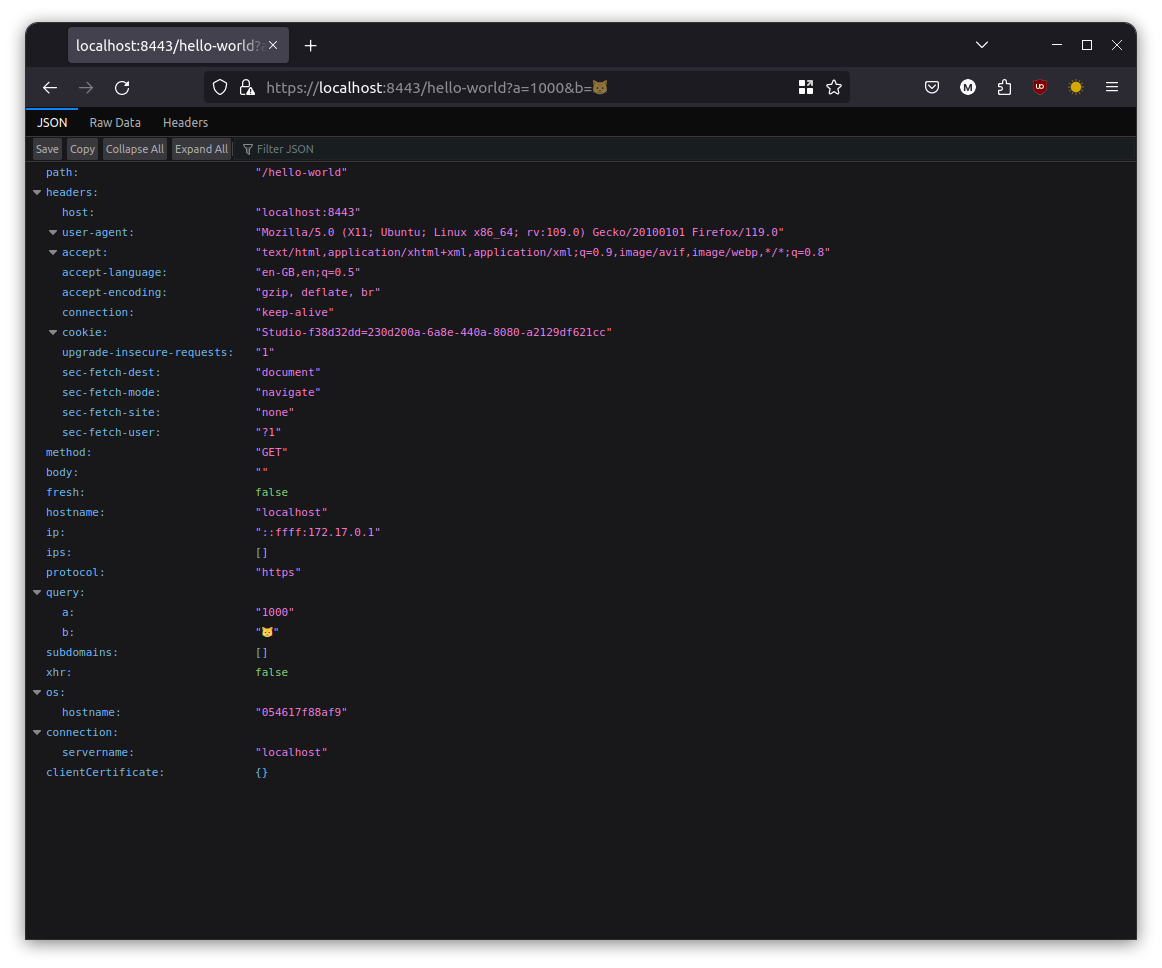
Then, issue a request via your browser or curl, and watch the response, as well as container log output.
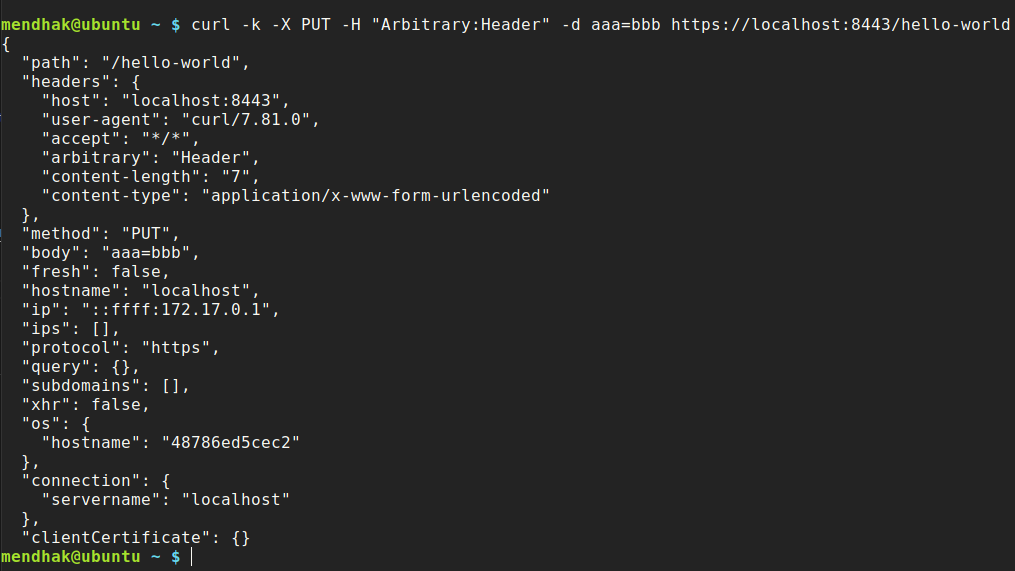
curl -k -X PUT -H "Arbitrary:Header" -d aaa=bbb https://localhost:8443/hello-world
Choose your ports
You can choose a different internal port instead of 8080 and 8443 with the HTTPPORT and HTTPSPORT environment variables.
In this example I'm setting http to listen on 8888, and https to listen on 9999.
docker run -e HTTPPORT=8888 -e HTTPSPORT=9999 -p 8080:8888 -p 8443:9999 --rm -t mendhak/http-https-echo:41
With docker compose, this would be:
my-http-listener: image: mendhak/http-https-echo:41 environment: - HTTP_PORT=8888 - HTTPS_PORT=9999 ports: - "8080:8888" - "8443:9999"
Use your own certificates
The certificates are at /app/fullchain.pem and /app/testpk.pem.
You can use volume mounting to substitute the certificate and private key with your own.
my-http-listener: image: mendhak/http-https-echo:41 ports: - "8080:8080" - "8443:8443" volumes: - /etc/ssl/certs/ssl-cert-snakeoil.pem:/app/fullchain.pem - /etc/ssl/private/ssl-cert-snakeoil.key:/app/testpk.pem
You can use the environment variables HTTPSCERTFILE and HTTPSKEYFILE to define the location of existing certificate and private key inside container.
Trust additional proxy IPs
By default, Express is configured to trust forwarded proxy headers from loopback, link-local, and private IP ranges. To also trust additional proxy IPs or subnets, set ADDITIONALTRUSTEDPROXIES to a single value or a comma-separated list.
docker run -e ADDITI -p 8080:8080 -p 8443:8443 --rm -t mendhak/http-https-echo:41
Decode JWT header
If you specify the header that contains the JWT, the echo output will contain the decoded JWT. Use the JWT_HEADER environment variable for this.
docker run -e JWT_HEADER=Authentication -p 8080:8080 -p 8443:8443 --rm -it mendhak/http-https-echo:41
Now make your request with Authentication: eyJ... header (it should also work with the Authentication: Bearer eyJ... schema too):
curl -k -H "Authentication: Bearer eyJhbGciOiJIUzI1NiIsInR5cCI6IkpXVCJ9.eyJzdWIiOiIxMjM0NTY3ODkwIiwibmFtZSI6IkpvaG4gRG9lIiwiaWF0IjoxNTE2MjM5MDIyfQ.SflKxwRJSMeKKF2QT4fwpMeJf36POk6yJV_adQssw5c" http://localhost:8080/
And in the output you should see a jwt section.
Disable ExpressJS log lines
In the log output set the environment variable DISABLEREQUESTLOGS to true, to disable the specific ExpressJS request log lines. The ones like ::ffff:172.17.0.1 - - [03/Jan/2022:21:31:51 +0000] "GET /xyz HTTP/1.1" 200 423 "-" "curl/7.68.0". The JSON output will still appear.
docker run --rm -e DISABLEREQUESTLOGS=true --name http-echo-tests -p 8080:8080 -p 8443:8443 -t mendhak/http-https-echo:41
Do not log specific path
Set the environment variable LOGIGNOREPATH to a path or a regex you would like to exclude from verbose logging to stdout. This can help reduce noise from healthchecks in orchestration/infrastructure like Swarm, Kubernetes, ALBs, etc.
# Ignore a single path docker run -e LOGIGNOREPATH=/ping -p 8080:8080 -p 8443:8443 --rm -t mendhak/http-https-echo:41 # Ignore multiple paths docker run -e LOGIGNOREPATH="^\/ping|^\/health|^\/metrics" -p 8080:8080 -p 8443:8443 -t mendhak/http-https-echo:41 # Ignore all paths docker run -e LOGIGNOREPATH=".*" -p 8080:8080 -p 8443:8443 -t mendhak/http-https-echo:41 docker run -e LOGIGNOREPATH="^" -p 8080:8080 -p 8443:8443 -t mendhak/http-https-echo:41
JSON payloads and JSON output
If you submit a JSON payload in the body of the request, with Content-Type: application/json, then the response will contain the escaped JSON as well.
For example,
curl -X POST -H "Content-Type: application/json" -d '{"a":"b"}' http://localhost:8080/
Will contain a json property in the response/output.
... "xhr": false, "connection": {}, "json": { "a": "b" } }
No newlines
You can disable new lines in the log output by setting the environment variable LOGWITHOUTNEWLINE. For example,
docker run -e LOGWITHOUTNEWLINE=true -p 8080:8080 -p 8443:8443 --rm -t mendhak/http-https-echo:41Send an empty response
You can disable the JSON output in the response by setting the environment variable ECHOBACKTO_CLIENT. For example,
docker run -e ECHOBACKTO_CLIENT=false -p 8080:8080 -p 8443:8443 --rm -t mendhak/http-https-echo:41Custom status code
Use x-set-response-status-code to set a custom status code.
You can send it as a header:
curl -v -H "x-set-response-status-code: 401" http://localhost:8080/You can send it as a querystring parameter:
curl -v http://localhost:8080/some/path?x-set-response-status-code=401That will cause the reponse status code to be:
HTTP/1.1 401 UnauthorizedSet response Content-Type
Use x-set-response-content-type to set the Content-Type of the response.
You can send it as a header:
curl -H "X-Set-Response-Content-Type: text/plain" -kv https://localhost:8443/You can send it as a querystring parameter:
curl -kv https://localhost:8443/path?x-set-response-content-type=text/plainThis will cause the response content type to be:
< Content-Type: text/plain; charset=utf-8Add a delay before response
Use x-set-response-delay-ms to set a custom delay in milliseconds. This will allow you to simulate slow responses.
You can send it as a header:
curl -v -H "x-set-response-delay-ms: 6000" http://localhost:8080/You can send it as a querystring parameter:
curl -v http://localhost:8080/some/path?x-set-response-delay-ms=6000Only return body in the response
Use the querystring parameter, responsebodyonly=true to get just the request body in the response, none of the associated metadata.
curl -s -k -X POST -d 'cauliflower' http://localhost:8080/a/b/c?responsebodyonly=trueThe output will be 'cauliflower'.
Include environment variables in the response
You can have environment variables (that are visible to the echo server's process) added to the response body. Because this could contain sensitive information, it is not a default behavior.
Pass the ECHOINCLUDEENV_VARS=1 environment variable in.
docker run -d --rm -e ECHOINCLUDEENV_VARS=1 --name http-echo-tests -p 8080:8080 -p 8443:8443 -t mendhak/http-https-echo:41Then do a normal request via curl or browser, and you will see the env property in the response body.
Setting CORS(Cross-Origin Resource Sharing) headers in the response
Enable CORS headers in response by setting the environment variable CORSALLOWORIGIN to the list of allowed origins. CORS configuration can be further fine-tuned by using the following environment variables:
CORSALLOWMETHODS: List of Http methods allowed.CORSALLOWHEADERS: List of headers allowed.CORSALLOWCREDENTIALS: Comma-separated list of origin URLs from which the policy allows credentials to be sent.
CORSALLOWORIGIN first. By default, they will all be missing when only the CORSALLOWORIGIN is set and need to be explicitly specified alongside CORSALLOWORIGIN.
Client certificate details (mTLS) in the response
To get client certificate details in the response body, start the container with MTLS_ENABLE=1 environment variable. When passing a client certificate, the details about that certificate can be echoed back in the response body. The client certificate will not be validated.
For example, invoke using curl, passing a certificate and key.
curl -k --cert cert.pem --key testpk.pem https://localhost:8443/The response body will contain details about the client certificate passed in.
If you browse to https://localhost:8443/ in Firefox, you won't get prompted to supply a client certificate unless you have an imported certificate by the same issuer as the server. If you need browser prompting to work, you'll need to follow the 'use your own certificates' section. Firefox needs the imported certificate to be in a PKCS12 format, so if you have a certificate and key already, you can combine them using
openssl pkcs12 -export -in cert.pem -inkey testpk.pem -out certpkcs12.pfxPreserve the case of headers in response body
By default, the headers in the response body are lowercased. To attempt to preserve the case of headers in the response body, set the environment variable PRESERVEHEADERCASE to true.
docker run -e PRESERVEHEADERCASE=true -p 8080:8080 -p 8443:8443 --rm -t mendhak/http-https-echo:41Override the response body with a file
To override the response body with a file, set the environment variable OVERRIDERESPONSEBODYFILEPATH to a file path. The file path needs to be in the /app directory.
docker run -d --rm -v ${PWD}/test.html:/app/test.html -p 8080:8080 -e OVERRIDERESPONSEBODYFILEPATH=/test.html -t mendhak/http-https-echo:41Set a maximum header size
You can use the MAXHEADERSIZE environment variable to set a maximum header size in bytes. The default is 1MB.
docker run -d --rm -e MAXHEADERSIZE=1000 -p 8080:8080 -p 8443:8443 -t mendhak/http-https-echo:41Cookies and Signed Cookies
Make a request with a Cookie header and the response will include the cookies:
docker run -d --rm --name http-echo-tests -p 8080:8080 -p 8443:8443 -t mendhak/http-https-echo:41Then make a request with a cookie header:
curl -s http://localhost:8080/ -H "Cookie: foo=bar; baz=qux"To enable signed cookie support, set the COOKIE_SECRET environment variable. Signed cookies appear in the signedCookies section of the response:
docker run -d --rm -e COOKIE_SECRET=mysecretkey123 --name http-echo-tests -p 8080:8080 -p 8443:8443 -t mendhak/http-https-echo:41Now you need to generate a signed cookie, and send it in the header. Here's a convenience node snippet:
SIGNED_COOKIE=$(node -e "var crypto = require('crypto');
function sign(val, secret){   return val + '.' + crypto     .createHmac('sha256', secret)     .update(val)     .digest('base64')     .replace(/=+$/, ''); };
console.log(sign('my-value','mysecretkey123'));")
curl -s http://localhost:8080/ -H "Cookie: mysigned=s:$SIGNED_COOKIE" | jq '.signedCookies'
Notice the s: prefix in the cookie value, that is important.
Prometheus Metrics
To expose http performance metrics, set the PROMETHEUSENABLED environment variable to true, the metrics will be available at /metrics. This uses the express-prom-bundle middleware
You can configure these metrics using the following variables:
| Variable | Description | Default Value | | ----------------------- | --------------------------------------------- | ------------- | | PROMETHEUS_ENABLED | Toggles on the prometheus middleware | false | | PROMETHEUSMETRICSPATH | The path at which the metrics will be visible | /metrics | | PROMETHEUSWITHPATH | Partitions the metrics by the requested path | false | | PROMETHEUSWITHMETHOD | Partitions the metrics by HTTP method | true | | PROMETHEUSWITHSTATUS | Partitions the metrics by HTTP status | true | | PROMETHEUSMETRICTYPE | Sets the type of metric, histogram or summary | summary |
Please check the middleware documentation for more details.
Screenshots
Curl output
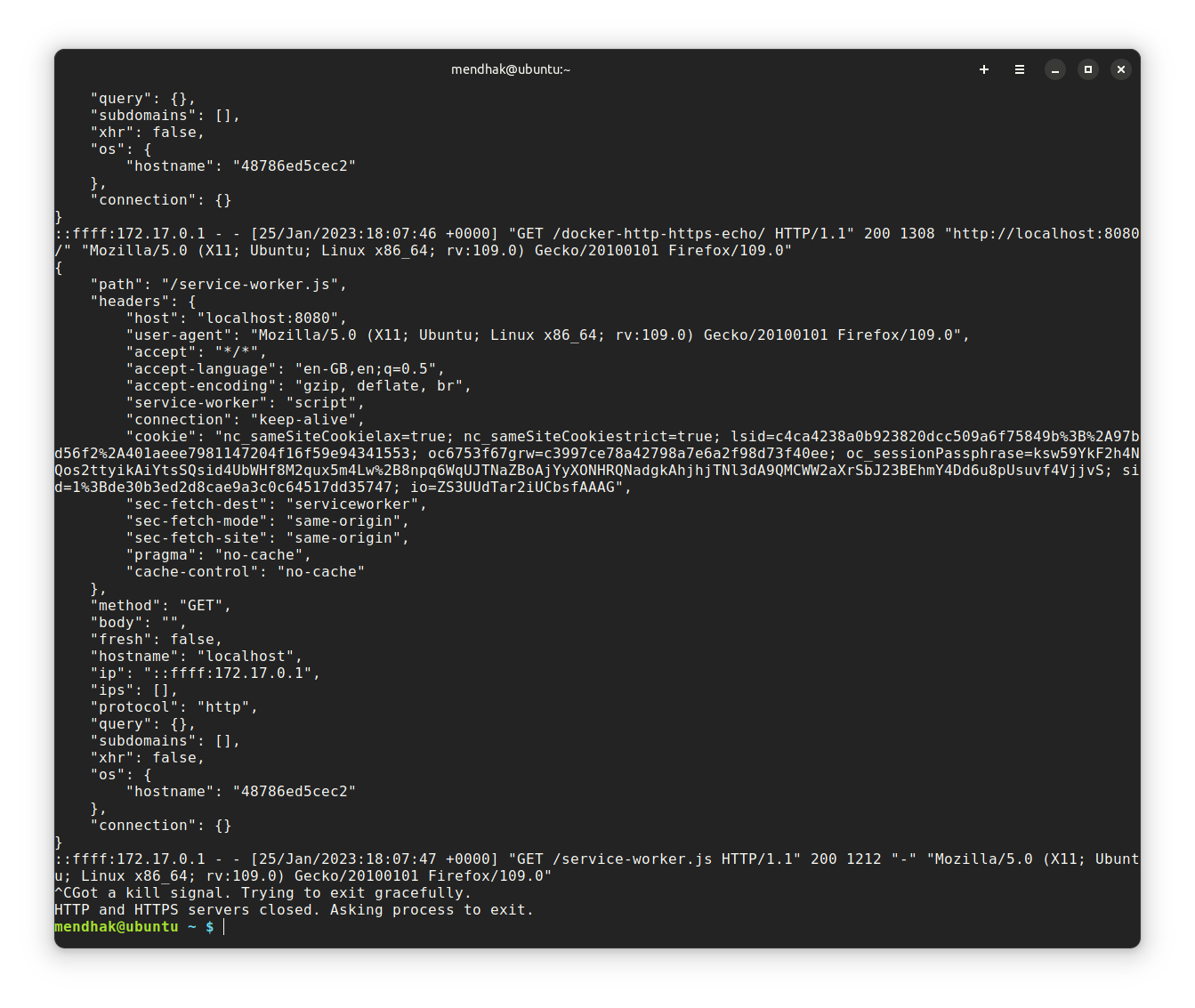
docker logs output
Building and developing locally
docker build -t mendhak/http-https-echo .
Run some tests to make sure features are working as expected.
./tests.sh
To create a new image on Docker Hub, I need to create a tag and push it.
git tag -s 16 git push --tags
Changelog
See the changelog


