
A simple and minimal command-line snippet manager



Snip is a simple and minimal command-line snippet manager.
Features
- View your snippets on command line and also manage them (create, edit, delete) using your favorite editor.
- Command-line auto-completion for the snippets names (supports
bash,zsh,fishandpowershell). - Seamlessly integration with
fzfto provide fuzzy completion(currently supportszshshell). - Syntax highlighting and Git integration
How to use
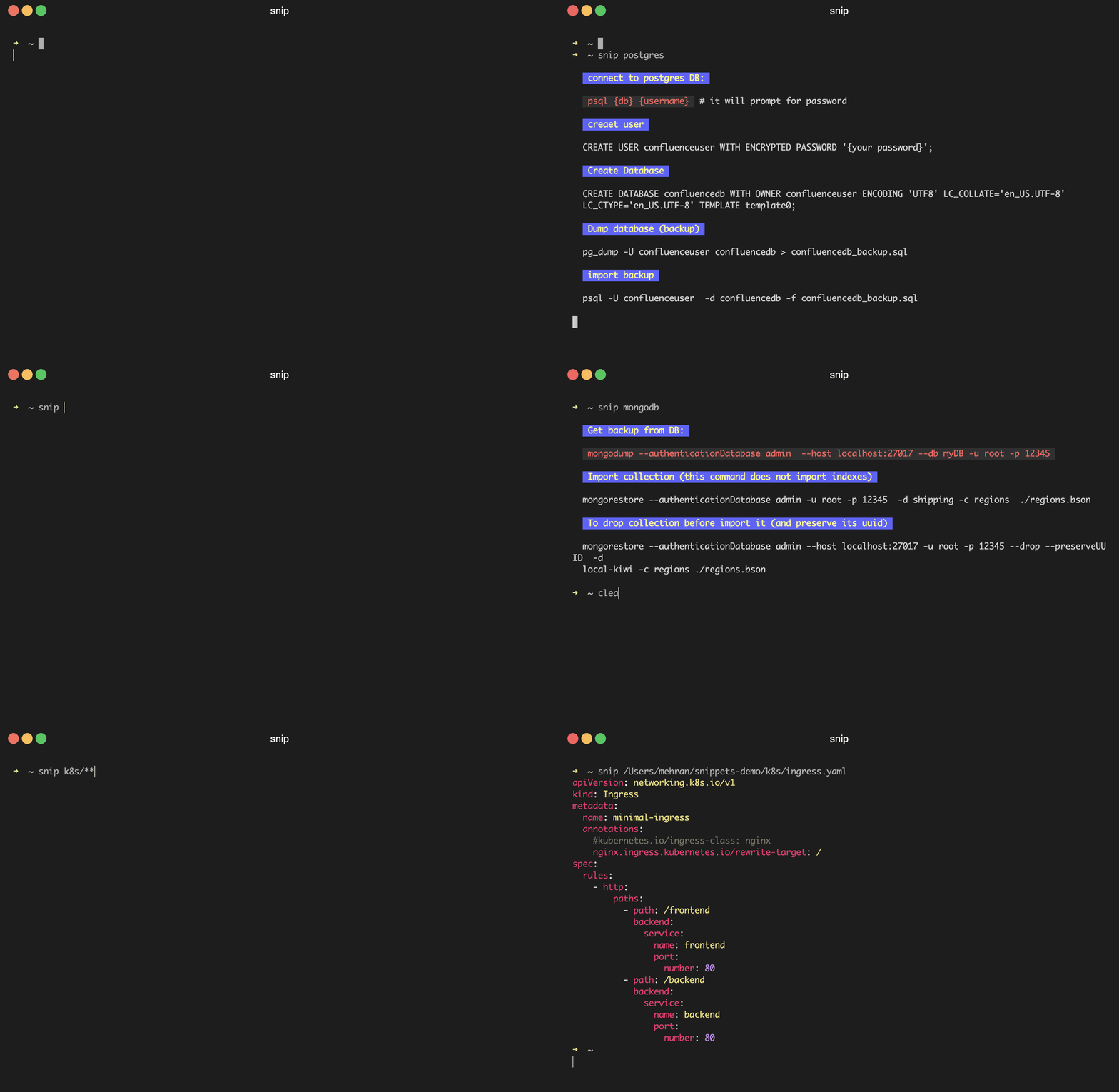
View a snippet
- Run
snip {snippet_name}to view a snippet. - If you've
fzf shell integration in
you zsh shell, you can find snippets by fuzzy completion. e.g., type snip ** and press tab.
Edit snippets (Create|Update|Delete)
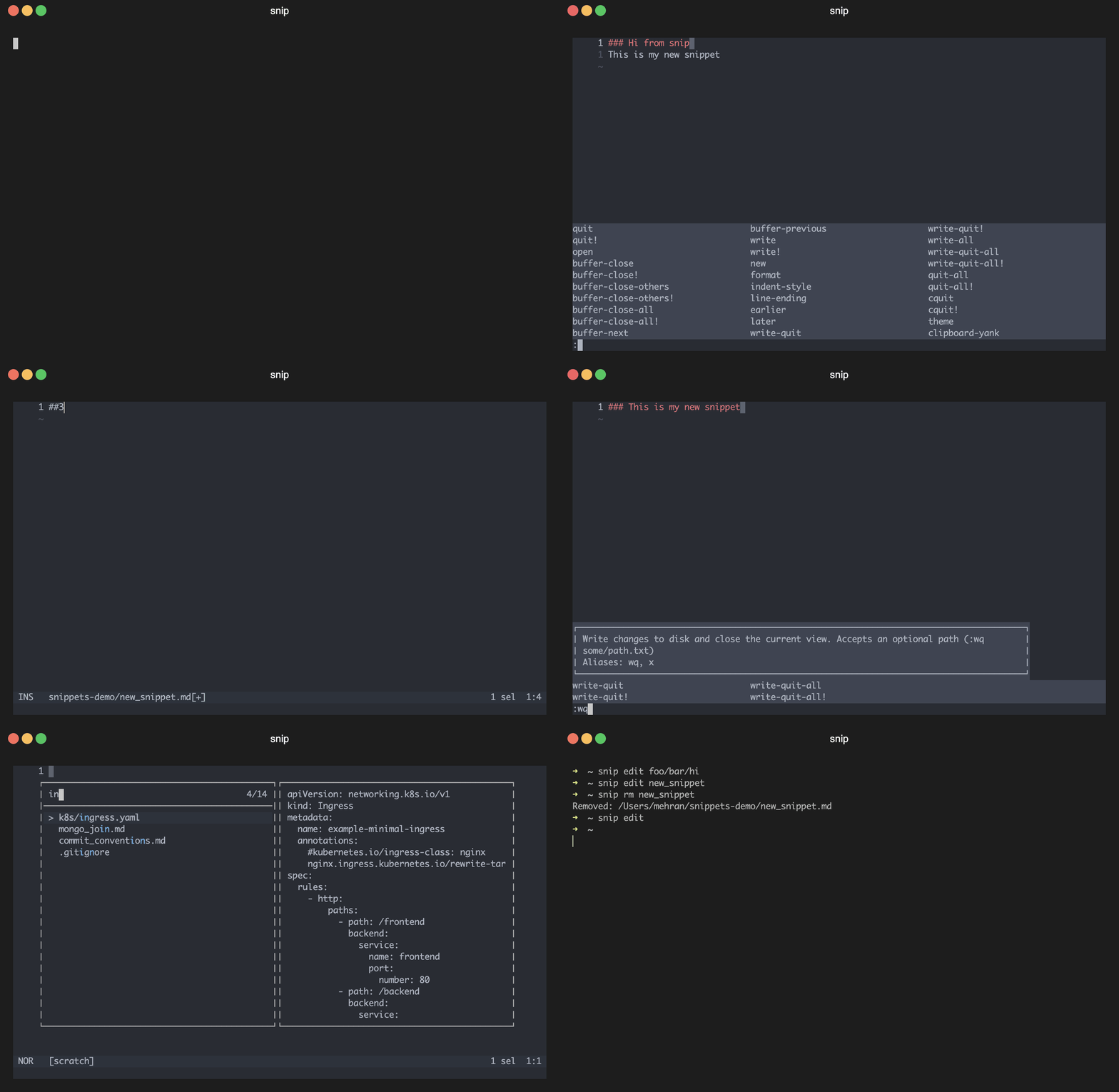
- Run
snip editto open your snippets repository in your favorite editor. - Run
snip edit {snippet_path}to create|edit your snippet in your favorite editor. - Run
snip rm {snippet_path}to remove a snippet. (use-rflag to remove recursively)
Sync snippets changes with your remote git repository
- Run
snip sync [optional commit message]to pull and then push your snippets changes. This command runs the following
git pull origin
git add -A
git commit -m "{yourprovidedmessage | default_message}"
git push origin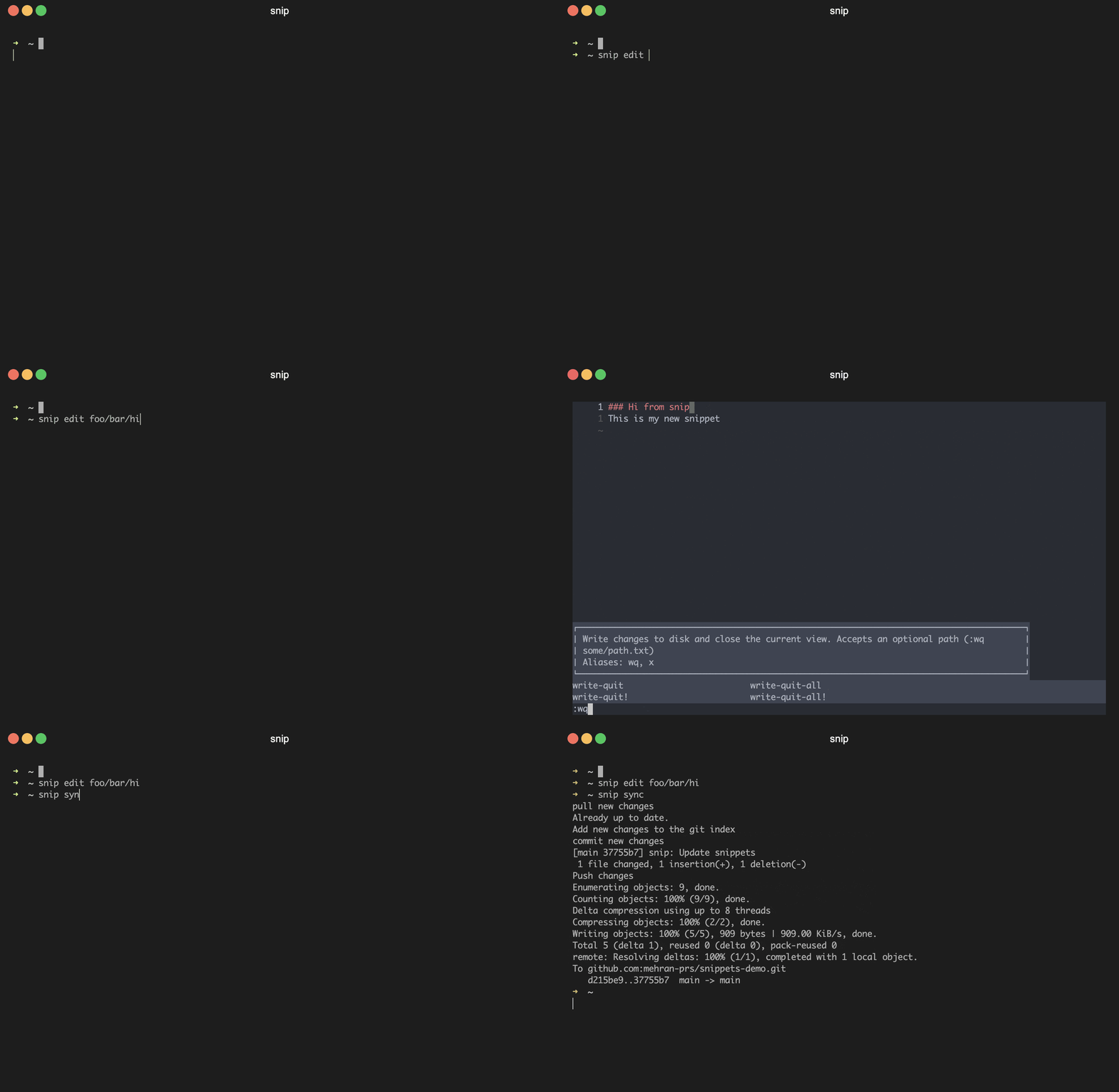
[!NOTE]
before running git sync for first time, you need to initialize git in your snippets directory and
also set upstream of your default branch. something like the following commands:
cd $(snip dir)
git init
git remote add origin  {yourreporemote_path}
Push your first commit to setup upstream branch
git add -A && git commit -m "Initial commit"
git push -u origin main
Getting started
- Install the snip command.
- Enable auto-completion
- (optional) Set custom snippets directory path.
- (optional) Enable syntax highlighting (recommended)
- (optional) Enable fuzzy completion if your shell is
zsh(recommended). - Use
snip:))
Installation
Install using go:
go install -ldflags "-X main.Version=main -X main.Date=date +'%FT%TZ%z'" github.com/mehran-prs/snip@mainOr get pre-compiled executables here
[!IMPORTANT]
To set up completion, see the instructions below.
Shell integration
Add the following line to your shell configuration file.
- bash
# Set up snip completion
source <(snip completion bash)- zsh
# Set up snip completion (including fuzzy completion)
source <(snip completion zsh)- fish
# Set up snip completion
  snip completion fish | source
[!NOTE]
fzf shell integration is a
pre-requisite of snip fuzzy completion.
Customization
Set the following env variables to customize snip(e.g., put export SNIP_DIR=/path/to/dir in your shell config file):
| Name | Default | Description | |--------------------------|-----------------------------------------------------|---------------------------------------------------------------------------------| | SNIP_DIR | ~/snippets | The snippets directory. It must be absolute path | | SNIPFILEVIEWER_CMD | cat | The tool which renders non-markdown files in cmd | | SNIPMARKDOWNVIEWER_CMD | cat | The tool which renders markdown files in cmd | | SNIP_EDITOR | Value of the EDITOR env variable, otherwise vim | The editor which snip uses to let you edit snippets | | SNIP_GIT | git | The git command which it uses to sync snippets with your remote git repository | | SNIP_EXCLUDE | .git,.idea | comma-separated list of directories that you want to exclude in auto-completion | | SNIP_VERBOSE | "" | Enable verbose mode (values: true) | | SNIPLOGTMP_FILENAME | "" | Set path to a temporary log file. it's helpful in autocompletion debugging |
Commands
Usage:
  snip [command] [flags]
  snip [command]
Available Commands:   completion  Generate completion script   dir         prints the snippets directory   edit        Create|Edit the snippet in the editor   help        Help about any command   rm          Remove a snippet or directory   sync        sync the snippets changes with your remote git repository   version     Print the version and build information
Flags:   -h, --help   help for snip
Enable syntax highlighting
- Set the following env variables in your shell configuration(e.g.,
~/.zshrc):
export SNIPFILEVIEWER_CMD="bat --style plain --paging never"
export SNIPMARKDOWNVIEWER_CMD="glow"
[!IMPORTANT]
On some operating systems (like ubuntu), thebatexecutable may be installed asbatcatinstead ofbat, in such
cases, setbatcatinstead ofbatinSNIPFILEVIEWER_CMDenv variable.
Enable fuzzy completion
[!Note]
Currently fuzzy completion is supported just in zsh.
- Install
fzfto enable fuzzy completion. - Set up
fzfshell integration
Multi-tenancy (Advanced usage)
I like to have multiple instances of the snip command under different names for multiple repositories. for example snip to manage my snippets, and tasks to manage my tasks. We can do that by creating a soft-link to the snip command (other solutions like aliasing doesn't work perfectly in auto-completion, at least for me :)) ), for example to add the tasks command, follow these steps:
- Link
tasksto thesnipcommand:
ln -s $(whereis snip | awk '{print $2}') /usr/local/bin/tasks- Update your shell config to set the tasks directory for the
taskscommand(as its snippets directory) and also
# Set the tasks directory (change to your own tasks directory)
export TASKS_DIR=/path/to/my/tasks
Enable shell auto-completion (in this example, enabled for zsh)
source <(tasks completion zsh)
[!NOTE]
You may wonder how thetaskscommand reads its directory path fromTASKSDIRenv variable instead ofSNIPDIR,
actually thesniptool reads env variables from{APPNAME}{ENVNAME}(in this caseTASKS_*) and if
it was empty then reads from SNIP{ENVNAME}.
Contributing
- Fork the repository
- Clone your fork (
git clone https://github.com/<your_username>/snip && cd snip) - Create your feature branch (
git checkout -b my-new-feature) - Make changes and add them (
git add .) - Commit your changes (
git commit -m 'Add some feature') - Push to the branch (
git push -u origin my-new-feature) - Create new pull request
Some helper commands for contributors
# Run tests
go test ./...
Test coverage
go test -coverprofile cover.out ./...
go tool cover -html cover.out # view as html
go tool cover -func cover.out # output coverage per functions
Run linters
go install github.com/golangci/golangci-lint/cmd/golangci-lint@v1.58.1
golangci-lint run ./...
build
go build -o snip .


