
Open-source AI-assisted VAPT platform for automated vulnerability scanning, evidence verification, deterministic CVSS scoring, and actionable security remediation. Findings are explained in plain english language for you to act on without security knowledge.[Scan your website for vulnerabilities]
ONUS - Automated Vulnerability Assessment & Penetration Testing


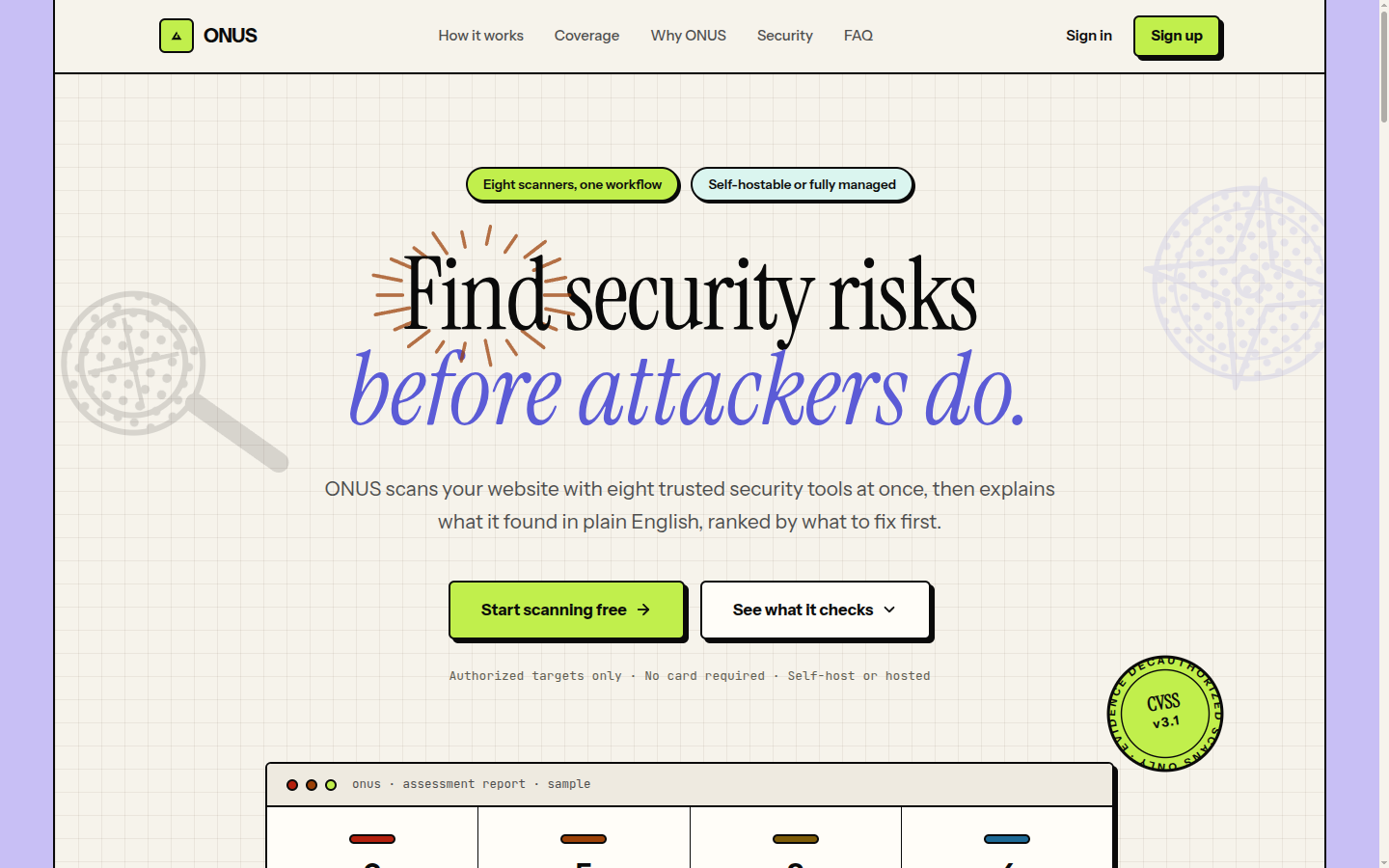
Built by maverickaayush.
A locally-hosted, air-gapped VAPT tool: point it at an authorized target domain and it runs 8 scanning modules in parallel, deterministically scores every finding (CVSS v3.1), optionally adds AI-generated plain-English descriptions via a local LLM, and produces a PDF report plus a live web dashboard. No external API calls - everything runs on your own network.
Two ways to run ONUS:
- Self-hosted (this repo): docker compose up → enter a domain → tick the
authorization box → scan. No account, no sign-in, no email verification -
it's single-operator by design, and everything below covers this path.
- Hosted: a managed instance is live at tryonus.tech.
It layers on production-only features (accounts / OAuth sign-in, a scan
queue, per-user history) that default off in this repo, so self-hosting
stays simple. See Self-hosted vs hosted.
Features
- 8 parallel scanning modules (Celery) - network recon
- Deterministic CVSS v3.1 scoring - severity, CVSS score/vector,
- Confidence verification - findings are passively re-checked
- Optional local AI analysis - Ollama + Qwen 2.5 7B turns scored
- Context-aware, actionable remediation - every finding ends with a
- PDF report + web dashboard - WeasyPrint-rendered report and a Next.js
Self-hosted vs hosted
| | Self-hosted (this repo) | Hosted (tryonus.tech) | |---|---|---| | Setup | docker compose up | none - just open the site | | Sign-in | none - single operator | account / Google / GitHub OAuth | | Scan flow | domain → authorization box → scan | same, after signing in | | Extras | - | scan queue, per-user history, hosted email | | Runs on | your own network, air-gapped | managed cloud |
The self-hosted default path is intentionally the simple one: **no sign-up, no email verification, no OAuth**. The hosted-only features (authentication, scan queue) live behind config flags that default off (REQUIRE_AUTH=false, HOSTEDQUEUEENABLED=false; see Configuration) and are not set in docker-compose.yml - so running ONUS locally never puts you behind a login. Prefer zero setup? Use the hosted site at tryonus.tech.
Screenshots
| New Scan | Live Scan Status | |---|---| | 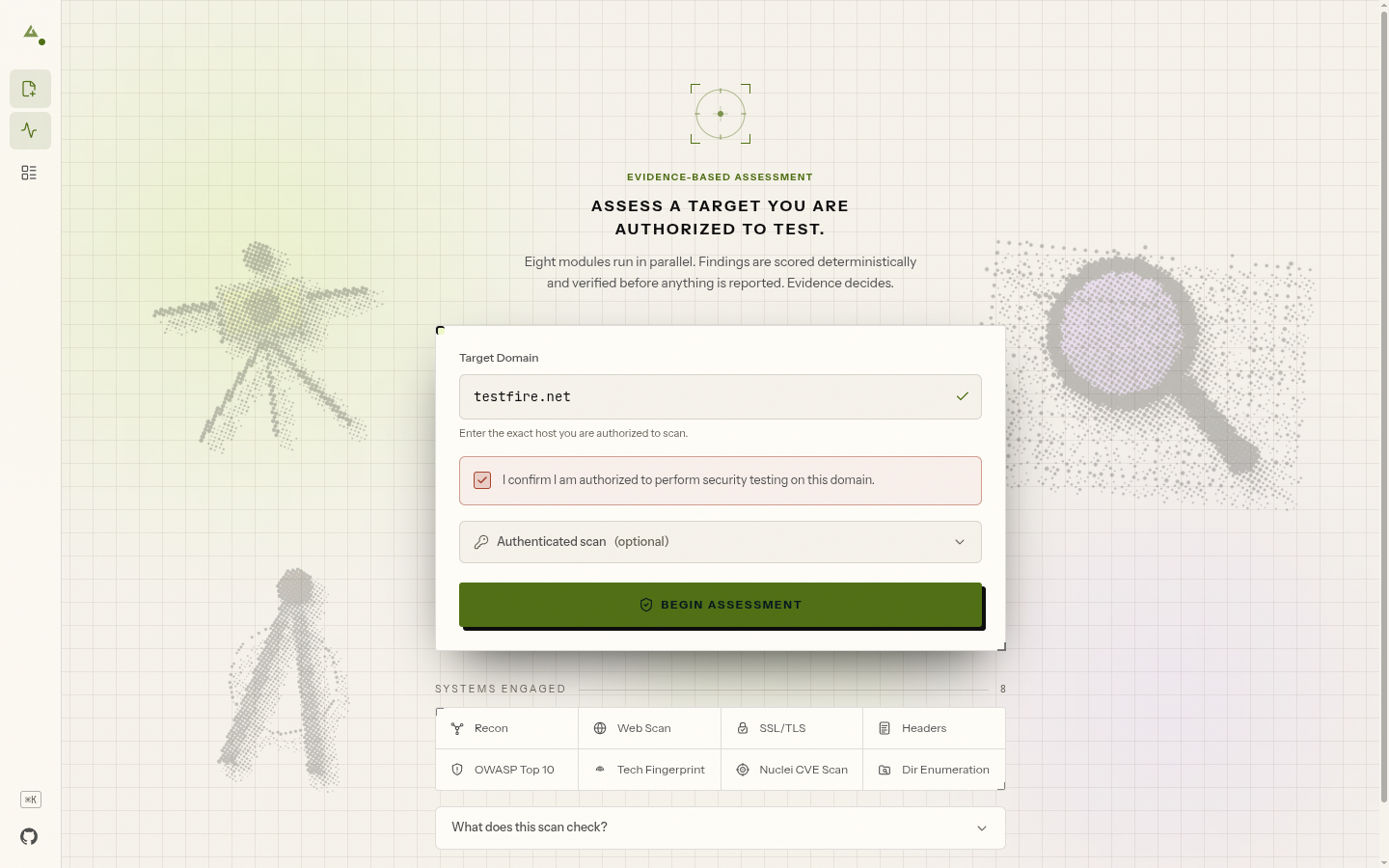 |
| 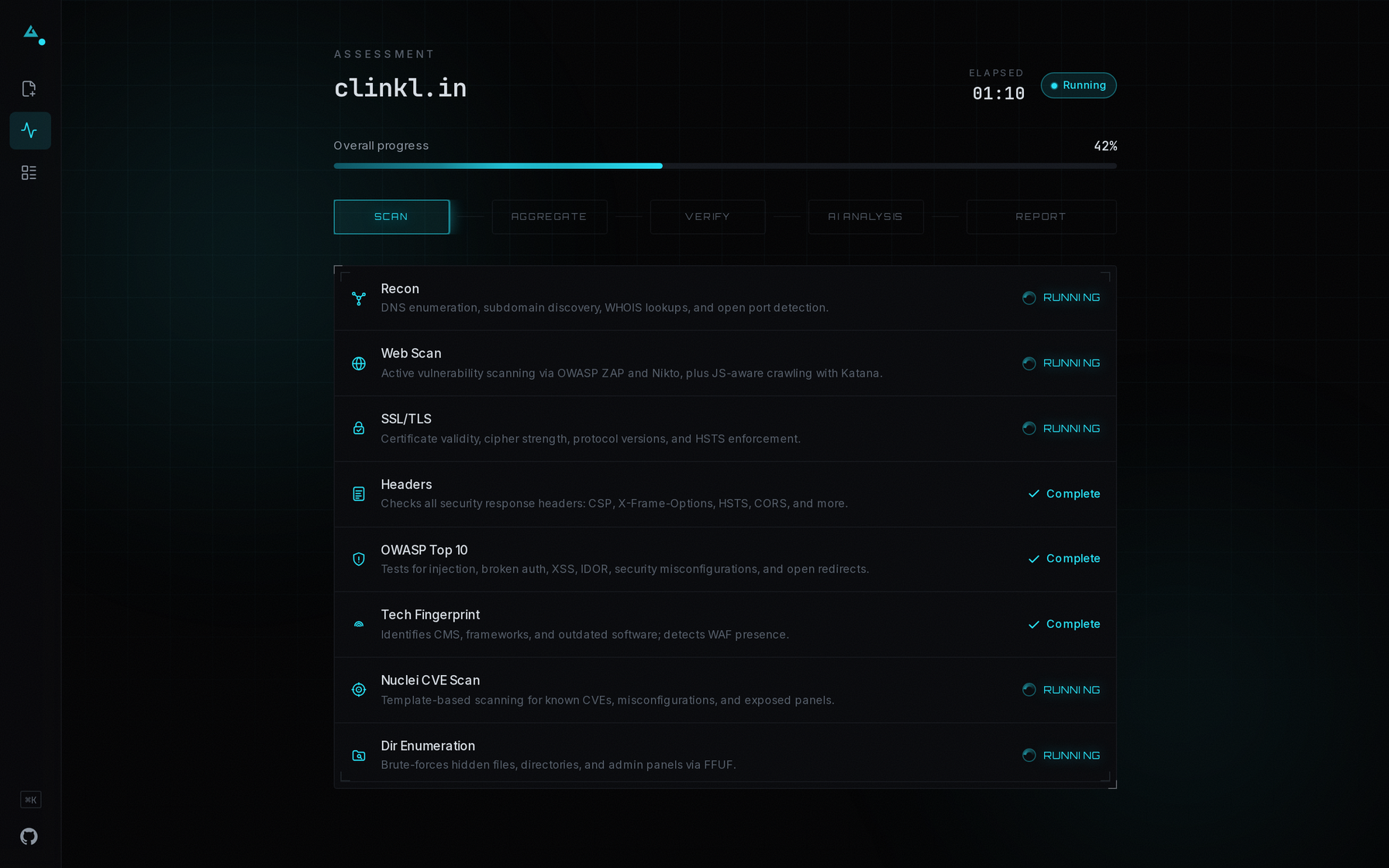 |
|
| Report Dashboard | Scans Discovery | |---|---| | 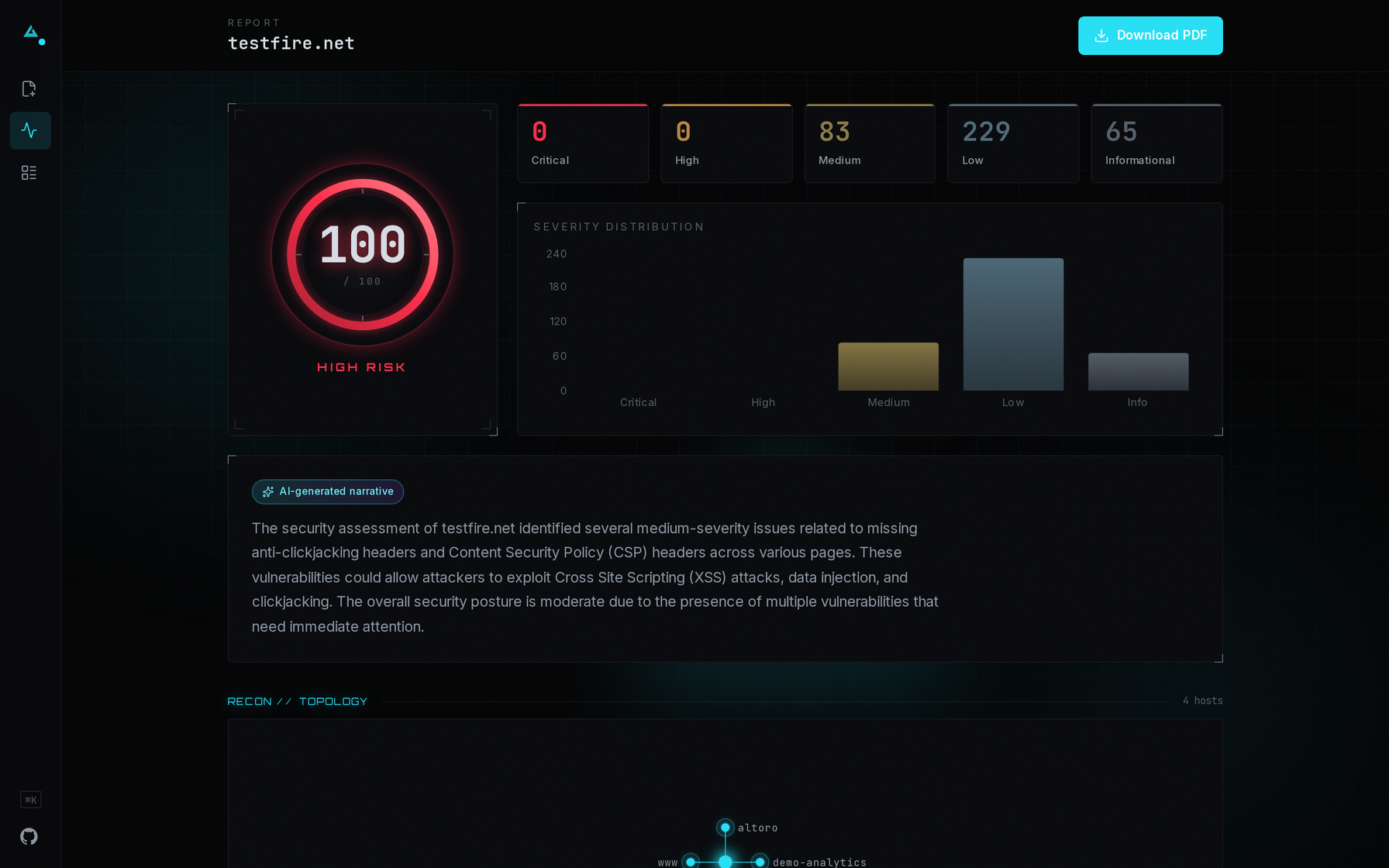 |
| 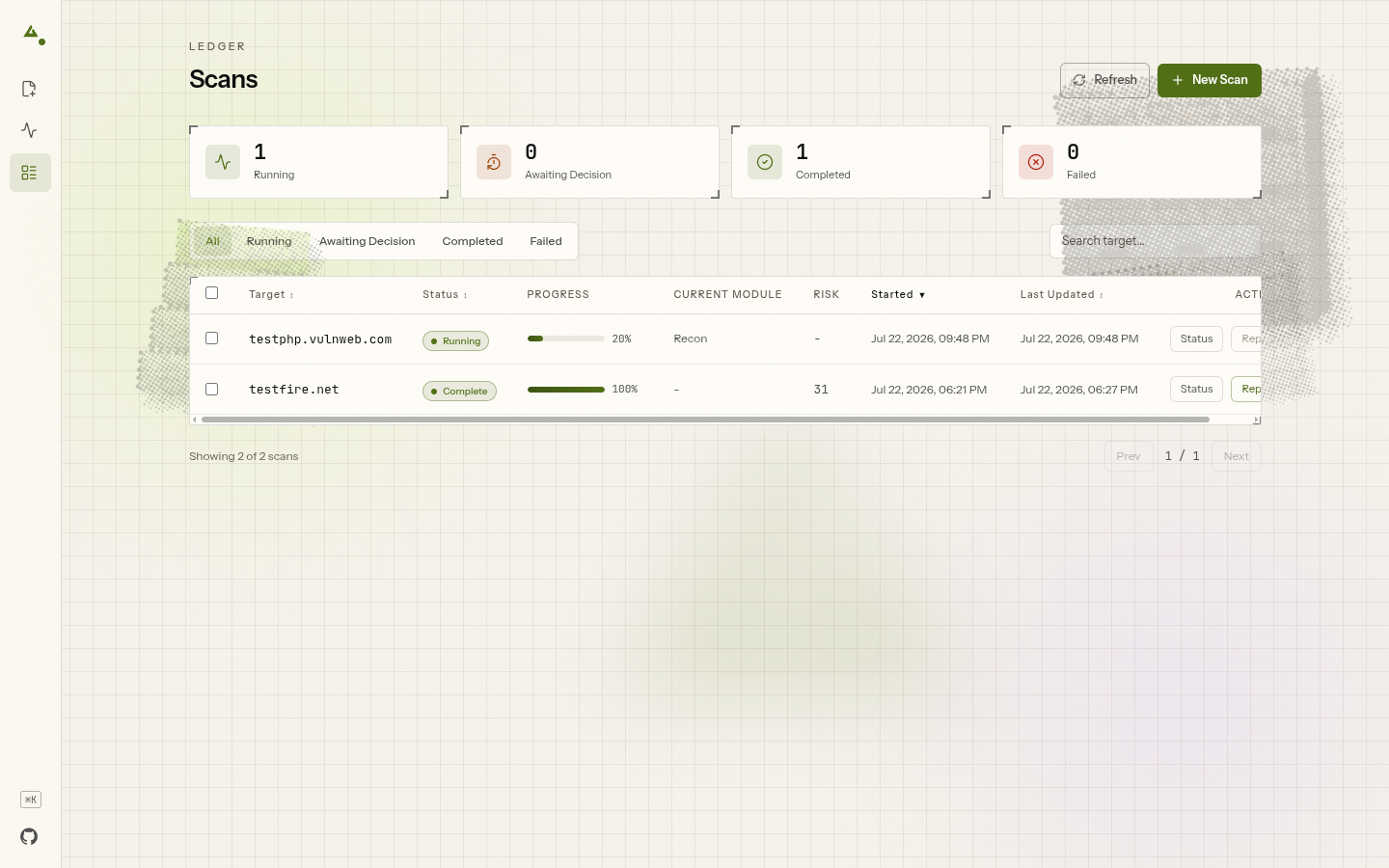 |
|
Architecture
domain → [recon | webscan | ssltls | headers | owasp | techfingerprint | nuclei | enumeration] (parallel, Celery)
       → any module failed/timed out? → pause for operator retry/continue/cancel
       → aggregator (dedup + OWASP-map + sort)
       → confidence verification (passive re-observation)
       → deterministic CVSS scoring
       → Ollama (Qwen 2.5 7B) AI analysis
       → WeasyPrint PDF + PostgreSQL
       → dashboard / PDF download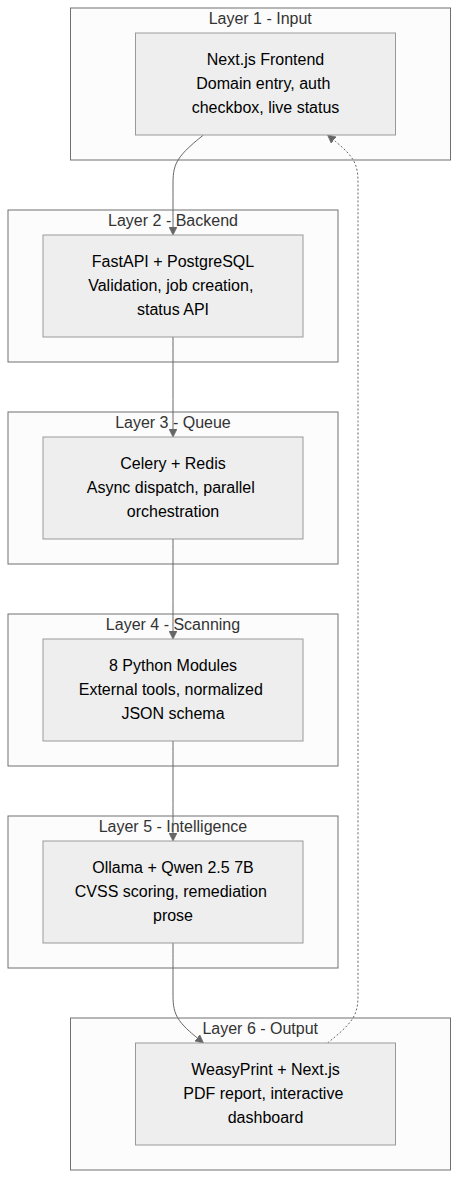
Six layers: Next.js frontend → FastAPI → Celery/Redis → 8 parallel scanning modules → Ollama (Qwen 2.5 7B) → WeasyPrint PDF + dashboard. Full details in ARCHITECTURE.md (schemas, contracts, guardrails) and docs/QUICK_REF.md (quick lookup for common changes).
Prerequisites
- Docker + Docker Compose v2
- ~8GB free disk. The built images total ~6.8GB (backend and worker are
- ~6GB free RAM. The ZAP sidecar alone is capped at 4GB (
mem_limit: 4g),
- First build takes roughly 10-15 minutes on a decent connection.
Quick start
See Prerequisites above: ~8GB disk and ~6GB RAM, and expect a 10-15 minute
first build.
cp .env.example .env
cp backend/subfinder-config/provider-config.yaml.example backend/subfinder-config/provider-config.yaml
docker compose up -d
docker compose ps        # wait for zap to report healthy (~2 min)
Open http://localhost:3000, enter a domain, tick the authorization box, and start the scan.
No sign-in, sign-up, or email verification. Self-hosted ONUS is single-operator by default - there's no account step between opening the dashboard and scanning.
This works with no Ollama install. CVSS/severity/priority scoring is always deterministic (analysis/cvss_scorer.py) - without Ollama running, findings just get a rule-based description template instead of AI-generated prose. See "Optional: enable AI-generated descriptions" below to turn that on.
Zero API keys are required to run this tool. Every scanning tool it wraps (nmap, ZAP, Nikto, testssl.sh, Nuclei, Amass, Naabu, httpx, WhatWeb, WAFW00F, FFUF) and Ollama itself work with no key at all. The subfinder config copy step above is the one optional exception - leaving it as the empty template is fine, subfinder just runs with free/public sources only. To deepen subdomain enumeration, you can add up to two free-tier keys to that file before starting: a GitHub personal access token and a ProjectDiscovery Chaos API key - see the comments inside provider-config.yaml.example.
Optional: enable AI-generated descriptions
Ollama runs natively on the host (not in Docker) so it can use the host's GPU directly; containers reach it via host.docker.internal.
- Install Ollama on the host: https://ollama.com/install.sh
- Pull the model:
ollama pull qwen2.5:7b - Make Ollama reachable from Docker containers (Ollama defaults to
127.0.0.1-only, which Docker's bridge network cannot reach):
sudo systemctl edit ollama[Service]:
[Service]
Envirsudo systemctl daemon-reload && sudo systemctl restart ollama- Verify:
curl http://localhost:11434/api/tags - Restart the backend/worker so they pick it up:
docker compose restart backend worker
Optional: practice targets
The compose file also defines 12 intentionally-vulnerable practice apps (Juice Shop, DVWA, bWAPP, Mutillidae, NodeGoat, DVWP/WordPress behind a ModSecurity WAF, Metasploitable2, WebGoat) for trying the scanner against something without needing your own authorized target. They're gated behind a Compose profile so they never build/start by default:
docker compose --profile targets up -d**Warning: these are intentionally-vulnerable, some genuinely backdoored, services** (Metasploitable2 ships a live vsftpd backdoor). Only run the targets profile on a machine that isn't reachable from the internet or a shared network - never on a public cloud instance or an exposed host.
Most of these run from prebuilt images and need nothing extra. Two - nodegoat and dvwp-wordpress - build from source that isn't vendored into this repo and must be cloned first:
git clone https://github.com/OWASP/NodeGoat nodegoat-src
git clone https://github.com/vavkamil/dvwp dvwp-src
Published ports once running: Juice Shop :3001, DVWA :8081, bWAPP :8083, Mutillidae :8084, NodeGoat :8085, DVWP (via WAF, TLS) :8444, WebGoat :8082. Metasploitable2 publishes no host port (reachable only from backend/worker over Docker's internal network) since it exposes real backdoored/unauthenticated network services.
Configuration
Env vars, set via .env (copied from .env.example):
| Variable | Default | Purpose | |---|---|---| | POSTGRESPASSWORD | vaptsecure_2025 | Database password | | SECRETKEY | changemetoalongrandom_string | Backend secret key | | ALLOWED_HOSTS | localhost,127.0.0.1 | FastAPI allowed hosts | | OLLAMA_URL | http://host.docker.internal:11434 | Where the backend/worker reach Ollama | | SCANTIMEOUTMULTIPLIER | 1.5 | Scales every module's tool/Celery timeout - real-world targets are slower than lab targets; drop to 1.0 for lab-tuned timings | | MAXCONCURRENTSCANS | 3 | Concurrent-scan cap (resource-exhaustion / target-politeness guard, also sizes the DB connection pool) | | ONUSENV | development | development (self-hosted localhost — weak secrets only warn) or production (weak SECRETKEY/Postgres password become a hard boot failure) |
The POSTGRESPASSWORD/SECRETKEY defaults above are demo-only - they're fine for a local/personal instance but change both before deploying anywhere reachable by anyone else. This is now enforced, not just advised: set ONUS_ENV=production (or turn on hosted auth) and the backend **refuses to start** while either is still a default/placeholder. Generate a strong key with python -c "import secrets; print(secrets.token_urlsafe(48))".
Hosted-only features are off by default. REQUIRE_AUTH (accounts / OAuth sign-in) and HOSTEDQUEUEENABLED (scan queue) both default to false and aren't set in docker-compose.yml, so self-hosted ONUS never gates you behind a login or a queue. Leave them off unless you're intentionally building a multi-user hosted deployment - the managed tryonus.tech instance is the one that turns them on.
Analytics (optional)
ONUS has no analytics by default - nothing loads and no data leaves the browser. To collect anonymous product-usage metrics on your own deployment, set a single Google Analytics 4 Measurement ID:
NEXTPUBLICGA_ID=G-XXXXXXXXXXIt's a frontend build-time variable, so set it in the frontend build environment (a Vercel/host env var, or frontend/.env.local for a local npm run build). When set, GA loads only in production builds and tracks page views plus a few product events (e.g. scanstarted, scancompleted, report_downloaded). Custom events go through the typed helper in frontend/lib/analytics.ts - trackEvent('scan_started').
Privacy: only anonymous, low-cardinality usage events are sent - never scanned domains, scan results, findings, report contents, the authorization state, or any personal data. Leave NEXTPUBLICGA_ID unset and ONUS behaves exactly as before; analytics is entirely opt-in.
API docs
FastAPI generates interactive Swagger docs for free - once the backend is running, open http://localhost:8000/docs.
Stop
docker compose downLogs
docker compose logs -f backend workerTesting & Validation
pip install -r backend/requirements-dev.txt
pytest backend/tests
655 automated backend tests as of this writing. Beyond the unit/integration suite, the tool has been exercised end-to-end during development: 79 real scans executed and 124 PDF reports generated against nine deliberately- vulnerable practice applications (DVWA, Juice Shop, Mutillidae, NodeGoat, bWAPP, WebGoat, Metasploitable2, DVWP/WordPress behind a WAF) plus one authorized public target (testphp.vulnweb.com) - not hypothetical numbers. Only ever scan targets you are explicitly authorized to test - see docs/test_findings.md for the practice targets used during development.
Documentation
ARCHITECTURE.md- full architecture, schemas, and
docs/QUICK_REF.md- run commands, folder
docs/scanners.md- reasoning behind each scanning
docs/ai.md- Ollama timeout/context tuning, why scoring
docs/docker.md- Docker deviation notes and build
docs/troubleshooting.md- how to manually
docs/roadmap.md- historical build sequence
CONTRIBUTING.md- dev setup, tests, PR expectations.
License
MIT - see LICENSE.
Authorized use only
Scanning targets without explicit written authorization is illegal under the IT Act 2000 (India) and equivalent international statutes. This tool requires authorization confirmation on every scan and logs the operator + timestamp for accountability.


