
Open-source, vision-first browser agent



🚀 New: Magnitude is state-of-the-art, scoring 94% on WebVoyager!
Magnitude uses vision AI to enable you to control your browser with natural language.
- 🧭 Navigate - Sees and understands any interface to plan out actions
- 🖱️ Interact - Executes precise actions using mouse and keyboard
- 🔍 Extract - Intelligently extracts useful structured data
- ✅ Verify - Built-in test runner with powerful visual assertions
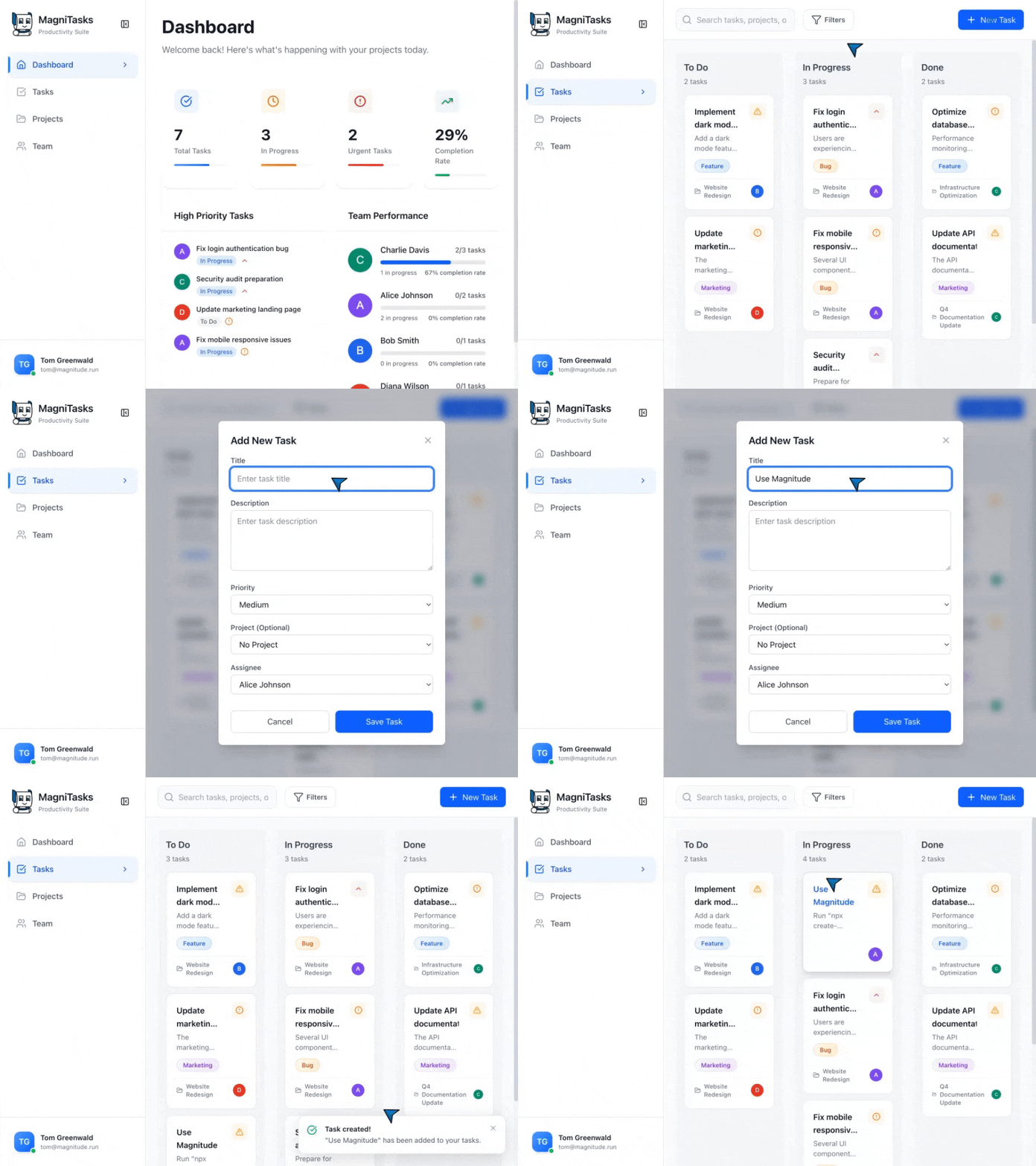
↕️ Magnitude in action! ↕️
// Magnitude can handle high-level tasks await agent.act('Create a task', {     // Optionally pass data that the agent will use where appropriate     data: {         title: 'Use Magnitude',         description: 'Run "npx create-magnitude-app" and follow the instructions',     }, });
// It can also handle low-level actions await agent.act('Drag "Use Magnitude" to the top of the in progress column');
// Intelligently extract data based on the DOM content matching a provided zod schema const tasks = await agent.extract(     'List in progress tasks',     z.array(z.object({         title: z.string(),         description: z.string(),         // Agent can extract existing data or new insights         difficulty: z.number().describe('Rate the difficulty between 1-5')     })), );
Get started
Running your first browser automation
npx create-magnitude-appThis will create a new project and walk you through the steps for setting up Magnitude. It will also create an example script that you can run right away!
Using the test runner
To install the test runner for use in an existing web app, please run:npm i --save-dev magnitude-test && npx magnitude initThis will create a basic tests directory tests/magnitude with:
magnitude.config.ts: Magnitude test configuration fileexample.mag.ts: An example test file
[!NOTE]
Magnitude requires a large visually grounded model. We recommend Claude Sonnet 4 for the best performance, but are also compatible with Qwen-2.5VL 72B. See docs for more information.
Why Magnitude?
❌ Problem #1: Most browser agents draw numbered boxes around page elements - doesn't generalize well due to complex modern sites✅ Solution: Vision-first architecture
- Visually grounded LLM specifies pixel coordinates
- True generalization independent of DOM structure
- Future-proof architecture for desktop apps, VMs, etc.
✅ Solution: Controllable & repeatable automation
- Flexible abstraction levels (granular actions vs. flows)
- Custom actions + prompts at agent and action level
Additional info
Please see our docs for more information on how to best build Magnitude automations and test cases.
Contact
If you are an enterprise and want more features or support, feel free to reach out to us at founders@magnitude.run or schedule a call here to discuss your needs.You can also join our Discord community for help or any suggestions!


