
Decentralized, Offline-first, Personal Information Manager (PIM) using PouchDB/CouchDB. Includes task-, note-, and contact-management, as well as journaling.
offPIM
Note: offPIM is not under active development.
However, the repo will stay up, and pull requests or forks are welcome :)
offPIM - A PIM - A Personal information management system>
Use as a Progressive Web App (PWA).>
Or on the desktop. Supports Windows,
Mac,
Linux,
and Android

Quick access offpim.netlify.app
Screenshots
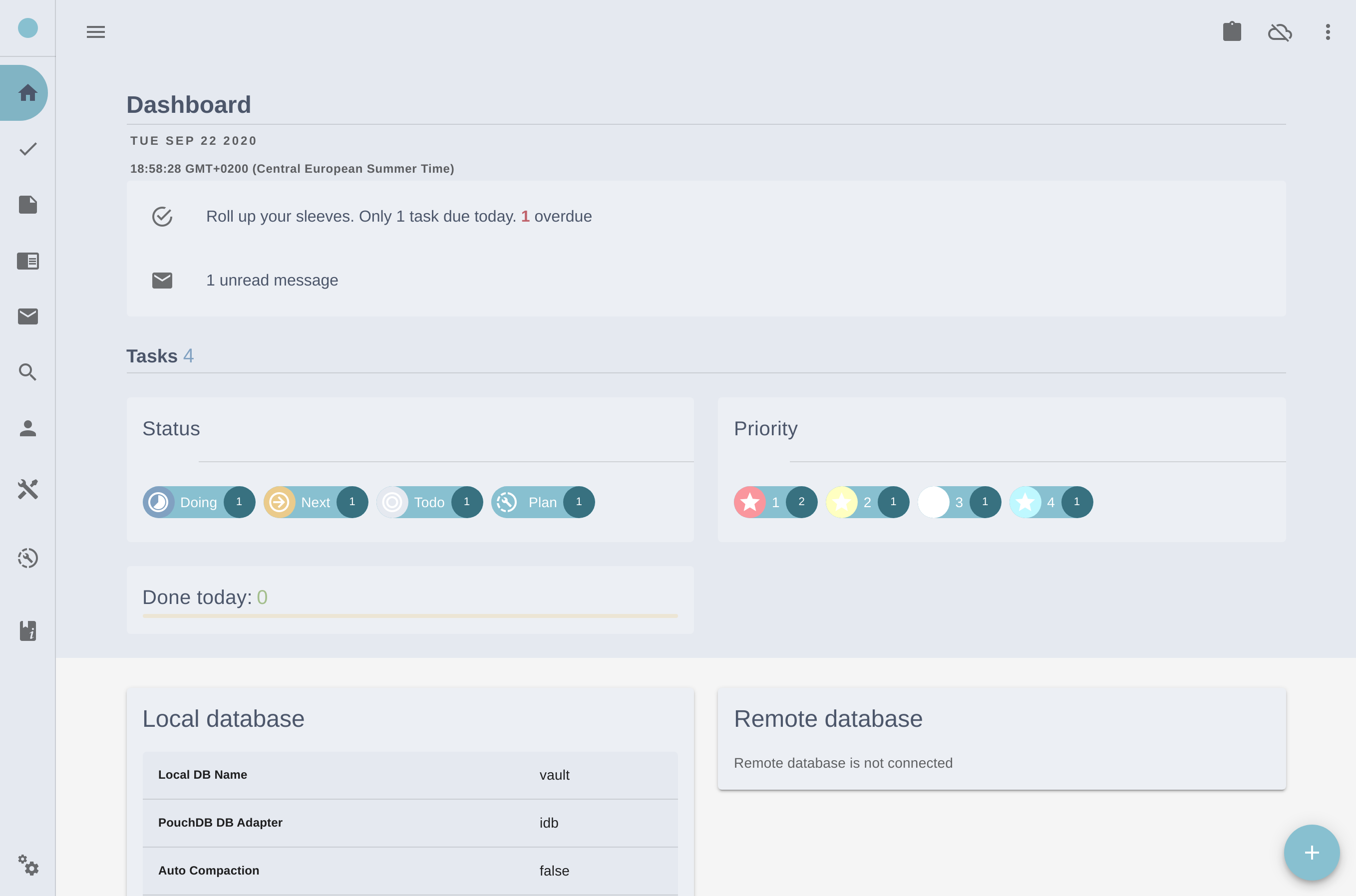
Material design
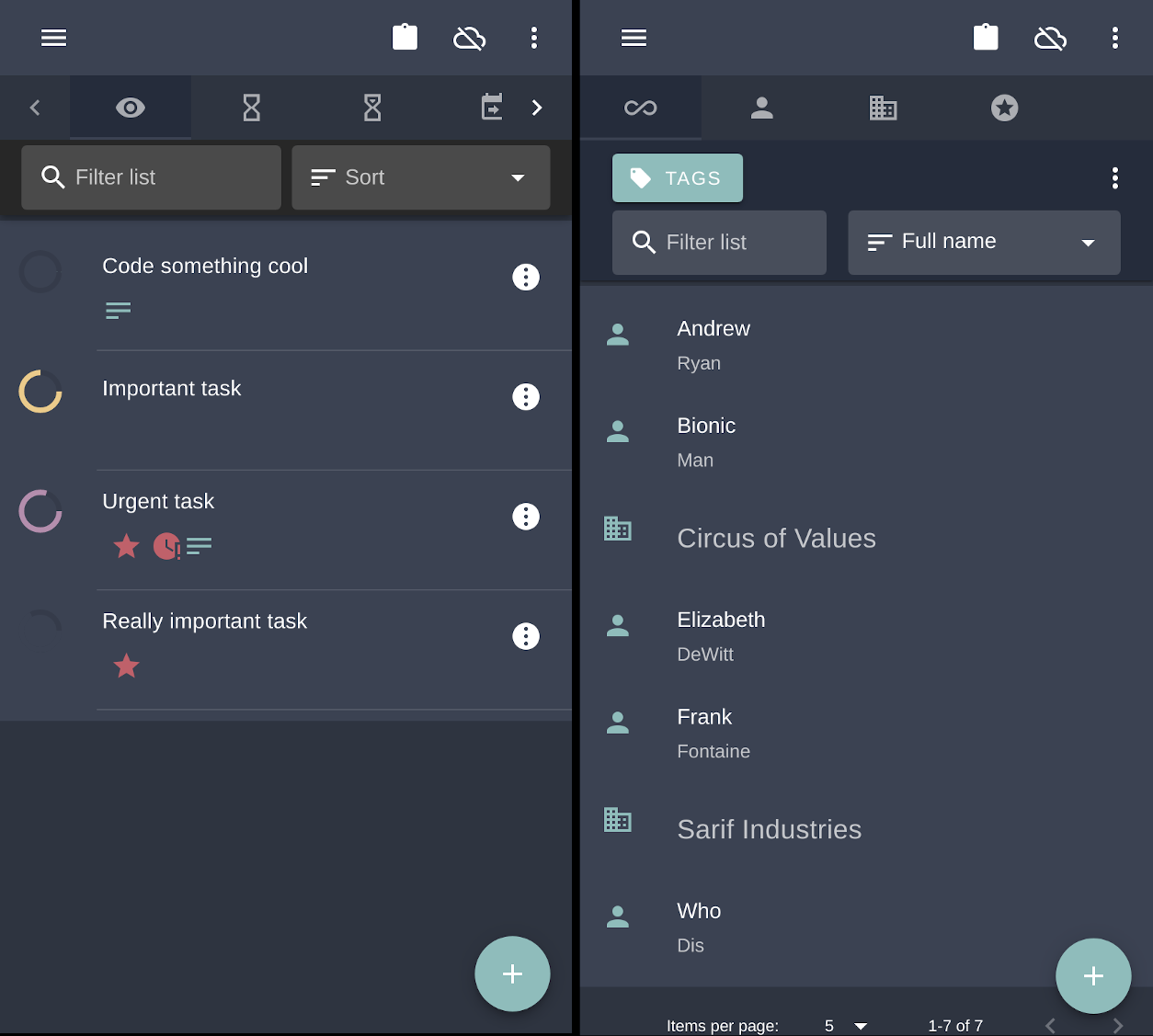
Dark mode & mobile ready
Description
An easily deployable PIM made for the CouchDB ecosystem. In an age where everything is about collaboration and sharing... This is a counterweight to that. Not everything needs to be shared. Something is just personal.Features
- Works offline, as in offline-first
- Local storage in browser. No server needed
- Sync back and forth to an external database (any DB supporting the CouchDB replication protocol). Full master-master replication
- Apps
- Progressive web app (PWA)
- Export/import to/from JSON
- Open source. No proprietary technologies. No external requests. No tracking.
- Self-hosted version available. BYOS(Bring Your Own Server). No backend or complicated installation procedure. Just unzip on a web server.
- Make your own
<insert lofty idea here>.
Features under development:
- Personal Finances (Under development)
- Inventory (Under development)
- Maps (Under development)
- Themes
Getting started
Getting offPIM up and running can be done in several ways.Four flavors are currently available
- Official app online
- Desktop-app (Electron)
$ chmod a+x path-to-file/offpim_desktop.AppImage.
2. and run! $ ./path-to-file/offpim_desktop.AppImage.
Mac
2. Currently no app for Mac OS.
Note: "offPIM-Electron" is currently only tested on Windows(10) and Linux(Ubuntu).
- Android
- Self-hosted static bundle (SPA)
- (Alternative) Self-hosted static bundle (SPA)
The very easy way - Use now - Official offpim.netlify.app
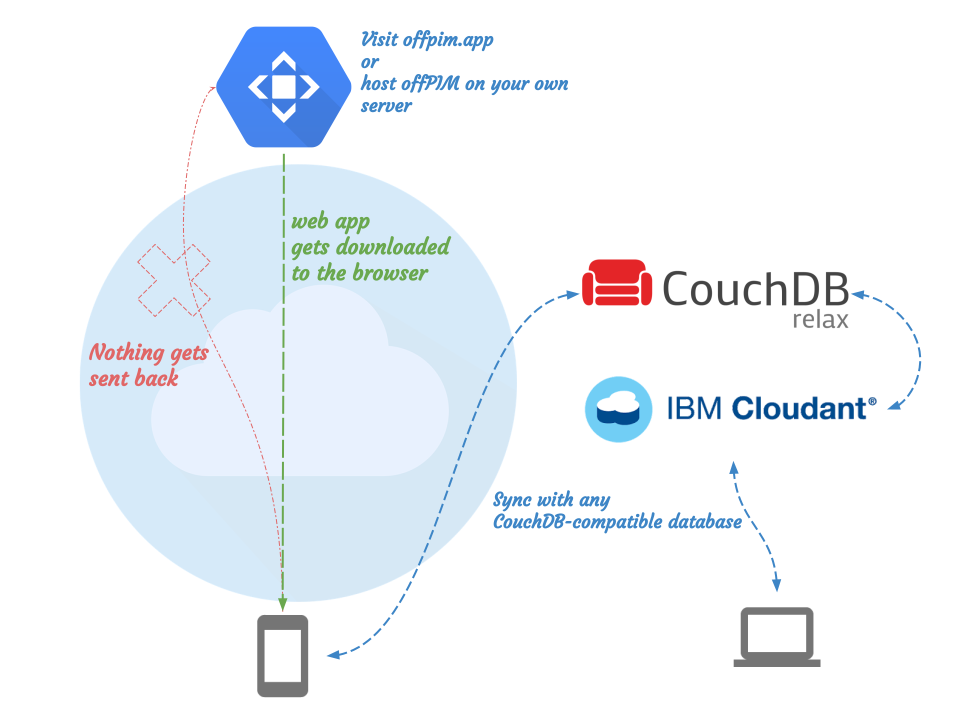
Use a live version of offPIM (or use it permanently, as it works just as it will anywhere else). You may close the browser and tabs. Your data will still be stored in your browser.
| Host | Build status | | ----------- |:-------------:| | Netlify | |
- PS: Your data never leaves your browser, as it uses PouchDB, an in-browser database. The data entered into offPIM will never touch the server it's hosted on, as all code is downloaded to the browser and executed locally, including form submission.
- PS2: The downside to this however, is that the data will disappear if the browser cache/data gets deleted during an upgrade or the like. Remember to back up and/or synchronize regularly, as is crucial for all valuable data.
The easy way - Desktop app
Windows- Double-click offpim_desktop.exe to install
- Open the app from the start menu.
- Make it executable
$ chmod a+x path-to-file/offpim_desktop.AppImage - and run!
$ ./path-to-file/offpim_desktop.AppImage
- Currently no app for Mac OS
The still-easy-but-requires-a-few-more-steps way (for techies)
- Download self-hosted offPIM
- Copy contents of the zip-file into a directory (or root) to an HTTP-server of your choosing. offPIM uses relative paths, so any directory should work
The hard way - Build it yourself
- Clone the repository
- install dependencies
npm install - run
npm run buildfor self-hosted, ornpm run electron:buildfor desktop app
$ cd /home/user/folder
$ git clone https://github.com/lybekk/offPIM.git
$ npm install
$ npm run electron:build
Self-hosted - tested setups / Deployment options
offPIM is run successfully on the following deployment setups
CouchDB+Apache (Ubuntu)
- Apache/2.4.29 (Ubuntu)
- Couchdb 2.3 (or 3.0)
CouchDB HTTP server
- Couchdb 2.3
- Change vue.config.js publicPath to /_utils/offpim/
- put files in opt/couchdb/share/www/offpim/
- visit http://localhost:5984/_utils/offpim/
Python HTTPServer
import http.server
import socketserver
import webbrowser
PORT = 8000 Binds to localhost only. Use "" for exposing this to network interfaces HOST = "localhost"
Launches the server in current working directory in the default web browser
url = 'http://' + HOST + ":" + str(PORT)
webbrowser.opennewtab(url)
Magic
Handler = http.server.SimpleHTTPRequestHandler
with socketserver.TCPServer((HOST, PORT), Handler) as httpd:     print("serving at port", PORT)     httpd.serve_forever()
Download
 Self-hosted
 Note: The downloadable versions may be a bit behind the offpim.netlify.app version. A better way to build and distribute is on the drawing board
Requirements
Desktop app
- No requirements. Any computer running Windows, Linux or Mac OS will do.
Self-hosted
- Any HTTP Server
Synchronization
- A Database supporting the CouchDB replication protocol like:
The following setups have been tested successfully
- CouchDB 2.x
- CouchDB 3.x
- Cloudant
- PouchDB Server
>Installation instructions for CouchDB
If need for customization, or self-building:
- Node.js
- NPM
Usage
For local customization and development, run npm install first.
Tests on mid-end devices with 30 000+ documents (5K in offPIM, while the rest is archived on Remote DB) performs well. Index optmizations are done now and then (tips welcome).
Compiles and hot-reloads for development
npm run serve
or
electron:serve
Compiles and minifies for production
npm run build
or
npm run electron:build
Build for Android
- Build web assets with
npm run capacitor:build:android - Build in Android Studio-
Build/Build BundleorGenerate Signed Bundle - Find the finished build in
offPIM/android/app/release/app-release.aab
Customization
See documentation for customization options.
Security
offPIM doesn't include any built-in security features (i.e. local encryption), and relies entirely on the surrounding environment. With this in mind, it's a good idea to keep an eye open on where your data travels. Using HTTPS, enforcing database permissions and other security best practices are recommended. Authentication when syncing with an external database is done through PouchDB.Contributing
Contributions in any form will be appreciated.- Ideas, suggestions and feedback.
- Pull requests
- Styling tips (Code,Layout,CSS)
- Tips regarding security considerations
- Donations, of course
Sponsoring
Using, and downloading Brave Browser from this link gets me a cup of coffee.Android app (Capacitor)
When building the app, add a file named capacitor.config.json in the root of offPIM's project folder.
Example config:
{"appId":"tech.lybekk.offpim","appName":"offPIM","bundledWebRuntime":false,"webDir":"/home/username/development/offPIM/dist/bundled"}Design choices
Name
Formerly known as pimpim (rebranded as not to be confused with a "male performance product" solving a different problem)Frontend only
No backend is provided or required. For synchronization, a CouchDB/PouchDB/Cloudant database is needed.UI (CSS)
The choice of UI/CSS frameworks landed on Vuetify. Feature-rich and integrates exceptionally well with Vue.
Vue Single File Components
Vue's sexy Single File Components (SFC) provides an excellent separation of concerns and does a good job in helping reduce inevitable spaghetti code.
The drawback to SFC, some would say, is the reliance on Webpack. The advantages one gets by utilizing Vue's entire ecosystem (Vue CLI, SFC, Router, Vuex) makes it worth it, however.
Roadmap
On the horizon
- Tasks app
- Personal finance
- Inventory
- Finances
- Maps
- Dashboard
Time permitting
- Export to a format following the structure of The big book of everything
- Android/iOS app (using couchbase lite)
- CGI/WSGI variant


