
Atlas is an unofficial interactive map experience for Rust.
Last updated Jun 27, 2026
76
Stars
15
Forks
10
Issues
+76
Stars/day
Attention Score
13
Topics
Language breakdown
Vue 76.4%
JavaScript 21.8%
CSS 1.4%
HTML 0.4%
▸ Files
click to expand
README

Atlas for Rust




What is Atlas
Atlas is an unofficial interactive map experience for Rust. It uses the same websocket protocol that the official Rust+ Companion app uses to communicate with the Rust game servers.
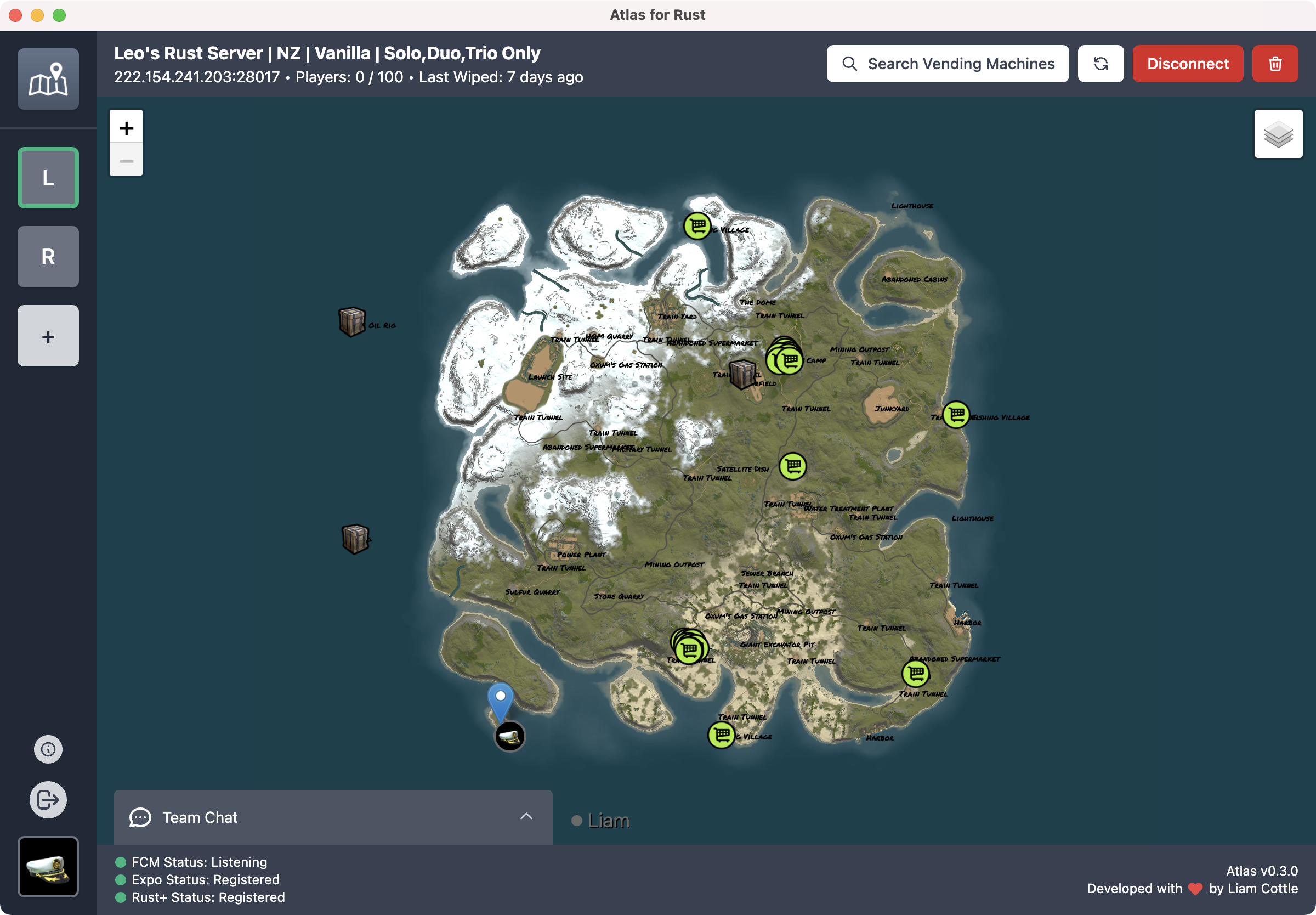
Features
- Shows a realtime updating interactive map, including:
- Shows realtime server stats
- Send and Receive realtime Team Chat messages
- Search items for sale in Vending Machines across the map
- Supports "Pairing" with Rust Servers from the in game menu
- Supports adding Rust servers manually without using the in game pairing menu
Features to Implement
- Map
- Smart Devices
- Atlas Auto Updater, currently users will need to update manually from GitHub releases
How to Install
- Download the latest installer from Releases
- After downloading, run
AtlasForRust-x.y.z-win.exe - Connect with Rust+ from the Atlas welcome screen
- Pair with your Rust server from the in game menu
How to build for development
Download and Install Dependencies
git clone https://github.com/liamcottle/atlas-for-rust.git
cd atlas-for-rust
npm install
Run Electron app for Development
npm run electron:serveBuild for Mac, Windows and Linux
At this stage, GitHub actions only builds and releases Windows versions of Atlas. However, if you want to run Atlas on Mac or Linux, you can use the command below.
npm run electron:build -- --mac --win --linuxUpdating Rust Assets
Atlas uses images and metadata from the Rust game files. These can be updated with the update_assets.js script.
node update_assets.js "<drive>:\SteamLibrary\steamapps\common\Rust"Contributing
If you have a feature request, or find a bug with Atlas, please open an issue here on GitHub.


