Self-service password reset app for FreeIPA
Last updated Apr 16, 2026
97
Stars
33
Forks
21
Issues
0
Stars/day
Attention Score
16
Language breakdown
No language data available.
▸ Files
click to expand
README
FreeIPA self-service password reset
Features
- Users can reset their own passwords with token that is sent to the user's mobile phones
- Users can reset their own passwords with token that is sent to the user's emails
- The service has protection against brute force attacks
- The service is dedicated. It does not change the scheme or system files of FreeIPA. No problems with upgrade of FreeIPA
- The password reset page stylized as FreeIPA pages
- SMS with tokens is sent through the Amazon SNS service.
- Tested with CentOS 7, python 2.7 and FreeIPA 4.4/4.5
- This instruction assumes that the service will be installed on the FreeIPA server.
- I recommend that you protect the service using a firewall and allow access only through the internal network
- This app is very small. You can easily audit the code.
- You can easily write your own 2FA providers.
Install steps
- Configure FreeIPA
- Install & Configure App
- Set users mobile phones in their profile. The service require phone in "Telephone Number" field in international format like '+79991234567'
- Enjoy!
Configure FreeIPA
- Create service user (example:
ldap-passwd-reset)
ipa -n user-add "ldap-passwd-reset" --first="Service" --last="Password reset" --password-expiration="2050-01-01Z" --password "CHANGEMEPLEASE"- Create new role with permission to change passwords
ipa role-add "Self Password Reset"
ipa role-add-member "Self Password Reset" --users="ldap-passwd-reset"
ipa role-add-privilege "Self Password Reset" --privileges="Modify Users and Reset passwords"
ipa role-add-privilege "Self Password Reset" --privileges="Password Policy Readers"
ipa role-add-privilege "Self Password Reset" --privileges="Kerberos Ticket Policy Readers"
ipa permission-mod "System: Change User password" --includedattrs="krbloginfailedcount"- Create user home dir
mkdir $(ipa -n user-show "ldap-passwd-reset" --raw |grep 'homedirectory' |awk -F':' '{print $2}')
chown ldap-passwd-reset.ldap-passwd-reset $(ipa -n user-show "ldap-passwd-reset" --raw |grep 'homedirectory' |awk -F':' '{print $2}')
chmod 750 $(ipa -n user-show "ldap-passwd-reset" --raw |grep 'homedirectory' |awk -F':' '{print $2}')
Install App
- Install system dependencies:
yum install -y python-virtualenv python-pip python-ipaclient git-corednf install -y python3-virtualenv python3-pip python3-ipaclient git-core- Clone repository to directory. (default is
/opt/data/IPAPasswordReset/, but you can change it.):
git clone https://github.com/larrabee/freeipa-password-reset.git /opt/data/IPAPasswordReset/- Create virtual env:
cd /opt/data/IPAPasswordReset/
virtualenv --system-site-packages ./virtualenv
. ./virtualenv/bin/activate
pip install -r requirements.txtcd /opt/data/IPAPasswordReset/
virtualenv-3 --system-site-packages ./virtualenv
. ./virtualenv/bin/activate
pip install -r requirements.txt- Get keytab for "ldap-passwd-reset" user (you must run it from user with admin privileges):
ipa-getkeytab -p ldap-passwd-reset -k /opt/data/IPAPasswordReset/ldap-passwd-reset.keytab- chown files (change username if you use not default):
chown -R ldap-passwd-reset:ldap-passwd-reset /opt/data/IPAPasswordReset- Install Apache config and reload httpd:
cp service/ipa-password-reset.conf /etc/httpd/conf.d/ipa-password-reset.conf
systemctl reload httpd- Install redis (you can skip this step and use external redis):
yum install -y redis
systemctl enable --now redis- Copy file
PasswordReset/PasswordReset/settings.py.exampletoPasswordReset/PasswordReset/settings.pyand modify it. You should change following vars:
SECRET_KEY = "Your CSRF protection key. It must be long random string"
LDAP_USER = "LDAP user. Default is ldap-passwd-reset"
KEYTAB_PATH = "Path to ldap-passwd-reset keytab. Default is ../ldap-passwd-reset.keytab"
PROVIDERS = {...} # Configuration of 2FA providers like Amazon SNS (SMS), Email, Slack, Signal- Install systemd unit and start the app:
cp service/ldap-passwd-reset.service /etc/systemd/system/ldap-passwd-reset.service
systemctl daemon-reload
systemctl enable --now ldap-passwd-reset.service
Enjoy!
- Open https:/ipa.example.com/reset/ (replace ipa.example.com with your FreeIPA hostname)
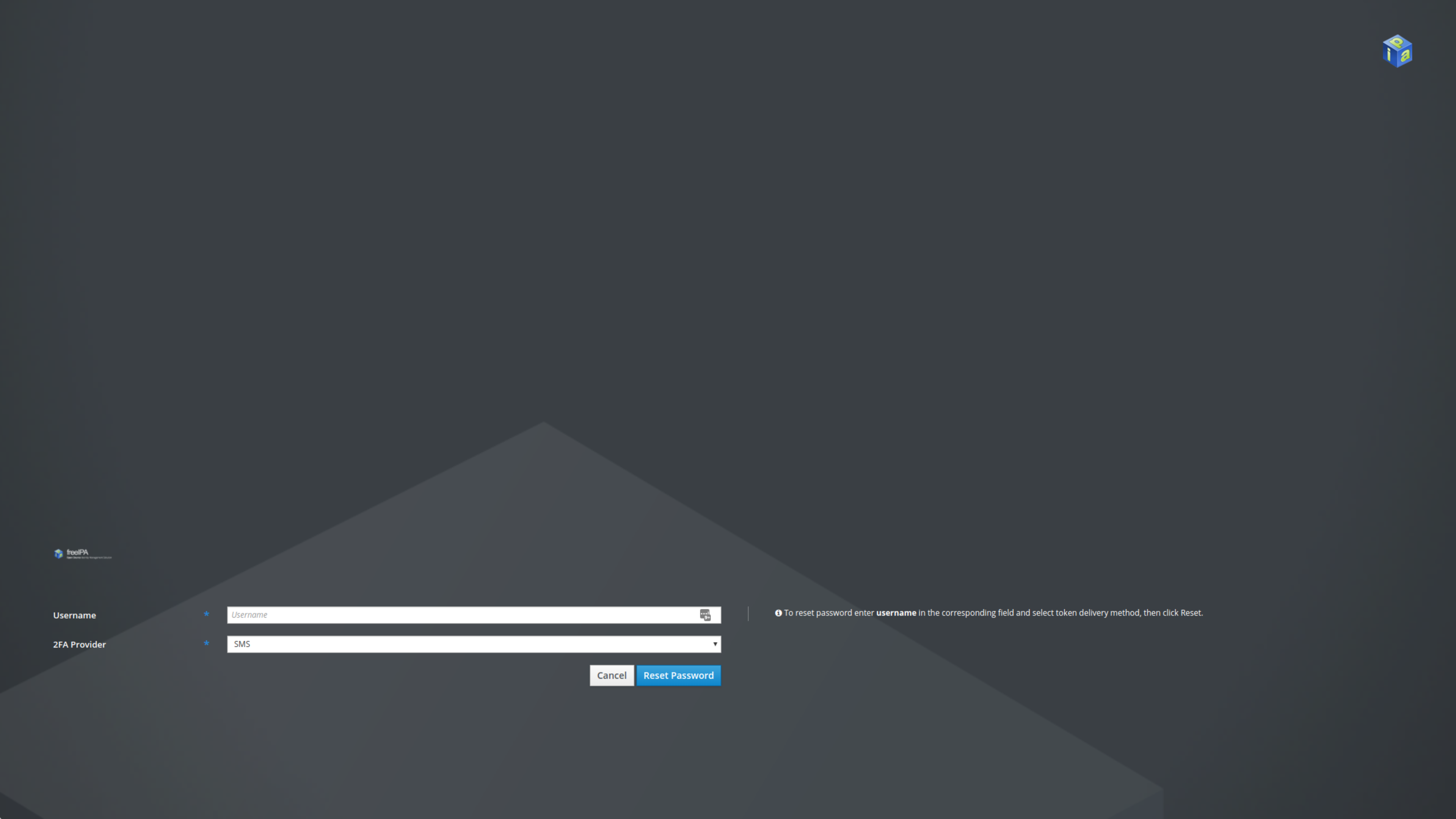
- Enter the user uid and click 'Reset Password'
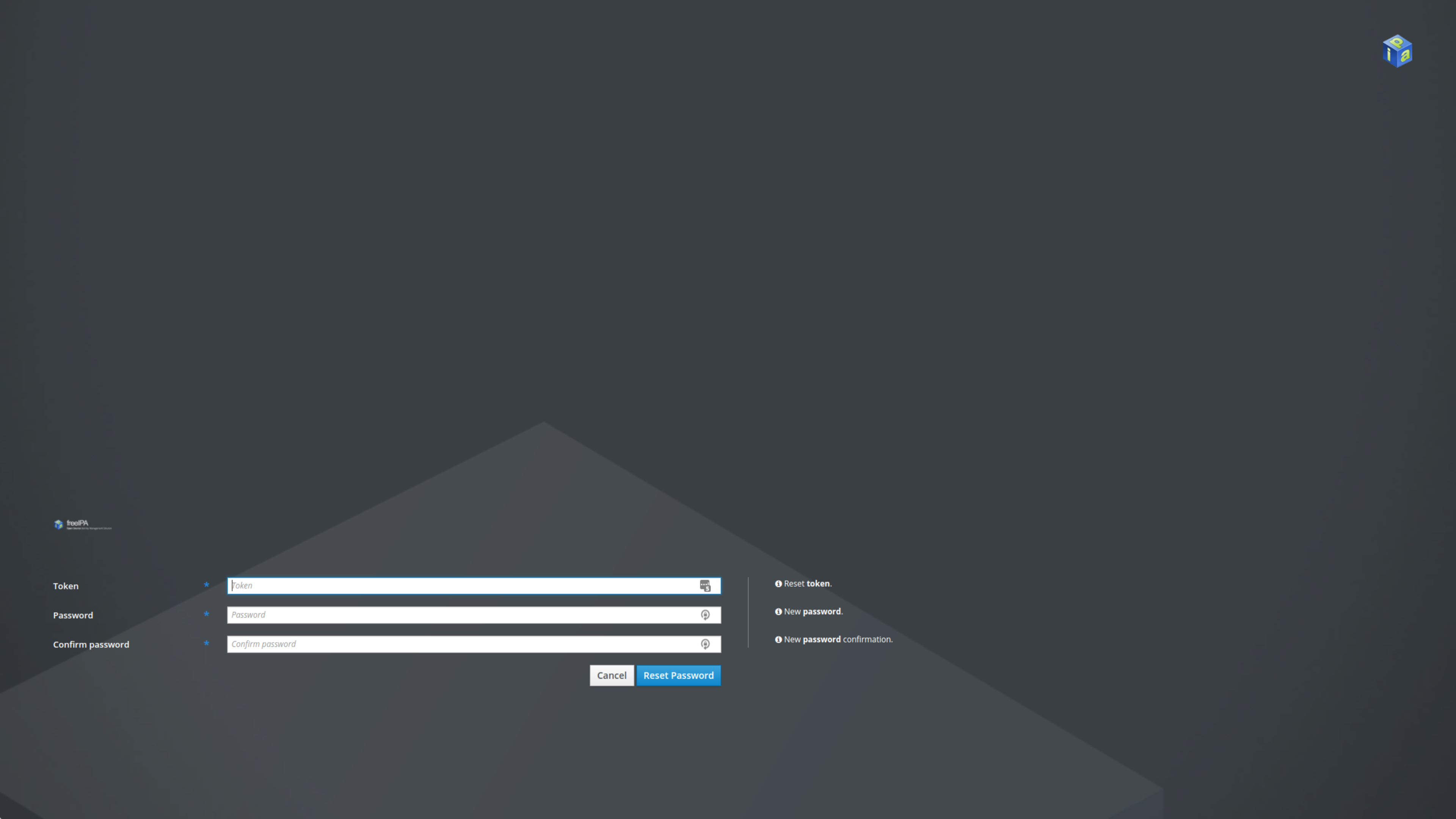
- On next page enter the security code from SMS and enter new password twice and click 'Reset'
- Try to login to FreeIPA with new password
Screenshots