
xeno is a minimalist Neovim colorscheme generator that builds full palettes from just two colors. It provides light/dark variants, semantic mappings, and plugin support for clean, cohesive themes without the complexity.

Colorscheme generator that creates minimalist themes using two colors.
Previews
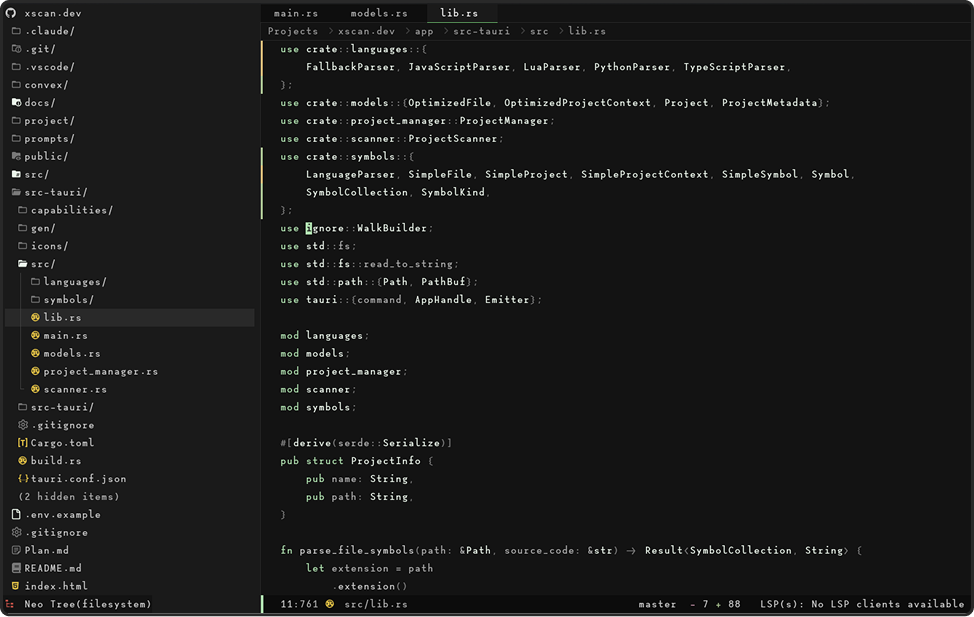
xeno.new_theme('xeno-lilypad', {
  base = '#1E1E1E',
  accent = '#8CBE8C',
  contrast = 0.1,
})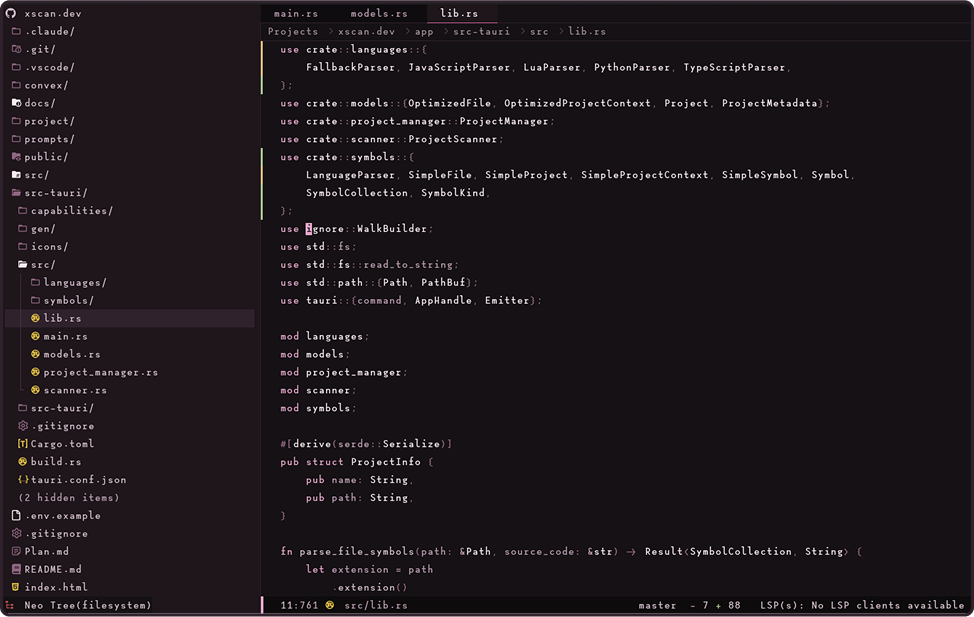
xeno.new_theme('xeno-pink-haze', {
  base = '#0f0c0e',
  accent = '#D19EBC',
  contrast = 0.1,
})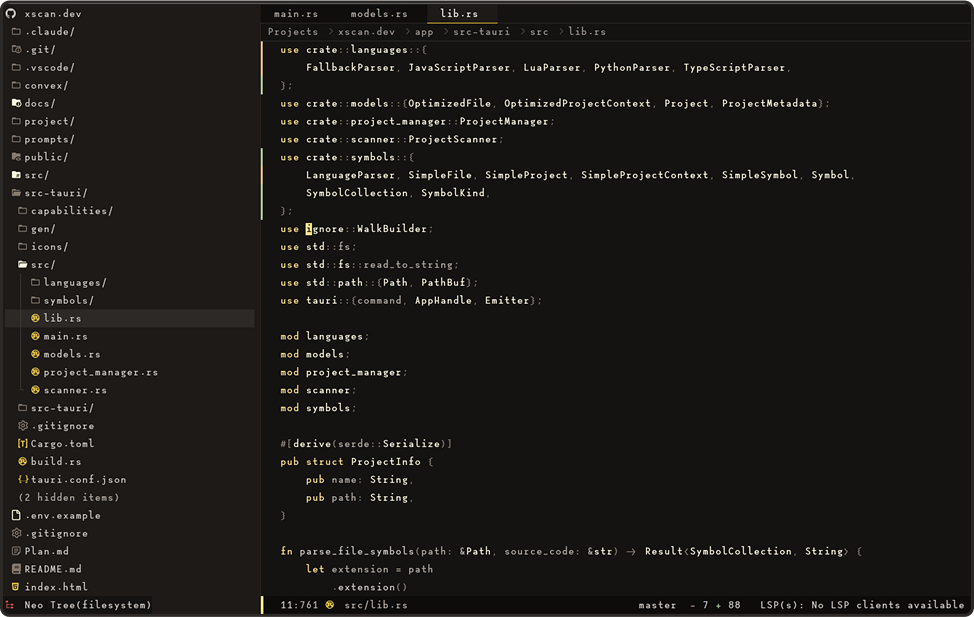
xeno.new_theme('xeno-golden-hour', {
  base = '#11100f',
  accent = '#FFCC33',
  contrast = 0.1,
})
Installation
lazy.nvim (recommended)
{
  'kyza0d/xeno.nvim',
  lazy = false,
  priority = 1000, -- Load colorscheme early
  config = function()
    -- Create your custom theme here
    require('xeno').new_theme('my-theme', {
      base = '#1E1E1E',
      accent = '#8CBE8C',
    })
    vim.cmd('colorscheme my-theme')
  end,
}
packer.nvim
use {
  'kyza0d/xeno.nvim',
  config = function()
    -- Create your custom theme
    require('xeno').new_theme('my-theme', {
      base = '#1E1E1E',
      accent = '#8CBE8C',
    })
    vim.cmd('colorscheme my-theme')
  end
}
vim-plug
Plug 'kyza0d/xeno.nvim'Then add to your init.vim or init.lua:
-- Create your custom theme require('xeno').new_theme('my-theme', { base = '#1E1E1E', accent = '#8CBE8C', }) vim.cmd('colorscheme my-theme')paq-nvim
require "paq" {
  'kyza0d/xeno.nvim';
}
Then add to your config:
-- Create your custom theme require('xeno').new_theme('my-theme', { base = '#1E1E1E', accent = '#8CBE8C', }) vim.cmd('colorscheme my-theme')Usage
Note: xeno.nvim does not provide any default colorschemes. You must create your own themes using the configuration options below.
Basic Configuration
-- Create a new theme
require('xeno').new_theme('my-new-theme', {
  base = '#1a1a1a',
  accent = '#7aa2f7',
})
vim.cmd('colorscheme my-new-theme')
Global Configuration Options
Global configuration options affect all themes and are set using xeno.config():
-- Set global configuration options
require('xeno').config({
  -- Appearance adjustments
  contrast = 0,            -- Adjust contrast (-1 to 1, 0 is default)
  variation = 0,           -- Adjust color variation strength (-1 to 1, 0 is default)
  transparent = false,     -- Enable transparent background
})
Plugin Manager Configuration
Using lazy.nvim with global options:
{
  'kyza0d/xeno.nvim',
  lazy = false,
  priority = 1000,
  opts = {
    transparent = true,
    contrast = 0.1,
  },
  config = function(_, opts)
    local xeno = require('xeno')

    xeno.config(opts)

    -- Create your custom theme
    xeno.new_theme('my-theme', {
      base = '#1E1E1E',
      accent = '#8CBE8C',
    })
    vim.cmd('colorscheme my-theme')
  end,
}
FAQ
What font is used in the preview images?
The previews use Lotion - it's a cozy monospace font that works great for coding (it's my favorite)
Why doesn't xeno come with built-in themes?
The whole point is to create your own! xeno is designed to be a theme generator, not a collection of pre-made themes. This way you get exactly the colors you want instead of settling for someone else's choices.
Can I use more than two colors?
Not directly - xeno is built around the concept of minimalism with just a base and accent color. However, the generator creates various shades and tones from these two colors to provide sufficient contrast and variety throughout your editor.
No colors on tmux?
Try add this line of code to your config:
vim.cmd("set termguicolors")Customization
MIT


