
Fast, scalable and reliable logging using Fluent Bit and ClickHouse
klogs
[!CAUTION]>
The klogs Fluent Bit plugin is deprecated and will not receive any further
updates. Please consider using the
OpenTelemetry Collector together
with the
ClickHouse Exporter
for storing your logs in ClickHouse.
klogs can be used to write the logs collected by Fluent Bit to ClickHouse.
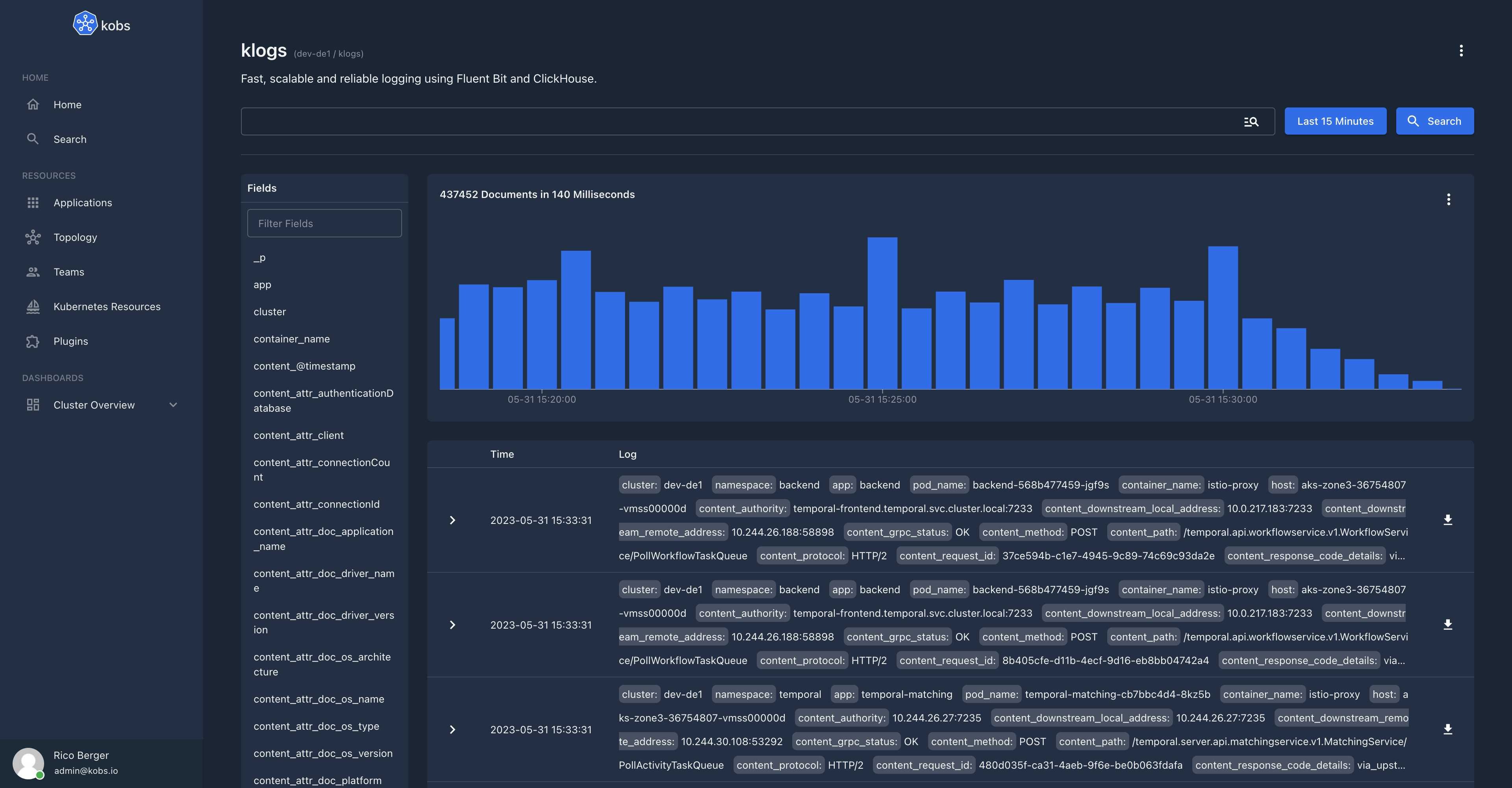
You can use kobs as interface to get the logs from ClickHouse. More information regarding the klogs plugin for kobs can be found in the klogs documentation of kobs.
Configuration
An example configuration file can be found in the fluent-bit.yaml file. The following options are available:
| Option | Description | Default | | ------------------------ | --------------------------------------------------------------------------------------------------------------- | --------- | | MetricsServerAddress | The address, where the metrics server should listen on. | :2021 | | Address | The address, where ClickHouse is listining on, e.g. clickhouse-clickhouse.kube-system.svc.cluster.local:9000. | | | Database | The name of the database for the logs. | logs | | Username | The username, to authenticate to ClickHouse. | | | Password | The password, to authenticate to ClickHouse. | | | Dial_Timeout | ClickHouse dial timeout. | 10s | | ConnMaxLifetime | ClickHouse maximum connection lifetime. | 1h | | MaxIdleConns | ClickHouse maximum number of idle connections. | 1 | | MaxOpenConns | ClickHouse maximum number of open connections. | 1 | | Async_Insert | Use async inserts to write logs into ClickHouse. | false | | WaitForAsync_Insert | Wait for the async insert operation. | false | | Batch_Size | The size for how many log lines should be buffered, before they are written to ClickHouse. | 10000 | | Flush_Interval | The maximum amount of time to wait, before logs are written to ClickHouse. | 60s | | ForceNumberFields | A list of fields which should be parsed as number. | 60s | | ForceUnderscores | Replace all . with in keys. | false | | Log_Format | The log format for the Fluent Bit ClickHouse plugin. Must be console or json. | console | | Log_Level | The log level for the Fluent Bit ClickHouse plugin. Must be DEBUG, INFO, WARN or ERROR. | INFO |
The SQL schema for ClickHouse must be created on each ClickHouse node and looks as follows:
CREATE DATABASE IF NOT EXISTS logs ON CLUSTER {cluster} ENGINE=Atomic;
CREATE TABLE IF NOT EXISTS logs.logs_local ON CLUSTER {cluster} (     timestamp DateTime64(3) CODEC(Delta, LZ4),     cluster LowCardinality(String),     namespace LowCardinality(String),     app LowCardinality(String),     pod_name LowCardinality(String),     container_name LowCardinality(String),     host LowCardinality(String),     fields_string Map(LowCardinality(String), String),     fields_number Map(LowCardinality(String), Float64),     log String CODEC(ZSTD(1)) ) ENGINE = ReplicatedMergeTree PARTITION BY toDate(timestamp) ORDER BY (cluster, namespace, app, podname, containername, host, timestamp) TTL toDateTime(timestamp) + INTERVAL 30 DAY;
CREATE TABLE IF NOT EXISTS logs.logs ON CLUSTER '{cluster}' AS logs.logslocal ENGINE = Distributed('{cluster}', logs, logslocal, rand());
To speedup queries for the most frequently queried fields we can create dedicated columns for specific fiels:
ALTER TABLE logs.logslocal ON CLUSTER '{cluster}' ADD COLUMN contentlevel String DEFAULT fields_string['content.level']
ALTER TABLE logs.logs ON CLUSTER '{cluster}' ADD COLUMN contentlevel String DEFAULT fieldsstring['content.level']
ALTER TABLE logs.logslocal ON CLUSTER '{cluster}' ADD COLUMN contentresponsecode Float64 DEFAULT fieldsnumber['content.response_code'] ALTER TABLE logs.logs ON CLUSTER '{cluster}' ADD COLUMN contentresponsecode Float64 DEFAULT fieldsnumber['content.responsecode']
But those columns will be materialized only for new data and after merges. In order to materialize those columns for old data:
- You can use
ALTER TABLE MATERIALIZE COLUMNfor ClickHouse version > 21.10.
ALTER TABLE logs.logslocal ON CLUSTER '{cluster}' MATERIALIZE COLUMN contentlevel;
ALTER TABLE logs.logslocal ON CLUSTER '{cluster}' MATERIALIZE COLUMN contentresponse_code;- Or for older ClickHouse versions,
ALTER TABLE UPDATE.
ALTER TABLE logs.logslocal ON CLUSTER '{cluster}' UPDATE contentlevel = content_level WHERE 1;
ALTER TABLE logs.logslocal ON CLUSTER '{cluster}' UPDATE contentresponsecode = contentresponse_code WHERE 1;
Development
We are using kind for local development. To create a new Kubernetes cluster using kind you can run the cluster/cluster.sh script, which will create such a cluster with a Docker registry:
./cluster/cluster.shOnce the cluster is running we can build and push the Docker image for Fluent Bit:
docker build -f Dockerfile -t localhost:5001/klogs:latest .
docker push localhost:5001/klogs:latest
In the next step we have to create our ClickHouse cluster via the ClickHouse Operator:
kubectl apply -f https://raw.githubusercontent.com/Altinity/clickhouse-operator/refs/heads/master/deploy/operator/clickhouse-operator-install-bundle.yaml
kubectl apply -f ./cluster/clickhouse.yaml
Once ClickHouse is running we can to connect to the instance to check if the database schema was created:
kubectl exec -n kube-system -it chi-clickhouse-example-0-0-0 -c clickhouse -- clickhouse-client -h 127.0.0.1SHOW DATABASES;
USE logs;
SHOW TABLES;
DESCRIBE logs_local;
DESCRIBE logs;Now we can deploy Fluent Bit to ingest all logs into ClickHouse:
kubectl apply -f ./cluster/fluent-bit.yaml
kubectl logs -n kube-system -l app=fluent-bit -f
To check if the logs are arriving in ClickHouse you can use the following SQL commands:
SELECT count(*) FROM logs.logs;
SELECT * FROM logs.logs LIMIT 10;
SELECT count(*) FROM logs.logs_local; SELECT * FROM logs.logs_local LIMIT 10;
To clean up all the created resources run the following commands:
kind delete cluster
docker stop kind-registry
docker rm kind-registry


