
A collection of TUIs for Neovim
tuis.nvim
A collection of interactive terminal user interfaces for Neovim, built on top of morph.nvim. Provides rich, interactive UIs to various CLIs.
Features
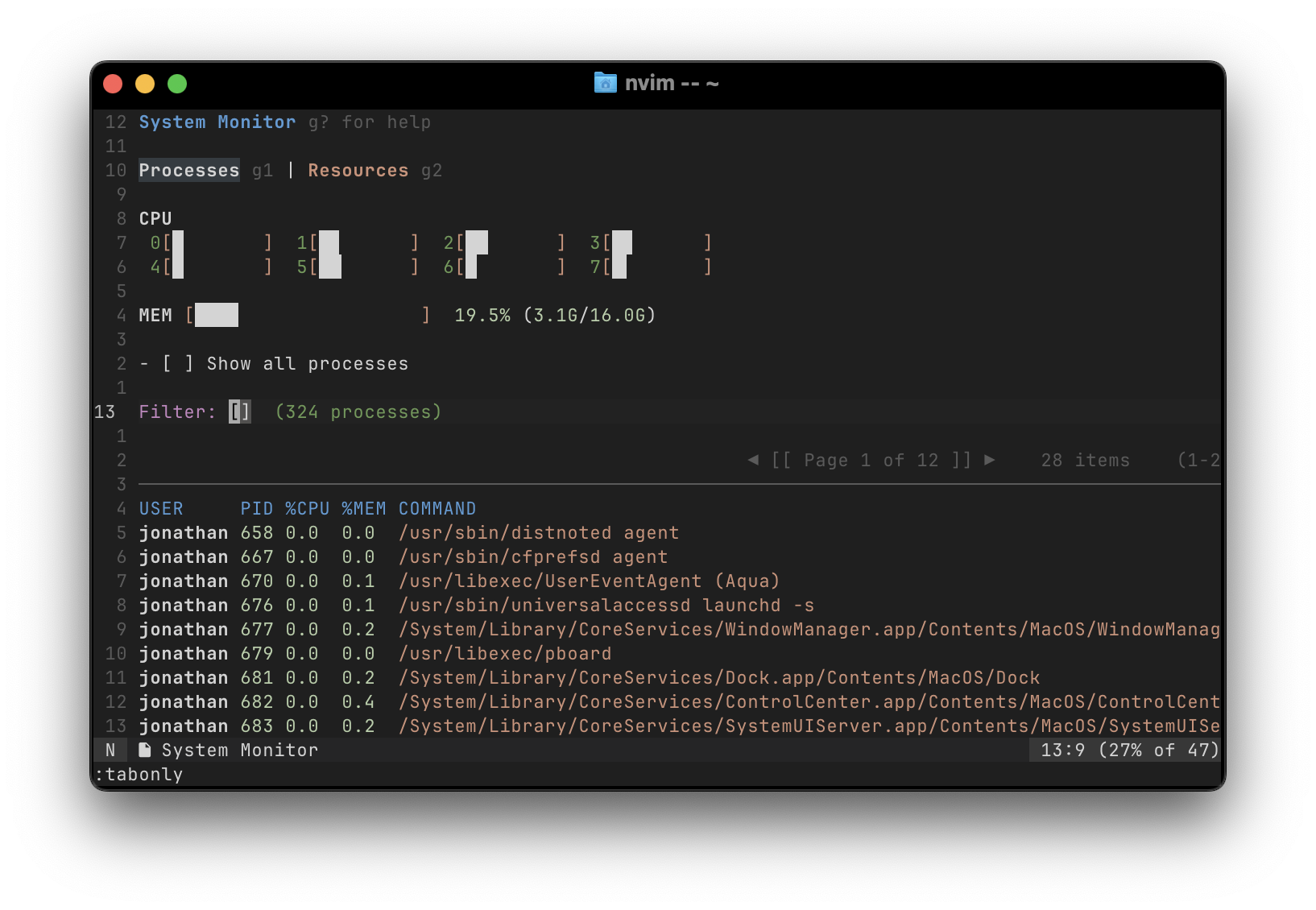
- Interactive process manager with signal sending capabilities
- Docker container management (inspect, logs, exec, start/stop)
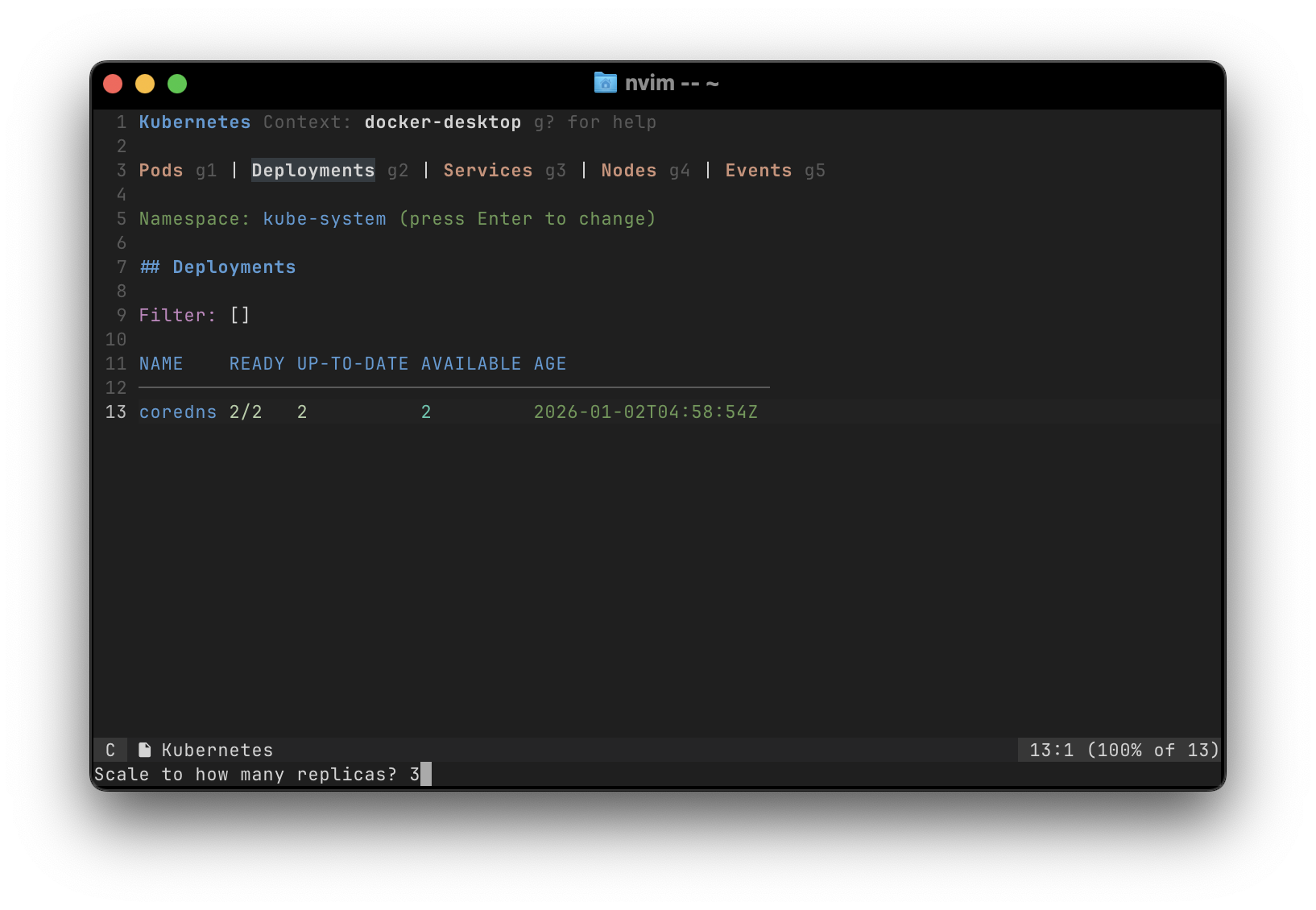
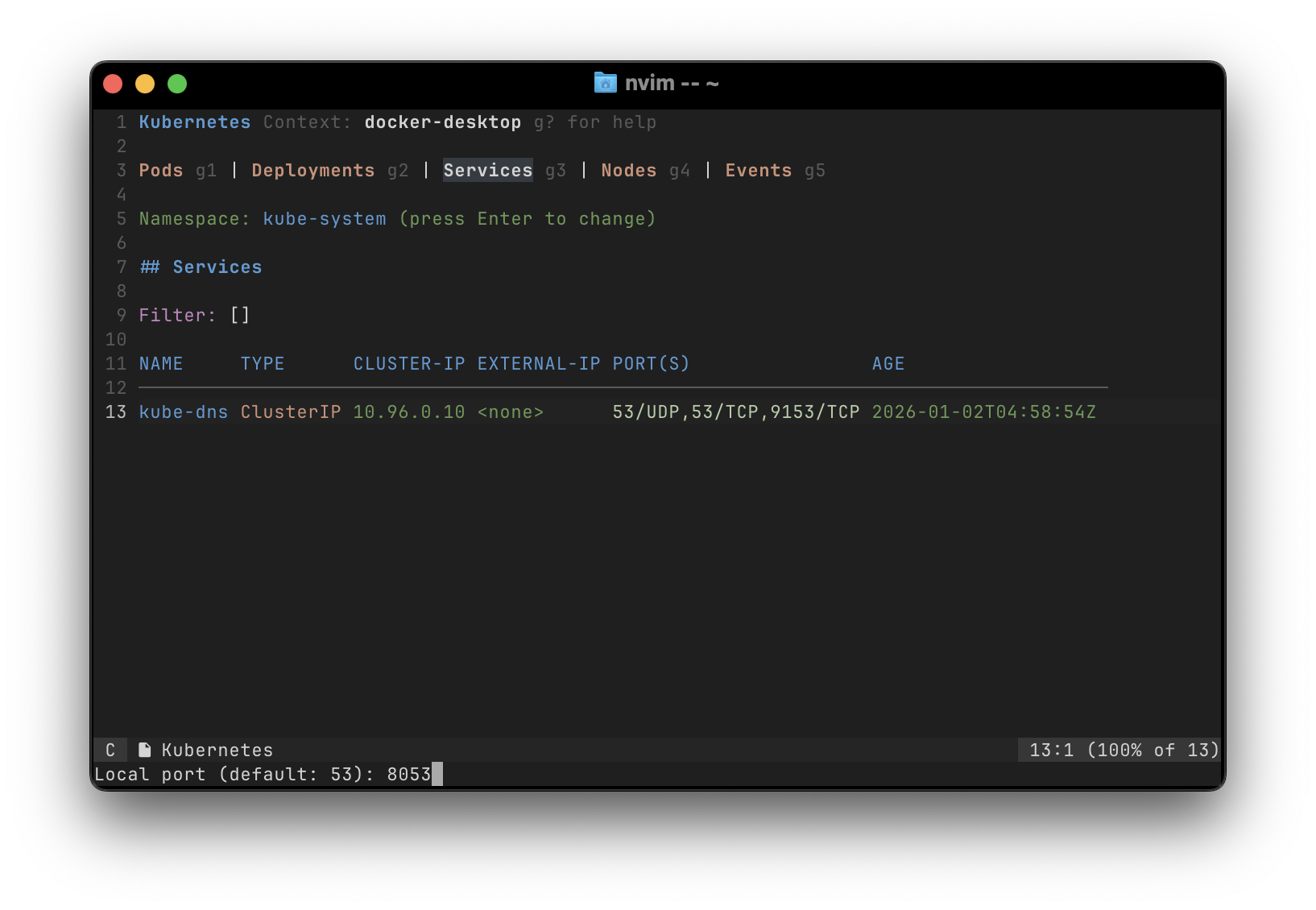
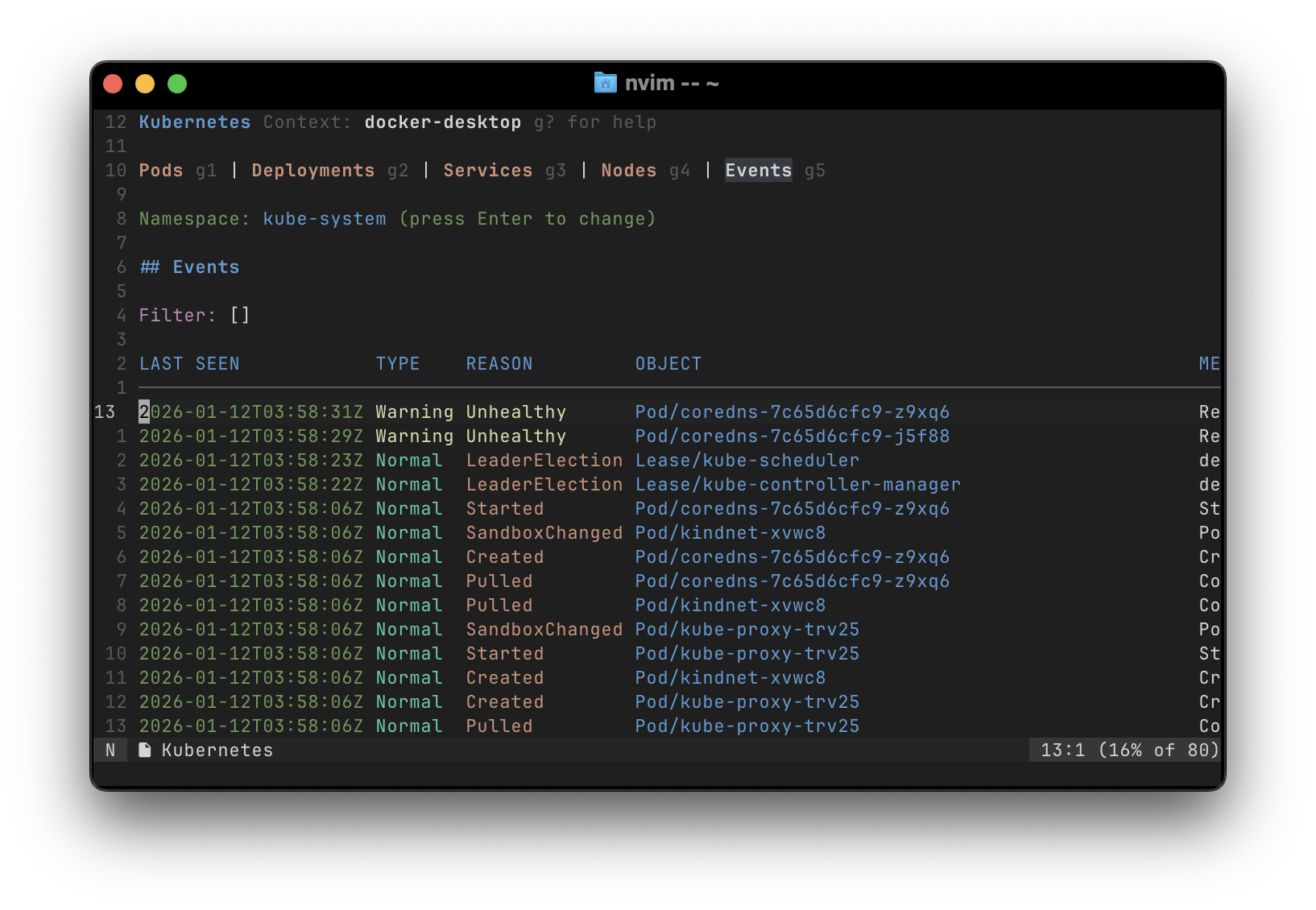
- Kubernetes resource viewers (pods, deployments, services, nodes, events)
- Cloud provider integrations (AWS, GCP)
- System monitoring (resources, processes, services)
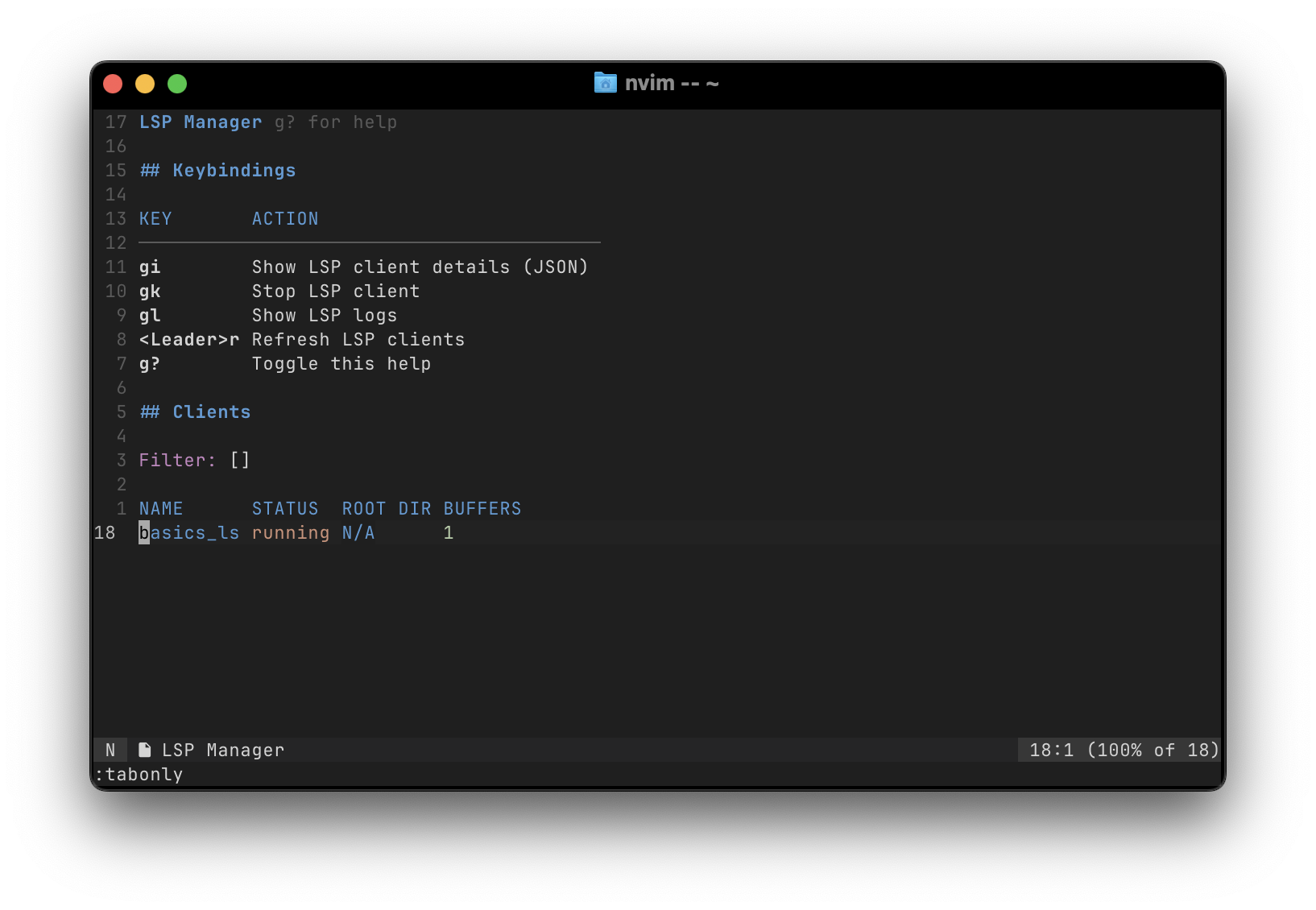
- LSP server management
- Bitwarden vault integration
Screenshots
Docker
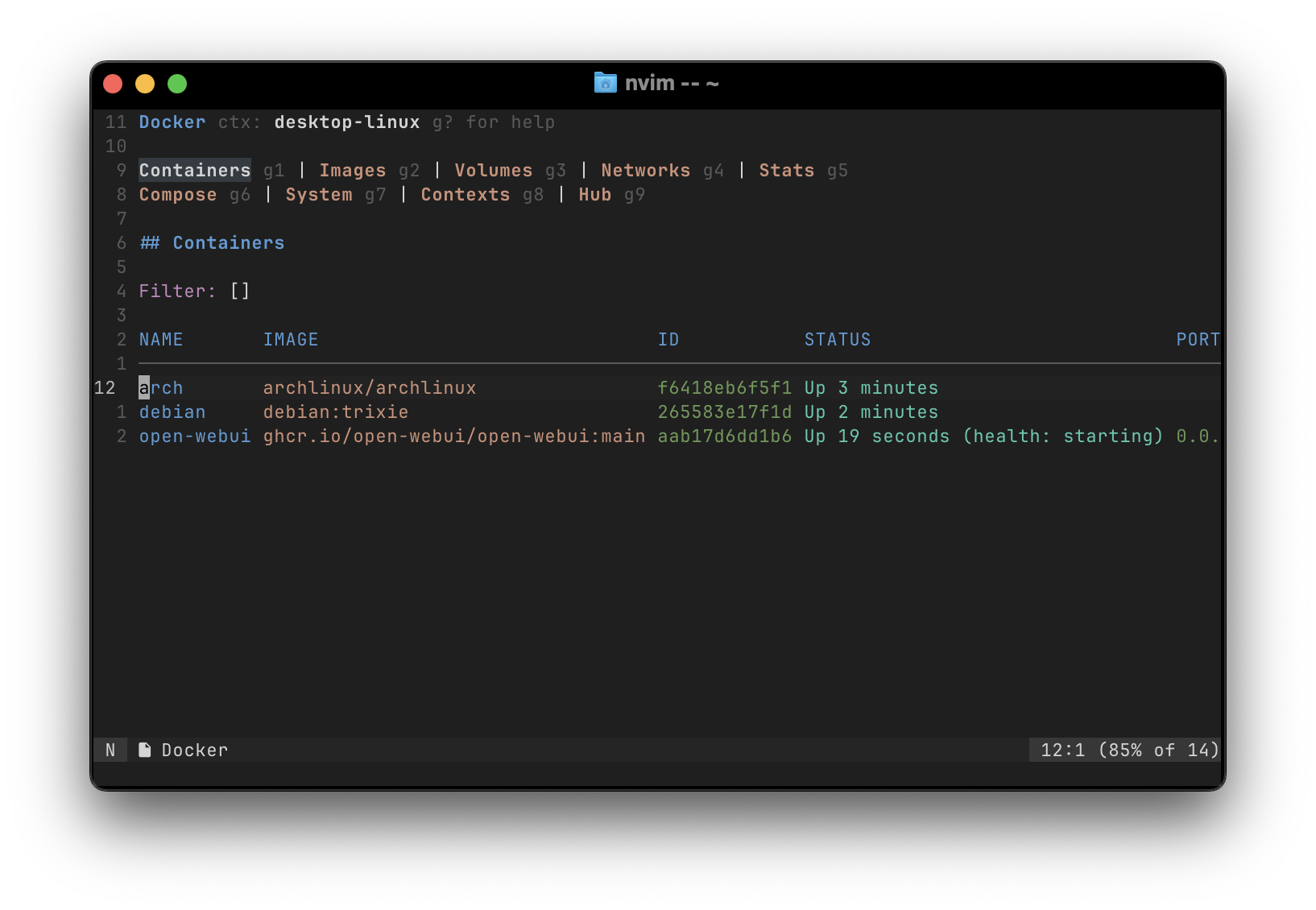
More Docker screenshots
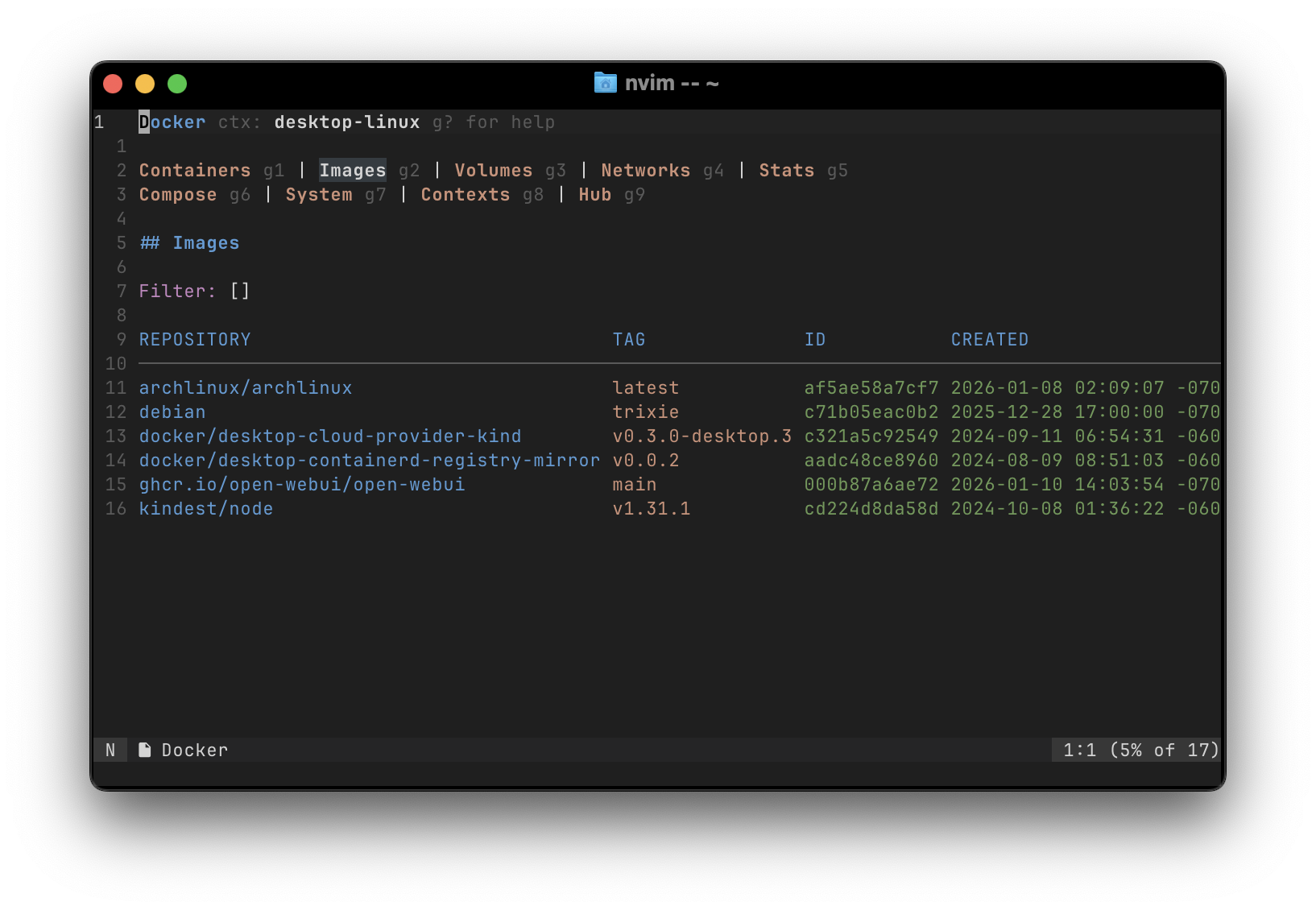
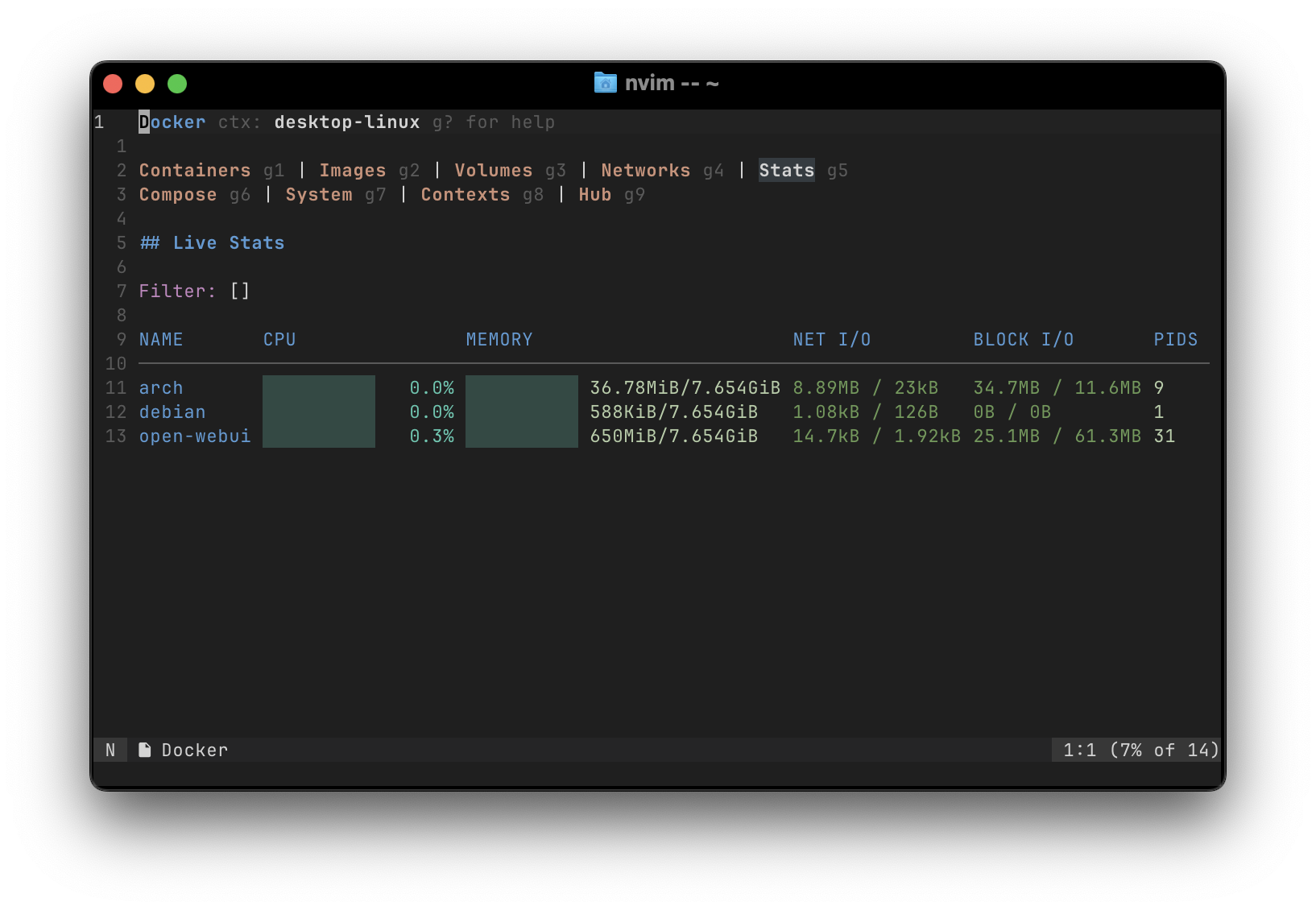
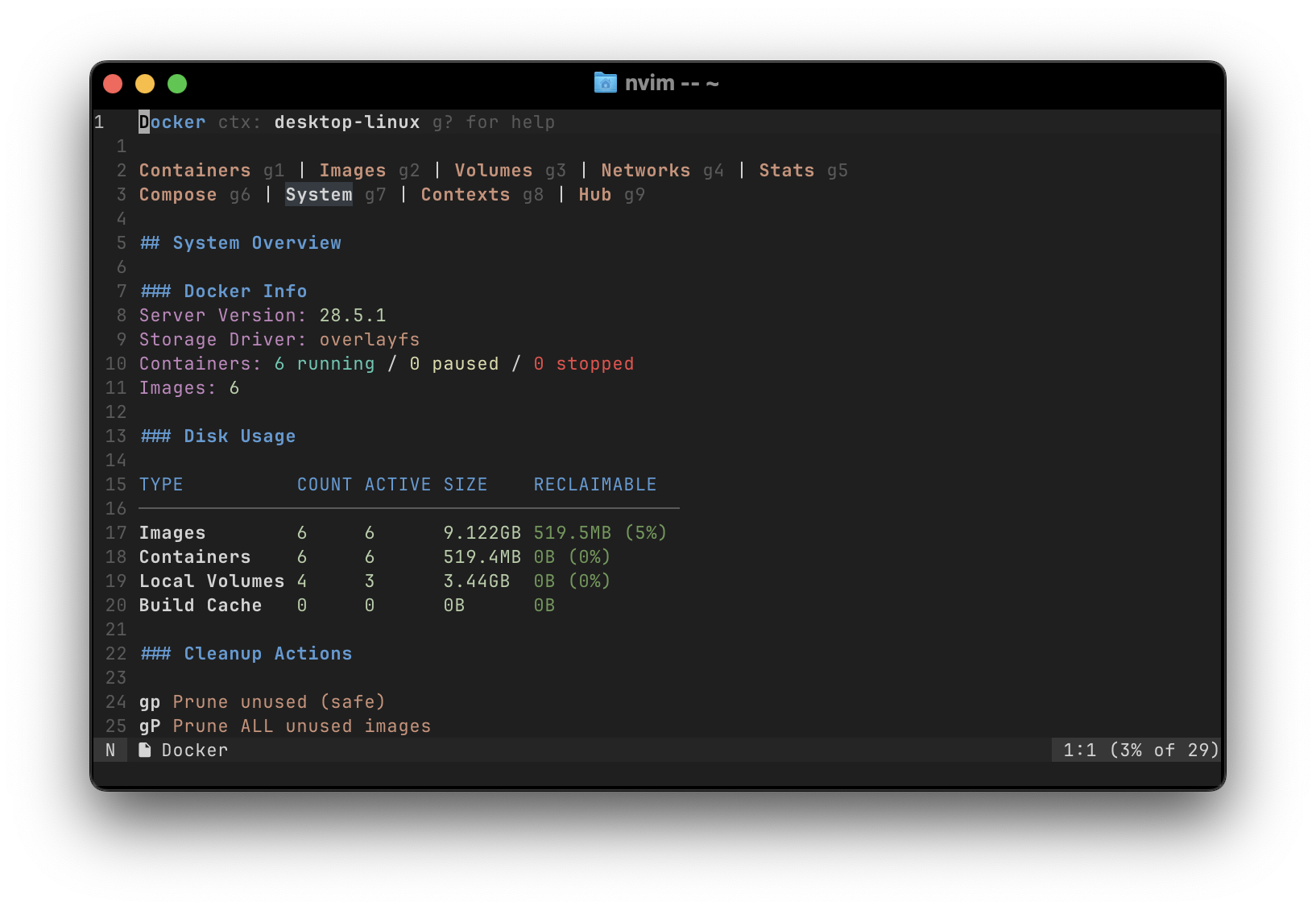
Kubernetes
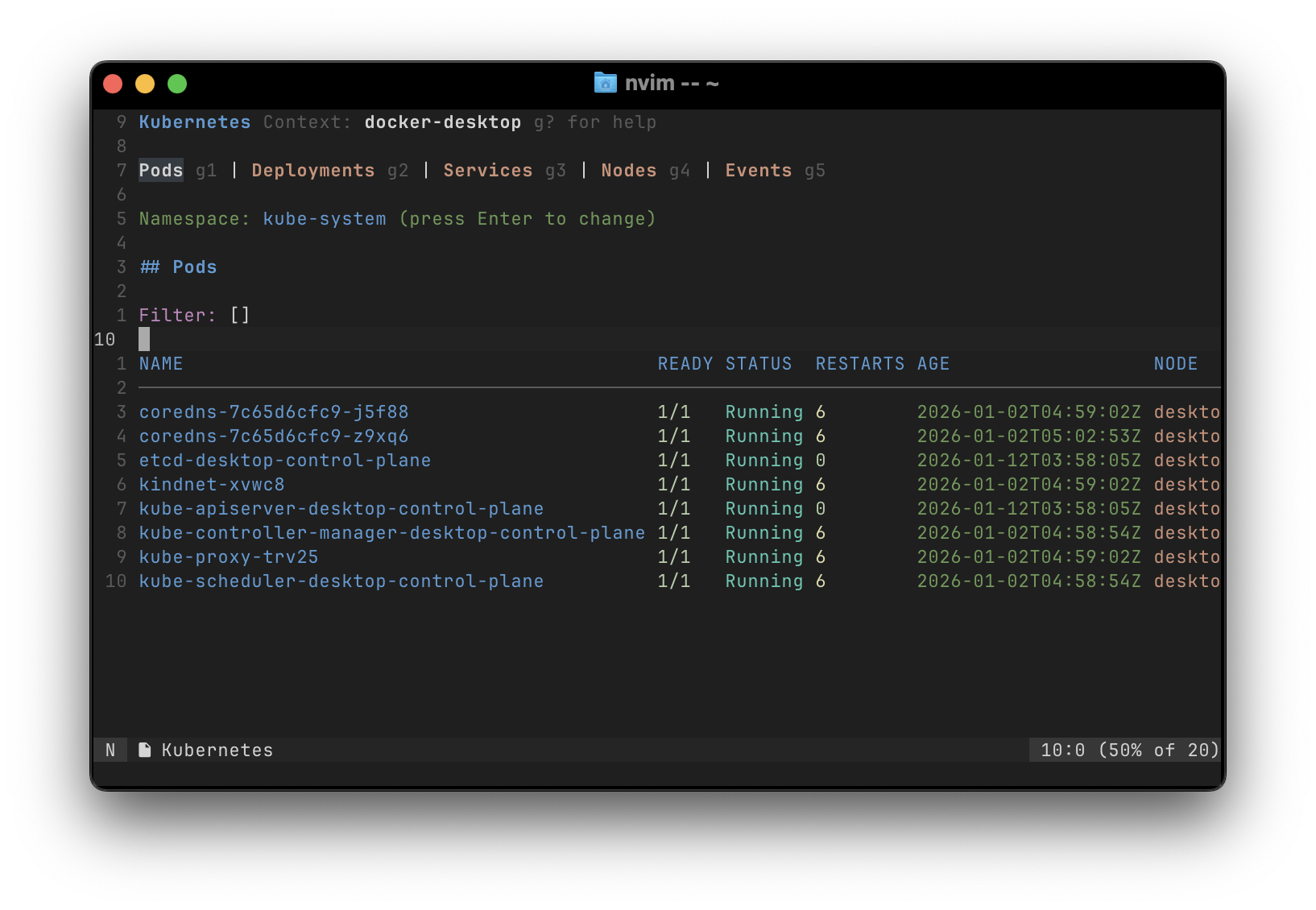
More Kubernetes screenshots
Process Manager
More process manager screenshots
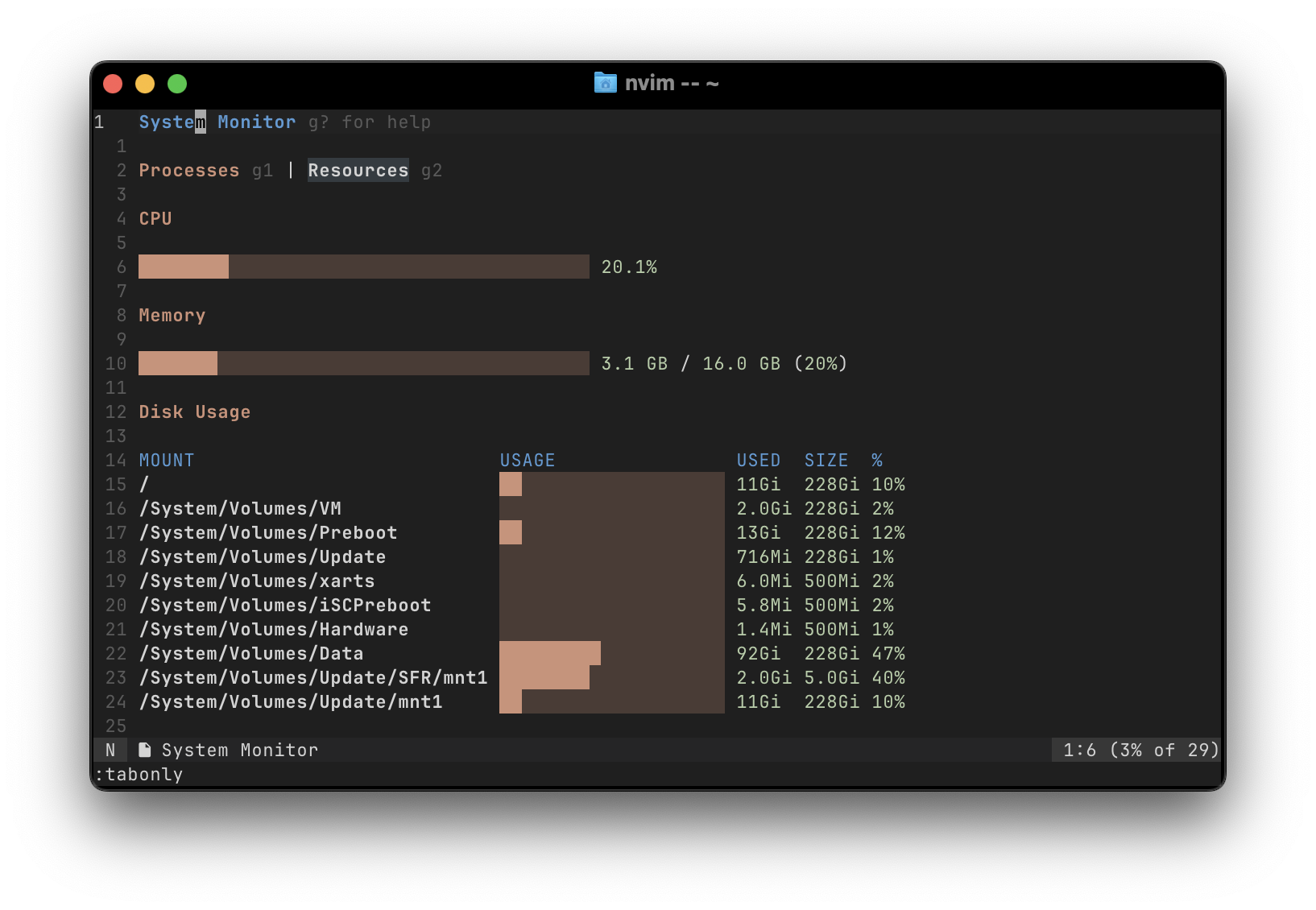
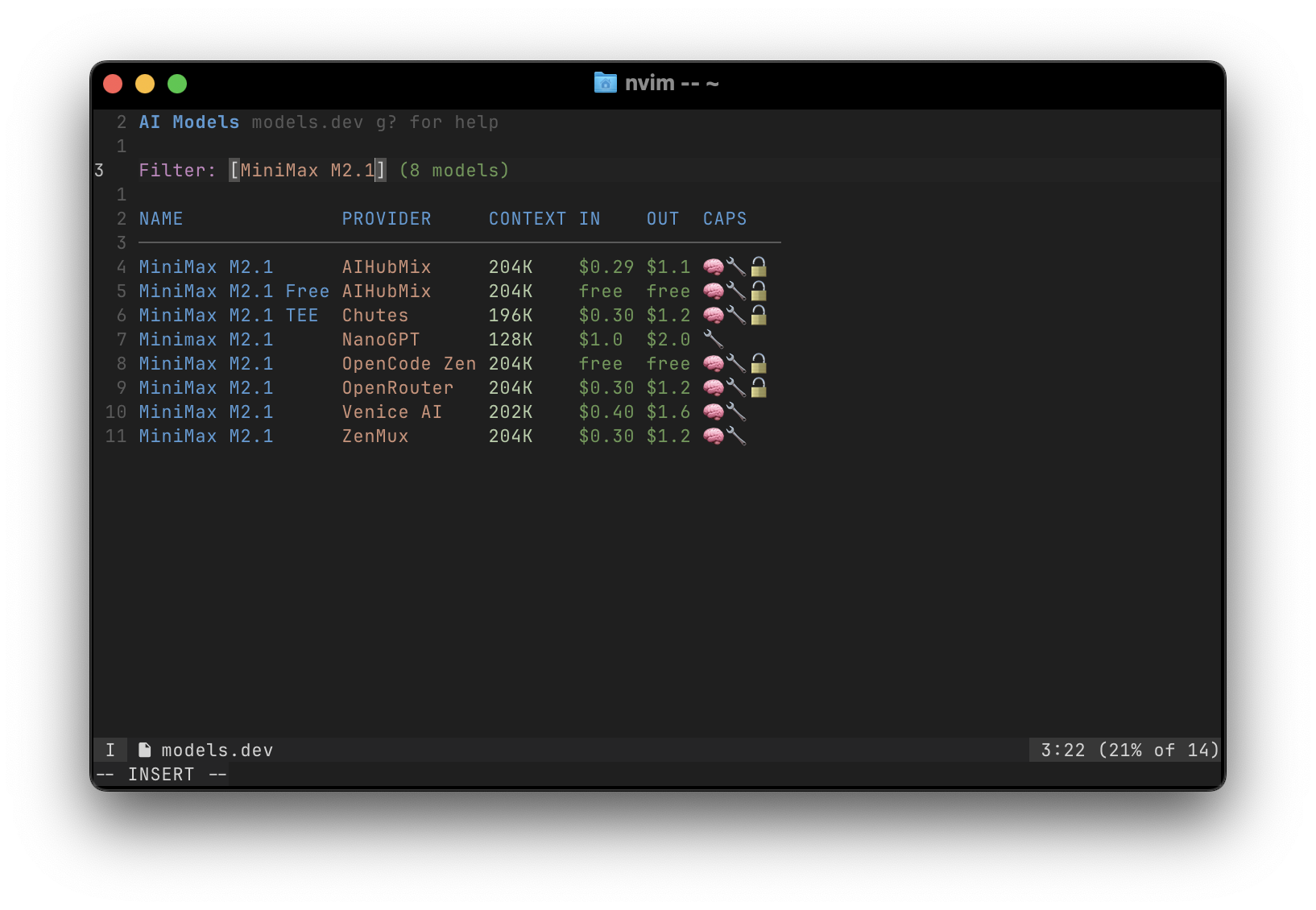
More UIs
More UIs
Installation
Using lazy.nvim:
{
  'jrop/tuis.nvim',
  config = function()
    -- Optional: set up keymaps
    vim.keymap.set('n', '<leader>m', function()
      require('tuis').choose()
    end, { desc = 'Choose Morph UI' })
  end
}
Using vim.pack:
vim.pack.add {
  { src = 'https://github.com/jrop/tuis.nvim' }
}
-- Then add to your init.lua:
-- Optional: set up keymaps
vim.keymap.set('n', '<leader>m', function()
  require('tuis').choose()
end, { desc: 'Choose Morph UI' })
Usage
Listing Available UIs
local tuis = require('tuis')
-- Get list of all available UIs local uis = tuis.list()
-- Choose from available UIs in a picker tuis.choose()
-- Run a specific UI by name tuis.run('processes')
Available UIs
The plugin includes the following interactive UIs (in lua/tuis/uis/ directory):
System Management:
processes- Interactive process viewer with kill/signal capabilitieslsof- View open files and network connectionslsp_manager- LSP server management
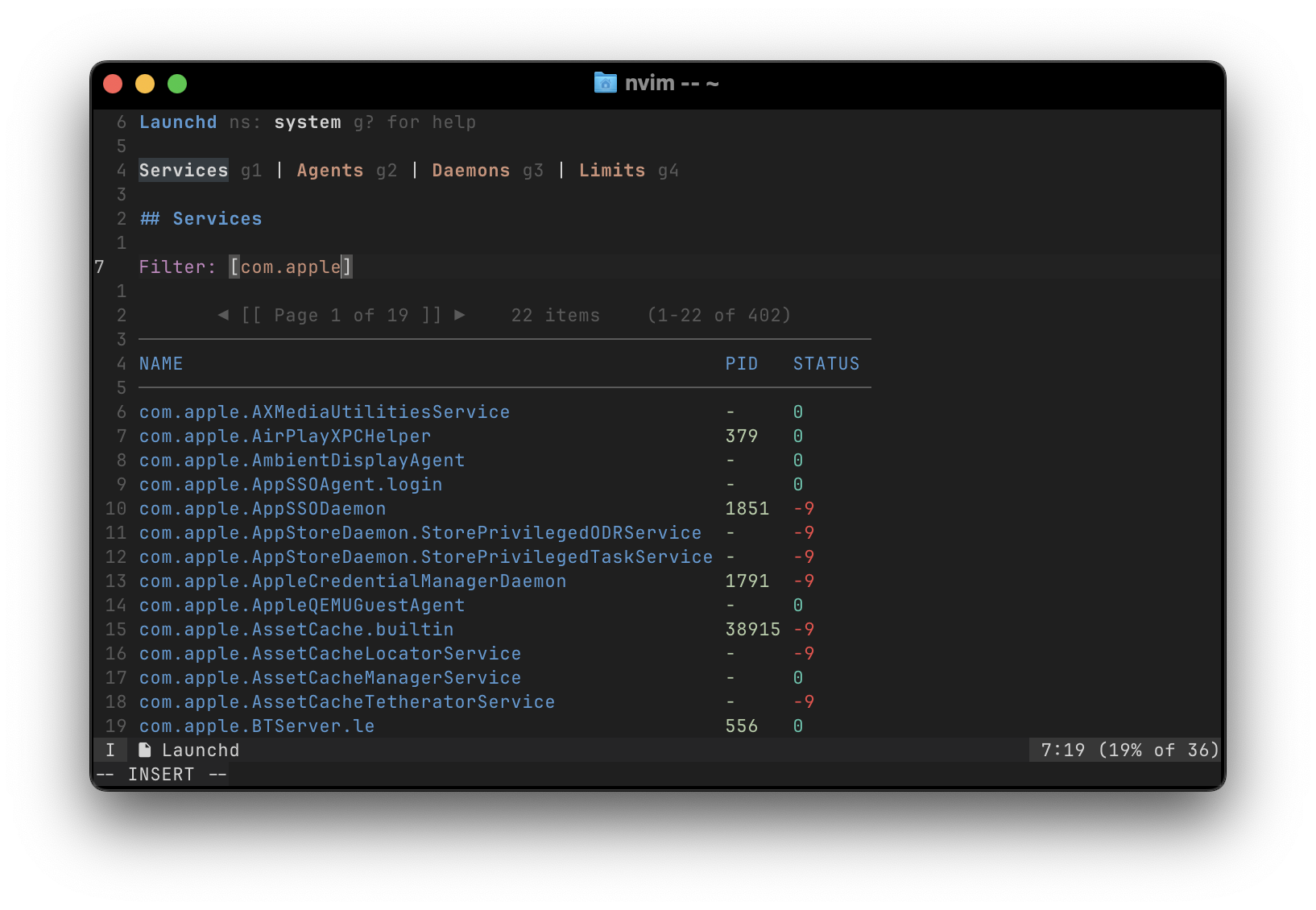
systemd- Systemd service management (Linux)launchd- Launchd service management (macOS)
docker- Docker container managementk8s- Kubernetes resource viewer (pods, deployments, services, nodes, events)
aws- AWS EC2 instances, Lambda functions, Auto Scaling groups viewergcloud- GCP compute instances, instance groups, secrets viewer
bitwarden- Bitwarden vault item viewer
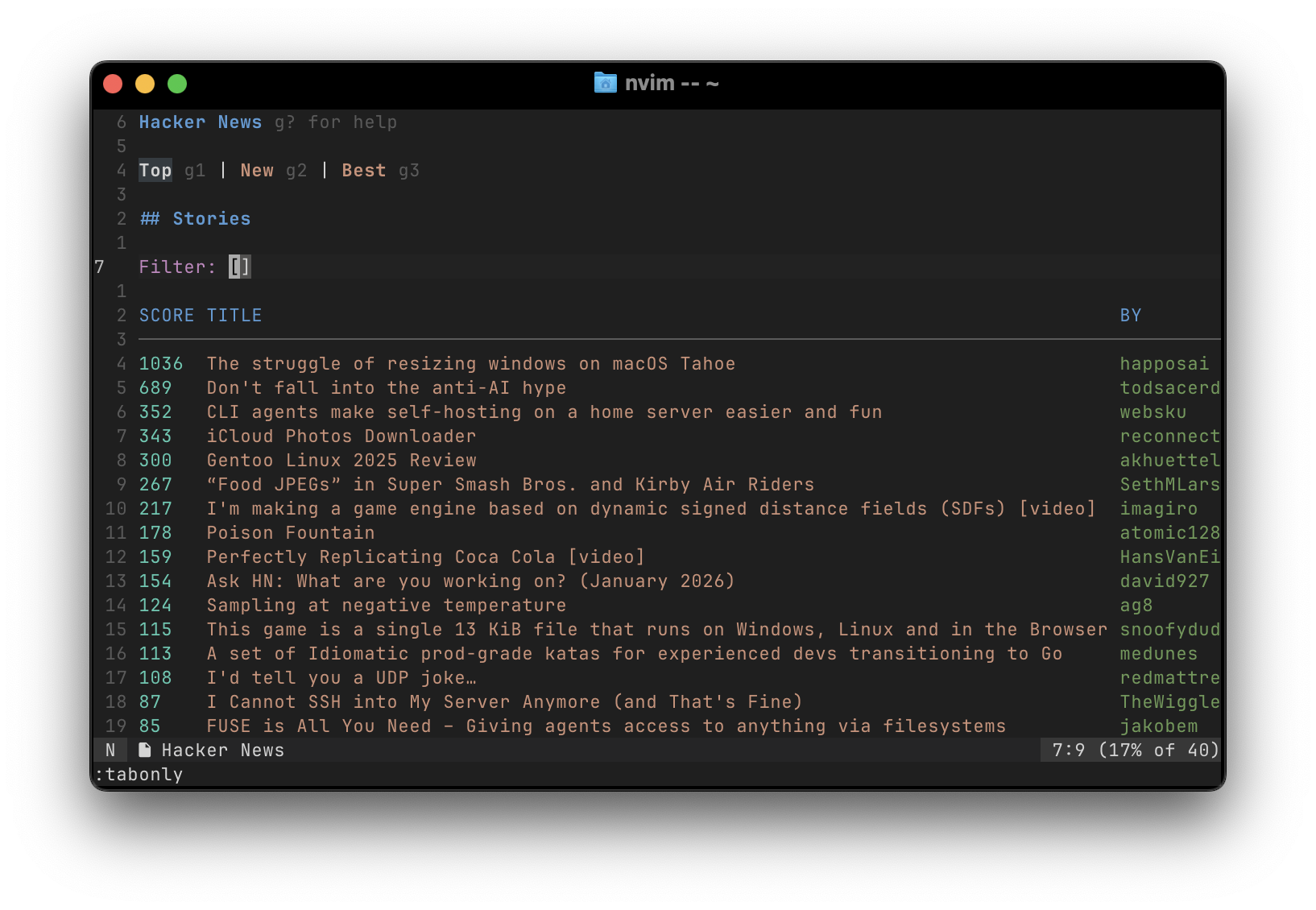
github- GitHub issues, PRs, and workflow runshacker_news- Hacker News readermodels-dev- AI models browser (models.dev)plugin_store- Neovim plugin browser and installer (NOTE: experimental)
Keybindings
All UIs follow consistent keybinding conventions. Press g? in any UI to see context-specific help.
Universal Keybindings
| Key | Action | |-----|--------| | <Leader>r | Refresh data | | g? | Toggle help panel | | gi | Inspect/view details (JSON/YAML) | | g1-g9 | Navigate tabs (multi-page UIs) |
Common Action Keybindings
| Key | Action | Used In | |-----|--------|---------| | gl | View logs | Docker, K8s, AWS, Systemd, GitHub | | gx | Execute/shell into resource | Docker, K8s, AWS, GCloud | | gk | Kill/terminate process | Process Manager, lsof, Docker | | gs | Start/scale resource | Docker, Systemd, Launchd | | gS | Stop resource | Docker, Systemd, Launchd | | gr | Restart/rerun | Docker, K8s, Systemd, GitHub | | go | Open in browser/console | AWS, GCloud, GitHub, Bitwarden | | gd | Delete/remove resource | Docker, K8s, Plugin Store | | gy | Yank/copy value to clipboard | lsof, GitHub, Hacker News, Bitwarden | | gv | View related resources | Docker, K8s, AWS | | gp | Push/pull/port-forward | Docker, K8s, GitHub |
Navigation
| Key | Action | |-----|--------| | <CR> | Select/open/view details | | <C-o> | Go back (detail views) | | [[ / ]] | Previous/next page |
Namespace Switching (Systemd/Launchd)
| Key | Action | |-----|--------| | <Leader>s | Switch to system namespace | | <Leader>u | Switch to user namespace |
License (MIT)
Copyright (c) 2026 jrapodaca@gmail.com
Permission is hereby granted, free of charge, to any person obtaining a copy of this software and associated documentation files (the "Software"), to deal in the Software without restriction, including without limitation the rights to use, copy, modify, merge, publish, distribute, sublicense, and/or sell copies of the Software, and to permit persons to whom the Software is furnished to do so, subject to the following conditions:
The above copyright notice and this permission notice shall be included in all copies or substantial portions of the Software.
THE SOFTWARE IS PROVIDED "AS IS", WITHOUT WARRANTY OF ANY KIND, EXPRESS OR IMPLIED, INCLUDING BUT NOT LIMITED TO THE WARRANTIES OF MERCHANTABILITY, FITNESS FOR A PARTICULAR PURPOSE AND NONINFRINGEMENT. IN NO EVENT SHALL THE AUTHORS OR COPYRIGHT HOLDERS BE LIABLE FOR ANY CLAIM, DAMAGES OR OTHER LIABILITY, WHETHER IN AN ACTION OF CONTRACT, TORT OR OTHERWISE, ARISING FROM, OUT OF OR IN CONNECTION WITH THE SOFTWARE OR THE USE OR OTHER DEALINGS IN THE SOFTWARE.


