
Todoist, RescueTime, Wakatime data wrapper, aims to help you understand what you get done every day, keep track of it, get valuable statistics out of your daily performance, and performing even better on your next day.
Productivity apps wrapper
This project aims to be a wrapper for some common productivity apps that I use in my everyday basis. This project is the result of me wanting to find a way for looking at all my productivity data, and having to do it on my own due to the poor integrations made by zapier.com and automate.io.
It aims to help you do understand what you get done every day, keep track of it, get valuable statistics out of your daily performance, and performing even better on your next day.
Apps wrapped
- Todoist for tasks management
- RescueTime for passive time tracking
- Wakatime (IDE's plugin for programming time tracking)
- Notion as the place where the data of the previous 3 resides.
Tools used
- Todoist API
- RescueTime API (Special thanks to the [@rescuetime]() team, who helped me with API fixes for this)
- WakaTime API
- Notion new Beta official API
- Notion Unofficial python API (without this I also could've not achieved this project)
- Heroku for deploying the app as is the simplest and quickest I found
Screenshots 📸
Image | Explanation -------------------------|-------------------------  | This is the main page wrapping the following next pages shown here below
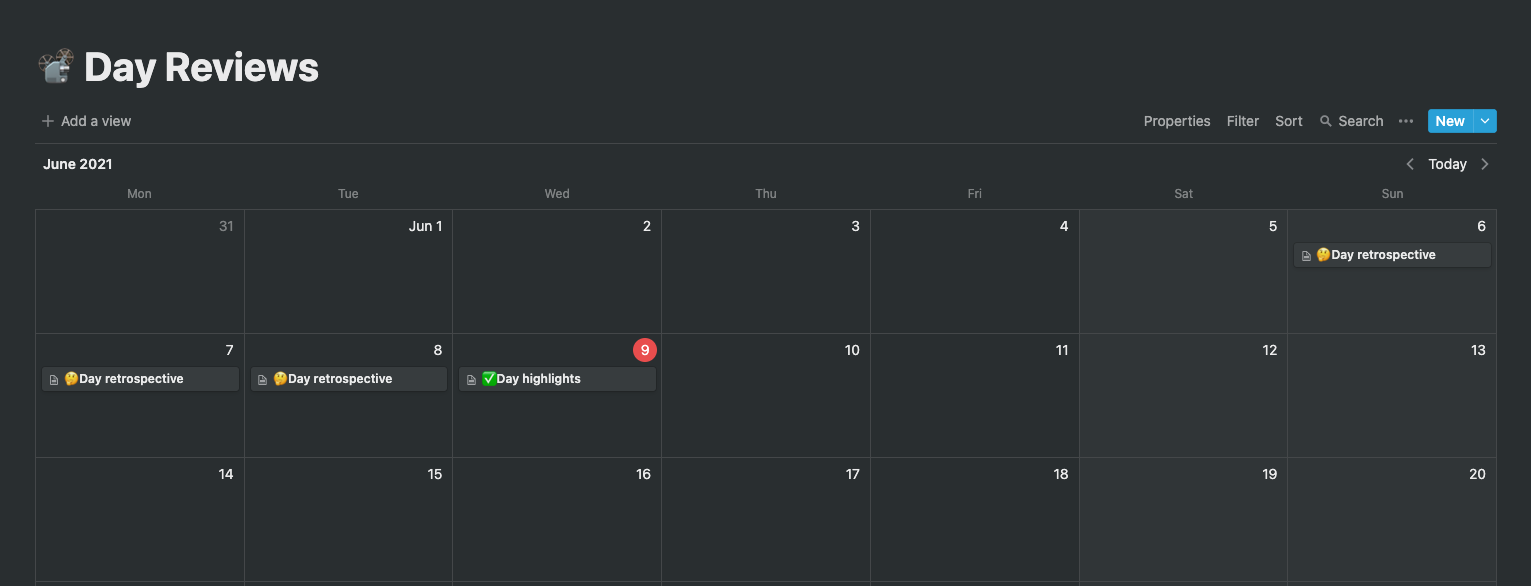
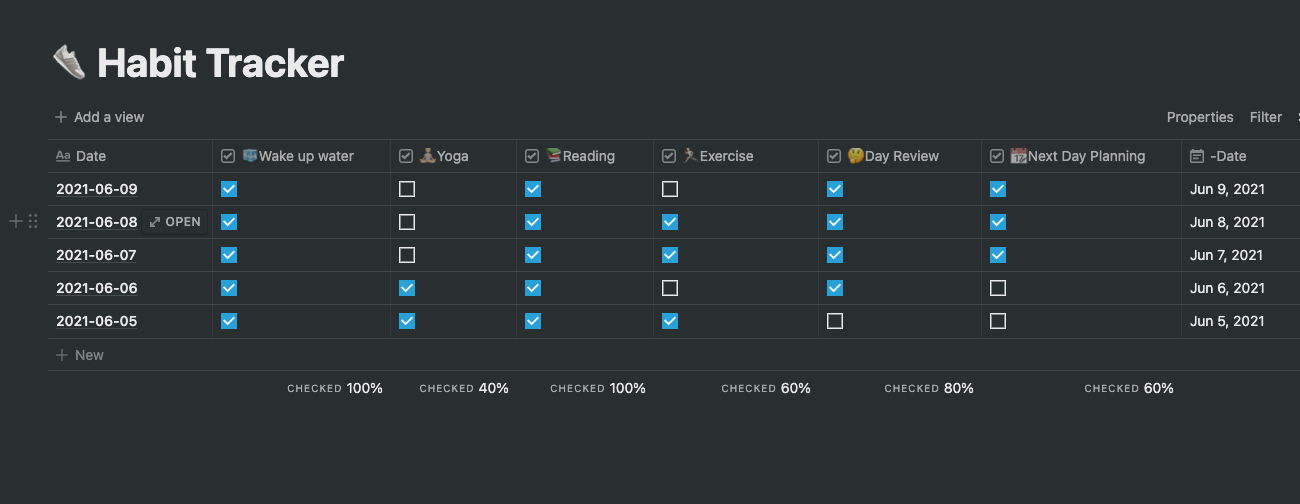
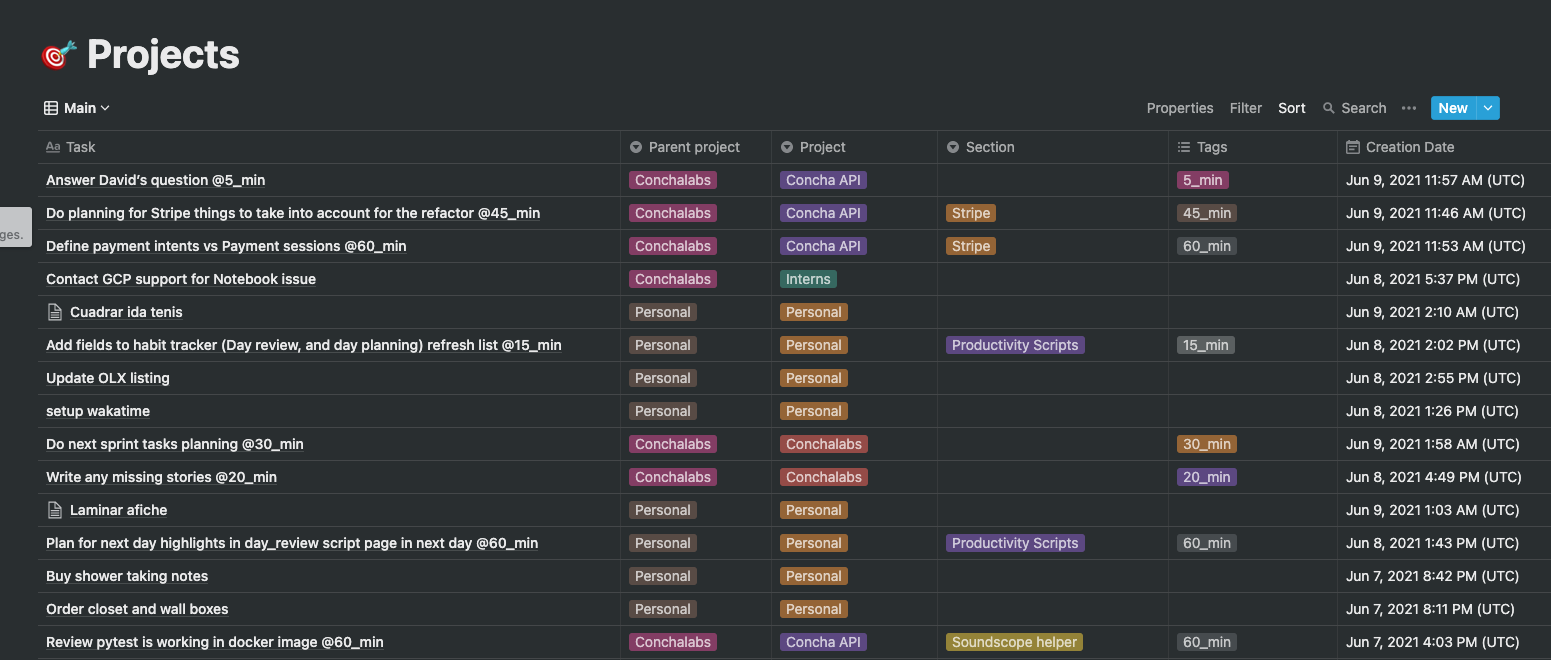
Database | Details -------------------------|-------------------------  |
| 
Setting up your own instance 🚀
Todoist setup
- Projects named
and one named
are required for the Habits and Goals pages respectively, everything else is
---
Notion setup
- Generate the notion token for the integration and share every page needed here with the
- Get the Token v2 for the unofficial API as explained https://github.com/jamalex/notion-py#quickstart
You need to create a few pages:
Duplicate everything as a Template
Explanation
- Day reviews pages (as a calendar)
- Projects table with the next columns
 -
- projectDateDate- Goals Progress Page:
 -
- Completion- Habits Page
 -
- --Date- Daily stats Page
 -
- hourshourshourshourshourshourshours%%%%%%-Date- Coding stats Page
 -
- -DateCode setup
- Install the
with.txtinstall -r requirements.txt - Setting your env vars
: https://developers.notion.com/reference/versioning
: https://developers.notion.com/docs#getting-started
https://github.com/jamalex/notion-py#quickstart
: https://developer.todoist.com/sync/v8/#authorization
: https://www.rescuetime.com/anapi/manage
: https://wakatime.com/settings/account
= The projects table page URL
= Projects table ID (take it from the URL)
= Daily Stats page id
= Coding stats page id
= Habit Tracker page id
= Day Review page ID
= Goals Progress page URL
= Goals Progress ID
= Todoist project for habits
=Todoist project for goals
=Todoist projects you may want toexclude
= The date from you want to sync all your data
= Timezone you're in (specially important for day reviews)
=1 (Synchronize all your data every n hours)
=21:50 (Time at what you want the script to create the day review pages, I do mine at 22:00, so 21:50 it's fine
- Update the
file and fill it with the variables.env
NOTIONAPIVERSION=2021-05-13
   NOTION_SECRET=
   NOTIONV2TOKEN=

   TODOIST_TOKEN=
   RESCUETIMEAPIKEY=
   WAKATIMEAPIKEY=

   NOTIONTODOISTVIEW=
   NOTIONTODOISTDB=
   NOTIONRESCUETIMEDB=
   NOTIONWAKATIMEDB=
   NOTIONHABITSDB=
   NOTIONDAYREVIEWS_DB=
   NOTIONGOALSVIEW=
   NOTIONGOALSDB=
   TODOISTHABITSPROJECT_ID=2266970739
   TODOISTGOALSPROJECT_ID=2254137012
   TODOISTTOIGNOREPROJECTS="[2250617044, 2232633941, 2258542988]"

   SYNC_SINCE=2021-01-01
   SYNC_TIMEZONE=America/Bogota
   SYNCEVERYHOURS=1
SYNCDAYREVIEWS_AT=21:50- Activate env vars with
example.env
Deployment setup
- Create a heroku account
- Set billing for the account (you'll spend $0 hosting this application)
- Create an app
- Set the Buildpack to heroku/python
- Add the git remote from heroku
- Push to the remote
TODOs
- Integrate Apple Health data (Workouts, Sleep, Steps, etc ...)
- Page details content as tables instead of
separated strings\t


