
:rocket: Asteroids-like arcade game implemented in Rust ✨
[![GitHub Actions][github-actions-badge]](https://github.com/johnthagen/rust-belt/actions) [![GitHub Releases][github-release-svg]][github-release]
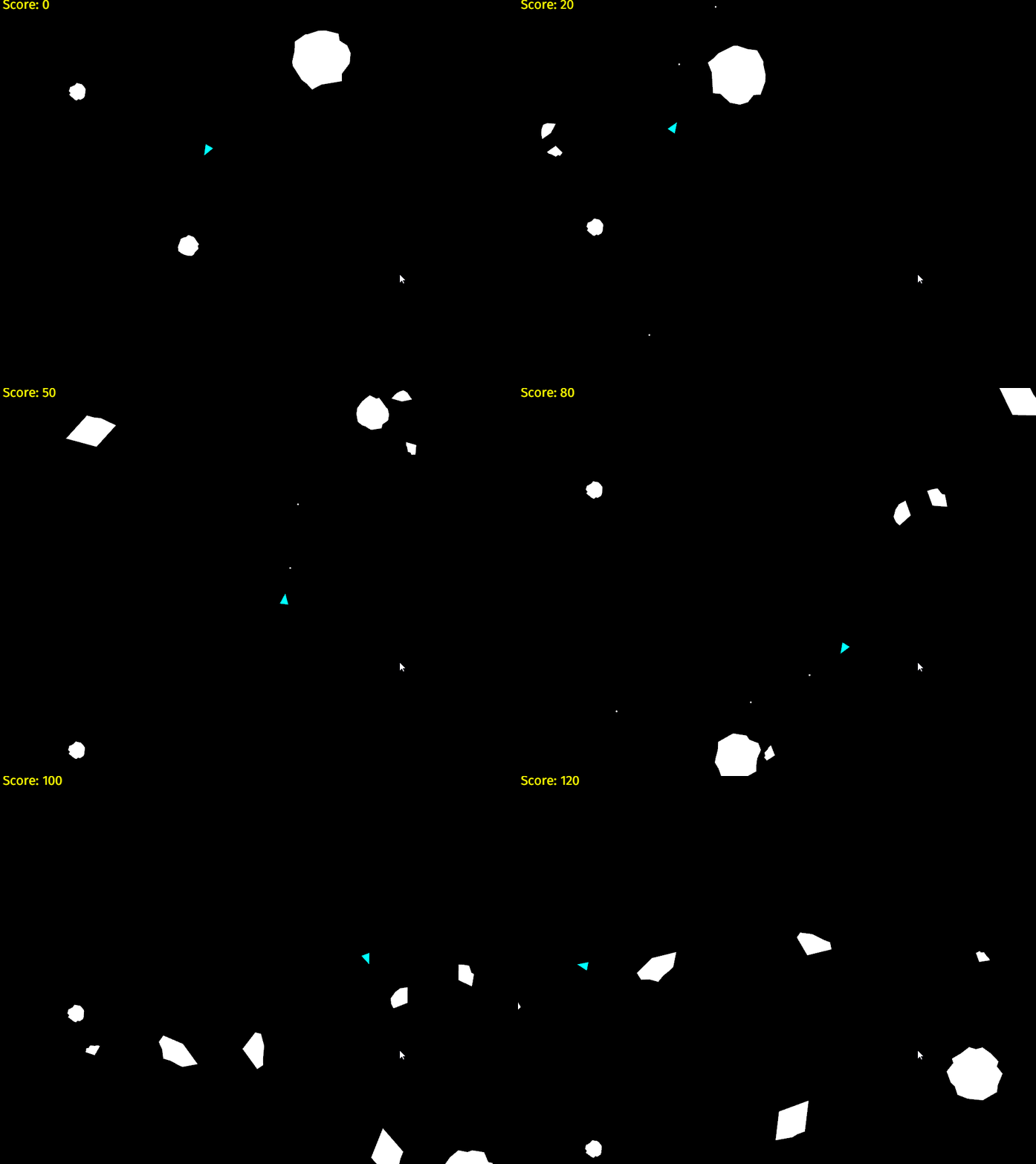
rust-belt is a 2D video game inspired by the classic Asteroids) arcade game, featuring an original soundtrack :musicalscore:. It is implemented using the Rust game engine, Piston.
Requirements
Prerequisites
- The latest stable release of Rust.
rustup.
rust-beltusespiston-musicto play music.
piston-music depends on two third-party non-Rust libraries, SDL2
and SDL2_mixer. Install instructions are provided
below.
Windows
Select to proceed with either the MSVC or GNU toolchain.
MSVC (Recommended)
- Ensure you are using the latest stable 64-bit MVSC toolchain with
rustup show
stable-x86_64-pc-windows-msvc).
- Ensure you have installed the Build Tools for Visual Studio
rustup during install.
- Download the latest 2.0.x SDL2 MSVC development
SDL2-devel-2.0.x-VC.zip).
- Unpack and copy all
.libfiles fromSDL2-devel-2.0.x-VC\SDL2-2.0.x\lib\x64\into a folder.
LIB system environment variable does not exist, create it. Add that folder path to
LIB.
- Copy
SDL2.dllinto therust-beltproject folder, next toCargo.toml. - Download the latest 2.0.x SDL2_mixer MSVC
SDL2_mixer-devel-2.0.x-VC.zip).
- Unpack and copy all
.libfiles fromSDL2mixer-devel-2.0.x-VC\SDL2mixer-2.0.x\lib\x64into
LIB system environment variable.
- Copy
SDL2_mixer.dllandlibmpg123-0.dllinto therust-beltproject folder, next to
Cargo.toml.
GNU/MinGW-w64
- Ensure you using the latest stable 64-bit GNU ABI toolchain with
rustup show
stable-x86_64-pc-windows-gnu).
- Install MSYS2.
- In an MSYS2 terminal:
pacman --sync mingw-w64-x86_64-gcc - Add
C:\msys64\mingw64\binto systemPATH. - Download the latest 2.0.x SDL2 MinGW development
SDL2-devel-2.0.x-mingw.tar.gz).
- Unpack and copy all
.libfiles fromSDL2-devel-2.0.x-mingw\SDL2-2.0.x\x86_64-w64-mingw32\lib
LIBRARY_PATH system environment variable does not exist, create it. Add
that folder to LIBRARY_PATH.
- Copy
SDL2.dllinto therust-beltproject folder, next toCargo.toml. - Download the latest 2.0.x SDL2_mixer MinGW
SDL2_mixer-devel-2.0.x-mingw.tar.gz).
- Unpack and copy all
.libfiles from
SDL2mixer-devel-2.0.x-mingw\SDL2mixer-2.0.x\x86_64-w64-mingw32\lib\ into the same folder
added in step 6 that was added to the LIB system environment variable.
- Copy
SDL2_mixer.dllandlibmpg123-0.dllinto therust-beltproject folder, next to
Cargo.toml.
Mac OSX
- Install Homebrew (by default this will install
gccvia Xcode development
brew install sdl2brew install sdl2_mixer --with-flac --with-fluid-synth --with-libmikmod --with-mpg123
Ubuntu
sudo apt install libsdl2-dev libsdl2-mixer-dev
Build and Run
To build:
$ cargo buildTo run:
$ cargo run --releaseHow to Play
Keyboard | Menu | Game ---------------- | ----------- | ------------------- W | Up | Accelerate Forward S | Down | Accelerate Backward A | | Rotate left D | | Rotate right Space | Select | Shoot X | | Return to Menu Esc | Exit | Exit
Maintainers
Special thanks to @aochagavia for rocket, which provided many examples to pull from.Music
Music composed by @johnthagen. All rights reserved.
Sound from freesound.org.
[github-actions-badge]: https://github.com/johnthagen/rust-belt/workflows/build/badge.svg
[github-release]: https://github.com/johnthagen/rust-belt/releases [github-release-svg]: https://img.shields.io/github/release/johnthagen/rust-belt.svg


