
BingGPT command line client, written in rust.

BingGPT
BingGPT command line client, written in rust
This repository hasn't been updated for many days, and may not be updated in the future. It is recommended that you switch to Aichat.
This project is a rust language implementation of EdgeGPT, all the hard stuff was done by the original project author acheong08, I just wrote it in rust, all credit goes to him, thanks for the hard work big guy!
Install
cargo install binggpt-cli# use binggpt
binggptOr download the binary from the release page.
Requirements
You must have a Microsoft account with access to BingGPT.
Configuration (required)
- for Chrome or Firefox to install the
cookie-editorextension - Go to bing.com and log in to your Microsoft account
- Open the extension
- Click "Export" in the bottom right corner (this will save your cookies to the clipboard)
- Create or write your cookies to the
~/.config/bing-cookies.jsonfile
Usage
First you need to perform the configuration steps above.
If you have a rust development environment, first you need to clone the code, go to this project directory, and run cargo run.
If you want to compile it into binaries, you can run cargo build --release. After the compilation is done, you can find the compiled binaries in the target/release directory.
If you want to install it to the system, you can run cargo install --path binggpt-cli, so you can easily use the binggpt command anywhere.
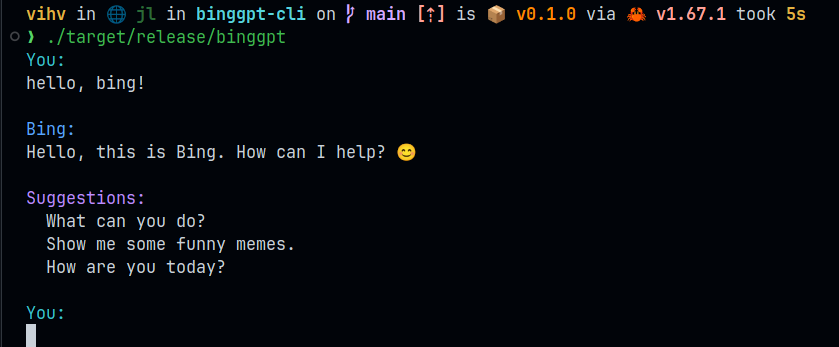
After starting the program, when you see You:, it means you can start a conversation with BingGPT, press enter twice to send a message.
In the conversation, you can use the following command.
:q:quit:exitto quit the program:moreto enter multi-line mode, where you can safely type more text, or paste text from the clipboard:endexit multi-line mode
Possible problems
For Windows10 users
see #3
Ensure that users running Windows 10 use this command in their terminal, with administrator privileges, to enable text colors in the terminal.
reg add HKCU\Console /v VirtualTerminalLevel /t REG_DWORD /d 1As a rust crate
cargo add binggpt
cargo add utf8-slice
cargo add tokio --features full
use std::io::{stdout, Write};
#[tokio::main] async fn main() { let mut bing = binggpt::Bing::new("~/.config/bing-cookies.json") .await .unwrap();
// send message bing.send_msg("hello").await.unwrap();
// receive message let mut index = 0;
// loop until the chat is done loop { if bing.is_done() { break; }
let Some(answer) = bing.recv_text().await.unwrap() else{ continue; };
// print the new part of the answer if !answer.is_empty() { print!("{}", utf8_slice::from(&answer, index)); if stdout().flush().is_err() { println!("Warning: Failed to flush stdout"); }; index = utf8_slice::len(&answer); } } }
Contributors
This project exists thanks to all the people who contribute.


