
฿ Bitcoin trading bot with a real-time dashboard for Bitstamp.
Cointrol
Cointrol is a Bitcoin trading bot and real-time dashboard for Bitstamp created by @jkbrzt.
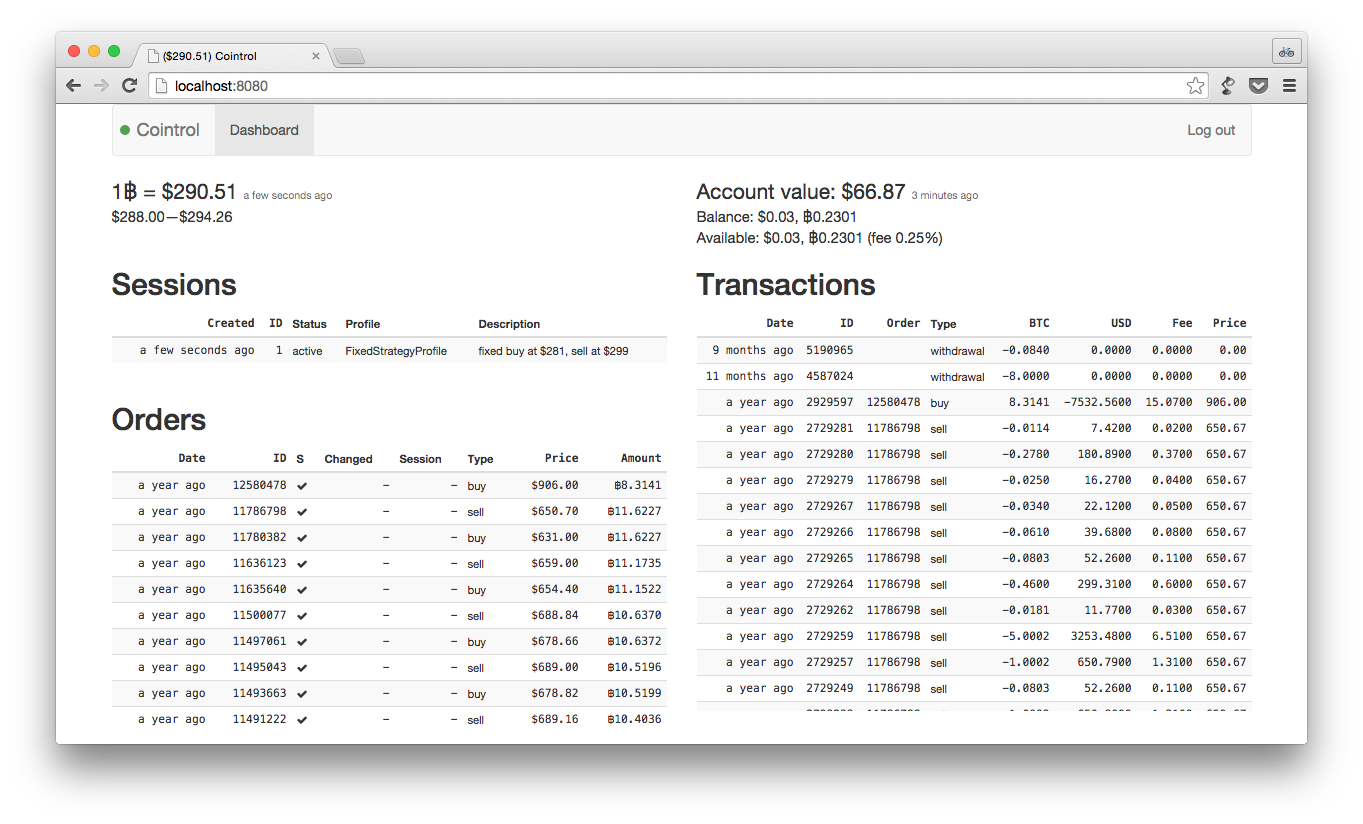
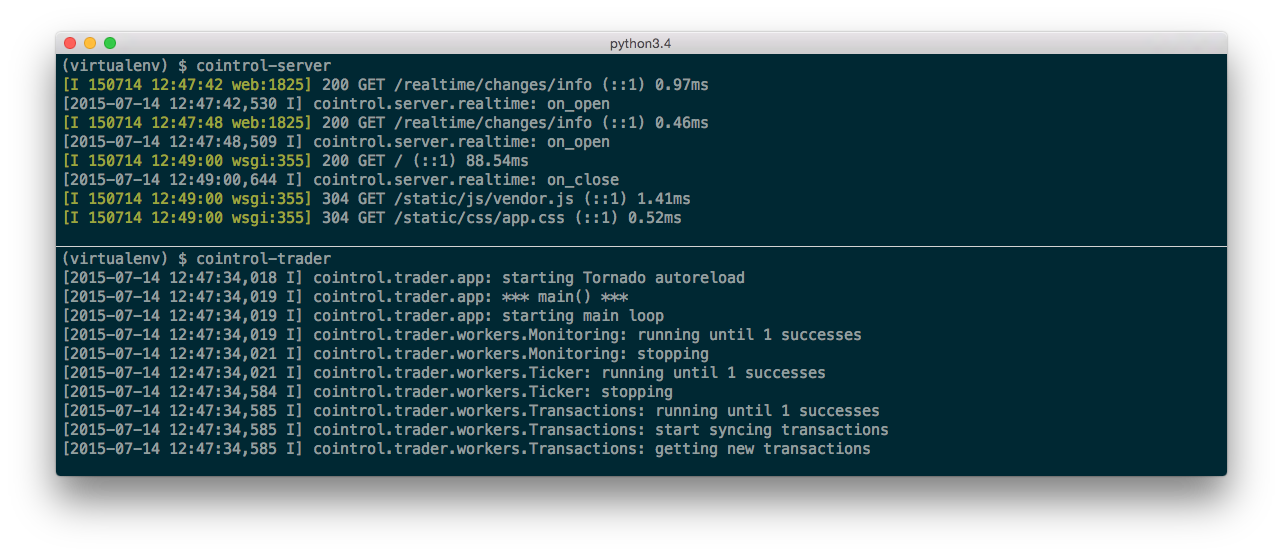
Cointrol was created to automate Bitcoin speculation. Besides automated trading based on price change triggers and various trading strategies, it also provides a real-time updated dashboard for your Bitstamp account where you can see all your orders and transactions real-time updated (something Bitstamp lacks). The dashboard for a real-time updated overview can also be used standalone without letting Cointrol make any transactions.
Even though the original idea was to perhaps provide a fully-fledged hosted service, the system remained quite basic as it has only been used by its creator for a period of time in the winter of '13/'14 (when BTC price fluctuations were pretty insane). Some of the obvious limitations—all of which could easily be addressed—are:
- Only basic trading strategies are implemented
- Single user/Bitstamp account is supported
- Only one active trading session at a time
- The whole account value is used when trading
- Django admin is used for auth and trading strategy/session manipulations
LICENCE).
Architecture
The system consists of the following components:
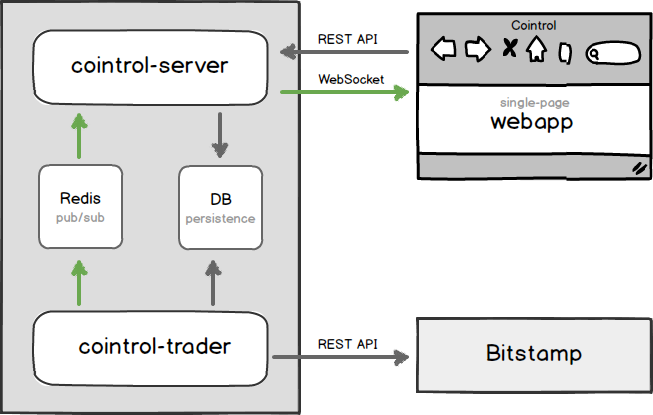
cointrol-trader
- Polls various Bitstamp API endpoints
- Writes changes to DB
- Publishes changes to Redis pub/sub
- Opens orders, when suitable
cointrol-server
- Serves Webapp static files
- Exposes DB for Webapp via a REST API
- Forwards Redis pub/sub messages from Trader to Webapp via WebSocket
- Exposes Django administration that is currently used for managing trading sessions
webapp
- REST/WebSocket API-powered Single Page App
- Real-time updated overview on orders, transactions, and trading sessions
Technology
The server-side parts (cointrol-server + cointrol-trader) are written in Python 3 (3.3+ is required) and use a mixture of Django (models, admin) and Tornado (WebSockets, async IO). Other libraries that are used include sockjs-tornado, Django REST framework.
The single-page webapp is written in CoffeeScript, Sass, Handlebars and uses Backbone.js, Brunch, socksjs-client, Bootstrap.
Installation
0. Prerequisites
Make sure you have the following software installed on your system:
- Python 3.3+
- Redis
- npm
1. Install Cointrol
1.1 Install cointrol-server & cointrol-trader
mkdir Cointrol && cd Cointrol
Create an isolated Python virtual environment
pip install virtualenv
virtualenv ./virtualenv --python=$(which python3)
Activate the virtualenv
IMPORTANT: it needs to be activated every time before you run
           a manage.py or cointrol-* command.
. virtualenv/bin/activate
Get the code
git clone https://github.com/jkbrzt/cointrol
Create a local settings file
echo 'from .settingsdev import *' > cointrol/cointrol/conf/settingslocal.py
Install Python requirements
pip install -r cointrol/cointrol/conf/requirements.txt
Initialize the database
cointrol/manage.py migrate
Install cointrol-*
pip install -e ./cointrol
1.2 Build the single-page app web client and install its dependencies
# Install dependencies
sudo npm -g install bower
cd cointrol/webapp
npm install
bower install
Build the app
brunch build
Use brunch watch during development
2. Create a Django user
. virtualenv/bin/activate
cointrol/manage.py createsuperuser
3. Configure Bitstamp API access
3.1 Get API key and secret
Go to https://www.bitstamp.net/account/security/api. Create a new key and configure permissions for it. Cointrol needs at least the following permissions:
* Account balance * User transactions * Open orders If you want Cointrol make transactions for you, select two following permissions as well:
* Buy limit order * Sell limit order
Don't forget to activate the key by clicking "Activate" and confirming the email you receive from Bitstamp.
3.2 Configure Cointrol with the API credentials
- Activate the virtualenv and run
cointrol-server - Go to http://localhost:8000/admin/core/account/1/ and enter your Bitstamp username as well as the API key and secret to the form there.
Usage
Start cointrol-server
. virtualenv/bin/activate
cointrol-server
By default, it will run on http://localhost:8000. You can change the port with --port=<port>.
Use this convenient link to log in: http://localhost:8000/admin/login/?next=/ — the Django admin interface is used for authentication, and this link ensures redirection back to the app after signing you in.
Connection indicator colors explained:

Green: The web app has a WebSocket connection to cointrol-server, and have recently heard from cointrol-trader.

Amber: The web app has a WeSocket connection to cointrol-server, but have not heard from cointrol-trader in a while.

Red: The web app couldn't establish WebSocket connection to cointrol-server.
Start cointrol-trader
. virtualenv/bin/activate
cointrol-trader
Note, until trading is configured and the COINTROLDOTRADE settings set to True (covered in a later step), the trader won't make any transactions. It only pulls your data from Bitstamp to populate the dashboard view.
Trading
Until the following steps are completed and trading is explicitly enabled, Cointrol doesn't attempt to make any transaction on your behalf:
- Through the admin (http://localhost:8000/admin/) you can create a trading strategy profile. It can be for the fixed (fixed price points in USD are used as buy/sell triggers) or the relative (percentage of the initial BTC price are used) strategy.
- Create a trading session (also in the admin interface).
- To perform actual transactions, you'll have to enable them in the settings (we used the
settingsdevmodule which disables them). AddCOINTROLDOTRADE = Trueto yourcointrol/cointrol/conf/settingslocal.py.
Settings
The settings is resolved in this order:
settings_local.pysettings_(prod|dev).pysettings_defaults.py- Django defaults
cointrol/cointrol/conf/settingslocal.py which imports settings from the settingsdev.py file. All the settings are Django settings. The only non-Django settings is COINTROLDOTRADE (False in dev, True in prod). You can override any of the default settings in the settingslocal.py file.
Besides settingsdev.py, the conf directory also has settingsprod.py, which is more suitable for production use. It defines logging configuration which makes messages of a level >= WARNING logged by the trader to be sent to you via email (e.g. when the trader places an order or there is an error). If you decide to use this settings file (by changing the import in settingslocal.py to from .settingsprod import *, you'll have to configure at least DATABASES, ADMINS and SECRETKEY as well in your in settings_local.py.
Contact
Jakub Roztocil
- https://github.com/jkbrzt
- https://twitter.com/jkbrzt
- http://roztocil.co
3NVcdcoXrBV7jKv7T3st6kQz7XdsPNUn34
Licence
MIT. See LICENCE.


