
Diff branches in neovim with fugitive
fugitive-difftool.nvim
[![CI][status-png]][status]
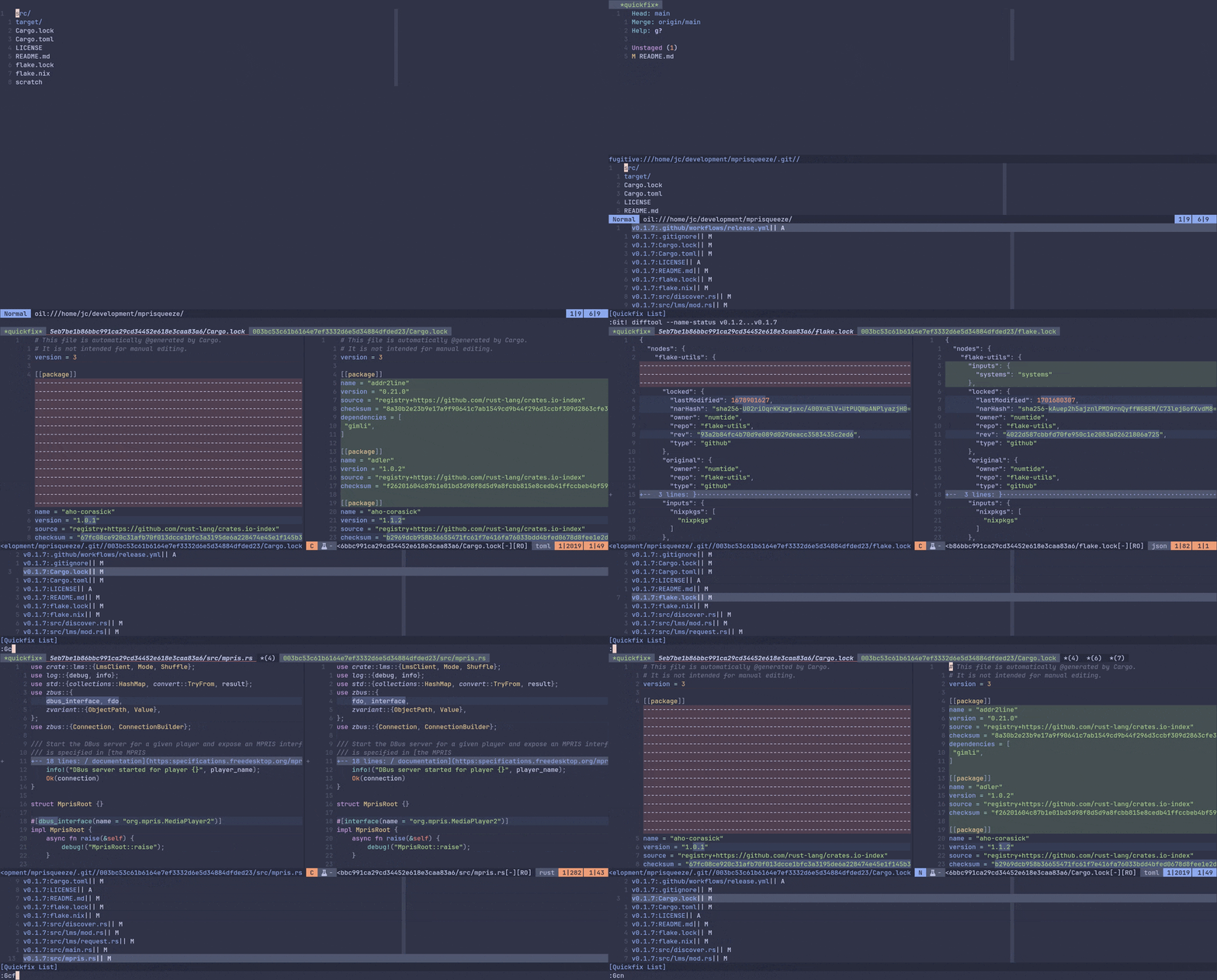
fugitive-difftool.nvim is a neovim plugin that complete fugitive difftool integration. It allows you to compare two revisions of a repository using the quickfix list. This is useful for code reviews.
Installation
Install the plugin with your favorite plugin manager. For nixos users, the flake file contains an overlay that will add fugitive-difftool-nvim to the vimPlugins attribute set.
Usage
The plugin exposes lua functions that you can use to browse the quickfix list filled up by fugitive difftool.
For example, one can create user commands to call them:
-- Jump to the first quickfix entry
vim.api.nvimcreateusercommand('Gcfir', require('fugitive-difftool').gitcfir, {})
-- To the last
vim.api.nvimcreateusercommand('Gcla', require('fugitive-difftool').gitcla, {})
-- To the next
vim.api.nvimcreateusercommand('Gcn', require('fugitive-difftool').gitcn, {})
-- To the previous
vim.api.nvimcreateusercommand('Gcp', require('fugitive-difftool').gitcp, {})
-- To the currently selected
vim.api.nvimcreateusercommand('Gcc', require('fugitive-difftool').gitcc, {})
Then if you work on a feature in a branch with many commits and you want to see all the changes from master. One can do:
:Git! difftool --name-status master...my-featureNotes about this command:
!will not jump on the first entry in the quickfix list. We want to jump
:Gcfir - by default
difftooloutputs one entry per hunk,--name-statuswill output
Once the call to difftool is done, the quickfix list contains all the changes. One can navigate through it with the created user commands.
Notes
This worked is heavily based on code and comments found in [this issue][issue].
[issue]: https://github.com/tpope/vim-fugitive/issues/132 [status-png]: https://github.com/jecaro/fugitive-difftool.nvim/workflows/CI/badge.svg [status]: https://github.com/jecaro/fugitive-difftool.nvim/actions


