
like lazygit/lazydocker but for slurm

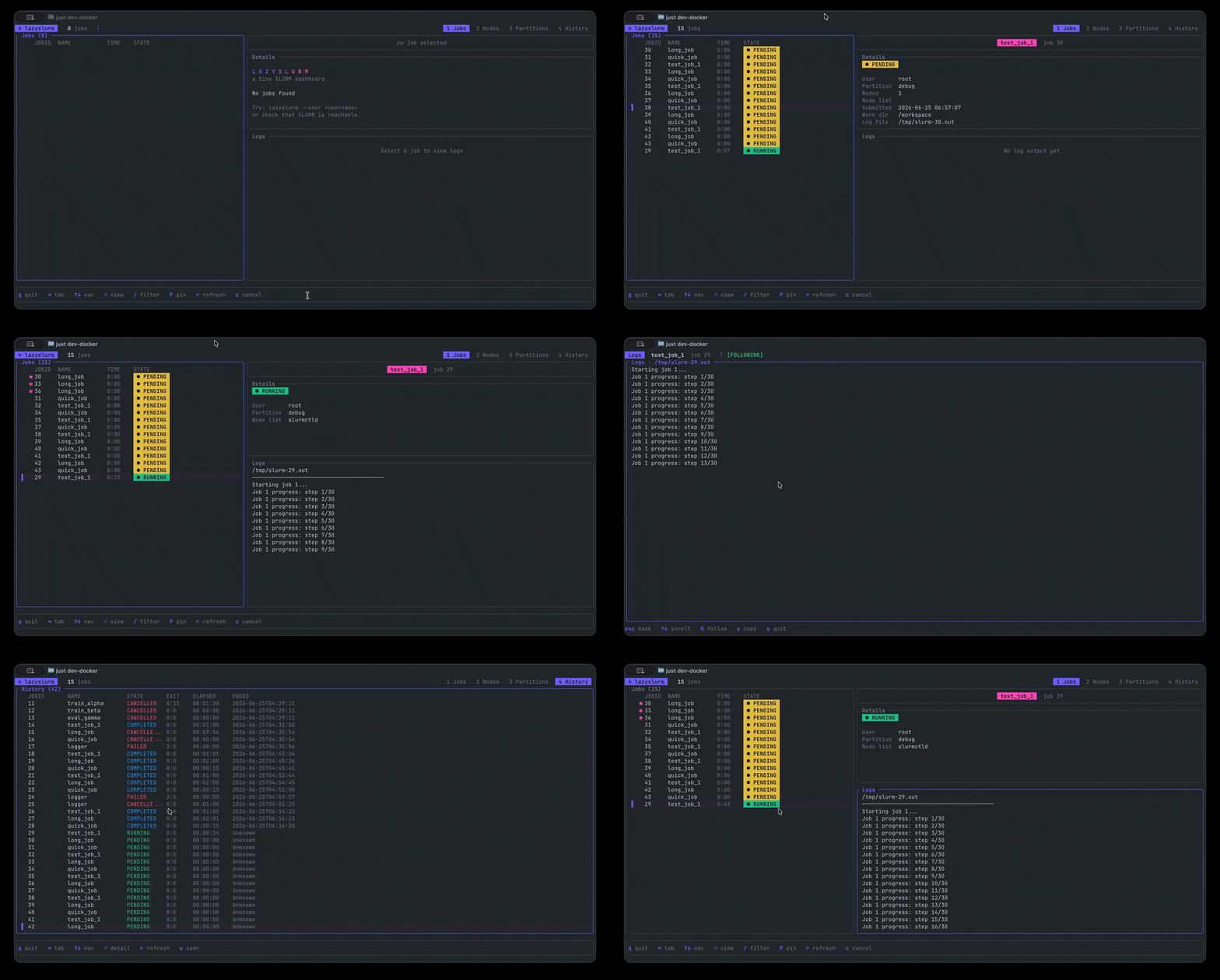
A terminal UI for Slurm. Like lazygit, but for HPC clusters.



Why This Exists
Slurm's CLI is powerful but clunky for monitoring. This gives you the lazygit experience for your cluster. Built in Rust with ratatui and released as a single binary.
Features
- Monitor your jobs with live log tailing, job details and ability to cancel jobs
- See per-node state, CPU load, free memory and GPU (gres) allocation across the cluster
- Partition availability, idle/allocated nodes and time limits.
- See finished jobs from
sacctwith details
Installation
Binary Releases
Download the latest binary for your platform from GitHub Releases:
# Linux x64
curl -L https://github.com/hill/lazyslurm/releases/latest/download/lazyslurm-linux-x64.tar.gz | tar xz
sudo mv lazyslurm /usr/local/bin/
macOS (Apple Silicon)
curl -L https://github.com/hill/lazyslurm/releases/latest/download/lazyslurm-macos-arm64.tar.gz | tar xz
sudo mv lazyslurm /usr/local/bin/
macOS (Intel)
curl -L https://github.com/hill/lazyslurm/releases/latest/download/lazyslurm-macos-x64.tar.gz | tar xz
sudo mv lazyslurm /usr/local/bin/
Homebrew
brew install hill/tap/lazyslurmCargo
If you have Rust installed:
cargo install lazyslurmGah
gah install hill/lazyslurmUsage
# Monitor all jobs for the current user
lazyslurm
Filter to a specific user
lazyslurm --user username
Filter to a specific partition
lazyslurm --partition gpu
The Jobs tab works without any extra setup. The Nodes and Partitions tabs use sinfo, and History uses sacct (which needs Slurm accounting enabled on the cluster).
Keyboard Controls
Global
| Key | Action | |-----|--------| | q / Ctrl+C | Quit | | Tab / Shift+Tab | Switch tabs | | 1–4 | Jump to a tab | | ↑/↓ or j/k | Navigate the current list | | r | Refresh | | u | Filter by user |
Jobs tab
| Key | Action | |-----|--------| | ←/→ or h/l | Move focus between panels | | Enter | Fullscreen the focused pane | | / | Filter the list by name or id | | P | Pin / unpin the selected job | | c | Cancel the selected job | | y | Raw log view (with the Logs pane focused) |
History tab
| Key | Action | |-----|--------| | Enter | Open the job detail view | | y | Raw log view (in the detail view) |
Log views
| Key | Action | |-----|--------| | G / g | Follow the tail | | y | Open the raw view, then drag-select to copy | | Esc | Back |
Development
Requires Docker and just. The dev container runs a full Slurm install with accounting (slurmdbd + MariaDB), so every tab works locally.
# Build and start the Slurm container
just slurm_up
Get a shell inside it
just slurm_shell
Inside the container (your code is mounted at /workspace)
cargo run
Submit some test jobs
just slurm_populate
Inspect the cluster
just slurm_status    # squeue + sinfo
just slurm_prio      # sprio priority breakdown
just slurm_share     # sshare fairshare usage
just slurmclearjobs
Your source is mounted into the container, so changes are picked up immediately.
License
MIT


