
Harbour is a docker registry including build system focused on cloud native environments.
Last updated Mar 19, 2026
24
Stars
2
Forks
31
Issues
0
Stars/day
Attention Score
3
Language breakdown
No language data available.
▸ Files
click to expand
README
Harbour.rocks
Harbour is a docker registry including build system focused on cloud native environments.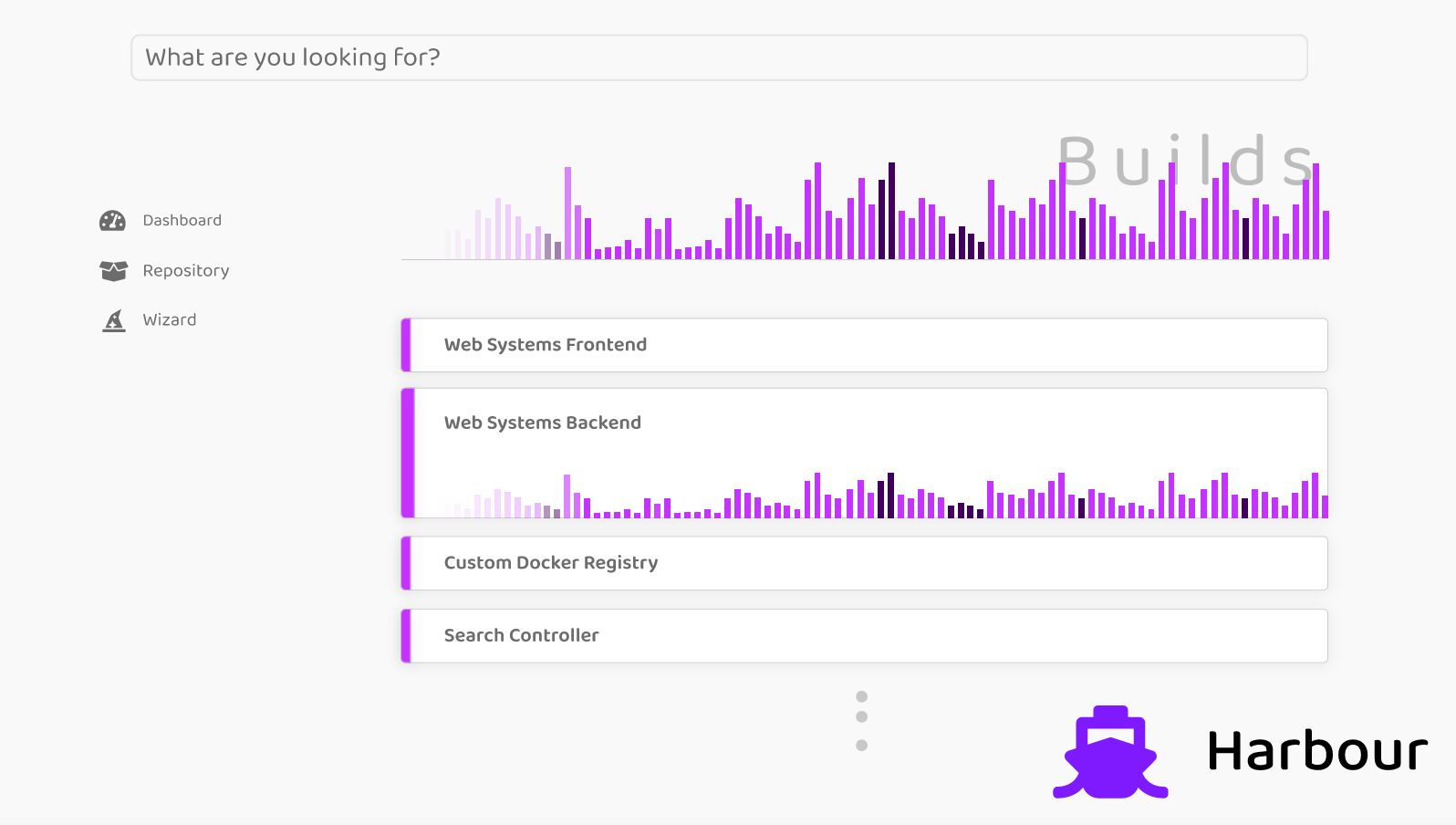
Architecture
harbour.rocks is composed of several Golang microservices. It utilizes Redis as database and supports various OpenId Connect authentication provider.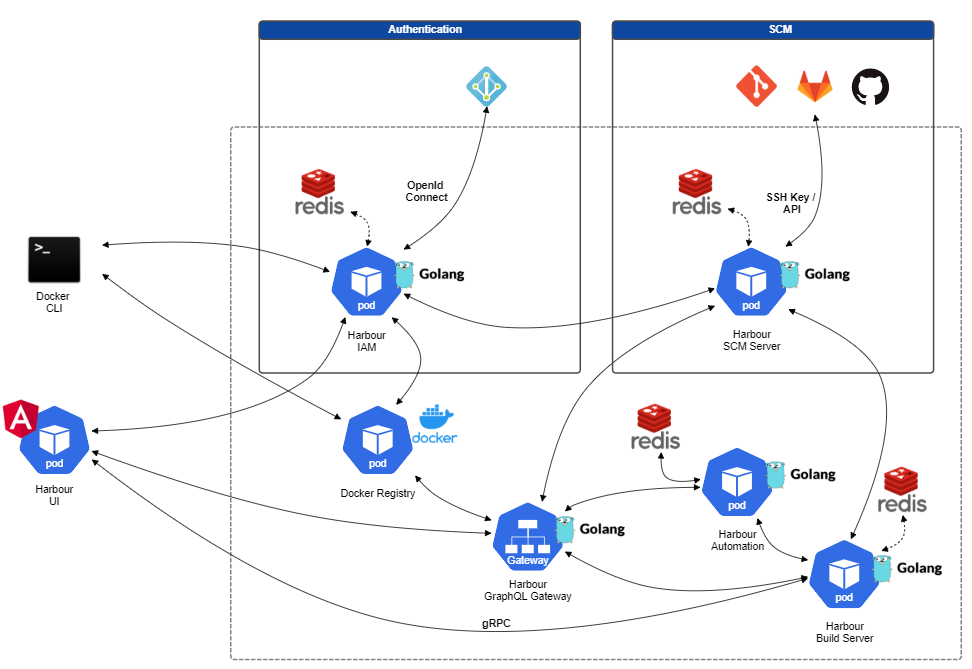
Development
How to develop harbour
- You have to install Go to your system for all the backend work: https://golang.org/doc/install
- Install docker AND docker-compose to your system. Make sure both work by executing the following command line (note: versions do not have to match exactly)
$ docker -version
Docker version 19.03.8, build afacb8b

$ docker-compose -version
docker-compose version 1.25.4, build 8d51620a- You need a redis database for storage. Simply setup the redis by executing this script: scripts/run-redis.sh, or use your existing local one.
- The actual registry that stores the images is the official docker registry. Simply setup the registry by executing this script: scripts/run-registry.sh. This will also create all certificates that are required for authenticating with the registry.
- We are using IntelliJ 2020 for development. You should open the project root as IntelliJ project. This will give you several run configurations which should work for the development environment.
- Now you should be able to run the several services of harbour from your IntelliJ by selecting the configuration and hitting the run button.
 Redis
Redis
Version: 5+
Harbour stores its data in the key-value database Redis.
To run a development redis database you can use the docker-compose file provided here deployments/redis/docker-compose.yml.
There is also a script to quickly run a redis instance scripts/run-redis.sh.
./scripts/run-redis.sh
You can access redis for debugging purposes by the redis-cli using the following script scripts/redis-cli.sh.
./scripts/redis-cli.sh
Docker Registry API
- List all repositories
- List all tags (images inside a repository)
Github App
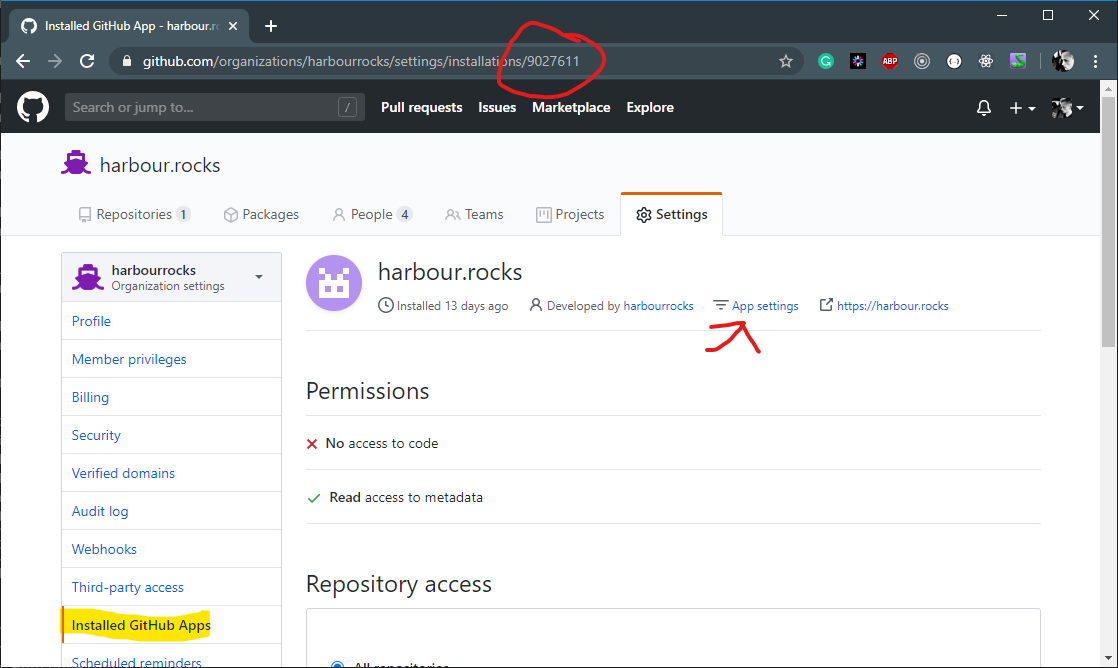
Installation of the App not yet coveredGet the installation_id of the Github app from the URL as shown in the picture below, then click on App Settings
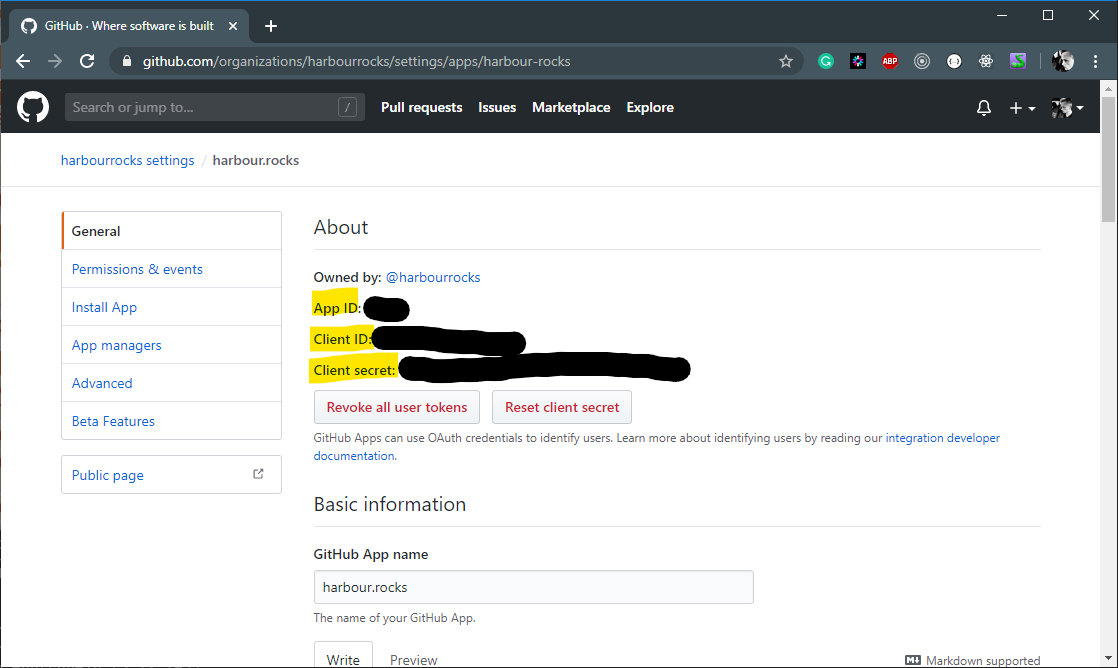
Get the appid, clientid, and client_secret from the app settings:
Scroll down and generate a new private key:
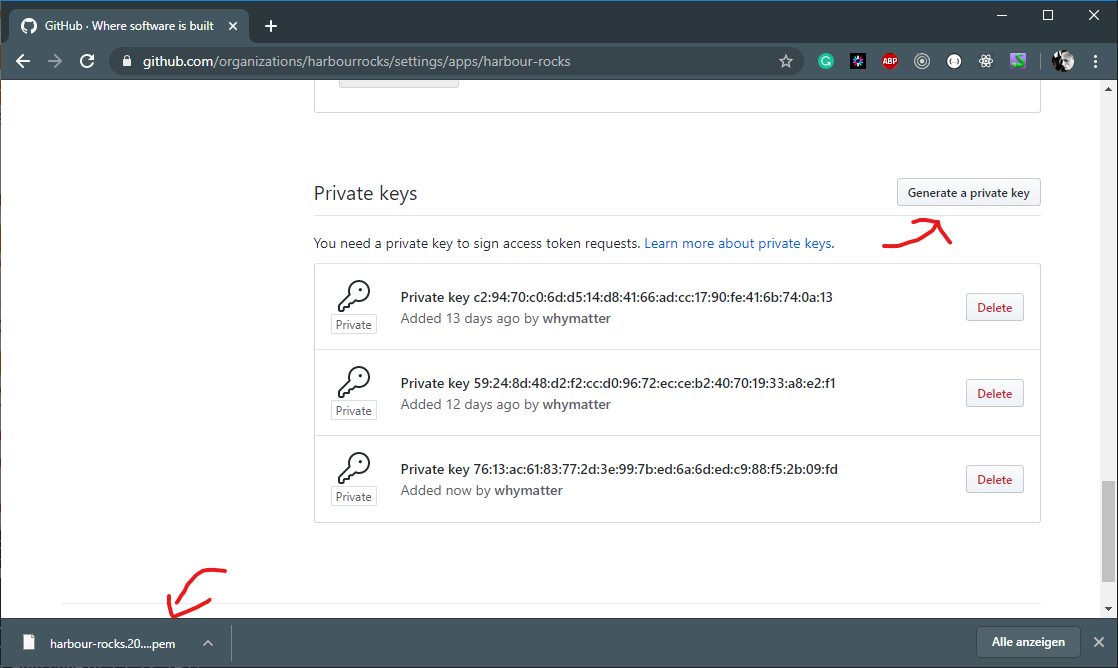
Now run SCM and register the GitHub app:
POST http://localhost:5300/scm/github/register BODY:{
"app_id": 0,
"installation_id": "",
"client_id": "",
"client_secret": "",
"private_key": ""
}-----BEGIN RSA PRIVATE KEY-----\n[private bytes here, without linebreaks]\n-----END RSA PRIVATE KEY-----\n


