Stamp your code with a trackable digital copyright
Last updated Apr 3, 2026
19
Stars
2
Forks
0
Issues
0
Stars/day
Attention Score
6
Language breakdown
JavaScript 57.8%
Dockerfile 42.2%
▸ Files
click to expand
README
Haiphen
Please contact pi@haiphenai.com for help with installation.
https://haiphenai.com

"Create your own traceable digital-copyright"
\Coming soon_: simplified installation and execution by leveraging [dockerhub\]
Haiphen: a low level binary file to 'stamp' your docker-image with an encrypted, digital copyright \[patent pending\]. A community of developers, leveraging this tool, will be able to selectively and securely share pertinent API data with eachother. End users, using the tool will have single entry point access point to all of their 3rd party software (easier to manage, make payments, audit, etc.) All copy-rights are secured on an immutable, decentralized blockhain (filecoin)
Install
Requirements: You should have the following installed on your machine: Navigate to command-line on your machine and enter the following commands:$ brew tap JudeSafo/homebrew-testtap
$ brew install digital-copyrightgit clone https://github.com/haiphenai/digital-copyright/ and run:
$ cd digital-copyright
$ mv haiphen \usr\local\bin\haiphenhaiphen and confirming it returns
Examples:
    # Create a test file [test.txt]
    echo "This is a Test." > test.txt
    # Generate a Key and save it to file [encryption.key]
    ...
Create a test docker image
$ reactjs-boilerplate testdockerimage
...
$ docker compose up -d
$ docker build -t testdockerimage
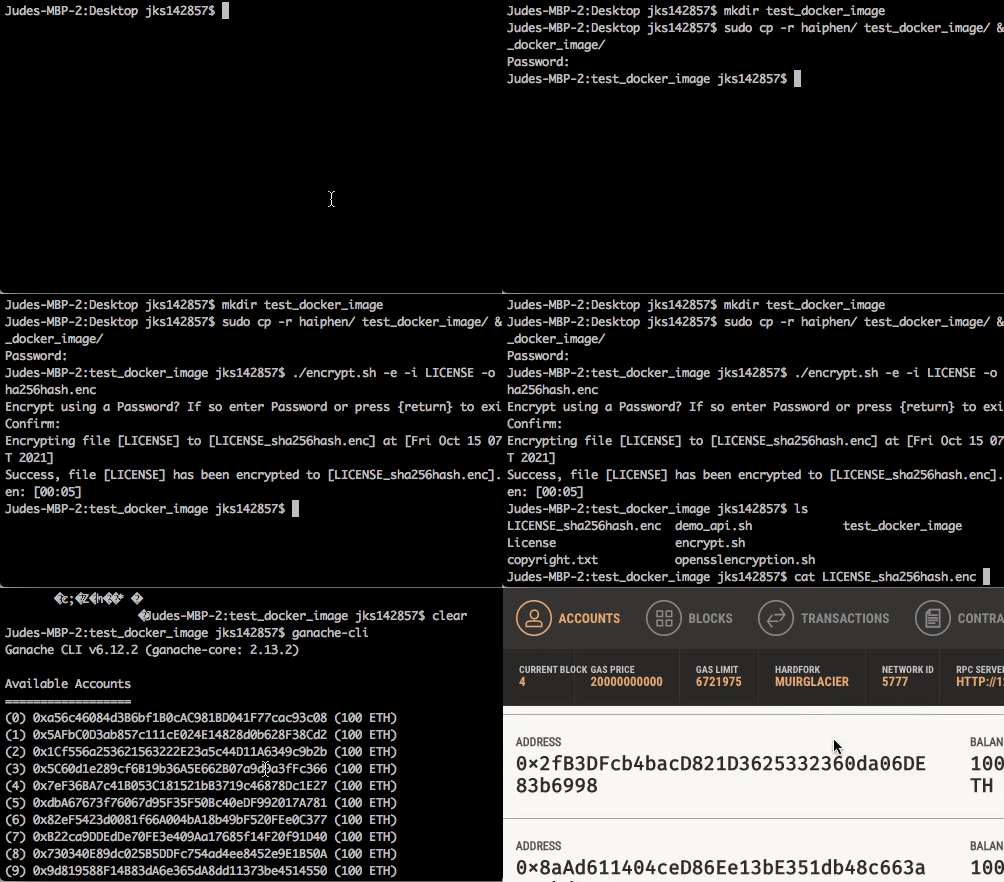
Run Haiphen to stamp your license
Navigate to the \license is saved and enter the following:
Confirm that your (chrome) browser opens and the transaction has been written to an ethereum node at hash-address$ haiphen -e -i License -o LICENSE_sha256hash.enc
Deploy docker image and monitor
- deploy your image
$ docker run testdockerimage- ...
- (In progress) Open the chrome extension to track your API activity
Contributing
Please read through the contributing guidelines
Help & Community 
Join our slack channel or mesage us on discord or Slack chat] if you run into issues or have questions. We're excited to welcome you to the community!
Demo (placeholder)