
Your Self-Hosted Knowledge Base


NoteDiscovery
Your Self-Hosted Knowledge Base
What is NoteDiscovery?
NoteDiscovery is a lightweight, self-hosted note-taking application that puts you in complete control of your knowledge base. Write, organize, and discover your notes with a beautiful, modern interface—all running on your own server.
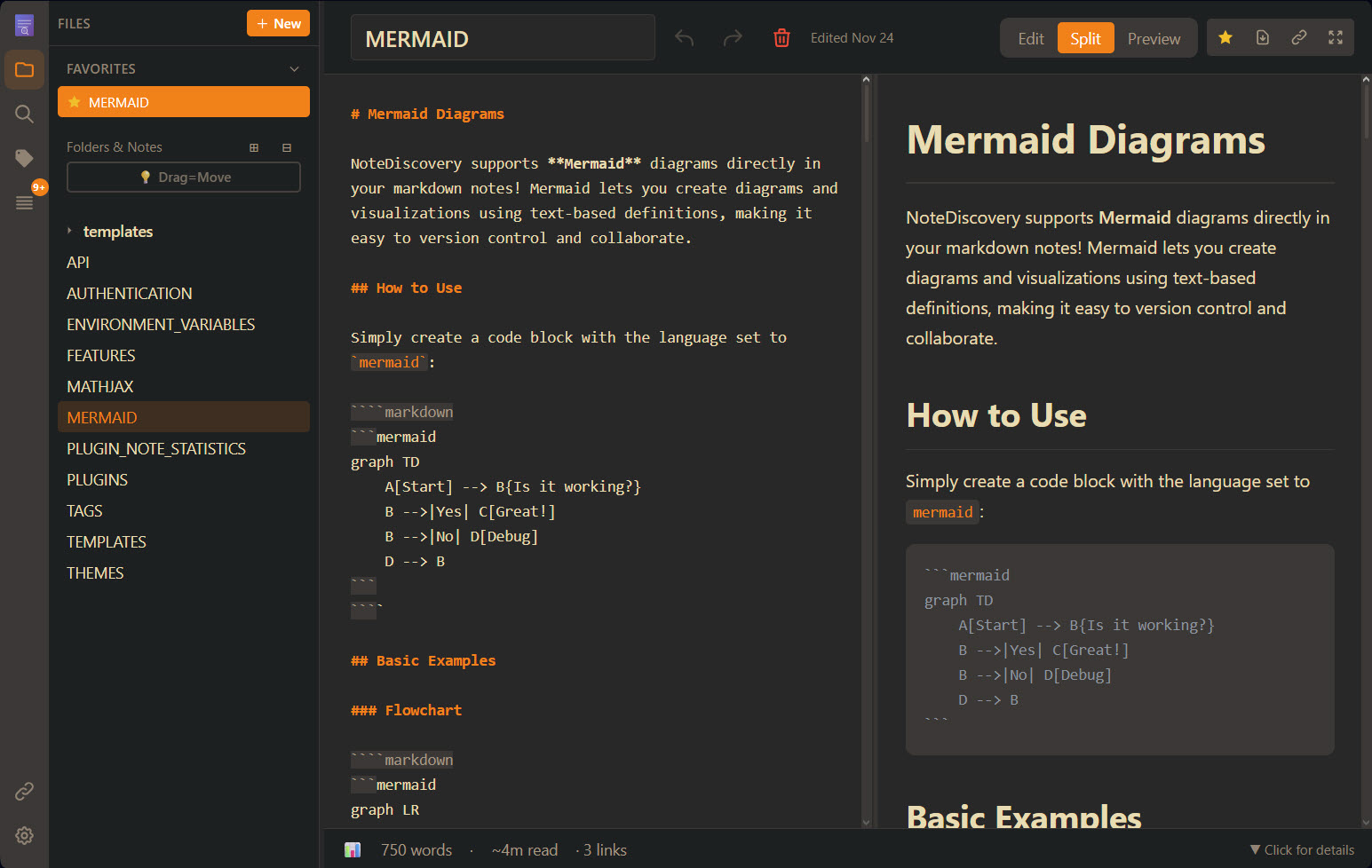
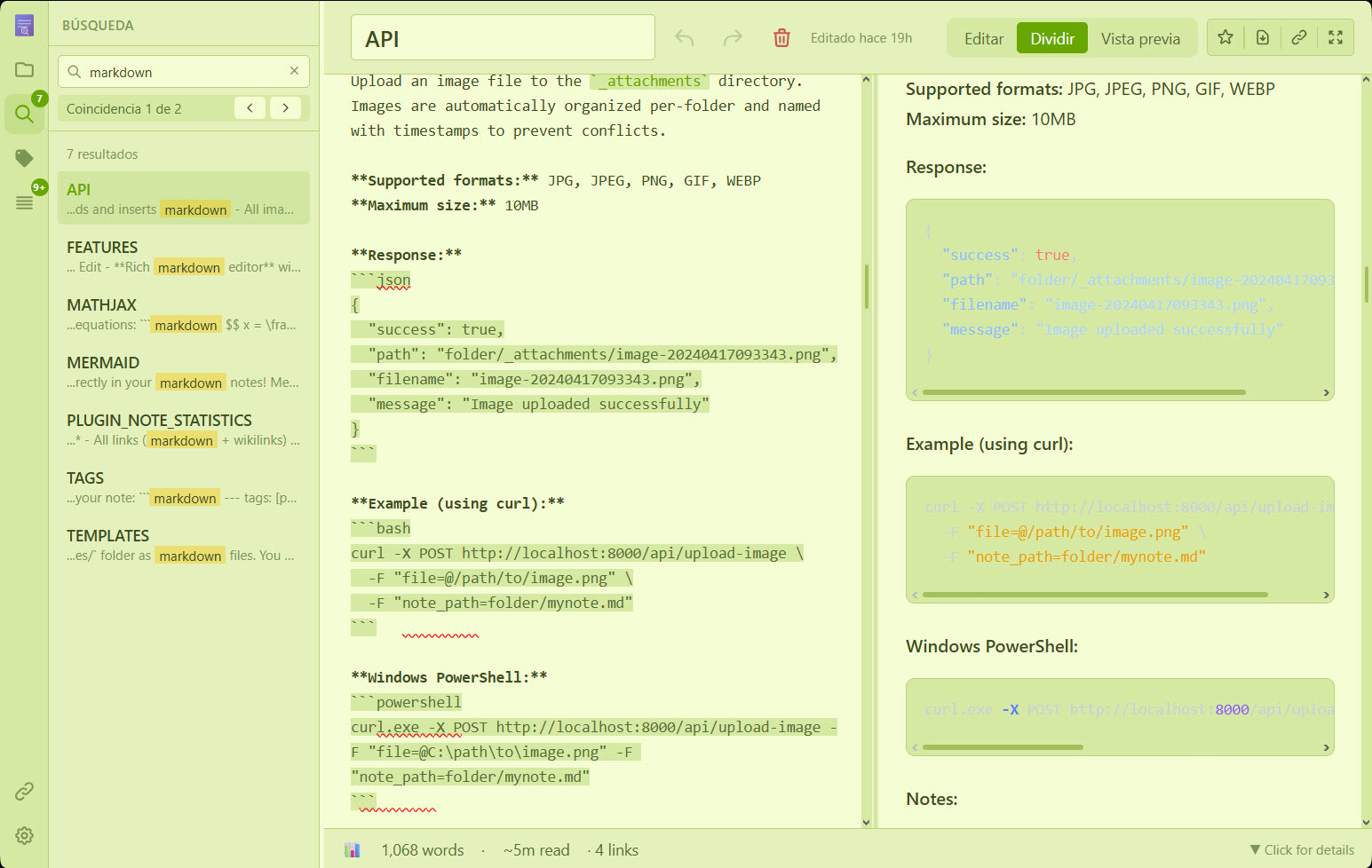
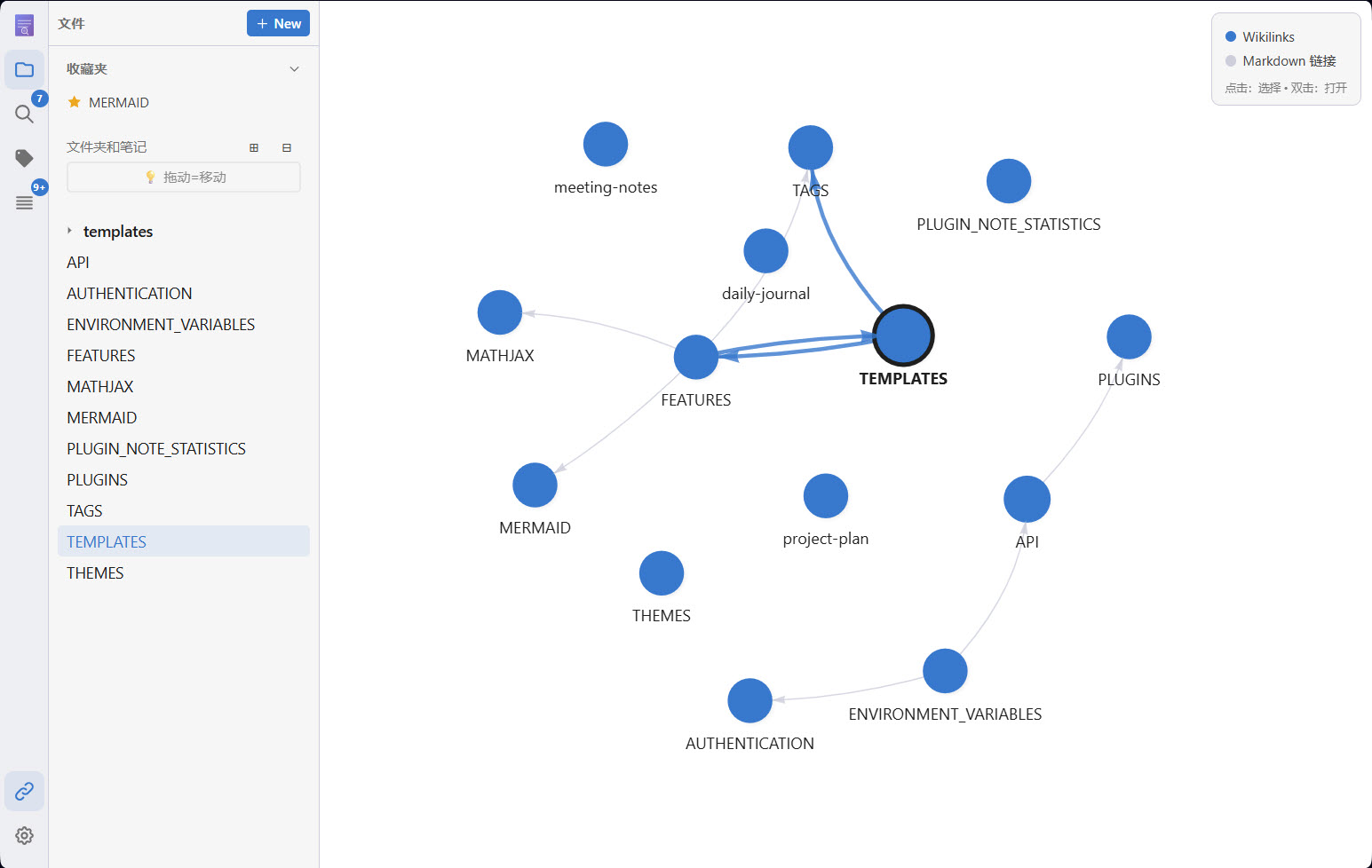
Write · Find · Discover
🎯 Who is it for?
- Privacy-conscious users who want complete control over their data
- Developers who prefer markdown and local file storage
- Knowledge workers building a personal wiki or second brain
- Teams looking for a self-hosted alternative to commercial apps
- Anyone who values simplicity, speed, and ownership




✨ Why NoteDiscovery?
vs. Commercial Apps (Notion, Evernote, Obsidian Sync)
| Feature | NoteDiscovery | Commercial Apps | |---------|---------------|-----------------| | Cost | 100% Free | $xxx/month/year | | Privacy | Your server, your data | Their servers, their terms | | Speed | Lightning fast | Depends on internet | | Offline | Always works | Limited or requires sync | | Customization | Full control | Limited options | | No Lock-in | Plain markdown files | Proprietary formats |
Key Benefits
- 🔒 Total Privacy - Your notes never leave your server
- 🔐 Optional Authentication - Simple password protection for self-hosted deployments
- 💰 Zero Cost - No subscriptions, no hidden fees
- 🚀 Fast & Lightweight - Instant search and navigation
- 🎨 Beautiful Themes - Multiple themes, easy to customize
- 🔌 Extensible - Plugin system for custom features
- 📱 Responsive - Works on desktop, tablet, and mobile
- 📂 Simple Storage - Plain markdown files in folders
- 🧮 Math Support - LaTeX/MathJax for beautiful equations
- 📄 HTML Export & Print - Export notes as standalone HTML or print
- 🕸️ Graph View - Interactive visualization of connected notes
- ✏️ Drawing editor - In-app sketches as
drawing-*.pngnext to your notes — see documentation/DRAWING.md - ⭐ Favorites - Star your most-used notes for instant access
- 📑 Outline Panel - Navigate headings with click-to-jump TOC
- 🤖 AI Assistant Ready - MCP integration for Claude, Cursor & more
🤖 AI-Powered Note Management



NoteDiscovery includes a built-in Model Context Protocol (MCP) server, letting AI assistants directly interact with your notes:
| What AI Can Do | Example | |----------------|---------| | 🔍 Search & Discover | "Find all my notes about Docker deployment" | | 📝 Create & Edit | "Create a meeting notes template for tomorrow" | | 📁 Organize | "Move all project notes to the archive folder" | | 🏷️ Tag & Categorize | "List all notes tagged with #urgent" | | 📊 Explore Connections | "Show me the knowledge graph of my notes" | | ✍️ Append Ideas | "Add this thought to my daily journal" |
One-line setup for Cursor, Claude Desktop, and other MCP-compatible tools:
{
  "mcpServers": {
    "notediscovery": {
      "command": "docker",
      "args": ["run", "--rm", "-i", "-e", "NOTEDISCOVERYURL=http://host.docker.internal:8000", "ghcr.io/gamosoft/notediscovery:latest", "python", "-m", "mcpserver"]
    }
  }
}
💡 See MCP.md for complete setup instructions and all available tools.>
🧪 Want a fully local setup with a bundled LLM? OLLAMA-STACK.md spins up NoteDiscovery + Ollama + Open WebUI with one command.
📺 Watch the tour
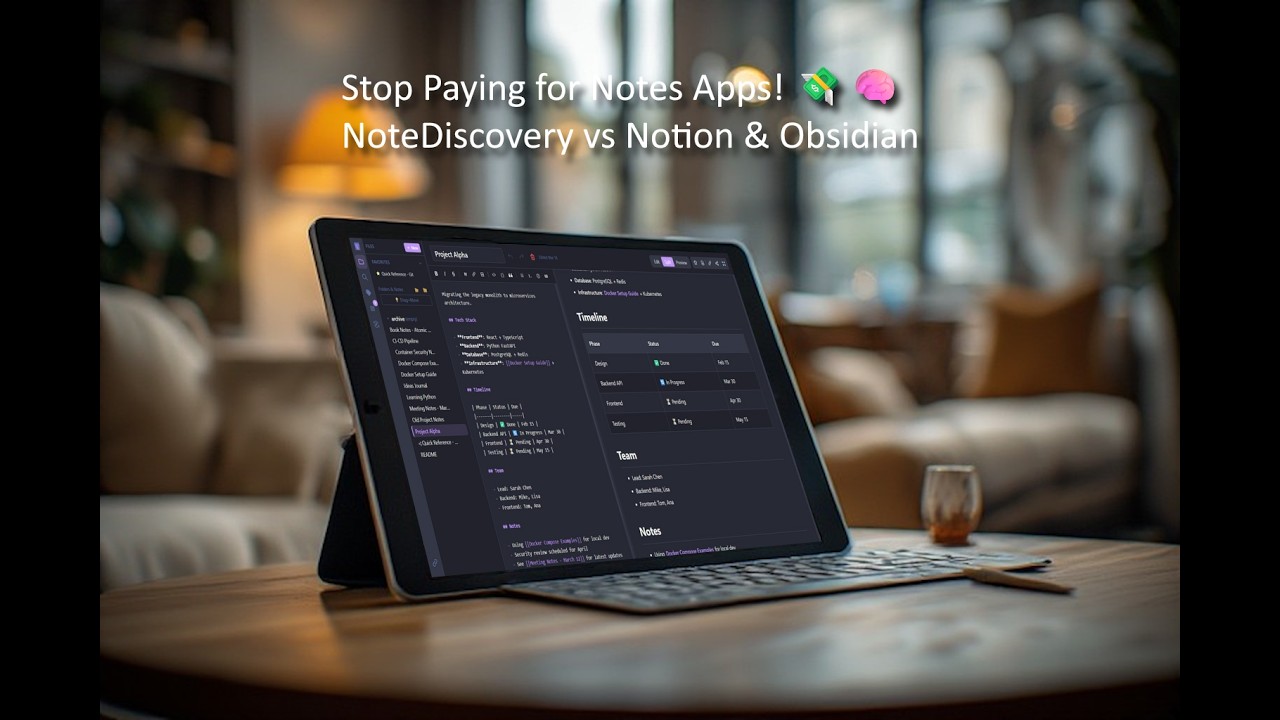
▶ Small walkthrough — sharing, favorites, search, backlinks, and more
🚀 Quick Start
Quick Setup
Linux/macOS:
mkdir -p notediscovery/data && cd notediscovery docker run -d --name notediscovery -p 8000:8000 \ -v $(pwd)/data:/app/data \ ghcr.io/gamosoft/notediscovery:latestWindows (PowerShell):
mkdir notediscovery\data; cd notediscovery docker run -d --name notediscovery -p 8000:8000 -v ${PWD}/data:/app/data ghcr.io/gamosoft/notediscovery:latestOpen http://localhost:8000 — done! 🎉
💡 Your notes are saved in ./data/. Themes, plugins, locales and default configuration values are included in the image.
Using Docker Compose
Two docker-compose files are provided:
| File | Use Case | |------|----------| | docker-compose.ghcr.yml | Recommended - Uses pre-built image from GitHub Container Registry | | docker-compose.yml | For development - Builds from local source | | docker-compose.ollama-stack.yml | Bundled local AI stack (NoteDiscovery + Ollama + Open WebUI) — see OLLAMA-STACK.md |
Option 1: Pre-built image (fastest)
Linux/macOS:
mkdir -p notediscovery/data && cd notediscovery curl -O https://raw.githubusercontent.com/gamosoft/notediscovery/main/docker-compose.ghcr.yml docker-compose -f docker-compose.ghcr.yml up -dWindows (PowerShell):
mkdir notediscovery\data; cd notediscovery Invoke-WebRequest -Uri https://raw.githubusercontent.com/gamosoft/notediscovery/main/docker-compose.ghcr.yml -OutFile docker-compose.ghcr.yml docker-compose -f docker-compose.ghcr.yml up -dOption 2: Build from source (for development)
git clone https://github.com/gamosoft/notediscovery.git cd notediscovery docker-compose up -dSee Advanced Docker Setup for volume details.
Running Locally (Without Docker)
For development or if you prefer running directly:
# Clone the repository
git clone https://github.com/gamosoft/notediscovery.git
cd notediscovery
Install dependencies
pip install -r requirements.txt
Run the application
python run.py
Access at http://localhost:8000
Requirements:
- Python 3.8 or higher
- pip (Python package manager)
Using Virtual Environments (Recommended for Arch/Fedora/Ubuntu 23.04+)
Modern Linux distributions enforce PEP 668, which prevents system-wide pip installs. Use a virtual environment instead:
# Clone the repository
git clone https://github.com/gamosoft/notediscovery.git
cd notediscovery
Create a virtual environment
python -m venv venv
Activate it (choose your shell):
source venv/bin/activate        # Bash/Zsh (most Linux distros)
source venv/bin/activate.fish   # Fish (CachyOS, etc.)
source venv/bin/activate.csh    # Csh/Tcsh
.\venv\Scripts\activate         # Windows PowerShell
Install dependencies and run
pip install -r requirements.txt
python run.py
⚠️ Warning>
You'll need to activate the virtual environment (source venv/bin/activate) each time you open a new terminal before running the app
Advanced Docker Setup
The image includes bundled config, themes, plugins, and locales. To customize, you must:
- Map the volume in your docker-compose or docker run command
- Provide content - the file/folder must exist with valid content (empty = app might break!)
data/ | Your notes | ❌ You must create | | config.yaml | App settings | ✅ Yes | | themes/ | Custom themes | ✅ Yes | | plugins/ | Custom plugins | ✅ Yes | | locales/ | Translations | ✅ Yes |
Dashboard Integration
An official icon for NoteDiscovery is now available on Dashboard Icons! Use it in your self-hosted dashboards like Homepage, Homarr, Dashy, Heimdall, etc...
📚 Documentation
Want to learn more?
- 🎨 THEMES.md - Theme customization and creating custom themes
- ✨ FEATURES.md - Complete feature list and keyboard shortcuts
- ✏️ DRAWING.md - Built-in drawing editor (
drawing-*.png), save behavior, and API notes - 🏷️ TAGS.md - Organize notes with tags and combined filtering
- 📋 TEMPLATES.md - Create notes from reusable templates with dynamic placeholders
- 🧮 MATHJAX.md - LaTeX/Math notation examples and syntax reference
- 📊 MERMAID.md - Diagram creation with Mermaid (flowcharts, sequence diagrams, and more)
- 🔌 PLUGINS.md - Plugin system and available plugins
- 🌐 API.md - REST API documentation and examples
- 🤖 MCP.md - AI assistant integration (Claude, Cursor, and more)
- 🔐 AUTHENTICATION.md - Enable password protection for your instance
- 🔧 ENVIRONMENT_VARIABLES.md - Configure settings via environment variables
🌍 Multiple Languages
NoteDiscovery supports multiple interface languages via JSON locale files in locales/. Open Settings (gear icon) → Language to choose one; the list reflects whatever locales are installed (bundled files, mounts, or your own additions).
To add your own language: See the Contributing Guidelines for instructions on creating translation files.
Docker users: Mount your custom locales folder to add or override translations:
volumes:
  - ./locales:/app/locales  # Custom translations
💡 Pro Tip: If you clone this repository, you can mount the documentation/ folder to view these docs inside the app:
# In your docker-compose.yml
volumes:
  - ./data:/app/data              # Your personal notes
  - ./documentation:/app/data/docs:ro  # Mount docs subfolder inside the data folder (read-only)
Then access them at http://localhost:8000 - the docs will appear as a docs/ folder in the file browser!
🤝 Contributing
Before submitting a pull request, especially for major changes, please:
- Read our Contributing Guidelines
- Open an issue first to discuss major features or significant changes
- Ensure your code follows the project's style and philosophy
🔒 Security Considerations
NoteDiscovery is designed for self-hosted, private use. Please keep these security considerations in mind:
Network Security
- ⚠️ Do NOT expose directly to the internet without additional security measures
- Run behind a reverse proxy (nginx, Caddy) with HTTPS for production use
- Keep it on your local network or use a VPN for remote access
- By default, the app listens on
0.0.0.0:8000(all network interfaces)
Authentication
- Password protection is DISABLED by default (default password:
admin) - ⚠️ ENABLE AUTHENTICATION AND CHANGE THE DEFAULT PASSWORD if exposing to a network!
- See AUTHENTICATION.md for complete setup instructions
- To disable auth, set
authentication.enabled: falseinconfig.yaml - Perfect for single-user or small team deployments
- For multi-user setups, consider a reverse proxy with OAuth/SSO
Data Privacy
- Your notes are stored as plain text markdown files in the
data/folder - No data is sent to external services
- Regular backups are recommended
Best Practices
- Run on
localhostor a private network only - Use Docker for isolation and easier security management
- Keep your system and dependencies updated
- Review and audit any plugins you install
- Set appropriate file permissions on the
data/directory
📄 License
MIT License - Free to use, modify, and distribute.
Made with ❤️ for the self-hosting community


