
GoLang architecture linter (checker) tool. Will check all project import path and compare with arch rules defined in yml file. Useful for hexagonal / onion / ddd / mvc and other architectural patterns. Tool can by used in your CI
Linter used to enforce some good project structure and validate top level architecture (code layers)

Quick start
What exactly is project architecture?
You can imagine some simple architecture, for example classic onion part from "clean architecture":
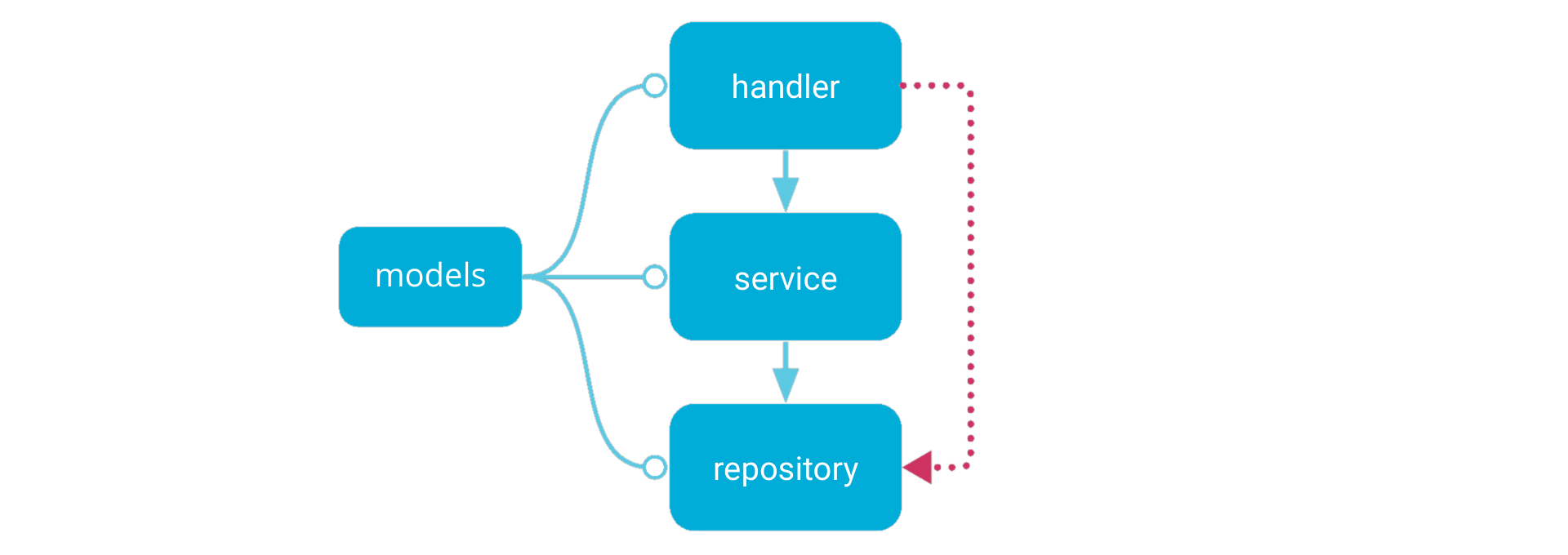
And describe/declare it as semantic yaml linter config:
version: 3
workdir: internal
components:
  handler:    { in: handlers/* }           # wildcard one level
  service:    { in: services/** }          # wildcard many levels
  repository: { in: domain/*/repository }  # wildcard DDD repositories
  model:      { in: models }               # match exactly one package
commonComponents:   - models
deps:   handler:     mayDependOn:       - service   service:     mayDependOn:       - repository
see config syntax for details.
And now linter will check all project code inside internal workdir and show warnings, when code violate this rules.
For best experience you can add linter into CI workflow
Example of broken code
Imagine some main.go, when we provide repository into handler and get some bad flow:
func main() {
  // ..
  repository := booksRepository.NewRepository()
  handler := booksHandler.NewHandler(
    service,
    repository, // !!!
  )
  // ..
}
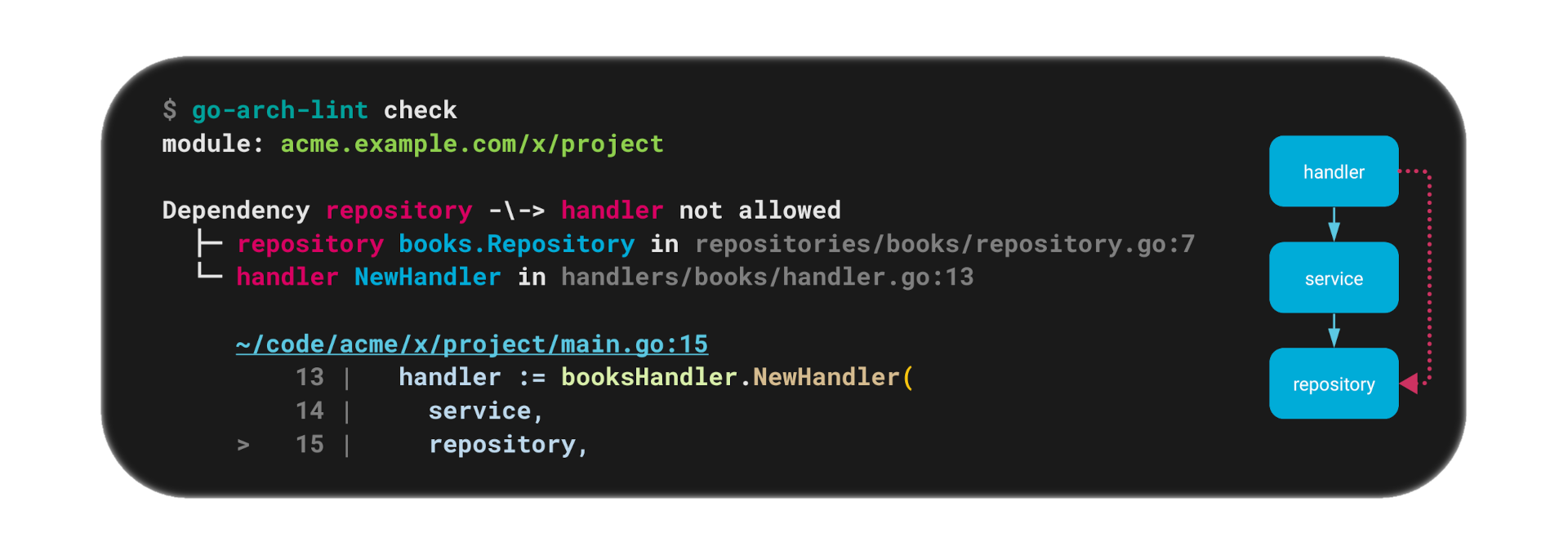
Linter will easily found this issue:
Install/Run
Wia Docker
docker run --rm -v ${PWD}:/app fe3dback/go-arch-lint:latest-stable-release check --project-path /appother docker tags and versions
From sources
It requires go 1.25+go install github.com/fe3dback/go-arch-lint@latestgo-arch-lint check --project-path ~/code/my-project
or
cd ~/code/my-project
go-arch-lint checkPrecompiled binaries
Usage
How to add linter to existing project?
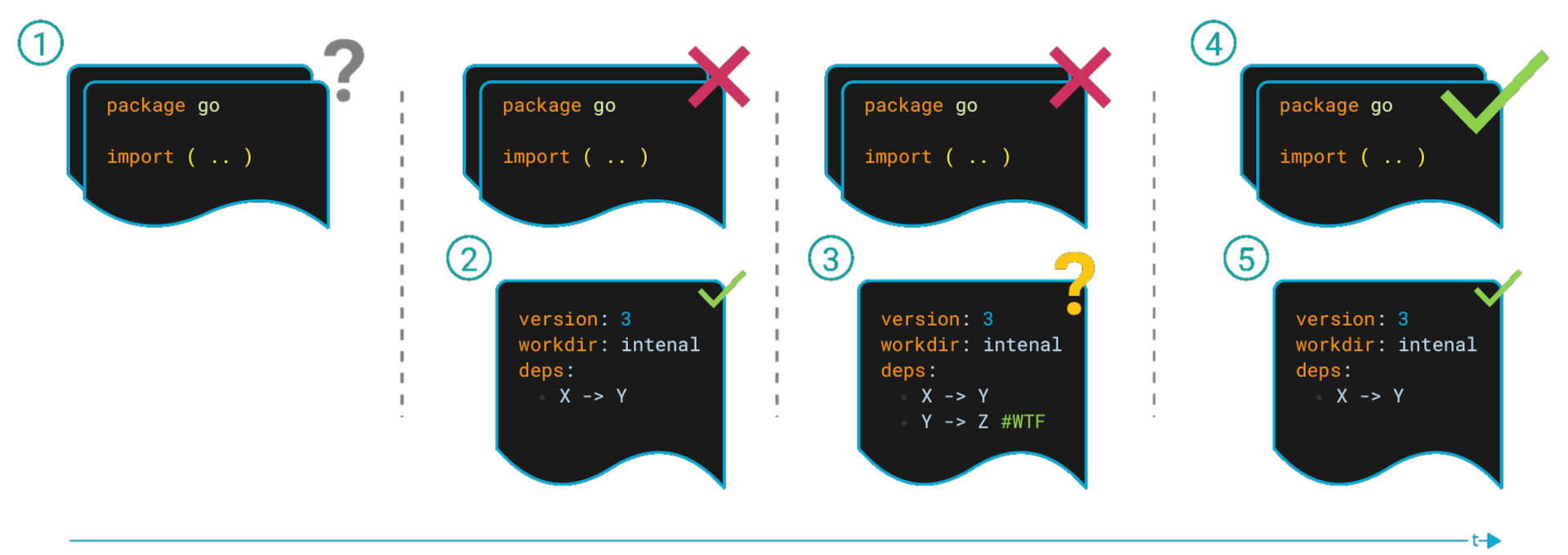
Adding a linter to a project takes several steps:
- Current state of the project
- Create a
.go-arch-lint.ymlfile describing the ideal project architecture - Linter find some issues in the project. Don’t fix them right now, but “legalize” them by adding them to the config and marking
todowith the label - In your free time, technical debt, etc. fix the code
- After fixes, clean up config to target state
Execute
Usage:
  go-arch-lint check [flags]
Flags:       --arch-file string      arch file path (default ".go-arch-lint.yml")   -h, --help                  help for check       --max-warnings int      max number of warnings to output (default 512)       --project-path string   absolute path to project directory (where '.go-arch-lint.yml' is located) (default "./")
Global Flags:       --json                   (alias for --output-type=json)       --output-color           use ANSI colors in terminal output (default true)       --output-json-one-line   format JSON as single line payload (without line breaks), only for json output type       --output-type string     type of command output, variants: [ascii, json] (default "default")
This linter will return:
| Status Code | Description | |-------------|----------------------------------| | 0 | Project has correct architecture | | 1 | Found warnings |
How is working?
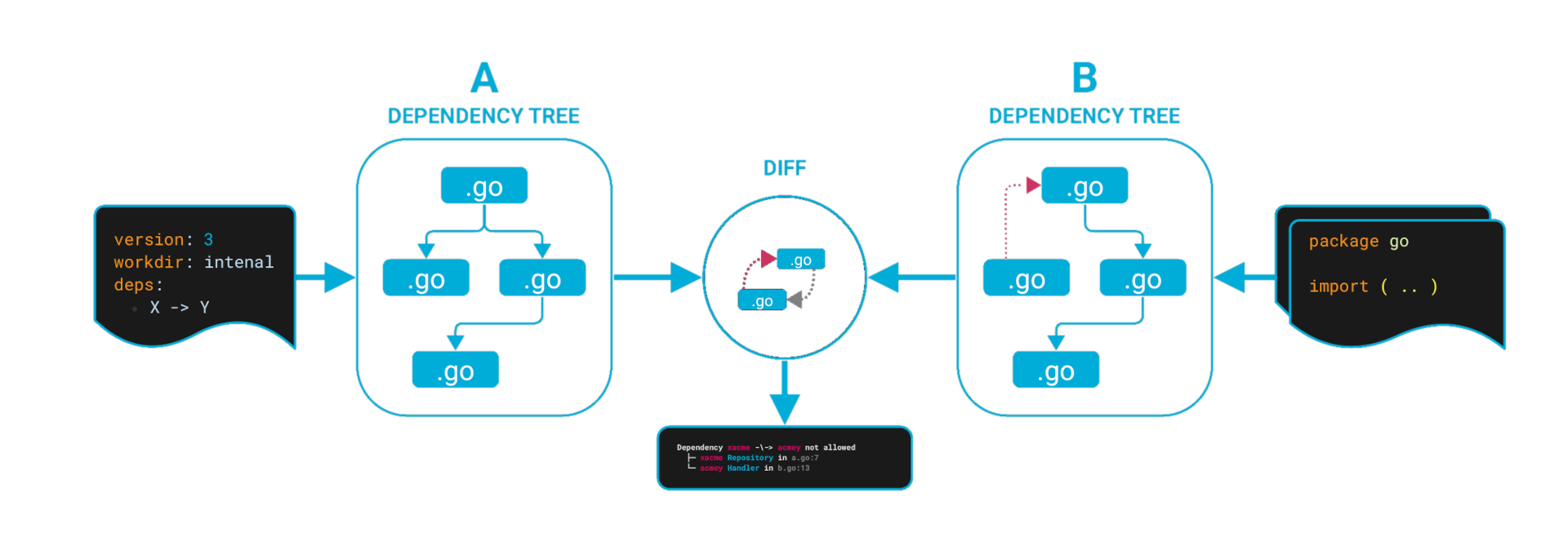
Linter will:
- match/mark go packages with components
- finds all dependencies between components
- build a dependency graph
- compares the actual (code) and desired (config) dependency graph
- if it got a non-empty DIFF, then project has some issues
Graph
Example config of this repository: .go-arch-lint.yml
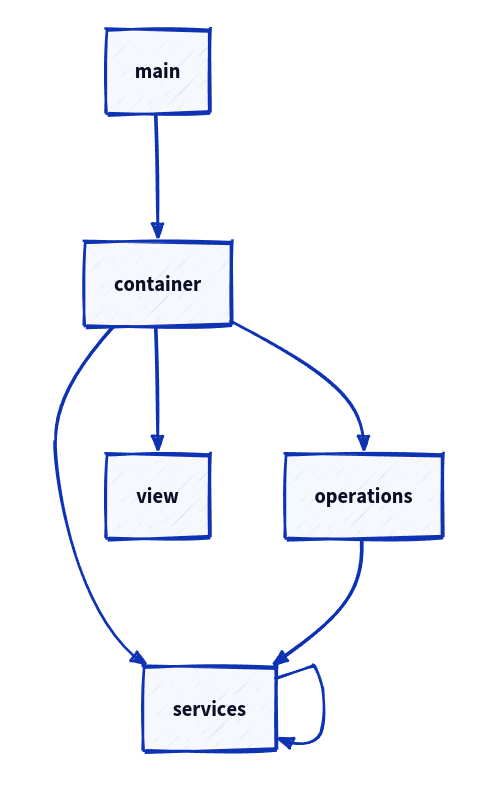
You can generate dependencies graph with command graph:
go-arch-lint graphSee full graph documentation for details.


