🎈 Manage your Telegram Airdrops on ERC-20, BEP-20 etc. tokens.
Last updated Apr 25, 2026
212
Stars
123
Forks
0
Issues
0
Stars/day
Attention Score
68
Language breakdown
No language data available.
▸ Files
click to expand
README







About • Features • Installation • Images • Help
About
The Telegram Airdrop Bot 💰 helps you to manage your airdrops on ERC-20, BEP-20 etc. tokens.Features
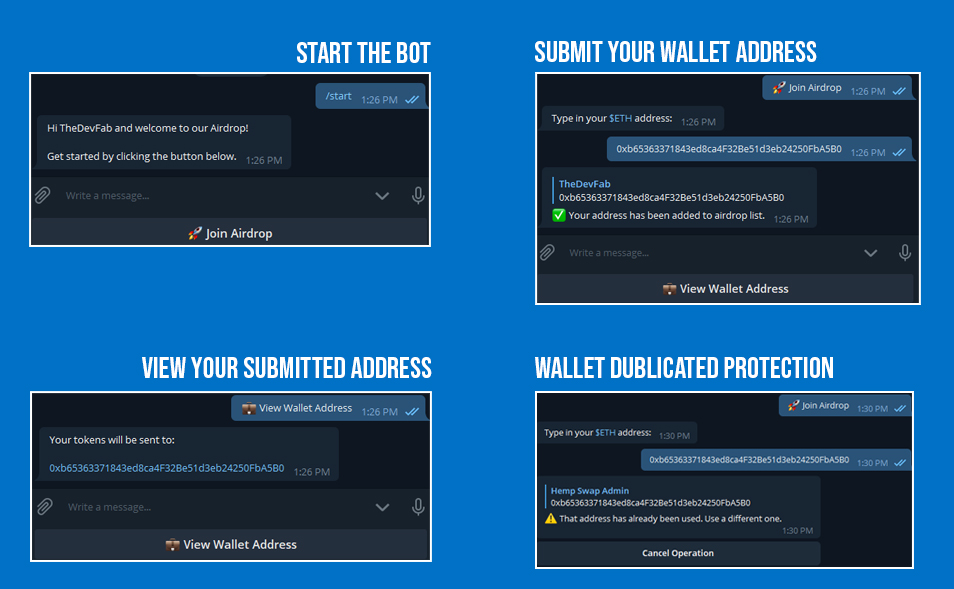
- Check if the wallet length is correct
- Set a max cap
- Each wallet address can only be submitted once
- Users can change their wallet address after submission
- Receive detailed notifications for new submissions
- Enable / disable the airdrop
- Admins can export the airdrop list by command (
/airdroplist)
💡 Got a feature idea? Open an issue and I might implement it.
Installation
⚠️ Best to run the bot on a VPS. I can recommend Hetzner's CX11 VPS for 2.89€/month. Sign up now and receive €20 free credits.
- Log into MySQL (
sudo mysql) and create a dedicated database and user with the following commands:
CREATE DATABASE TelegramAirdropBot;
1. CREATE USER 'AirdropUser'@'localhost' IDENTIFIED BY '<YOUR PASSWORD>';
1. GRANT ALL PRIVILEGES ON TelegramAirdropBot . * TO 'AirdropUser'@'localhost';
1. exit;
- Clone this repository
git clone https://github.com/fabston/Telegram-Airdrop-Bot.git - Create your virtual environment
python3 -m venv Telegram-Airdrop-Bot - Activate it
source Telegram-Airdrop-Bot/bin/activate && cd Telegram-Airdrop-Bot - Install all requirements
pip install -r requirements.txt - The bot runs behind a webhook, so you have to create a SSL cert first:
openssl genrsa -out webhook_pkey.pem 2048
1. openssl req -new -x509 -days 3650 -key webhookpkey.pem -out webhookcert.pem
1. When asked for "Common Name (e.g. server FQDN or YOUR name)" you should reply with your server ip.
- Edit and update
config.py - Run the bot
python main.py
Images
How can I help?
All kinds of contributions are welcome 🙌! The most basic way to show your support is to⭐️ star the project, or raise 🐞 issues.