
Terminal client for slack
Last updated May 25, 2026
1.0k
Stars
75
Forks
26
Issues
0
Stars/day
Attention Score
64
Language breakdown
No language data available.
▸ Files
click to expand
README
Terminal Slack
A terminal interface for Slack.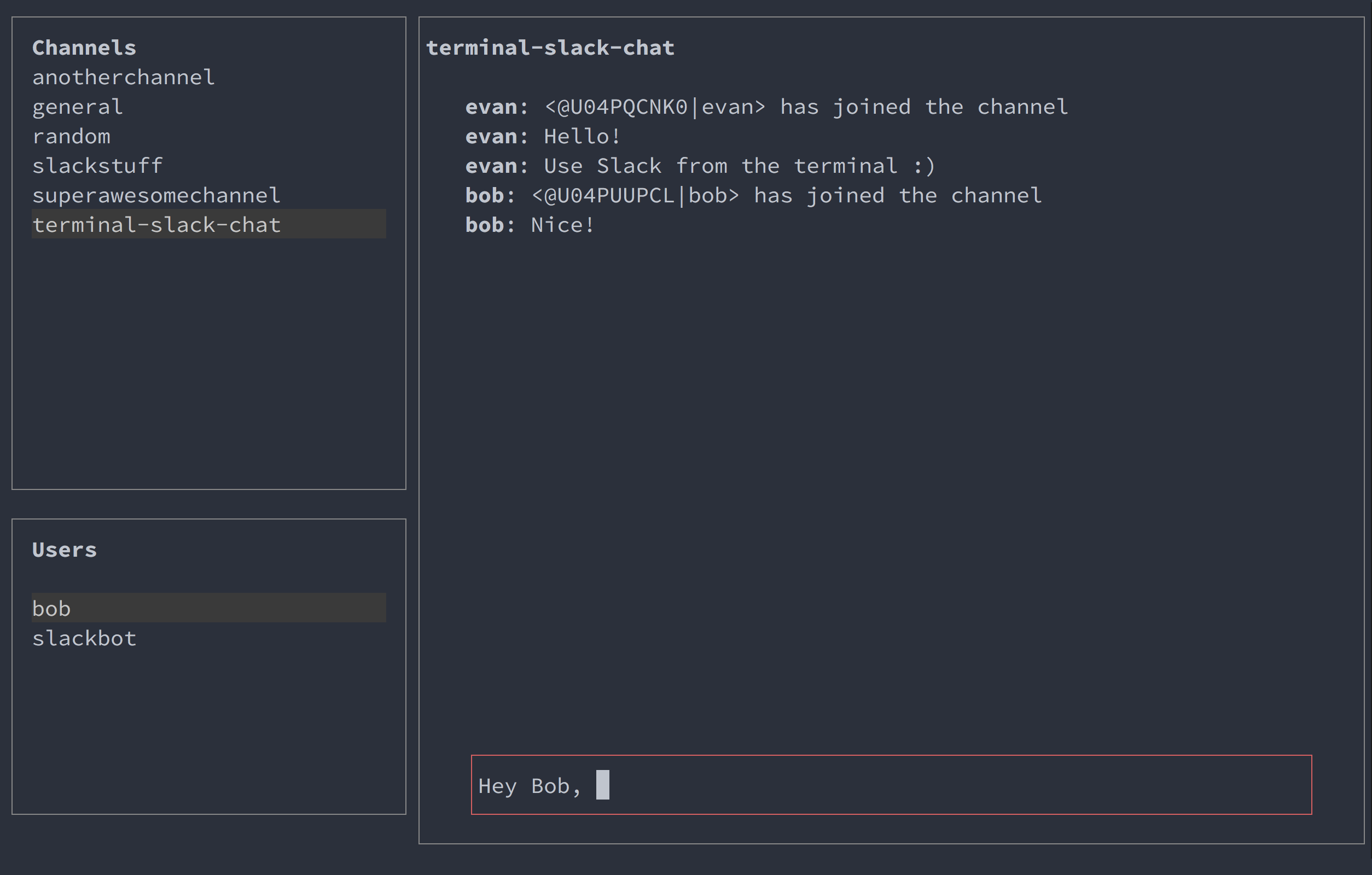
Controls
| Command | Key Combination | | ------- | --------------- | | Move up |up arrow or k |
| Down up | down arrow or j |
| Search | / |
| Exit | esc |
| Select channels list | ctrl + c |
| Select users list | ctrl + u |
| Select writing area | ctrl + w |
| Select message list | ctrl + l |
Prerequsites
- Node v6.0.0 or higher - A Slack AccountSetup
- Download this repository:
git clone https://github.com/evanyeung/terminal-slack.git- Enter the directory:
cd terminal-slack- Install the package:
npm install- Create your Legacy Slack API token.
- Install your token on your local machine, inserting your token between the quotes:
export SLACK_TOKEN='your-slack-token-here'- Run the application:
node main.js- Terminal Slack should now launch.
Troubleshooting
- Terminal Slack opens for a second but then closes againThis might be due to your SLACKTOKEN not being recognised. Make sure the put your SLACKTOKEN between the two single quotes when exporting it:
export SLACK_TOKEN='xoxp-254112160503-252950188691-252375361712-6cbf56aada30951a9d310a5f23d032a0'


