An app which helps users to setup their Bee node and do actions like cash out cheques
Bee Dashboard






An app which helps users to setup their Bee node and do actions like cash out cheques, upload and download files or
manage your postage stamps.
**Warning: This project is in alpha state. There might (and most probably will) be changes in the future to its API and working. Also, no guarantees can be made about its stability, efficiency, and security at this stage.**
Stay up to date by joining the official Discord and by keeping an eye on the releases tab.
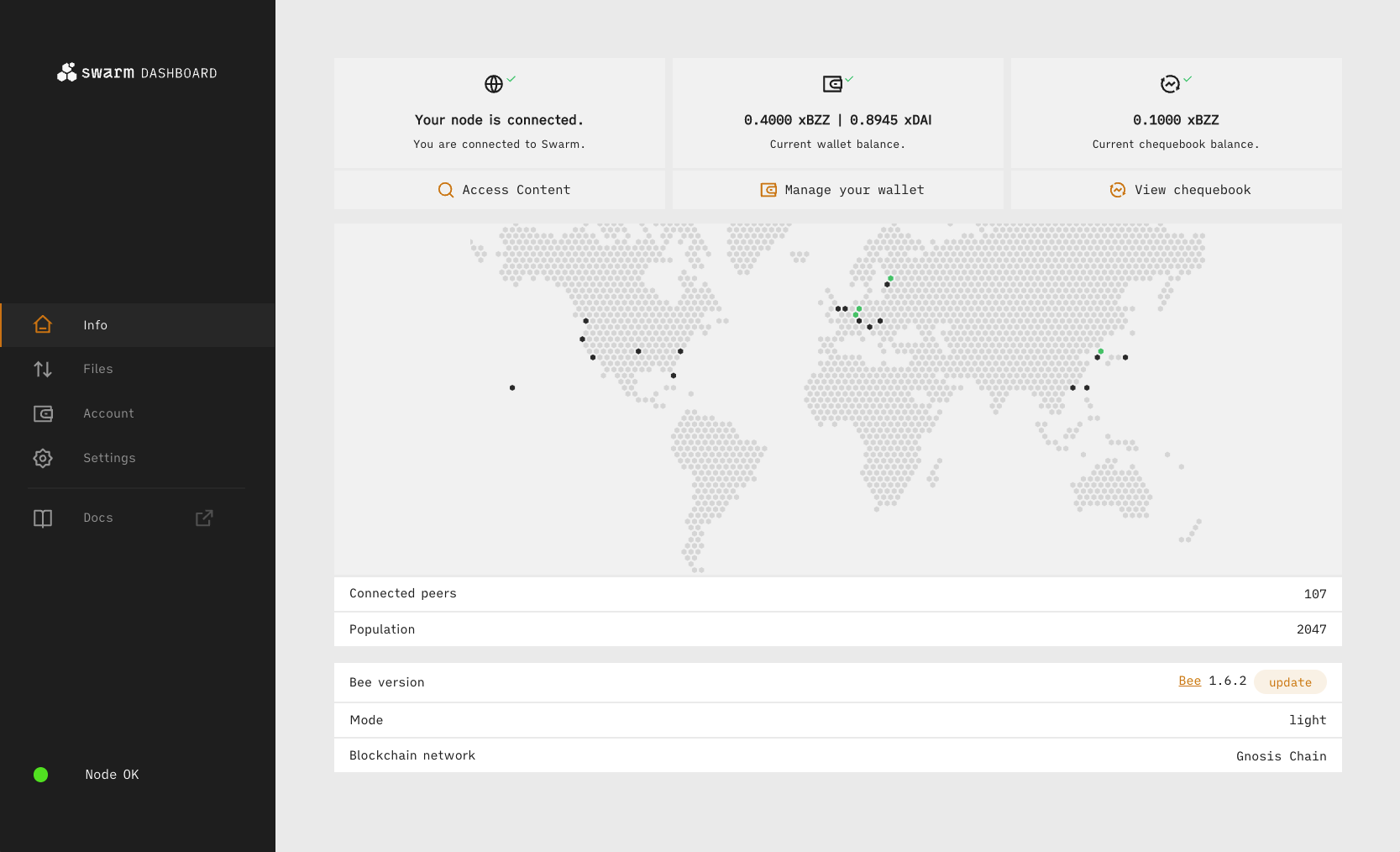
| Node Setup | Upload Files | Download Content | Accounting | Settings | File Manager | | ----------------------------------------- | ------------------------------------------- | ----------------------------------------------- | ---------------------------------------------- | ------------------------------------------ | -------------------------------------------------- | |  |
|  |
|  |
|  |
|  |
|  |
|
Table of Contents
- Terminal - DockerInstall
Install globally with pnpm. We require Node.js's version of at least 24.x and pnpm v10.x, npm v11.x.
pnpm add -g @ethersphere/bee-dashboardFor the latest stable version, always use the official npm registry.
Usage
:warning: To successfully connect to the Bee node, you will need to enable CORS. You can do so by setting cors-allowed-origins: ['*'] in the Bee config file and then restart the Bee node. To see where the config file is, consult the official Bee documentation
Terminal
To start use:
bee-dashboardThis should open the webpage on http://localhost:8080
You can also define your own port with the PORT environment variable. E.g.
export PORT=3005
bee-dashboard
Will start the bee-dashboard on http://localhost:3005
Docker
To build Docker image and run it, execute the following from inside project directory:
docker build . -t bee-dashboard
docker run --rm -p 127.0.0.1:8080:8080 bee-dashboard
Alternatively, use Docker Compose:
docker compose upBee dashboard is now available on http://localhost:8080
Development
git clone git@github.com:ethersphere/bee-dashboard.git
cd  bee-dashboard
pnpm install
pnpm run init:husky
pnpm start
The Bee Dashboard runs in development mode on http://localhost:3031/
Environmental variables
The CRA supports to specify "environmental variables" during build time which are then hardcoded into the served static files. We support following variables:
VITEBEEDESKTOP_ENABLED(boolean) that toggles if the Dashboard is in Desktop mode or not.VITEBEEDESKTOP_URL(string) defines custom URL where the Desktop API is expected. By default, it is same origin
VITEBEEHOST(string) defines custom Bee API URL to be used as default one. By default, the
http://localhost:1633 is used.
VITEDEFAULTRPC_URL(string) defines the default RPC provider URL. Be aware, that his only configures the default
https://xdai.fairdatasociety.org is used.
VITEFORMBRICKSENVIDandVITEFORMBRICKSAPPURL(string) configures the Formbricks
Swarm Desktop development
If you want to develop Bee Dashboard in the Swarm Desktop mode, then spin up swarm-desktop to the point where Desktop is initialized (eq. the splash screen disappear) and:
echo "VITEBEEDESKTOP_URL=http://localhost:3054
VITEBEEDESKTOP_ENABLED=true" > .env.development.local
pnpm start pnpm run desktop # This will inject the API key to the Dashboard
File Manager
The File Manager module provides intuitive decentralized file storage and management.
For comprehensive documentation, see the File Manager Documentation.
Features
- Create and manage multiple drives with configurable capacity and lifetime
- Upload, download, and organize files with version control
- Manage postage stamps required for file uploads
- Configure erasure coding levels for data redundancy
Contribute
There are some ways you can make this module better:
- Consult our open issues and take on one of them
- Help our tests reach 100% coverage!
- Join us in our Discord chat in the #develop-on-swarm channel if you have questions or
Maintainers
See what "Maintainer" means here.License