
Stonks is a terminal based stock visualizer and tracker that displays realtime stocks in graph format in a terminal. See how fast your stonks will crash.






Stonks is a terminal based stock visualizer and tracker.
Installation
Requirements: golang >= 1.13
Manual
- Clone the repo
- Run
make && make install
Packages
Stonks is available on:
- HomeBrew:
brew install ericm/stonks/stonks
Binaries
Binaries are now available for Windows, MacOSX and Linux under each release
Online installationless usage (via curl)
You can now access basic stock graphs for passed stock tickers via the stonks HTTPS client (https://stonks.icu).
Try it:
$ curl -L stonks.icu/amd/baUsage
It uses Yahoo Finance as a backend so use the ticker format as seen on their website.
Displays realtime stocks in graph format in a terminal
Usage:   stonks [flags]
Flags:   -d, --days int          24 hour period of stocks from X of days ago.   -e, --extra             Include extra pre + post time. (Only works for day)   -h, --help              help for stonks   -i, --interval string   stonks -i X[m|h] (eg 15m, 5m, 1h, 1d) (default "15m")   -n, --name string       Optional name for a stonk save   -r, --remove string     Remove an item from favourites   -s, --save string       Add an item to the default stonks command. (Eg: -s AMD -n "Advanced Micro Devices")   -t, --theme string      Display theme for the chart (Options: "line", "dot", "icon")   -v, --version           stonks version   -w, --week              Display the last week (will set interval to 1d)   -y, --year              Display the last year (will set interval to 5d)       --ytd               Display the year to date (will set interval to 5d)
$ stonks
Gives graphs and current value/change of saved stocks. 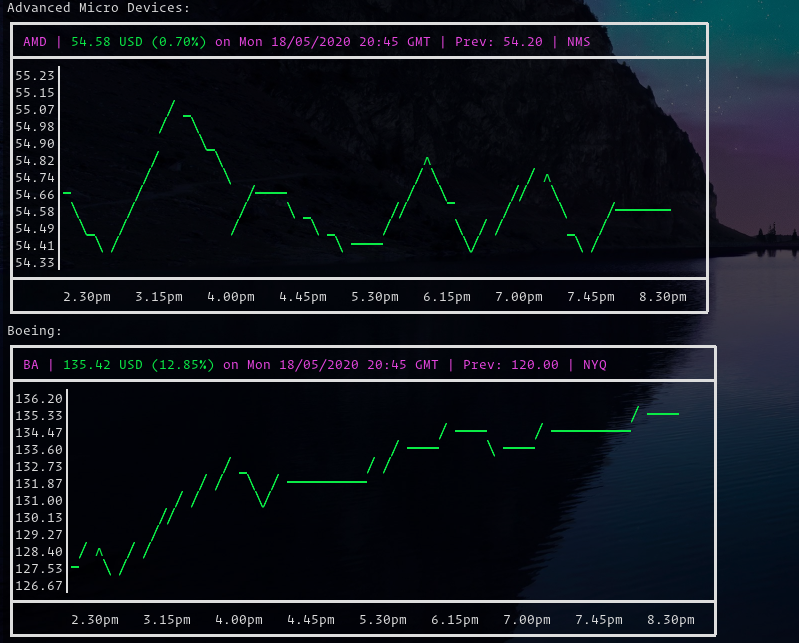
$ stonks -s AMD -n "Advanced Micro Devices"
Add a favourite stock to be tracked with $ stonks
$ stonks -r AMD
Remove a favourite stock
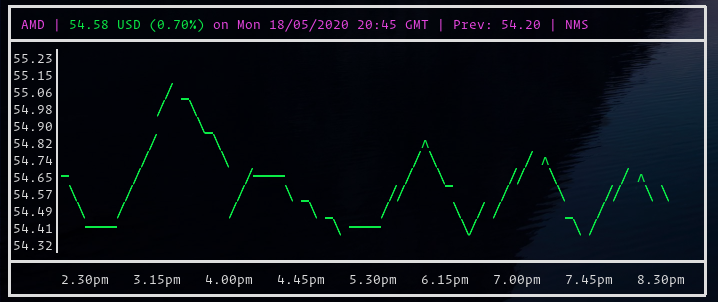
$ stonks AMD
Gives the current stock for each ticker passed that day
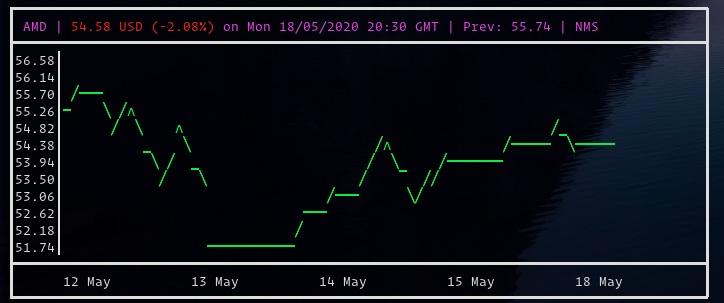
$ stonks -w AMD
Gives the current stock for each ticker passed for the past week
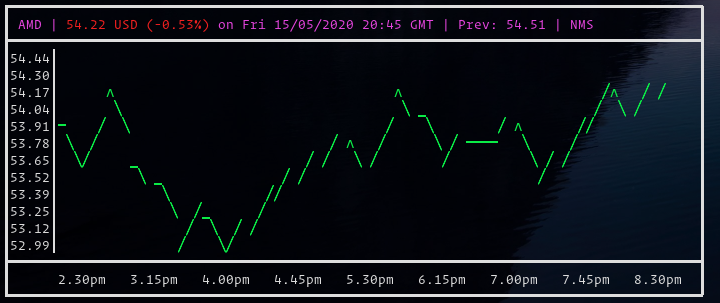
$ stonks -d 4 AMD
Gives the current stock for each ticker passed X days ago
Configuration
The config file is located at ~/.config/stonks.yml
You can change the following options:
config:
  default_theme: 0 # 0: Line, 1: Dots, 2: Icons
  favourites_height: 12 # Height of the chart in each info panel
  standalone_height: 12
Usage with wtfutil
You can use a program such as wtfutil (On Arch Linux: yup -S wtfutil) to make stonks refresh automatically. See the sample ~/.config/wtf/config.yml provided by Gideon Wolfe :
wtf:
  colors:
    background: black
    border:
      focusable: darkslateblue
      focused: blue
      normal: gray
    checked: yellow
    highlight:
      fore: black
      back: gray
    rows:
      even: yellow
      odd: white
  grid:
    # How wide the columns are, in terminal characters. In this case we have
    # four columns, each of which are 35 characters wide.
    columns: [33, 33, 33]
    # How high the rows are, in terminal lines. In this case we have four rows
    # that support ten line of text and one of four.
    rows: [20, 20, 20, 20, 20, 20, 20, 20]
  refreshInterval: 1
mods:     tech:       type: cmdrunner       args: ["tsla", "intc", "--theme", "dot"]       cmd: "stonks"       enabled: true       position:         top: 0         left: 0         height: 2         width: 3       refreshInterval: 10       title: "🤖 Tech"     financial:       type: cmdrunner       args: ["jpm", "v", "--theme", "dot"]       cmd: "stonks"       enabled: true       position:         top: 2         left: 0         height: 2         width: 3       refreshInterval: 10


