
An ultra-modern, visually-rich, bento ui using Next.js, PocketBase, shadcd/ui, tailwind css, magic-ui, and zod.
cook
Description:
An ultra-modern, bento-box styled portfolio landing page for developers, designers, and other creatives.
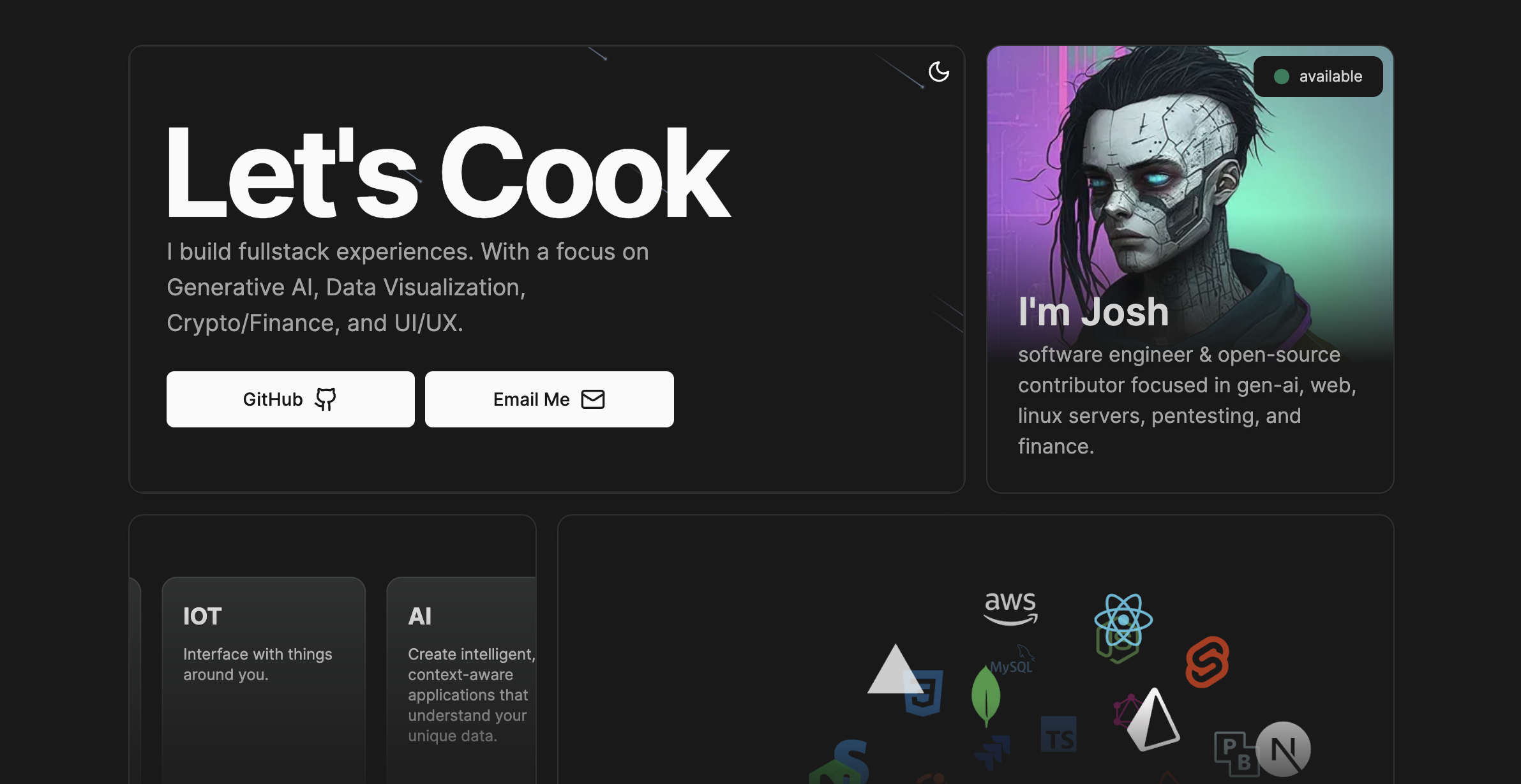
NOTE: If you would like to contribute, please check out the issues tab for a list of tasks that need to be completed.
Current Lighthouse Scores:
If you would like to help improve the performance, accessibility, best practices, and SEO of this project, please check out the issues tab for a list of tasks that need to be completed.
| Metric | Score | | -------------- | -------------------------------------------- | | Performance | 98% <-- help improve this by submitting a PR | | Accessibility | 100% | | Best Practices | 100% | | SEO | 100% |
Technologies:
| Name | Description | | -------------------------------------------------------------------------- | ------------------------------------------------------------------------------------- | | next.js | React framework | | magic-ui | A modern, minimalistic UI library | | shadcn/ui | A modern, minimalistic UI library | | tailwind css | A utility-first CSS framework | | zod | TypeScript-first schema declaration and validation | | pocketbase | A modern, minimalistic database | | react-hook-form | Performant, flexible and extensible forms with easy-to-use validation | | github public api | A REST API for accessing public Github repo, star, and user image data | | vercel | Deploy web projects with ease | | umami analytics | A simple, fast, and privacy-focused website analytics alternative to Google Analytics |
Getting Started
Pocketbase Setup
First, we need to install Pocketbase. You can download the latest release from the Pocketbase GitHub releases page
wget https://github.com/pocketbase/pocketbase/releases/download/v0.8.0/pocketbase0.8.0linux_amd64.zip
unzip pocketbase0.8.0linux_amd64.zip
chmod +x pocketbase./pocketbase serveGo to http://localhost:8080 to see the Pocketbase dashboard. From there, you can import the schema from the /pb/pbschema.json file in the root of this repository by using the "import collections" tab in the settings menu.
Client Setup
git clone https://github.com/engageintellect/cook.git
cd cook
Now, let's set our environment variables. Copy /.env.example to either .env (for prod) or .env.local (for dev) in the root of the project and add replace the values with your own.:
Finally, we can install the dependencies and start the development server:
Run the development server:
pnpm i && pnpm run devUmami Analytics Setup (Optional)
If you would like to use Umami Analytics, you can sign up for a free account at umami.is. Once you have signed up, you can add your Umami Analytics tracking code to the app/layout.tsx file.
Open http://localhost:3000 with your browser to see the result.
You can start editing the page by modifying app/page.tsx. The page auto-updates as you edit the file.
This project uses next/font to automatically optimize and load Inter, a custom Google Font.
This is a Next.js project bootstrapped with create-next-app.
Learn More
To learn more about Next.js, take a look at the following resources:
- Next.js Documentation - learn about Next.js features and API.
- Learn Next.js - an interactive Next.js tutorial.
Deploy on Vercel
The easiest way to deploy your Next.js app is to use the Vercel Platform from the creators of Next.js.
Check out our Next.js deployment documentation for more details.


