
Quickmark is a Markdown linter written in Rust with first-class LSP support, giving you fast, seamless feedback in any editor.
QuickMark






Quickmark is a Markdown/CommonMark linter written in Rust with first-class LSP support, giving you fast, seamless feedback in any editor.
QuickMark is not just another Markdown linter; it's a tool designed with the modern developer in mind. By prioritizing speed and integrating seamlessly with your development environment, QuickMark enhances your productivity and makes Markdown linting an effortless part of your workflow.
This project takes a lot of inspiration from David Anson's markdownlint. Our goal is to match its supported rules and behavior as closely as possible. When a rule is ambiguous or its behavior isn’t explicitly defined, we rely on the following specifications as the ultimate sources of truth:
AI Disclaimer
Quickmark is designed, architected, and primarily written by a human. AI tools (e.g., Claude) were used to speed up routine tasks — such as drafting documentation, refining commit messages, scaffolding GitHub Actions, or generating test boilerplate.
All design decisions, core implementation, and linter logic are written and maintained by real people. Think of the AI as an assistant for the repetitive parts, not as the author of the project.
Key features
- ⚡️ Rust-Powered Speed: Leveraging the power of Rust, QuickMark offers exceptional performance, making linting operations swift and efficient, even for large Markdown files.
- 🧵 Parallel Processing: Process multiple files simultaneously, dramatically reducing lint times for large projects.
- 🔎 Smart File Discovery: Automatically discover markdown files using glob patterns, directory traversal, and intelligent filtering.
- ⚙️ LSP Integration: QuickMark integrates effortlessly with your favorite code editors through LSP, providing real-time feedback and linting suggestions directly within your editor.
- 🧩 Customizable Rules: Tailor the linting rules to fit your project's specific needs, ensuring that your Markdown files adhere to your preferred style and standards.
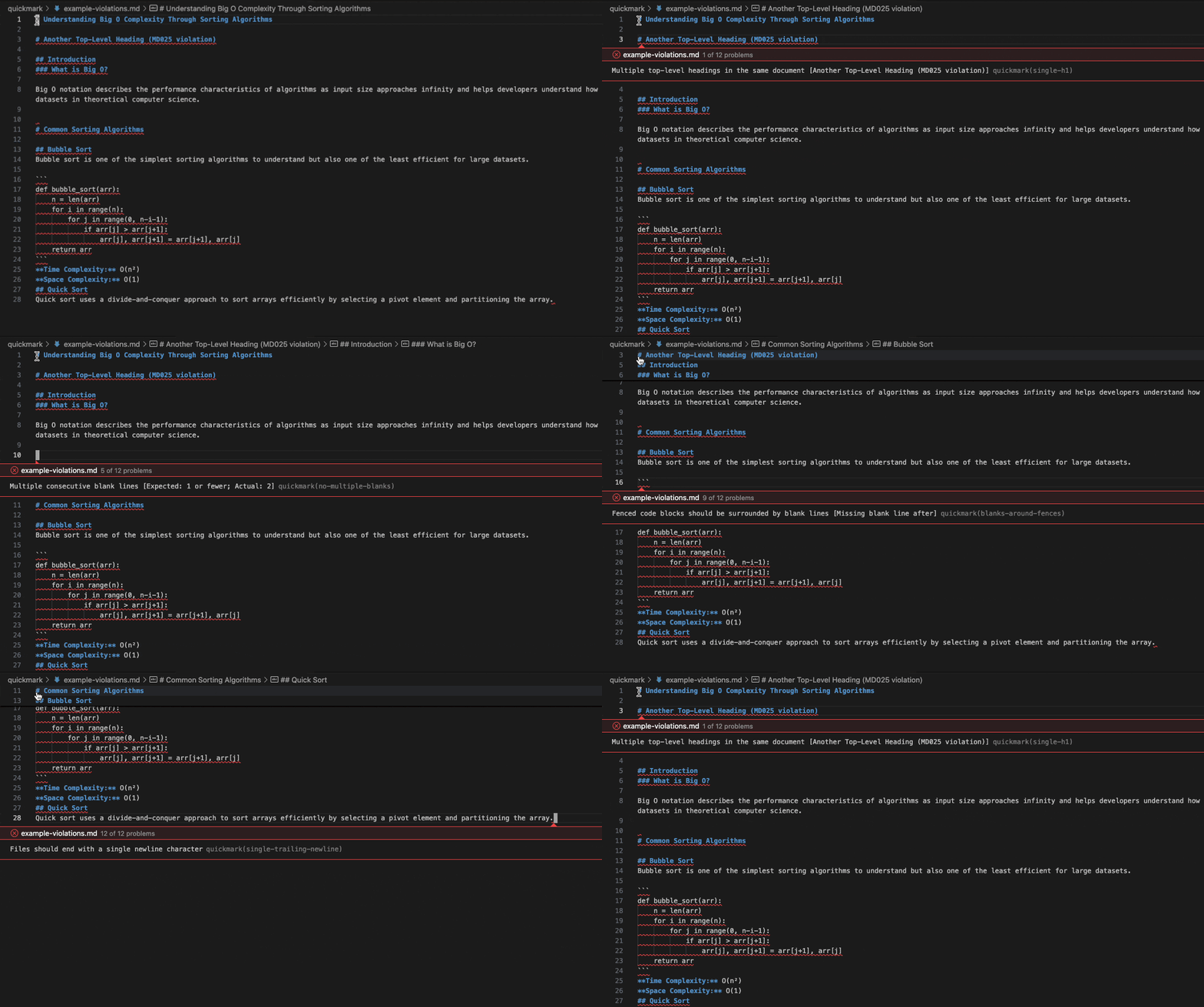
Demo
Benchmarks
---
config:
    xyChart:
        height: 200
        titleFontSize: 14
        chartOrientation: horizontal
        xAxis:
            labelFontSize: 12
            titleFontSize: 14
        yAxis:
            labelFontSize: 12
            titleFontSize: 14

xychart-beta
    title "Linting ~1,500 Markdown files (Lower is faster)"
    x-axis ["quickmark (rust)", "markdownlint-cli (node.js)", "markdownlint (ruby)"]
    y-axis "Time (seconds)" 0 --> 10
    bar [0.8, 6.92, 7.04]
This benchmark was conducted on a MacBook Pro (2021, M1 Max) using hyperfine with GitLab documentation as the dataset.
Getting Started
Quickmark CLI
Installation
Option 1 - from Brew (OSX only)
brew tap ekropotin/tap
brew install quickmark-cli
Option 2 - from crates
cargo install quickmark-cliOption 3 - download from the release page
Option 4 - build from sources
git clone git@github.com:ekropotin/quickmark.git
cd quickmark
cargo build --release
This command will generate the qmark binary in the ./target/release directory.
Usage
QuickMark supports multiple ways to specify files for linting:
Lint a single file:
qmark /path/to/file.mdLint multiple files:
qmark file1.md file2.md file3.mdLint all markdown files in current directory:
qmark
Or explicitly:
qmark .
Lint all markdown files in a directory:
qmark /path/to/docs/Lint files using glob patterns:
# All .md files in current directory
qmark *.md
All .md files recursively in docs/ directory
qmark "docs/*/.md"
Multiple patterns
qmark "src//.md" "tests//.markdown"
Supported file extensions:
.md.markdown.mdown.mkd.mkdn
- Discovers markdown files recursively when given directories
- Ignores non-markdown files and respects
.gitignorepatterns - Processes files in parallel for maximum performance
- Uses hierarchical configuration discovery for each file
IDE integrations
VSCode-base editors (VsCode, Cursor, Windsurf, etc)
Install the extension from the VSCode marketplace
NeoVIM
Install via cargo:
cargo install quickmark-serverOr download the binary for your platform from the latest release page
Configure with nvim-lspconfig:
local lspconfig = require("lspconfig")
local configs = require("lspconfig.configs")
if not configs.quickmark then     configs.quickmark = {         default_config = {             -- in case of cargo install the path is $HOME/.cargo/bin             cmd = { "<pathtoquickmark_server>" },             filetypes = { "markdown" },             rootdir = lspconfig.util.rootpattern("quickmark.toml", ".git"),             settings = {},             singlefilesupport = true,         },     } end lspconfig.quickmark.setup({})
Jetbrains IDEs
Install from the Marketplace
Note: Only paid versions of IDEs are supported (like Idea Ultimate) at the moment. This may change in the future.
Configuration
QuickMark uses a sophisticated hierarchical configuration discovery system that automatically finds the most appropriate configuration for any given file:
Configuration Discovery Order
- Environment Variable: If
QUICKMARK_CONFIGenvironment variable is set, it uses the config file at the specified path - Hierarchical Discovery: If not found, QuickMark searches upward from the target file's location for
quickmark.tomlfiles - Default: If no configuration is found, default configuration is used
Hierarchical Configuration Discovery
QuickMark automatically discovers configuration files by searching upward from the target markdown file's directory, stopping at repository boundaries. This enables different parts of your project to have their own linting rules while maintaining a sensible inheritance hierarchy.
Search Process:
- Starts from the directory containing the target markdown file
- Searches upward through parent directories for
quickmark.tomlfiles - Uses the first configuration file found
- Stops searching when it encounters boundary markers
- IDE Workspace Roots: Configured workspace directories (LSP integration only)
- Git Repository Root: Directories containing
.git - Current Working Directory: For CLI usage (prevents searching beyond the directory where you ran the command)
my-project/
├── .git/                       # Git repository boundary (search stops here)
├── quickmark.toml              # Project-wide config (relaxed rules)
├── Cargo.toml                  # Regular project file (ignored during config search)
├── README.md                   # Uses project-wide config
├── src/
│   ├── quickmark.toml          # Stricter rules for source code
│   ├── api.md                  # Uses src/ config
│   └── docs/
│       └── guide.md            # Inherits src/ config (stricter)
├── tests/
│   └── integration.md          # Uses project-wide config (relaxed)
└── vendor/
    └── external-lib/
        ├── .git/               # Another git boundary (search stops here)
        └── README.md           # Uses default config (no inheritance from parent)
In this example:
src/api.mdandsrc/docs/guide.mduse the strictersrc/quickmark.tomlconfigurationREADME.mdandtests/integration.mduse the relaxed project-widequickmark.tomlconfigurationvendor/external-lib/README.mduses the default configuration because the search stops at the.gitboundary- Only
.gitdirectories act as boundaries - other project markers likeCargo.tomlare ignored
Using QUICKMARK_CONFIG Environment Variable
You can specify a custom configuration file location using the QUICKMARK_CONFIG environment variable:
# Set config file path
export QUICKMARK_C
qmark file.md
Or use it inline
QUICKMARK_C qmark file.md
This is especially useful for:
- Shared configurations across multiple projects
- CI/CD pipelines with centralized configs
- Different config files for different environments
Default configuration
[linters.severity]
possible values are: 'warn', 'err' and 'off'
default = 'err'
heading-increment = 'err'
heading-style = 'err'
ul-style = 'err'
list-indent = 'err'
ul-indent = 'err'
no-trailing-spaces = 'err'
no-hard-tabs = 'err'
no-reversed-links = 'err'
no-multiple-blanks = 'err'
line-length = 'err'
commands-show-output = 'err'
no-missing-space-atx = 'err'
no-multiple-space-atx = 'err'
no-missing-space-closed-atx = 'err'
no-multiple-space-closed-atx = 'err'
blanks-around-headings = 'err'
heading-start-left = 'err'
no-duplicate-heading = 'err'
single-h1 = 'err'
no-trailing-punctuation = 'err'
no-multiple-space-blockquote = 'err'
no-blanks-blockquote = 'err'
ol-prefix = 'err'
list-marker-space = 'err'
blanks-around-fences = 'err'
blanks-around-lists = 'err'
no-inline-html = 'err'
no-bare-urls = 'err'
hr-style = 'err'
no-emphasis-as-heading = 'err'
no-space-in-emphasis = 'err'
no-space-in-code = 'err'
no-space-in-links = 'err'
fenced-code-language = 'err'
first-line-heading = 'err'
no-empty-links = 'err'
proper-names = 'err'
required-headings = 'err'
no-alt-text = 'err'
code-block-style = 'err'
single-trailing-newline = 'err'
code-fence-style = 'err'
emphasis-style = 'err'
strong-style = 'err'
link-fragments = 'err'
reference-links-images = 'err'
link-image-reference-definitions = 'err'
link-image-style = 'err'
table-pipe-style = 'err'
table-column-count = 'err'
blanks-around-tables = 'err'
descriptive-link-text = 'err'
see a specific rule's doc for details of configuration
[linters.settings.heading-style]
style = 'consistent'
[linters.settings.ul-style] style = 'consistent'
[linters.settings.ol-prefix] style = 'oneorordered'
[linters.settings.ul-indent] indent = 2 start_indent = 2 start_indented = false
[linters.settings.line-length] line_length = 80 code_blocks = true headings = true tables = true strict = false stern = false
[linters.settings.blanks-around-headings] lines_above = [1] lines_below = [1]
[linters.settings.blanks-around-fences] list_items = true
[linters.settings.no-duplicate-heading] siblings_only = false allowdifferentnesting = false
[linters.settings.single-h1] level = 1 frontmattertitle = '^\stitle\s[:=]'
[linters.settings.first-line-heading] allow_preamble = false frontmattertitle = '^\stitle\s[:=]' level = 1
[linters.settings.no-trailing-punctuation] punctuation = '.,;:!。,;:!'
[linters.settings.link-fragments] ignore_case = false ignored_pattern = ""
[linters.settings.reference-links-images] shortcut_syntax = false ignored_labels = ["x"]
[linters.settings.required-headings] headings = [] match_case = false
[linters.settings.link-image-reference-definitions] ignored_definitions = ["//"]
[linters.settings.no-inline-html] allowed_elements = []
[linters.settings.proper-names] names = [] code_blocks = true html_elements = true
[linters.settings.fenced-code-language] allowed_languages = [] language_only = false
[linters.settings.code-block-style] style = 'consistent'
[linters.settings.code-fence-style] style = 'consistent'
[linters.settings.table-pipe-style] style = 'consistent'
[linters.settings.no-trailing-spaces] br_spaces = 2 listitemempty_lines = false strict = false
[linters.settings.no-hard-tabs] code_blocks = true ignorecodelanguages = [] spacespertab = 1
[linters.settings.no-multiple-blanks] maximum = 1
[linters.settings.list-marker-space] ul_single = 1 ol_single = 1 ul_multi = 1 ol_multi = 1
[linters.settings.hr-style] style = 'consistent'
[linters.settings.no-emphasis-as-heading] punctuation = '.,;:!?。,;:!?'
[linters.settings.emphasis-style] style = 'consistent'
[linters.settings.strong-style] style = 'consistent'
[linters.settings.link-image-style] autolink = true inline = true full = true collapsed = true shortcut = true url_inline = true
[linters.settings.descriptive-link-text] prohibited_texts = ["click here", "here", "link", "more"]
Using Default Severity
The default severity setting allows you to set a baseline severity for all rules, then override specific rules as needed. This is inspired by markdownlint's configuration approach and makes it easier to manage large rule sets.
Example: Set all rules to warning level, with specific overrides:
[linters.severity]
default = "warn"              # All rules default to warning
heading-style = "err"         # Override: make heading style an error
ul-style = "off"              # Override: disable unordered list style checks
line-length = "err"           # Override: make line length an error
[linters.settings.heading-style] style = "atx"
[linters.settings.line-length] line_length = 120
Example: Disable all rules by default, enable only specific ones:
[linters.severity]
default = "off"               # All rules disabled by default
heading-style = "err"         # Enable: heading style as error
line-length = "warn"          # Enable: line length as warning
no-hard-tabs = "err"          # Enable: hard tabs as error
[linters.settings.heading-style] style = "atx"
If no default is specified, rules without explicit configuration use "err" (error) severity.
Rules
- MD001 heading-increment - Heading levels should only increment by one level at a time
- MD003 heading-style - Consistent heading styles
- MD004 ul-style - Unordered list style consistency
- MD005 list-indent - Inconsistent indentation for list items at the same level
- MD007 ul-indent - Unordered list indentation consistency
- MD009 no-trailing-spaces - Trailing spaces at end of lines
- MD010 no-hard-tabs - Hard tabs should not be used
- MD011 no-reversed-links - Reversed link syntax
- MD012 no-multiple-blanks - Multiple consecutive blank lines
- MD013 line-length - Line length limits with configurable exceptions
- MD014 commands-show-output - Dollar signs before shell commands
- MD018 no-missing-space-atx - Space after hash in ATX headings
- MD019 no-multiple-space-atx - Multiple spaces after hash in ATX headings
- MD020 no-missing-space-closed-atx - Space inside closed ATX headings
- MD021 no-multiple-space-closed-atx - Multiple spaces in closed ATX headings
- MD022 blanks-around-headings - Headings surrounded by blank lines
- MD023 heading-start-left - Headings must start at the beginning of the line
- MD024 no-duplicate-heading - Multiple headings with same content
- MD025 single-h1 - Multiple top-level headings
- MD026 no-trailing-punctuation - Trailing punctuation in headings
- MD027 no-multiple-space-blockquote - Multiple spaces after blockquote symbol
- MD028 no-blanks-blockquote - Blank lines inside blockquotes
- MD029 ol-prefix - Ordered list item prefix consistency
- MD030 list-marker-space - Spaces after list markers
- MD031 blanks-around-fences - Fenced code blocks surrounded by blank lines
- MD032 blanks-around-lists - Lists surrounded by blank lines
- MD033 no-inline-html - Inline HTML usage
- MD034 no-bare-urls - Bare URLs without proper formatting
- MD035 hr-style - Horizontal rule style consistency
- MD036 no-emphasis-as-heading - Emphasis used instead of heading
- MD037 no-space-in-emphasis - Spaces inside emphasis markers
- MD038 no-space-in-code - Spaces inside code span elements
- MD039 no-space-in-links - Spaces inside link text
- MD040 fenced-code-language - Language specified for fenced code blocks
- MD041 first-line-heading - First line should be top-level heading
- MD042 no-empty-links - Empty links
- MD043 required-headings - Required heading structure
- MD044 proper-names - Proper names with correct capitalization
- MD045 no-alt-text - Images should have alternate text
- MD046 code-block-style - Code block style consistency
- MD047 single-trailing-newline - Files should end with a single newline
- MD048 code-fence-style - Code fence style consistency
- MD049 emphasis-style - Emphasis style consistency
- MD050 strong-style - Strong style consistency
- MD051 link-fragments - Link fragments should be valid
- MD052 reference-links-images - Reference links should be defined
- MD053 link-image-reference-definitions - Reference definitions should be needed
- MD054 link-image-style - Link and image style
- MD055 table-pipe-style - Table pipe style
- MD056 table-column-count - Table column count
- MD058 blanks-around-tables - Tables should be surrounded by blank lines
- MD059 descriptive-link-text - Link text should be descriptive


