
Neovim plugin that simplifies macros, enhancing productivity with harmony.
🎻 NeoComposer.nvim


🎵 Introduction
NeoComposer is a Neovim plugin that streamlines macro management and execution with a customizable Status Line Component and Telescope Extension.
🎹 Features
- View the status of your macros interactively with the status component
- Browse, search, and manage macros using the Telescope extension
- Delay playback to ensure proper macro execution
- Edit macros in an interactive buffer
- Queue, yank, and delete macros
- Stop macros during playback
🐔 Dependencies
🥚 Optional Dependencies
🔭 Telescope
Install the Telescope Extension:
require('telescope').load_extension('macros')Launch the Telescope extension using the Telescope macros command:
:Telescope macros| Keymap | Action | | ------- | -------------------------------------------------------------------- | | yq | Yank the currently selected macro, in human readable format (normal) | | <cr> | Queue the currently selected macro (insert, normal) | | <c-d> | Delete the currently selected macro (insert) | | d | Delete the currently selected macro |
🚥 Status Line
NeoComposer provides an easy way to display the recording, playback, and delay status in your status line.

require('NeoComposer.ui').status_recording()Lualine Config:
lualine_c = {
	{ require('NeoComposer.ui').status_recording },
},
For event-driven statuslines such as heirline, Neocomposer emits User autocmd events to notify the user of status changes.
| User Event | Trigger | Data | | ----------------------- | ------------------------------------------------- | ----------------------- | | NeoComposerRecordingSet | When when starting or finishing recording a macro | { recording: boolean } | | NeoComposerPlayingSet | When when starting or finishing playing a macro | { playing: boolean } | | NeoComposerDelaySet | When when delay is set | { delay: boolean } |
{
  provider = function(self)
    return self.status or ""
  end,
  update = {
    "User",
    pattern = { "NeoComposerRecordingSet", "NeoComposerPlayingSet", "NeoComposerDelaySet" },
    callback = function(self)
      self.status = require("neocomposer.ui").status_recording()
    end
  }
}
🐢 Delay Timer
For complex macros over large counts, you can toggle a delay between macro playback using the ToggleDelay command:
:ToggleDelay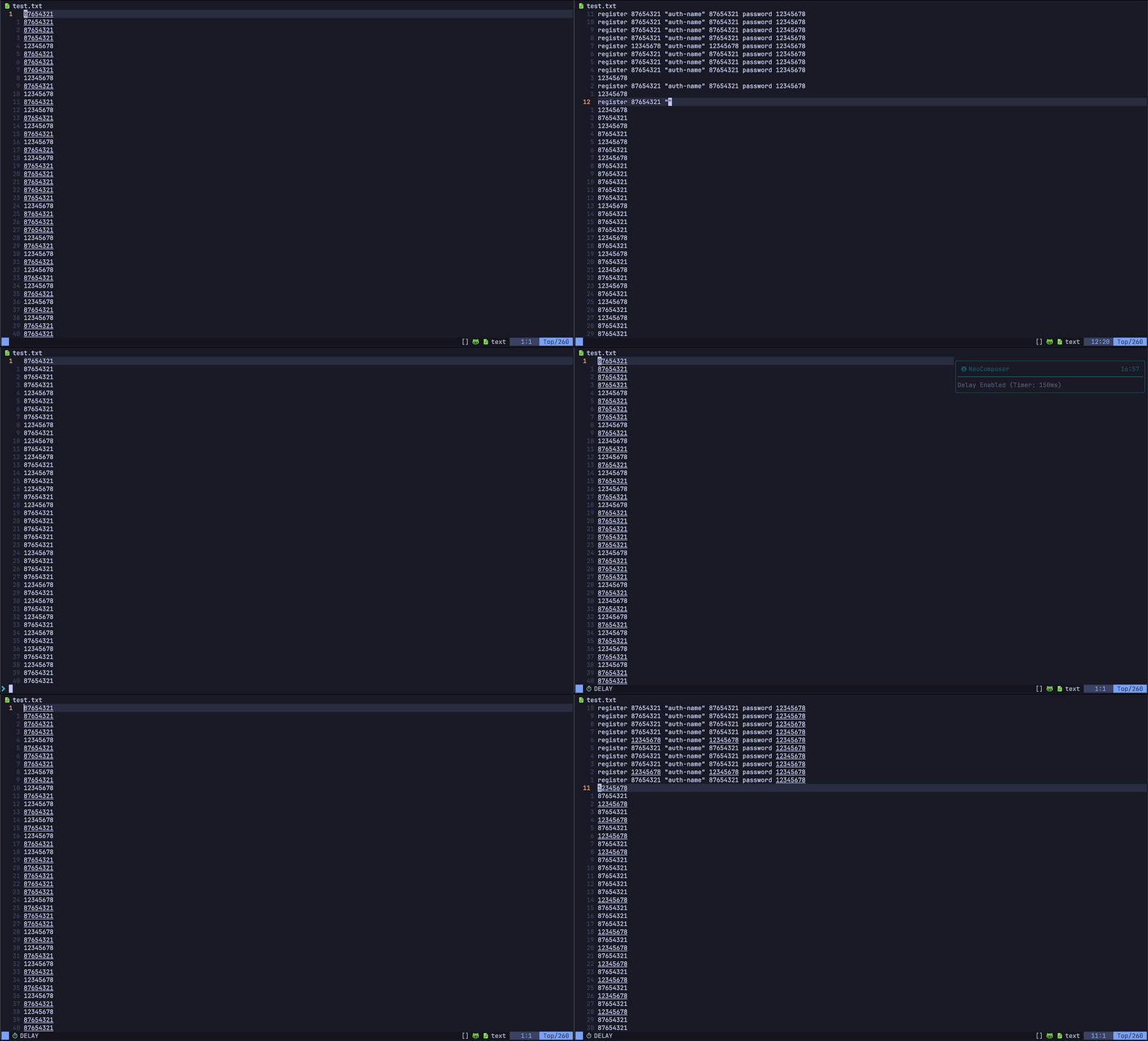
💭 Popup Menu
Use the togglemacromenu keybind <m-q> to open the interactive popup macro menu.
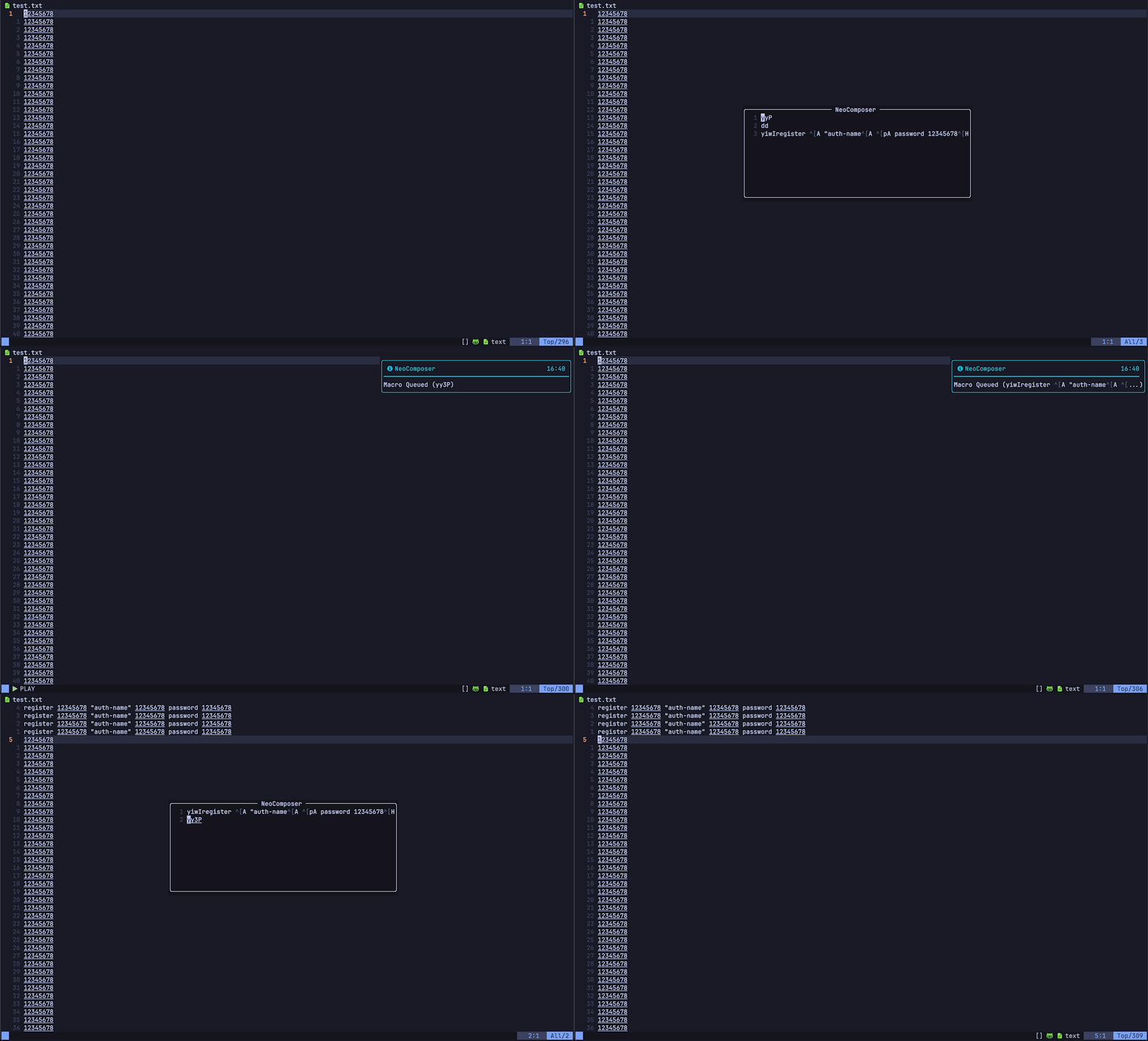
🔍 Macro Preview
As you cycle your available macros with the cyclenext: <c-n> and cycleprev: <c-p> keybinds the queued macro will be previewed in the buffer.

🪄 Usage
NeoComposer designates macro number 1 as queued for quick access and execution.
| Function | Keymap | Action | | ------------------- | ------- | ------------------------------------------------------------------------------------- | | play_macro | Q | Plays queued macro | | stop_macro | cq | Halts macro playback | | togglemacromenu | <m-q> | Toggles popup macro menu | | cycle_next | <c-n> | Cycles available macros forward | | cycle_prev | <c-p> | Cycles available macros backward | | toggle_record | q | Starts recording, press again to end recording | | yank_macro | yq | Yank the currently selected macro, in human readable format into the default register |
Edit your macros in a more comprehensive way with the EditMacros command:
:EditMacrosClear the list of macros with the ClearNeoComposer command:
:ClearNeoComposer📦 Installation
- Install via your favorite package manager.
{
  "ecthelionvi/NeoComposer.nvim",
  dependencies = { "kkharji/sqlite.lua" },
  opts = {}
},use {
"ecthelionvi/NeoComposer.nvim",
requires = { "kkharji/sqlite.lua" }
}- Setup the plugin in your
init.lua. Skip this step if you are using lazy.nvim with opts set as above.
require("NeoComposer").setup()🔧 Configuration
You can pass your config table into the setup() function or opts if you use lazy.nvim.
The available options:
| Option | Keymap | Action | | ------------------- | ----------- | ------------------------------------------------------------------------------------- | | notify | true | Enable/Disable notifications | | delay_timer | "150" | Time in ms between macro playback when Delay Enabled | | status_bg | "#16161e" | Background color of status line component | | preview_fg | "#ff9e64" | Foreground color of macro preview text | | togglemacromenu | <m-q> | Toggles popup macro menu | | play_macro | Q | Play queued macro | | yank_macro | yq | Yank the currently selected macro, in human readable format into the default register | | stop_macro | cq | Halts macro playback | | toggle_record | q | Starts recording, press again to end recording | | cycle_next | <c-n> | Cycles available macros forward | | cycle_prev | <c-p> | Cycles available macros backward |
Default Config
local config = {
  notify = true,
  delay_timer = 150,
  queuemostrecent = false,
  window = {
    width = 60,
    height = 10,
    border = "rounded",
    winhl = {
      Normal = "ComposerNormal",
    },
  },
  colors = {
    bg = "#16161e",
    fg = "#ff9e64",
    red = "#ec5f67",
    blue = "#5fb3b3",
    green = "#99c794",
  },
  keymaps = {
    play_macro = "Q",
    yank_macro = "yq",
    stop_macro = "cq",
    toggle_record = "q",
    cycle_next = "<c-n>",
    cycle_prev = "<c-p>",
    togglemacromenu = "<m-q>",
  },
}


