A Cloud Native traffic orchestration system
Easegress








What is Easegress
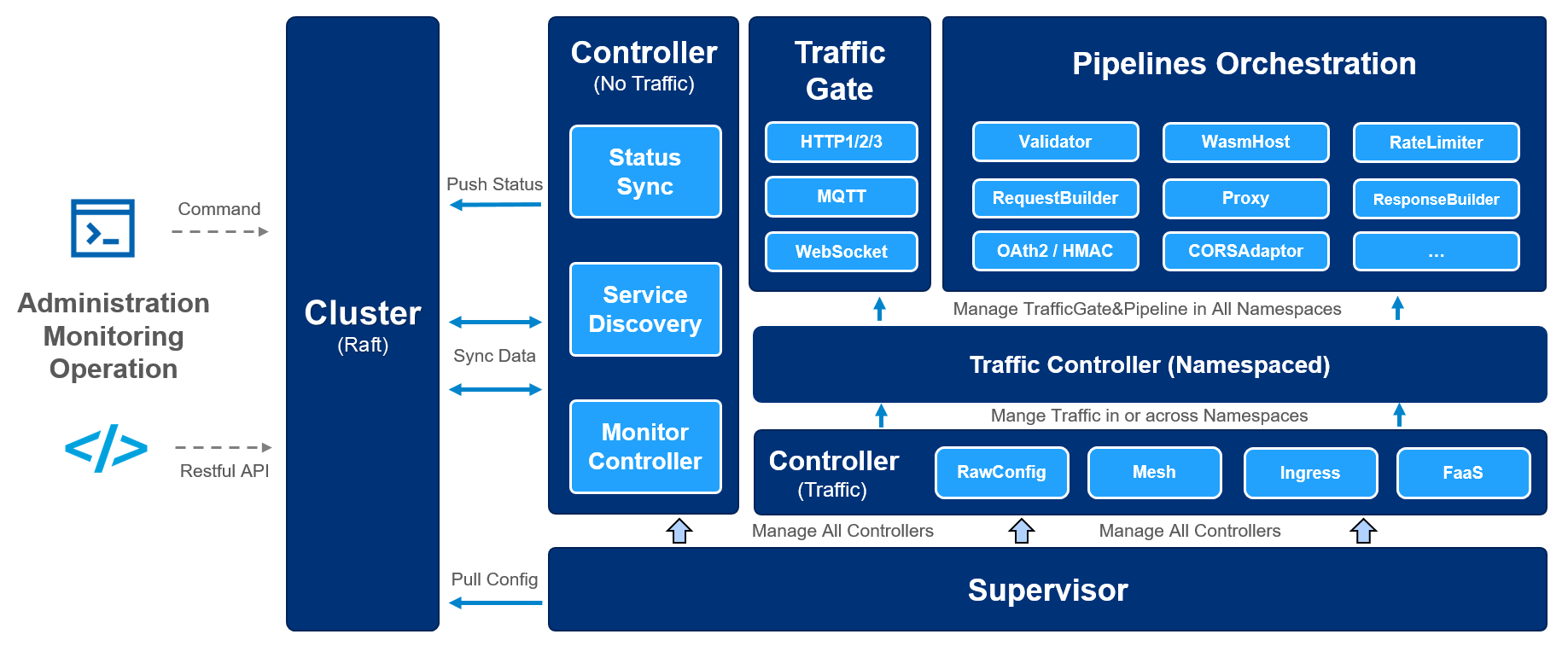
Easegress is a Cloud Native traffic orchestration system designed for:
- High Availability: Built-in Raft consensus & leader election provides 99.99% availability.
- Traffic Orchestration: Simple orchestration of various filters for each traffic pipeline.
- High Performance: Lightweight and essential features speed up the performance.
- Observability: There are many meaningful statistics periodically in a readable way.
- Extensibility: It's easy to develop your own filter or controller with high-level programming language.
- Integration: The simple interfaces make it easy to integrate with other systems, such as Kubernetes Ingress, EaseMesh sidecar, Workflow, etc.
And you can check Easegress DeepWiki Page to dive into more details.
Features
- Service Management
- Extensibility
- High Performance and Availability
- Operation
- AI Integration
Getting Started
The basic usage of Easegress is to quickly set up a proxy for the backend servers.
Launch Easegress
Easegress can be installed from pre-built binaries or from source. For details, see Install.
Then we can execute the server:
$ easegress-server
2023-09-06T15:12:49.256+08:00   INFO    cluster/config.go:110   config: advertise-client-urls: ...
...
By default, Easegress opens ports 2379, 2380, and 2381; however, you can modify these settings along with other arguments either in the configuration file or via command-line arguments. For a complete list of arguments, please refer to the easegress-server --help command.
After launching successfully, we could check the status of the one-node cluster.
$ egctl get member
...
$ egctl describe member ...
Reverse Proxy
Assuming you have two backend HTTP services running at 127.0.0.1:9095 and 127.0.0.1:9096, you can initiate an HTTP proxy from port 10080 to these backends using the following command:
$ egctl create httpproxy demo --port 10080 \
  --rule="/pipeline=http://127.0.0.1:9095,http://127.0.0.1:9096"
Then try it:
curl -v 127.0.0.1:10080/pipelineThe request will be forwarded to either 127.0.0.1:9095/pipeline or 127.0.0.1:9096/pipeline, utilizing a round-robin load-balancing policy.
More about getting started with Easegress:
Use Cases
The following examples show how to use Easegress for different scenarios.
- API Aggregation - Aggregating many APIs into a single API.
- Cluster Deployment - How to deploy multiple Easegress cluster nodes.
- Canary Release - How to do canary release with Easegress.
- Distributed Tracing - How to do APM tracing - Zipkin.
- FaaS - Supporting Knative FaaS integration
- Flash Sale - How to do high concurrent promotion sales with Easegress
- Kubernetes Ingress Controller - How to integrate with Kubernetes as ingress controller
- LoadBalancer - A number of the strategies of load balancing
- MQTTProxy - An Example to MQTT proxy with Kafka backend.
- Multiple API Orchestration - An Telegram translation bot.
- Performance - Performance optimization - compression, caching etc.
- Pipeline - How to orchestrate HTTP filters for requests/responses handling
- Resilience and Fault Tolerance - CircuitBreaker, RateLimiter, Retry, TimeLimiter, etc. (Porting from Java resilience4j)
- Security - How to do authentication by Header, JWT, HMAC, OAuth2, etc.
- Service Registry - Supporting the Microservice registries - Zookeeper, Eureka, Consul, Nacos, etc.
- WebAssembly - Using AssemblyScript to extend the Easegress
- WebSocket - WebSocket proxy for Easegress
- Workflow - An Example to make a workflow for a number of APIs.
Documentation
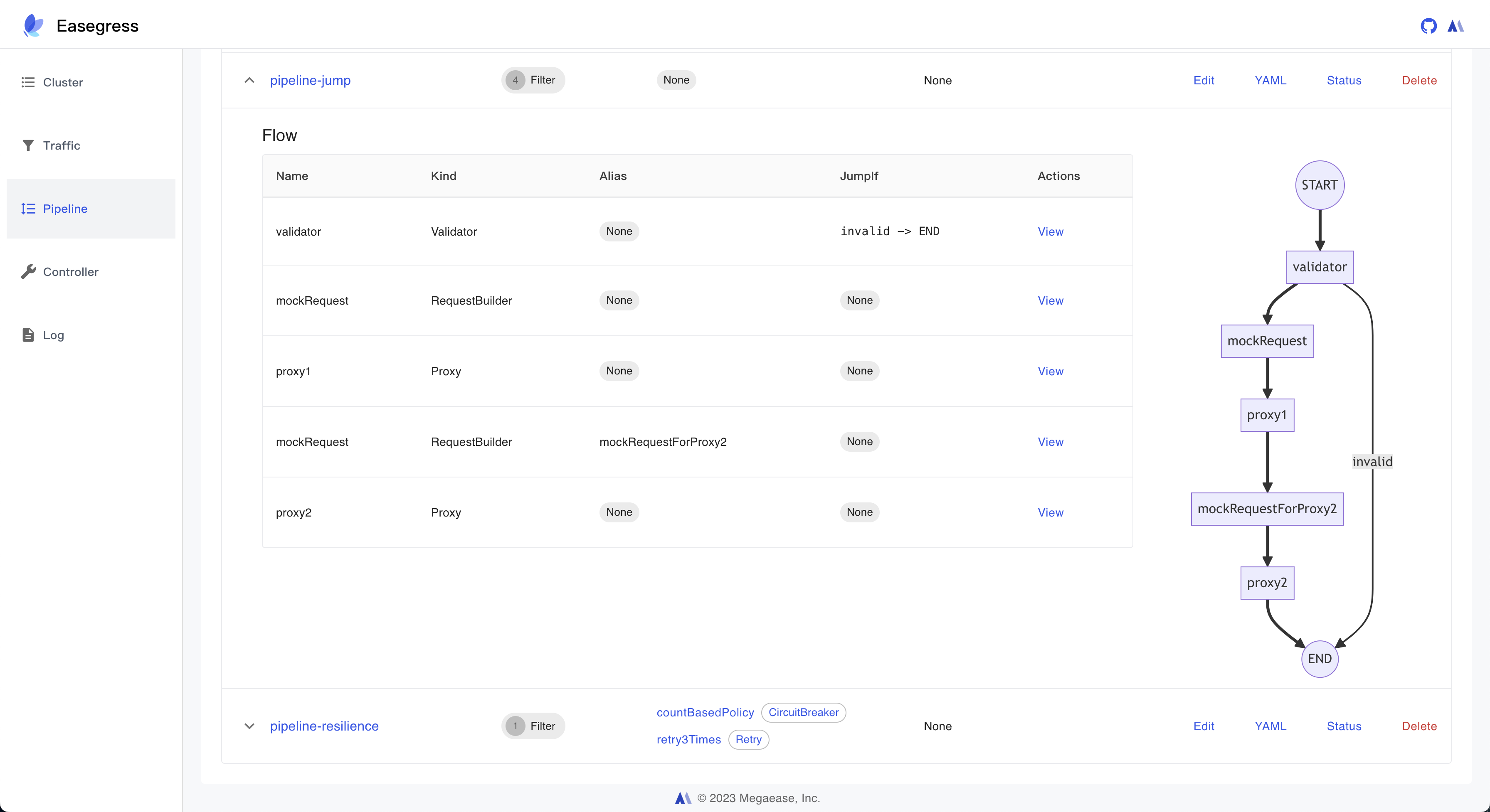
Easegress Portal
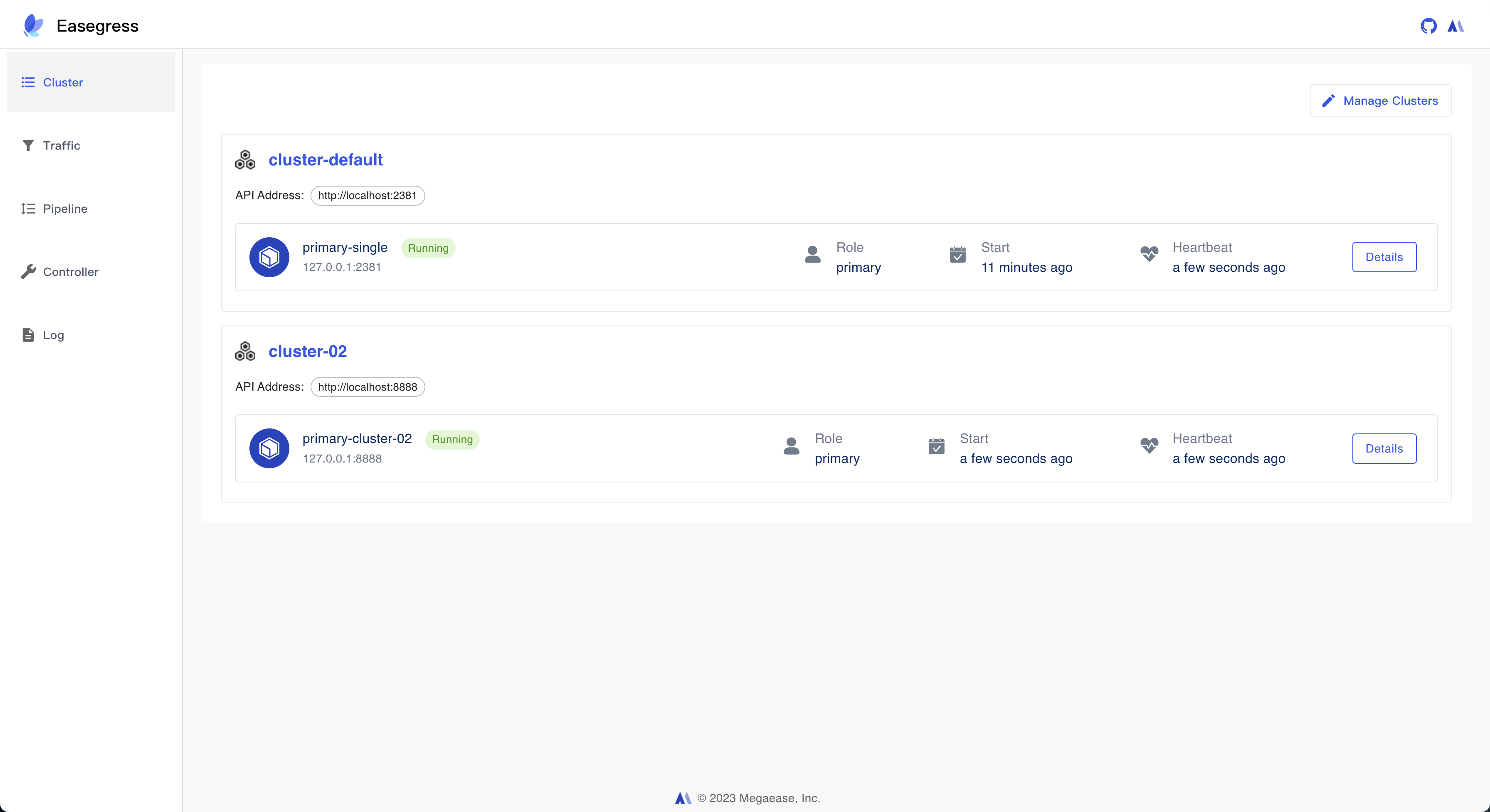
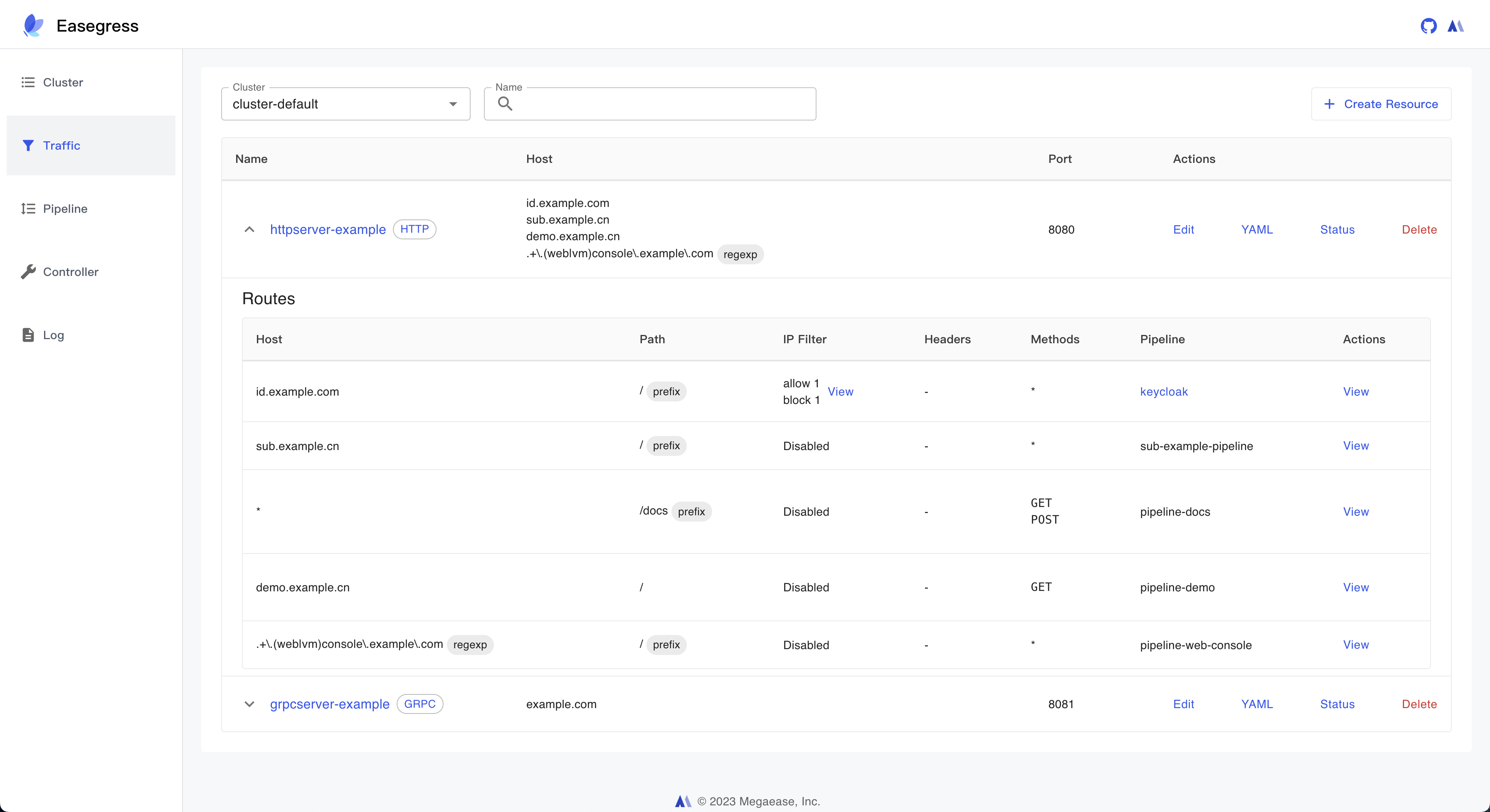
Easegress Portal is an intuitive, open-source user interface for the Easegress traffic orchestration system. Developed with React.js, this portal provides config management, metrics, and visualizations, enhancing the overall Easegress experience.
Screenshots
1. Cluster Management
2. Traffic Management
3. Pipeline Management
Community
- Open GitHub issues for bugs, feature requests, questions, and documentation problems.
- Join the Easegress Slack channel for public development discussion.
- Report security vulnerabilities privately to Yun Long
Community Tools
- KubeStellar Console Guided Install - Step-by-step guided installation with pre-flight checks, validation, troubleshooting, and rollback.
Contributing
See Contributing guide. The project welcomes contributions and suggestions that abide by the CNCF Code of Conduct.
License
Easegress is under the Apache 2.0 license. See the LICENSE file for details.