
A Streamlit component to render interactive Vega, Vega-Lite, and Altair visualizations and access the selected data from Python
Streamlit Vega-Lite


🐉 Here be dragons. This is a proof of concept.
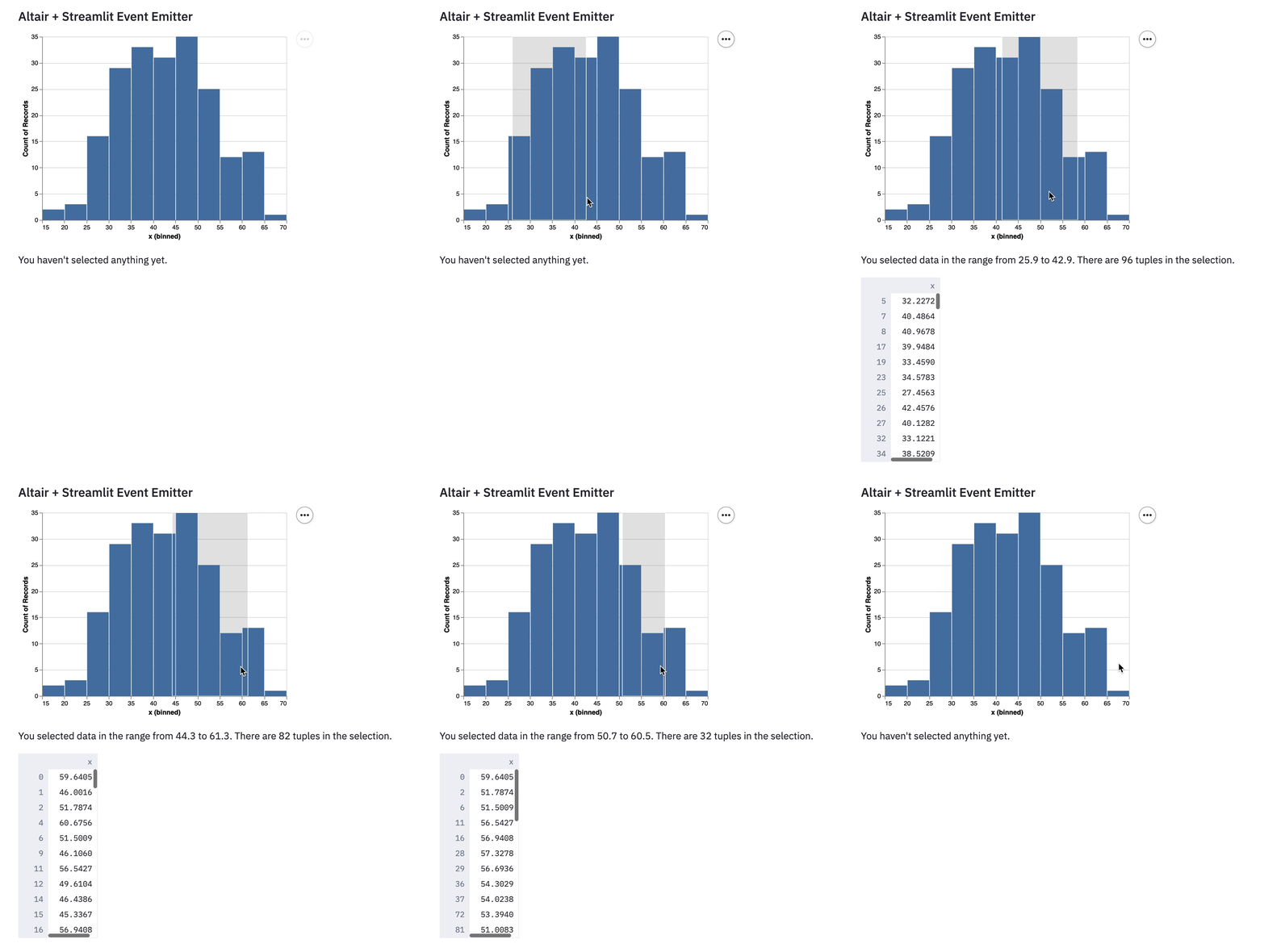
Making Vega-Lite selection created by user interactions available in Python. Works with Altair.
For examples, see https://github.com/domoritz/streamlit-vega-lite/blob/master/streamlitvegalite/init.py. You can also try the demo at https://github.com/domoritz/streamlit-vega-lite-demo.
Documentation
Installation
pip install streamlit-vega-lite
Usage
There are two functions available. vegalitecomponent expects a Vega-Lite specification as a dictionary and any named datasets as keyword arguments. The datasets will be transferred as efficient Arrow tables. altair_component supports Altair charts and automatically extracts all datasets and transfers them as Arrow dataframes.
Example
import altair as alt
import streamlit as st
import pandas as pd
import numpy as np
from streamlitvegalite import vegalitecomponent, altair_component
hist_data = pd.DataFrame(np.random.normal(42, 10, (200, 1)), columns=["x"])
@st.cache def altair_histogram():     brushed = alt.selection_interval(encodings=["x"], name="brushed")
return (         alt.Chart(hist_data)         .mark_bar()         .encode(alt.X("x:Q", bin=True), y="count()")         .add_selection(brushed)     )
eventdict = altaircomponent(altairchart=altairhistogram())
r = event_dict.get("x") if r:     filtered = histdata[(histdata.x >= r[0]) & (hist_data.x < r[1])]     st.write(filtered)
Dev Setup
Open two terminals in the dev container using VSCode's Remote Containers Extension.
In the first terminal, run:
# Install python module in editable mode
pip install -e .
Launch streamlit app
streamlit run streamlitvegalite/init.py
In the second terminal:
# Switch to location of frontend code
cd streamlitvegalite/frontend
Install dependencies
yarn
Launch frontend assets
yarn start
Then open http://localhost:8501/.
Style
Run Black for Python formatting.
black . -l 120Run Prettier for other formatting in the frontend directory.
yarn formatPublish
See https://docs.streamlit.io/en/stable/publishstreamlitcomponents.html.
Make sure that _RELEASE is set to True.
pushd streamlitvegalite/frontend
yarn build
popd
python setup.py sdist bdist_wheel
python3 -m twine upload --repository pypi dist/*


