
Demo implementation of a reactive multi agent bot that can answer questions based on relational database information to demonstrate different architecture pattern.
Talking to a database with a large language model
This project demonstrates different approaches on how to implement a bot that can talk to a relational database using different architecture patterns.
This allows you to enter abstract questions that the bot will try to answer by reasoning over the available data structures using a vector database, create a plan to query the data and iterate over possible queries and finally execute the query. If anything goes wrong or does not look correct the bot will identify issues and fix them automatically.
The question can be something like that: 
The bot will use tools to solve the problem: 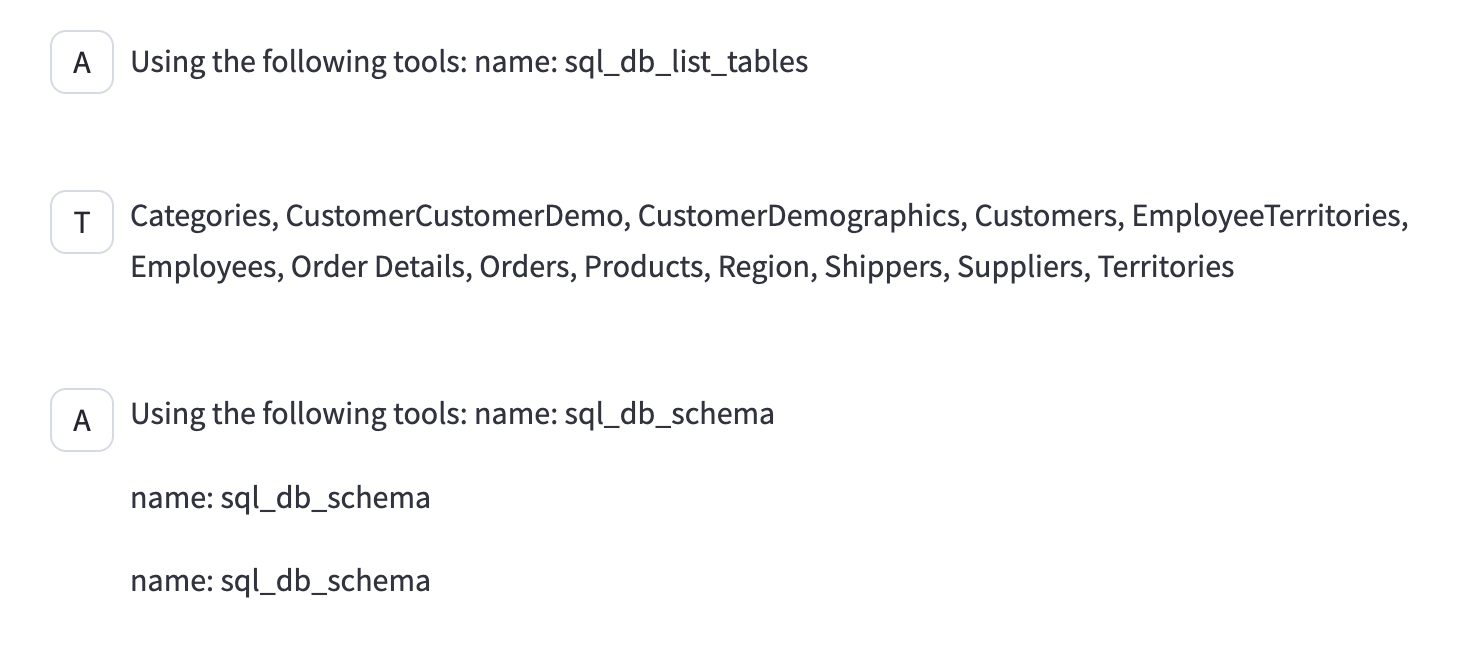
After different iterations the bot will be able generate a SQL query: 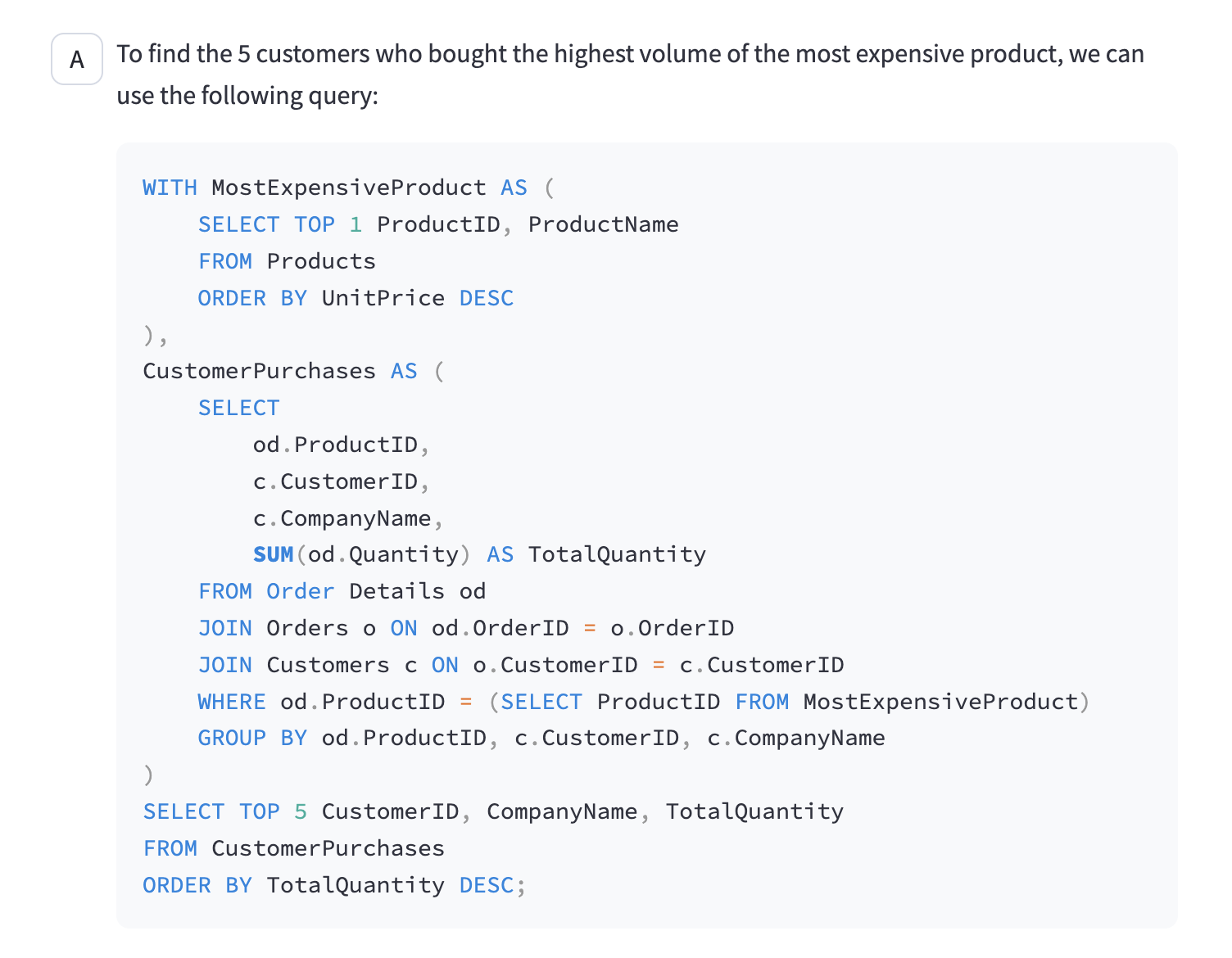
And finally it will come up with a way to output the response in a suitable format: 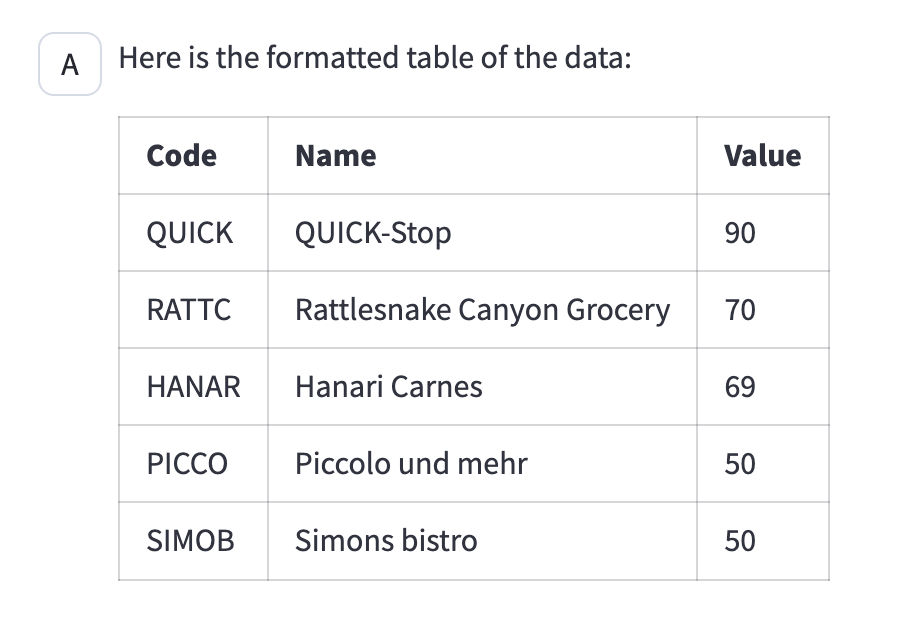
It will also plot the path taken and the amount of tokens used 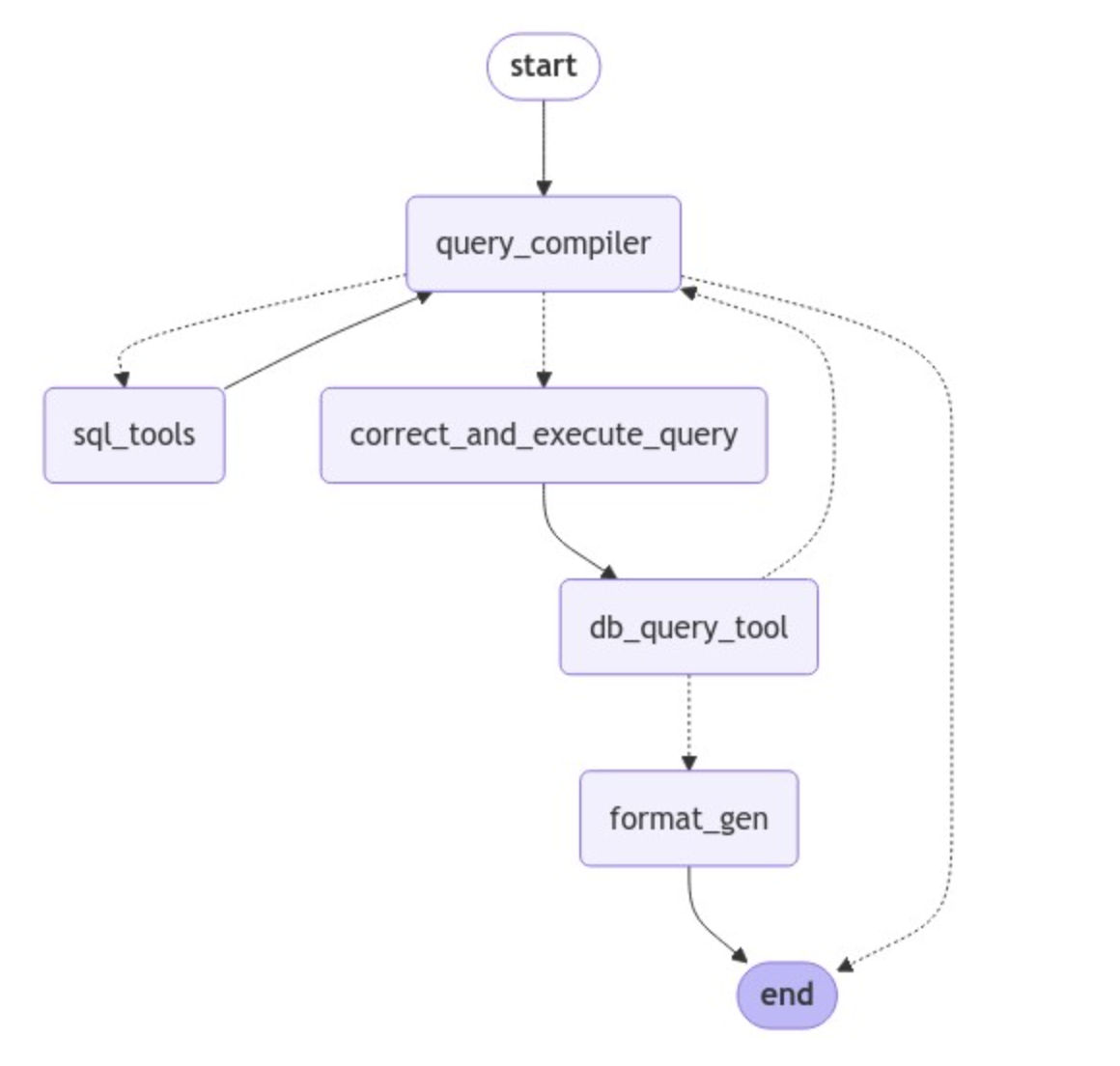
Implementation patterns
To compare efficiency, reliability, creativity and scalability we have implemented the following different architecture patterns for this:
1.) Simple prompt
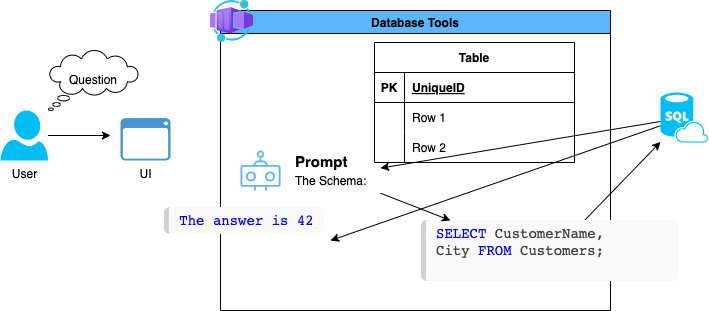
2.) ReAct based Prompt
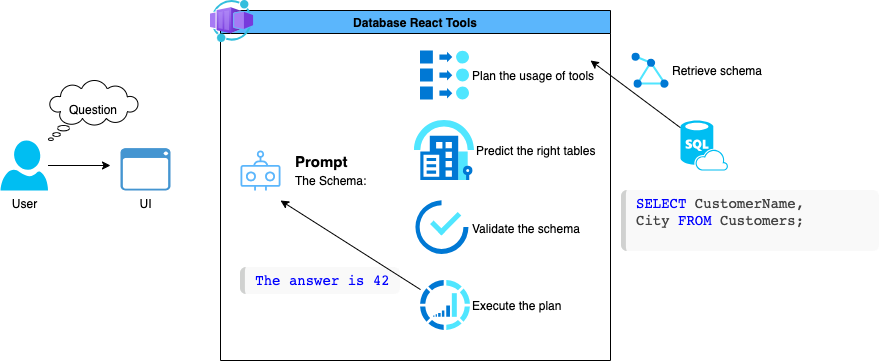
3.) Multi agent
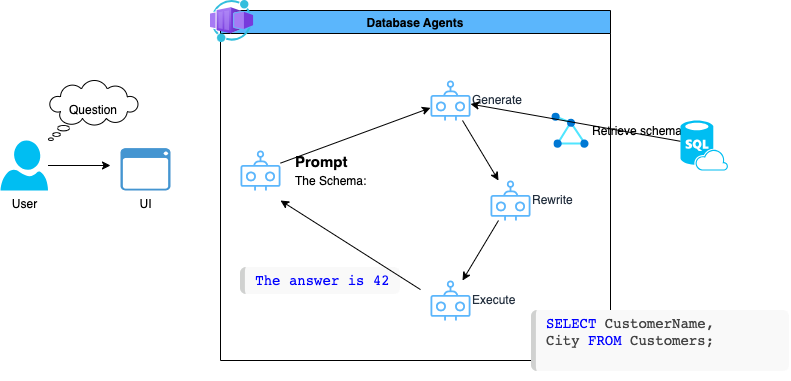
4.) AI Search optimized agents
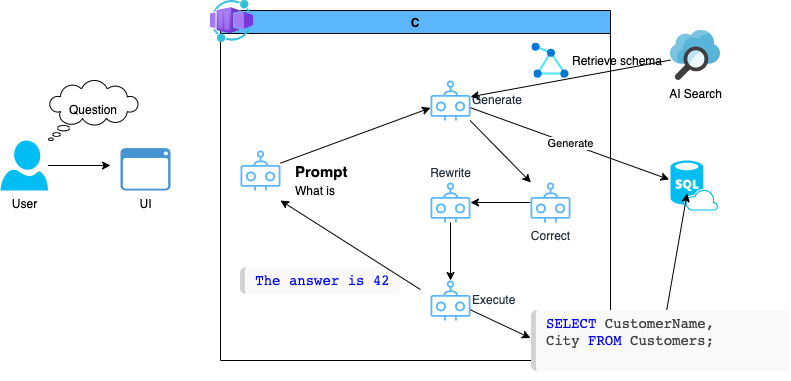
Deploy Infrastructure
echo "log into azure dev cli - only once"
azd auth login
echo "provisioning all the resources with the azure dev cli" azd up
echo "get and set the value for AZUREENVNAME" source <(azd env get-values | grep AZUREENVNAME)
echo "building and deploying the streamlit user interface" bash ./azd-hooks/deploy.sh sql-react $AZUREENVNAME
Starting up
conda create -n sqlagents python=3.12
conda activate sqlagents
python -m pip install -r requirements.txt
python -m streamlit run app.py --server.port=8000
Startin up with open telemetry
docker run --rm --name jaeger \
  -e COLLECTORZIPKINHOST_PORT=:9411 \
  -p 6831:6831/udp \
  -p 6832:6832/udp \
  -p 5778:5778 \
  -p 16686:16686 \
  -p 4317:4317 \
  -p 4318:4318 \
  -p 14250:14250 \
  -p 14268:14268 \
  -p 14269:14269 \
  -p 9411:9411 \
  jaegertracing/all-in-one:1.60
OTELEXPORTEROTLP_ENDPOINT=http://localhost:4317
opentelemetry-instrument --service_name sql-ai-agent python -m streamlit run app.py --server.port=8000
open http://localhost:16686/search


