
Smart tmux app launcher with fzf, justfile, and npm integration
Nunchux :-)
A tmux launcher for your often used apps, files, and build tasks.
What it can do
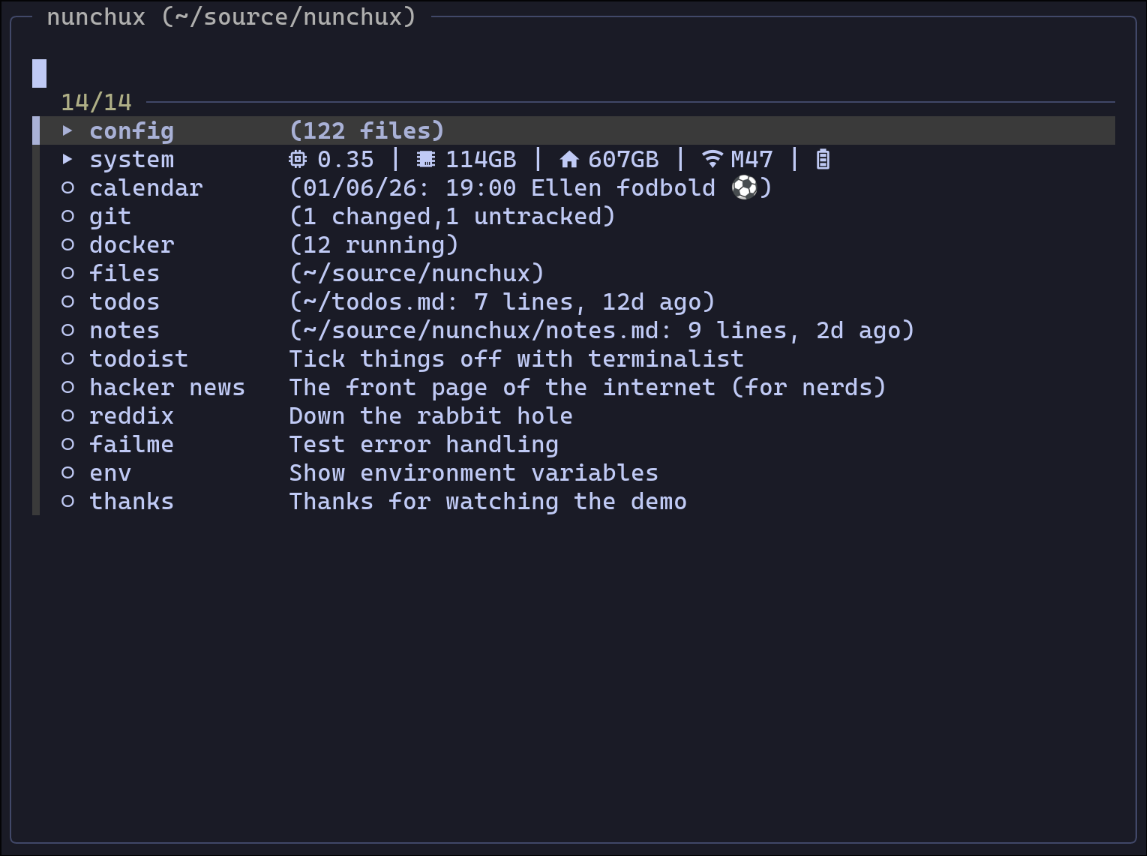
Invoke nunchux with a shortcut (default: prefix + g) to get a fuzzy-searchable list of your configured:
- apps: whatever that may mean to you; TUI app, setting an env var, running
- submenues: groupings of apps, maybe collect system and/or news apps in a
- directory browsers: quick editing of often used files and directories.
- task runner: quick access to task runner tasks from justfile,
For each app or submenu it is possible to configure a status message. The message can be static or dynamic. Are you already now thinking it will be dog slow? Don't worry, nunchux uses caching to keep things snappy.
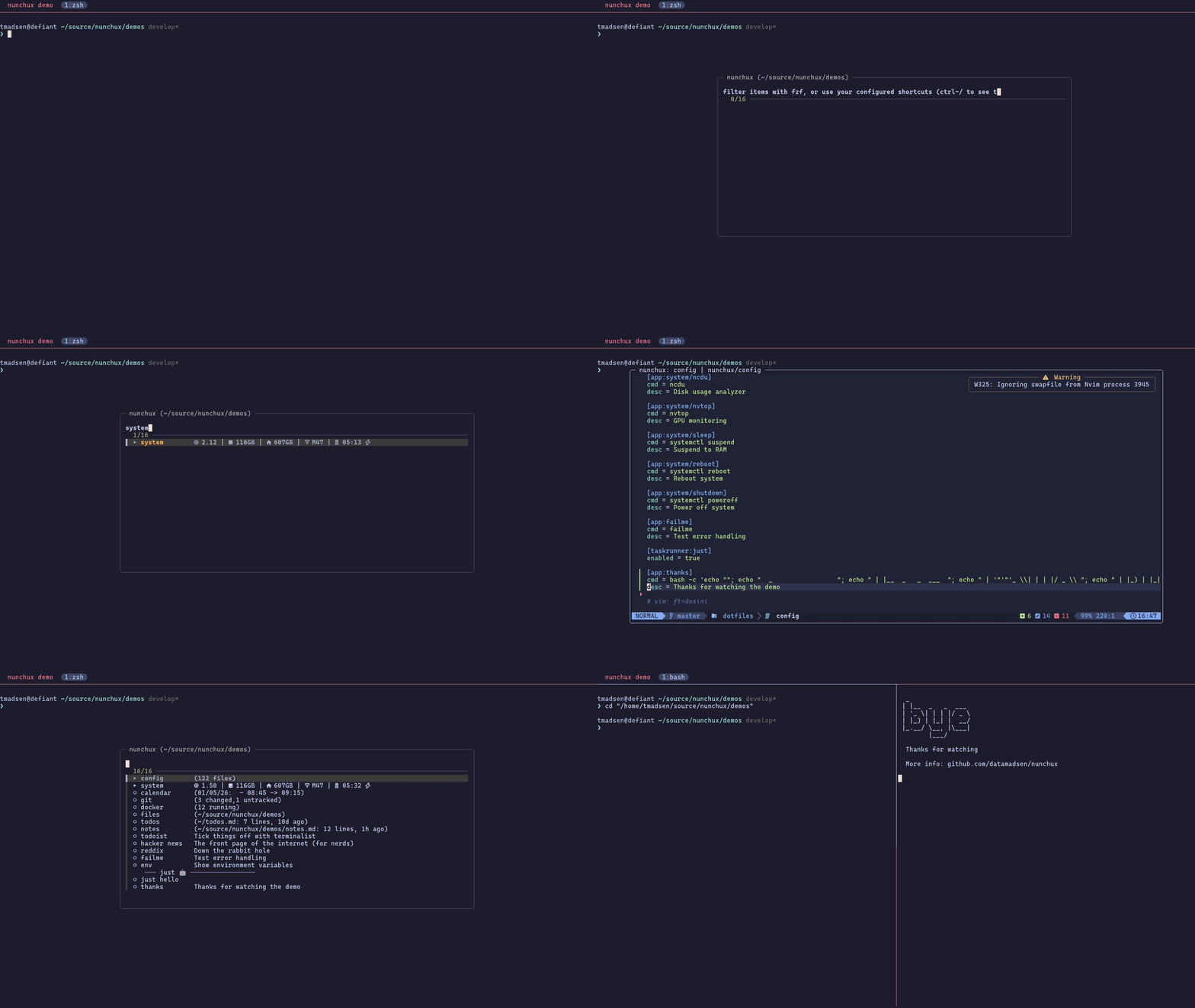
What it looks like
Screenshot
Gif
How to install it
Use TPM for a smooth experience. Add this to your tmux.conf:
set -g @plugin 'datamadsen/nunchux'Then hit prefix + I and you're good to go.
To update to the latest version, hit prefix + U and type nunchux (or all to update all plugins).
How to invoke it
By default the menu is invoked with prefix + g, but you can change it:
set -g @nunchux-key 'a'If you want to invoke it without the prefix, e.g. with Ctrl-Space:
set -g @nunchux-key 'C-Space'How to configure it
Nunchux searches for config in this order:
.nunchuxrcin current directory or any parent.NUNCHUXRCFILEenvironment variable.~/.config/nunchux/config
Also see
- docs/configuration.md for the full reference.
- docs/examples.md for real-world examples.
Shell Integration
If you use nvm, pyenv, or other tools that modify your shell environment, you'll want apps launched via nunchux to inherit that environment.
Why is this needed?
Tmux popups run in tmux's server environment, not your shell's environment. When you run nvm use 18 or export FOO=bar, those changes only exist in your shell - tmux doesn't know about them. There's no tmux API to "run a command inside a pane's shell context", so we work around it with a shell hook that saves your environment after each command. When nunchux launches an app, it reads that saved environment.
Add this to your shell rc file:
Bash (~/.bashrc):
source ~/.tmux/plugins/nunchux/shell-init.bashZsh (~/.zshrc):
source ~/.tmux/plugins/nunchux/shell-init.zshFish (~/.config/fish/config.fish):
source ~/.tmux/plugins/nunchux/shell-init.fishThis saves your environment after each command, so apps launched from nunchux (even from within vim or lazygit) inherit your current PATH, exports, etc.
Dependencies
- tmux
- fzf v0.66+
- curl (for menu hot-swap)
Task runner dependencies
| Task Runner | Required | |-------------|----------| | just | just | | npm | jq | | task | task or go-task, jq |


