Crossplane provider to provision and manage Argo CD objects
provider-argocd
Overview
provider-argocd is the Crossplane infrastructure provider for Argo CD. The provider that is built from the source code in this repository can be installed into a Crossplane control plane and adds the following new functionality:
- Custom Resource Definitions (CRDs) that model Argo CD resources
- Controllers to provision these resources in Argo CD based on the users desired
- Implementations of Crossplane's portable resource
Getting Started and Documentation
Follow the official docs to install crossplane, then these steps to get started with provider-argocd.
Add the Crossplane Helm Repository
helm repo add crossplane-stable https://charts.crossplane.io/stable
helm repo update
Initialize Build Submodules
Before building or running the provider, ensure the required "build" Make submodule is initialized. This submodule supports CI/CD tasks shared across all providers.
make submodulesRun ArgoCD and Crossplane Locally with Kind
To start a local Kubernetes cluster with kind and install Argo CD and Crossplane and the provider CRDs in a single command, run:
make dev-debugwhich can later be undone with make dev-teardown deleting the Kind cluster.
Run the Provider Locally for Development
To start the provider in debug mode, you can run the provider directly:
go run ./cmd/provider --debugOptional: Run with VSCode
Alternatively, if you use VSCode, you can configure a file .vscode/launch.json to run the provider in debug mode in a more convenient way:
filename=".vscode/launch.json"
{
  "configurations": [
    {
      "name": "Run Provider Locally",
      "type": "go",
      "request": "launch",
      "mode": "debug",
      "program": "${workspaceFolder}/cmd/provider",
      "args": [
        "--debug"
      ]
    }
  ]
}
Apply CRs
To test the provider, you can apply the example CRs in examples/:
kubectl apply -f examples/projects/project.yamlGetting Started Step-by-Step
Optional: Start a local Argo CD server
kind create cluster
kubectl create ns argocd kubectl apply -n argocd -f https://raw.githubusercontent.com/argoproj/argo-cd/stable/manifests/install.yaml
Create a new Argo CD user
Follow the steps in the official documentation to create a new user provider-argcod:
kubectl patch configmap/argocd-cm \
  -n argocd \
  --type merge \
  -p '{"data":{"accounts.provider-argocd":"apiKey"}}'
kubectl patch configmap/argocd-rbac-cm \   -n argocd \   --type merge \   -p '{"data":{"policy.csv":"g, provider-argocd, role:admin"}}'
Create an API Token
Note: The following steps require the kubectl-view-secret plugin and jq to be installed.
Get the admin passwort via kubectl
ARGOCDADMINSECRET=$(kubectl view-secret argocd-initial-admin-secret -n argocd -q)Port forward the Argo CD api to the host:
kubectl -n argocd port-forward svc/argocd-server 8443:443Create a session JWT for the admin user at the Argo CD API. Note: You cannot use this token directly, because it will expire.
ARGOCDADMINTOKEN=$(curl -s -X POST -k -H "Content-Type: application/json" --data '{"username":"admin","password":"'$ARGOCDADMINSECRET'"}' https://localhost:8443/api/v1/session | jq -r .token)Create an API token without expiration that can be used by provider-argocd
ARGOCDPROVIDERUSER="provider-argocd"
ARGOCDTOKEN=$(curl -s -X POST -k -H "Authorization: Bearer $ARGOCDADMINTOKEN" -H "Content-Type: application/json" https://localhost:8443/api/v1/account/$ARGOCDPROVIDER_USER/token | jq -r .token)
Setup crossplane provider-argocd
Install provider-argocd:
cat << EOF | kubectl apply -f - apiVersion: pkg.crossplane.io/v1 kind: Provider metadata: name: provider-argocd spec: package: xpkg.upbound.io/crossplane-contrib/provider-argocd:v0.2.0 EOFprovider-argocd is able to connect to Argo CD: kubectl create secret generic argocd-credentials -n crossplane-system --from-literal=authToken="$ARGOCD_TOKEN"Configure a ProviderConfig with serverAddr pointing to an Argo CD instance:
cat << EOF | kubectl apply -f - apiVersion: argocd.crossplane.io/v1alpha1 kind: ProviderConfig metadata: name: argocd-provider spec: serverAddr: argocd-server.argocd.svc:443 insecure: true plainText: false credentials: source: Secret secretRef: namespace: crossplane-system name: argocd-credentials key: authToken EOFContributing
provider-argocd is a community driven project and we welcome contributions. See the Crossplane Contributing guidelines to get started.
Report a Bug
For filing bugs, suggesting improvements, or requesting new features, please open an issue.
Contact
Please use the following to reach members of the community:
- Slack: Join our slack channel
- Forums:
- Twitter: @crossplane_io
- Email: info@crossplane.io
Governance and Owners
provider-argocd is run according to the same Governance and Ownership structure as the core Crossplane project.
Code of Conduct
provider-argocd adheres to the same Code of Conduct as the core Crossplane project.
Licensing
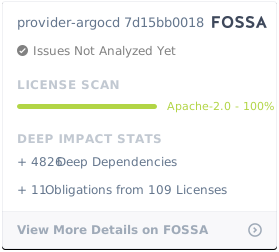
provider-argocd is under the Apache 2.0 license.