
immudb - immutable database based on zero trust, SQL/Key-Value/Document model, tamperproof, data change history
immudb 







Don't forget to ⭐ this repo if you like immudb!
:tada: 157M pulls from docker hub!
Detailed documentation can be found at https://docs.immudb.io/

immudb is a database with built-in cryptographic proof and verification. It tracks changes in sensitive data and the integrity of the history will be protected by the clients, without the need to trust the database. It can operate as a key-value store, as a document model database, and/or as relational database (SQL).
Traditional database transactions and logs are mutable, and therefore there is no way to know for sure if your data has been compromised. immudb is immutable. You can add new versions of existing records, but never change or delete records. This lets you store critical data without fear of it being tampered.
Data stored in immudb is cryptographically coherent and verifiable. Unlike blockchains, immudb can handle millions of transactions per second, and can be used both as a lightweight service or embedded in your application as a library. immudb runs everywhere, on an IoT device, your notebook, a server, on-premise or in the cloud.
When used as a relational data database, it supports both transactions and blobs, so there are no limits to the use cases. Developers and organizations use immudb to secure and tamper-evident log data, sensor data, sensitive data, transactions, software build recipes, rule-base data, artifacts and even video streams. Examples of organizations using immudb today.
Contents
- Contents - Quickstart - Recent Changes - Structured Audit Logging - DIFF OF SQL Query - PostgreSQL SQL Compatibility - Security Hardening - Using immudb - Tech specs - Performance figures - Roadmap - Projects using immudb - ContributingQuickstart
Getting immudb running: executable
You may download the immudb binary from the latest releases on Github. Once you have downloaded immudb, rename it to immudb, make sure to mark it as executable, then run it. The following example shows how to obtain v1.9.5 for linux amd64:
wget https://github.com/codenotary/immudb/releases/download/v1.9.5/immudb-v1.9.5-linux-amd64
mv immudb-v1.9.5-linux-amd64 immudb
chmod +x immudb
run immudb in the foreground to see all output
./immudb
or run immudb in the background
./immudb -d
Getting immudb running: Docker
Use Docker to run immudb in a ready-to-use container:
docker run -d --net host -it --rm --name immudb codenotary/immudb:latestIf you are running the Docker image without host networking, make sure to expose ports 3322 and 9497.
Getting immudb running: Kubernetes
In kubernetes, use helm for an easy deployment: just add our repository and install immudb with these simple commands:
helm repo add immudb https://packages.codenotary.org/helm
helm repo update
helm install immudb/immudb --generate-name
Using subfolders
Immudb helm chart creates a persistent volume for storing immudb database. Those database are now by default placed in a subdirectory.
That's for compatibility with ext4 volumes that have a /lost+found directory that can confuse immudb. Some volume providers, like EBS or DigitalOcean, are using this kind of volumes. If we placed database directory on the root of the volume, that /lost+found would be treated as a database. So we now create a subpath (usually immudb) subpath for storing that.
This is different from what we did on older (<=1.3.1) helm charts, so if you have already some volumes with data you can set value volumeSubPath to false (i.e.: --set volumeSubPath.enabled=false) when upgrading so that the old way is used.
You can alternatively migrate the data in a /immudb directory. You can use this pod as a reference for the job:
apiVersion: v1
kind: Pod
metadata:
  name: migrator
spec:
  volumes:
    - name: "vol0"
      persistentVolumeClaim:
        claimName: <your-claim-name-here>
  containers:
    - name: migrator
      image: busybox
      volumeMounts:
        - mountPath: "/data"
          name: "vol0"
      command:
        - sh
        - -c
        - |
          mkdir -p /data/immudb
          ls /data | grep -v -E 'immudb|lost\+found'|while read i; do mv /data/$i /data/immudb/$i; done
As said before, you can totally disable the use of subPath by setting volumeSubPath.enabled=false. You can also tune the subfolder path using volumeSubPath.path value, if you prefer your data on a different directory than the default immudb.
Enabling Amazon S3 storage
immudb can store its data in the Amazon S3 service (or a compatible alternative). The following example shows how to run immudb with the S3 storage enabled:
export IMMUDBS3STORAGE=true
export IMMUDBS3ACCESSKEYID=<S3 ACCESS KEY ID>
export IMMUDBS3SECRET_KEY=<SECRET KEY>
export IMMUDBS3BUCKET_NAME=<BUCKET NAME>
export IMMUDBS3LOCATION=<AWS S3 REGION>
export IMMUDBS3PATH_PREFIX=testing-001
export IMMUDBS3ENDPOINT="https://${IMMUDBS3BUCKETNAME}.s3.${IMMUDBS3_LOCATION}.amazonaws.com"
./immudb
When working with the external storage, you can enable the option for the remote storage to be the primary source of identifier. This way, if immudb is run using ephemeral disks, such as with AWS ECS Fargate, the identifier can be taken from S3. To enable that, use:
export IMMUDBS3EXTERNAL_IDENTIFIER=trueYou can also use the role-based credentials for more flexible and secure configuration. This allows the service to be used with instance role configuration without a user entity. The following example shows how to run immudb with the S3 storage enabled using AWS Roles:
export IMMUDBS3STORAGE=true
export IMMUDBS3ROLE_ENABLED=true
export IMMUDBS3BUCKET_NAME=<BUCKET NAME>
export IMMUDBS3LOCATION=<AWS S3 REGION>
export IMMUDBS3PATH_PREFIX=testing-001
export IMMUDBS3ENDPOINT="https://${IMMUDBS3BUCKETNAME}.s3.${IMMUDBS3_LOCATION}.amazonaws.com"
./immudb
If using Fargate, the credentials URL can be sourced automatically:
export IMMUDBS3USEFARGATECREDENTIALS=trueOptionally, you can specify the exact role immudb should be using with:
export IMMUDBS3ROLE=<AWS S3 ACCESS ROLE NAME>Remember, the IMMUDBS3ROLE_ENABLED parameter still should be on.
You can also easily use immudb with compatible s3 alternatives such as the minio server:
export IMMUDBS3ACCESSKEYID=minioadmin
export IMMUDBS3SECRET_KEY=minioadmin
export IMMUDBS3STORAGE=true
export IMMUDBS3BUCKET_NAME=immudb-bucket
export IMMUDBS3PATH_PREFIX=testing-001
export IMMUDBS3ENDPOINT="http://localhost:9000"
Note: This spawns a temporary minio server without data persistence
docker run -d -p 9000:9000 minio/minio server /data
Create the bucket - this can also be done through web console at http://localhost:9000
docker run --net=host -it --entrypoint /bin/sh minio/mc -c "
  mc alias set local http://localhost:9000 minioadmin minioadmin &&
  mc mb local/${IMMUDBS3BUCKET_NAME}
"
Run immudb instance
./immudb
Connecting with immuclient
You may download the immuclient binary from the latest releases on Github. Once you have downloaded immuclient, rename it to immuclient, make sure to mark it as executable, then run it. The following example shows how to obtain v1.5.0 for linux amd64:
wget https://github.com/codenotary/immudb/releases/download/v1.5.0/immuclient-v1.5.0-linux-amd64
mv immuclient-v1.5.0-linux-amd64 immuclient
chmod +x immuclient
start the interactive shell
./immuclient
or use commands directly
./immuclient help
Or just use Docker to run immuclient in a ready-to-use container. Nice and simple.
docker run -it --rm --net host --name immuclient codenotary/immuclient:latestRecent Changes
Structured Audit Logging
immudb now supports immutable, structured audit logging of all server operations. When enabled, every gRPC operation is recorded as a JSON audit event stored in immudb's own tamper-proof KV store under the audit: key prefix.
Enable audit logging:
# Log all operations
./immudb --audit-log
Log only write, admin, auth, and system operations (exclude reads)
./immudb --audit-log --audit-log-events=write
Log only admin, auth, and system operations
./immudb --audit-log --audit-log-events=admin
Each audit event captures:
| Field | Description | | --------- | ------------------------------------------------ | | ts | Nanosecond timestamp | | user | Authenticated username | | ip | Client IP address | | db | Target database | | method | gRPC method name | | type | Event category: AUTH, ADMIN, WRITE, READ, SYSTEM | | ok | Whether the operation succeeded | | err | Error message (if failed) | | dur_ms | Operation duration in milliseconds | | sid | Session ID |
Audit events are written asynchronously to avoid impacting request latency. They can be queried using the standard Scan API with prefix audit: and verified with VerifiableGet for tamper-proof compliance evidence. Events are stored as JSON, ready for export to external SIEM systems (Splunk, ELK, etc.).
DIFF OF SQL Query
immudb now supports comparing table state between two points in time using the new DIFF OF SQL syntax:
SELECT diffaction, id, title, active FROM (DIFF OF mytable) SINCE TX 100 UNTIL TX 200The diffaction column indicates whether each row was an INSERT, UPDATE, or DELETE within the specified transaction range. Both SINCE/AFTER and UNTIL/BEFORE period specifiers are supported. Standard WHERE clauses can be applied to filter results.
PostgreSQL SQL Compatibility
immudb's PostgreSQL wire protocol server now supports a comprehensive set of SQL features for ORM and tool compatibility. Connect with any PostgreSQL client (psql, pgAdmin, JDBC, SQLAlchemy, Django, GORM, ActiveRecord) and use standard SQL.
RETURNING clause for INSERT, UPDATE, and DELETE:
INSERT INTO users (name) VALUES ('Alice') RETURNING id, name;
UPDATE users SET name = 'Bob' WHERE id = 1 RETURNING *;
DELETE FROM users WHERE id = 1 RETURNING *;
Common Table Expressions (WITH / WITH RECURSIVE):
WITH RECURSIVE tree AS (
    SELECT id, name FROM nodes WHERE parent_id = 0
    UNION ALL
    SELECT n.id, n.name FROM nodes n INNER JOIN tree t ON n.parent_id = t.id
)
SELECT * FROM tree;
Window functions:
SELECT name, dept,
    ROW_NUMBER() OVER (PARTITION BY dept ORDER BY salary DESC) rank,
    SUM(salary) OVER (PARTITION BY dept) dept_total,
    LAG(salary) OVER (ORDER BY salary) prev_salary
FROM employees;
Supported window functions: ROWNUMBER, RANK, DENSERANK, LAG, LEAD, FIRSTVALUE, LASTVALUE, NTILE, and window aggregates (COUNT, SUM, MIN, MAX, AVG).
Views and Sequences:
CREATE VIEW active_users AS SELECT * FROM users WHERE active = true;
CREATE SEQUENCE order_seq;
SELECT NEXTVAL('order_seq');
Full SQL feature set:
| Category | Features | |----------|----------| | Joins | INNER, LEFT, RIGHT, CROSS, FULL OUTER, NATURAL, USING | | Subqueries | EXISTS, IN, NOT EXISTS, NOT IN (correlated and non-correlated) | | Set operations | UNION, UNION ALL, EXCEPT, INTERSECT | | DML | INSERT...ON CONFLICT DO UPDATE, INSERT/UPDATE/DELETE...RETURNING | | DDL | CREATE/DROP VIEW, CREATE/DROP SEQUENCE, ALTER COLUMN, FOREIGN KEY | | Ordering | ORDER BY with NULLS FIRST/LAST, LIMIT ALL | | Pattern matching | LIKE, ILIKE (case-insensitive) -- standard SQL wildcards (% and _) | | Query analysis | EXPLAIN | | Aggregates | COUNT, SUM, MIN, MAX, AVG, COUNT(DISTINCT col), STRING_AGG(col, separator) | | Type aliases | BIGINT, INT, SMALLINT, SERIAL, DOUBLE, REAL, NUMERIC, DECIMAL, BYTEA, JSONB, TIMESTAMPTZ, and more | | Transactions | BEGIN, COMMIT, ROLLBACK, SAVEPOINT, ROLLBACK TO SAVEPOINT, RELEASE SAVEPOINT | | Data import | COPY FROM stdin (bulk import via psql / pg_dump) | | LATERAL joins | Correlated subqueries in FROM clause | | Partial indexes | CREATE INDEX ... WHERE condition |
75+ built-in functions including:
- Math:
ABS,CEIL,FLOOR,ROUND,POWER,SQRT,MOD,SIGN - String:
CONCAT,CONCATWS,REPLACE,REVERSE,LEFT,RIGHT,LPAD,RPAD,SPLITPART,INITCAP,REPEAT,POSITION,MD5,REGEXP_REPLACE,TRANSLATE - Date/Time:
NOW,DATETRUNC,TOCHAR,DATE_PART,AGE,EXTRACT - Conditional:
COALESCE,NULLIF,GREATEST,LEAST,CASE - Aggregate:
STRING_AGG,COUNT(DISTINCT col) - PG compatibility:
currentdatabase(),currentschema(),currentuser,formattype(),pgencodingto_char()
SELECT immudb_state();                         -- current database state and tx hash
SELECT immudbverifyrow('mytable', 1);        -- cryptographically verify a row
SELECT immudbverifytx(42);                   -- verify a transaction with proof
SELECT immudb_history('mykey');                -- full history of a key
ORM introspection support with pgcatalog tables (pgclass, pgattribute, pgindex, pgconstraint, pgtype, pgnamespace, pgroles, pgsettings, pgdescription) and informationschema views (tables, columns, schemata, keycolumn_usage).
Known limitations -- the following PostgreSQL features are not yet supported:
| Feature | Reason | |---------|--------| | Generated columns (GENERATED ALWAYS AS) | Requires computed column infrastructure | | Stored procedures / PL/pgSQL | Requires a language interpreter | | GIN/GiST indexes | Only B-tree indexes currently supported | | ARRAY, ENUM, composite types | Limited to 9 base types with aliases | | SUM(a * b) expressions inside aggregates | Arithmetic not supported inside aggregate functions |
ORM and Application Compatibility
This branch significantly hardens the PostgreSQL wire protocol and SQL engine against the corner cases that real-world ORMs and applications hit. Verified workloads now include Gitea 1.25.5 (full signup → repo creation → git push → issue lifecycle), Ruby on Rails 7 / ActiveRecord (Maybe Finance dashboard), Django, GORM, XORM, golang-migrate, SQLAlchemy, lib/pq and pgx drivers.
System catalog and introspection emulation -- ORMs probe these on every connection; immudb returns realistic results for:
pgcatalog:pgclass,pgattribute,pgindex,pgindexes,pgconstraint,pgtype,pgnamespace,pgroles,pgsettings,pgdescription,pgtablesinformationschema:tables,columns,schemata,keycolumn_usage- Function emulation:
currentdatabase(),currentschema(),currentuser,formattype(),pgencodingtochar(),pgget_indexdef(),regclass/regtypecasts - XORM column-introspection short-circuit so schema syncs don't issue thousands of slow catalog reads
"index", "key", "value", "user", "order", "check", etc. now Just Work. Quoted identifiers map to a _<word> column on disk, and the wire layer reverse-renames them on the way out so client struct mappers see the original name.
Parameter-bind protocol fixes -- correct text- and binary-format handling for every Postgres type immudb supports:
BYTEAin canonical PG hex format (\x<hex>) for both bind and result pathsBOOLEANacceptst/f,true/false,1/0TIMESTAMPaccepts the Rails-styleYYYY-MM-DD HH:MM:SS.fffffftext formFLOAT8,INT8,JSONB,TIMESTAMPTZOIDs inRowDescriptionfor ORM type inferenceNULLbinds across all types- Implicit
VARCHAR → BOOLEANcoercion for ORMs that never declare a parameter type - Bind type inference recurses into subquery expressions (
IN (SELECT …), scalar subqueries,EXISTS,CASE WHEN,EXTRACT,ORDER BYwith bind params), solib/pq's ParameterDescription matches what the client is about to send
- Unqualified column references inside
JOIN/WHEREresolve across all FROM-scope tables (XORM emitsJOIN issueassignees ON assigneeid = user.idwithout table qualifier) - Scalar subqueries usable in
WHERE,SELECTprojection, andORDER BY COUNT(DISTINCT col),COUNT(1)(rewritten toCOUNT(*)),STRING_AGG(col, sep),SUM(CASE WHEN col = ? THEN 1 ELSE 0 END)(rewritten when the shape matches)- Alias names that match aggregate keywords (
SELECT id AS sum FROM …) LIKE/ILIKEwith standard SQL wildcards (%,_)- Hash aggregate path for
GROUP BYwithout sorted input; projection pushdown that skips decoding columns the query doesn't reference; secondary index used forWHERE-onlySELECT
INSERT … ON CONFLICT DO UPDATE SET col = exprreads the EXISTING row's values when reducingexpr(so per-group counters like XORM'smaxindex = maxindex + 1actually increment)RETURNINGcapture is reset on every prepared-statement re-execution (so reused INSERTs over Bind/Execute don't return stale rows from earlier executions)INSERT INTO schema_migrationsis automatically idempotent (ON CONFLICT DO NOTHING) so Rails / golang-migrate can re-run schema syncs safely- Multi-statement transactions,
SAVEPOINT/ROLLBACK TO SAVEPOINT, and explicitBEGIN/COMMIT/ROLLBACKtrack transaction status correctly solib/pqandpgxaccept the next query
[E] to debug; per-session SQL parse cache and in-memory catalog cache reduce per-query overhead under ORM workloads.
Security Hardening
- Path traversal protection: Archive restore now validates extraction paths, rejecting entries that attempt directory escape via
..or absolute paths. - Session invalidation: User deactivation, password changes, permission changes, and SQL privilege changes now immediately terminate all active sessions for the affected user.
- Token file permissions: Client authentication tokens are now written with
0600permissions (owner-only) instead of0644. - PgSQL TLS warning: The PostgreSQL-compatible server now logs a warning at startup when running without TLS, as cleartext password authentication is used.
Using immudb
Lot of useful documentation and step by step guides can be found at https://docs.immudb.io/
Real world examples
We already learned about the following use cases from users:
- use immudb to immutably store every update to sensitive database fields (credit card or bank account data) of an existing application database
- store CI/CD recipes in immudb to protect build and deployment pipelines
- store public certificates in immudb
- use immudb as an additional hash storage for digital objects checksums
- store log streams (i. e. audit logs) tamperproof
- store the last known positions of submarines
- record the location where fish was found aboard fishing trawlers
How to integrate immudb in your application
We have SDKs available for the following programming languages:
- Java immudb4j
- Golang (golang sdk, Gorm adapter)
- .net immudb4net
- Python immudb-py
- Node.js immudb-node
Our immudb Playground provides a guided environment to learn the Python SDK.
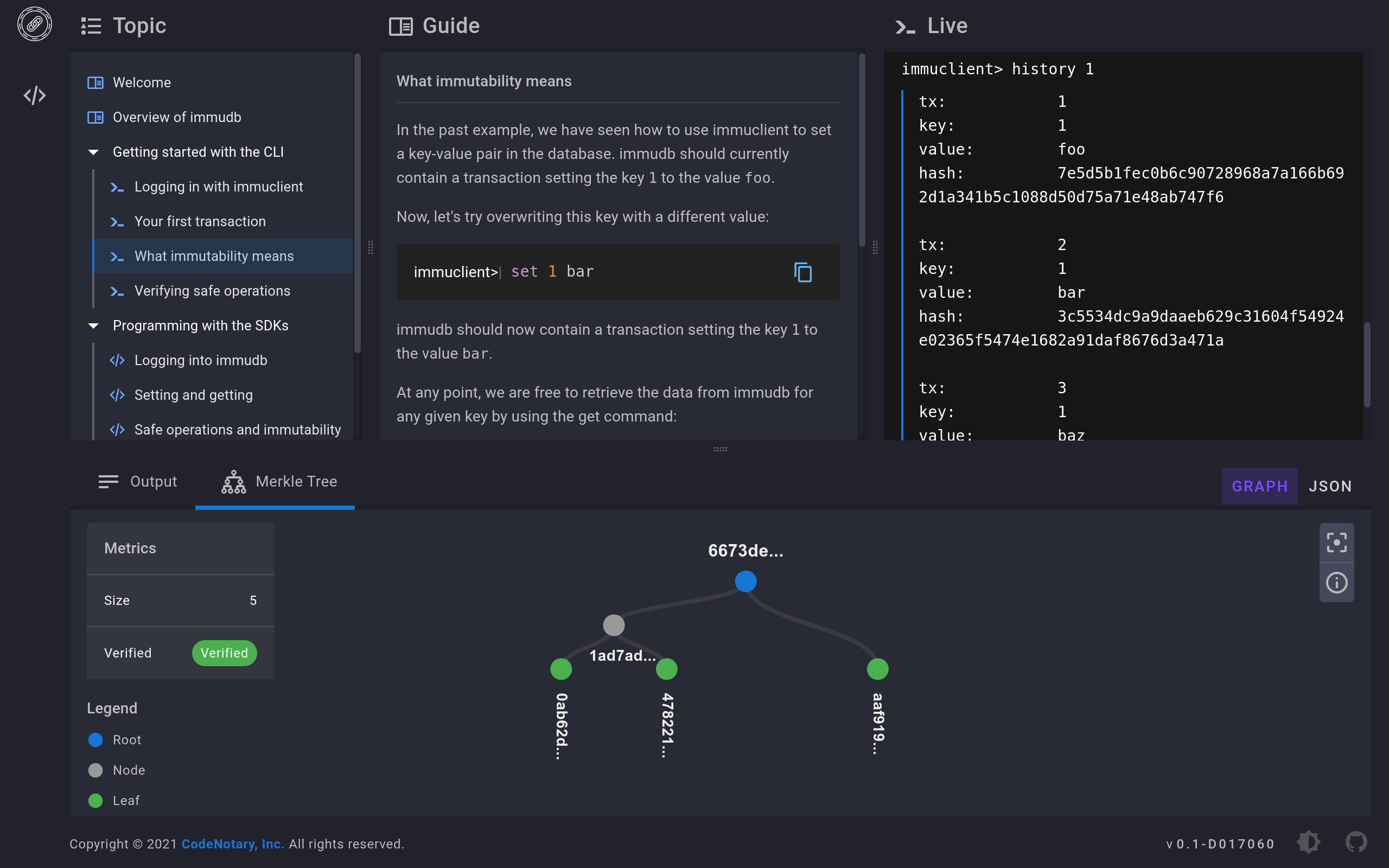
We've developed a "language-agnostic SDK" which exposes a REST API for easy consumption by any application. immugw may be a convenient tool when SDKs are not available for the programming language you're using, for experimentation, or just because you prefer your app only uses REST endpoints.
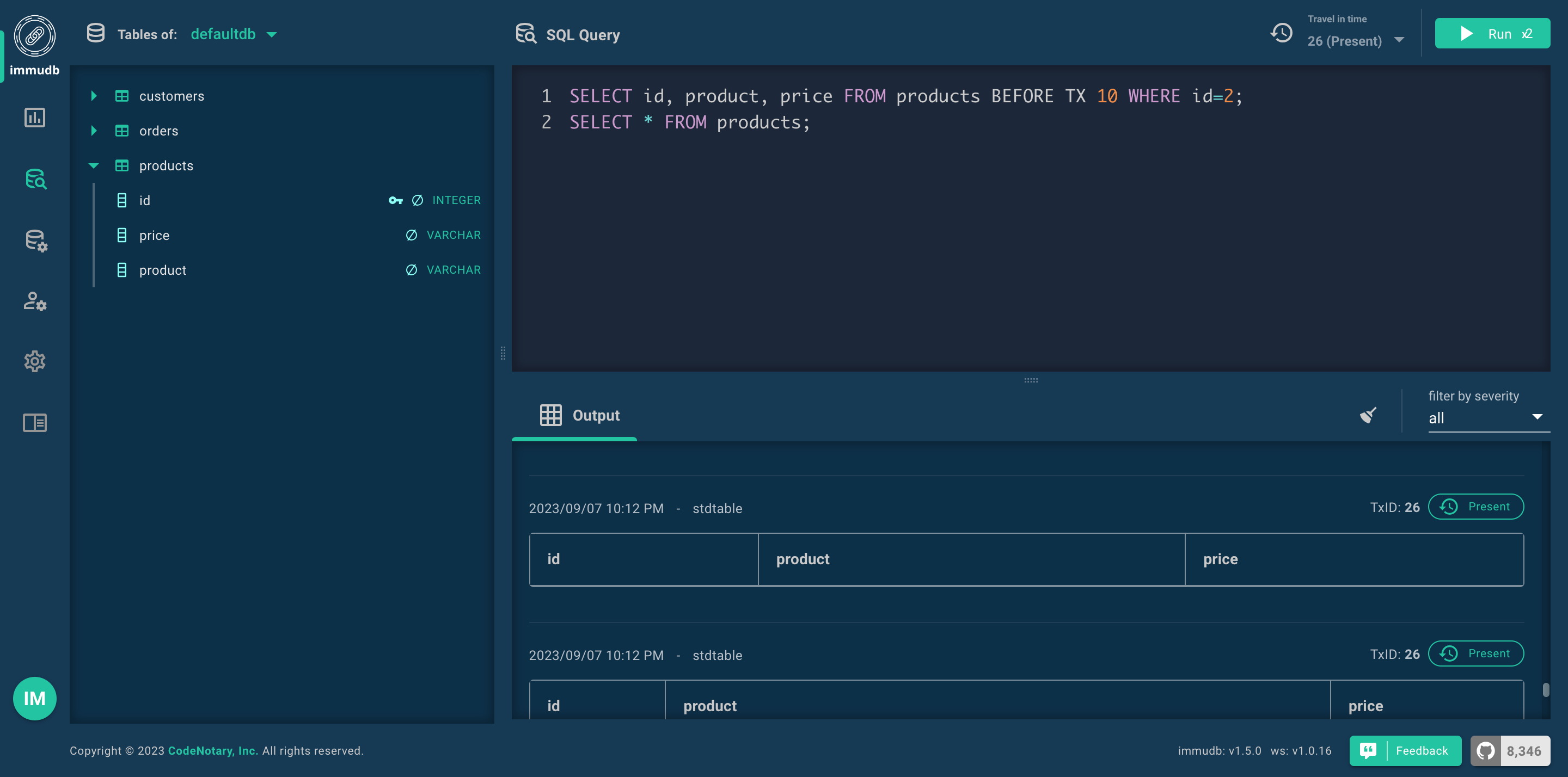
Online demo environment
Click here to try out the immudb web console access in an online demo environment (username: immudb; password: immudb)
Tech specs
| Topic | Description | | ----------------------- | --------------------------------------------------- | | DB Model | Key-Value with 3D access, Document Model, SQL | | Data scheme | schema-free | | Implementation design | Cryptographic commit log with parallel Merkle Tree, | | | (sync/async) indexing with extended B-tree | | Implementation language | Go | | Server OS(s) | BSD, Linux, OS X, Solaris, Windows, IBM z/OS | | Embeddable | Yes, optionally | | Server APIs | gRPC, PostgreSQL wire protocol (v3) | | Partition methods | Sharding | | Consistency concepts | Immediate Consistency | | Transaction concepts | ACID with Snapshot Isolation (SSI) | | Durability | Yes | | Snapshots | Yes | | High Read throughput | Yes | | High Write throughput | Yes | | Optimized for SSD | Yes |
Performance figures
immudb can handle millions of writes per second. The following table shows performance of the embedded store inserting 1M entries on a machine with 4-core E3-1275v6 CPU and SSD disk:
| Entries | Workers | Batch | Batches | time (s) | Entries/s | | ------- | ------- | ----- | ------- | -------- | --------- | | 1M | 20 | 1000 | 50 | 1.061 | 1.2M /s | | 1M | 50 | 1000 | 20 | 0.543 | 1.8M /s | | 1M | 100 | 1000 | 10 | 0.615 | 1.6M /s |
You can generate your own benchmarks using the stress_tool under embedded/tools.
Roadmap
The following topics are important to us and are planned or already being worked on:
- Data pruning
- Compression
- compatibility with other database storage files
- Easier API for developers
- API compatibility with other, well-known embedded databases
Projects using immudb
Below is a list of known projects that use immudb:
- alma-sbom - AlmaLinux OS SBOM data management utility.
- immudb-log-audit - A service and cli tool to store json formatted log input
- immudb-operator - Unagex Kubernetes Operator for immudb.
- immufluent - Send fluentbit collected logs to immudb.
- immuvoting - Publicly cryptographically verifiable electronic voting system powered by immudb.
Contributing
We welcome contributors. Feel free to join the team!
Learn how to build immudb components in both binary and Docker image form.
To report bugs or get help, use GitHub's issues.
immudb is licensed under the Business Source License 1.1.
immudb re-distributes other open-source tools and libraries - Acknowledgements.


