
Generate professional technical diagrams with AI - Azure architecture (800+ icons), ERDs, business flowcharts, timelines, wireframes. For proposals, documentation & architecture reviews.
Azure Diagrams Skill
A comprehensive technical diagramming toolkit for solutions architects, presales engineers, and developers. Generate professional diagrams for proposals, documentation, and architecture reviews.
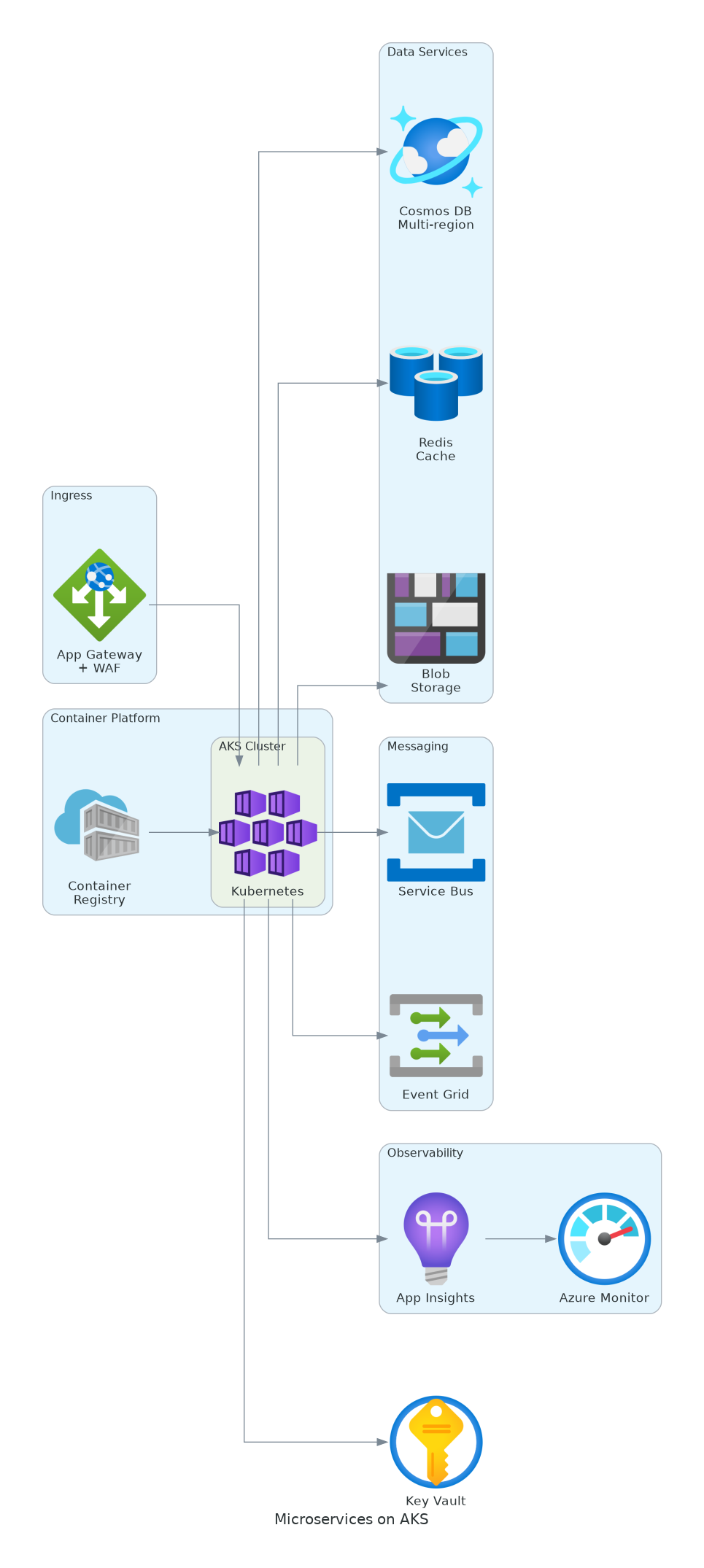
Professional architecture diagram generated in seconds
Why this skill
Unlike browser-based or SaaS AI diagram tools, this runs inside your coding agent:
- Your architecture never leaves your machine - nothing is uploaded to a third-party service.
- It reads your actual IaC - point it at your Bicep/Terraform/ARM and diagram what you really deploy (see iac-to-diagram).
- Diagrams are code - version-controlled, diffable in pull requests, regenerated on demand.
- Works in any AI tool - Claude Code, GitHub Copilot, Cursor, Windsurf (see AGENTS.md).
- Free and MIT-licensed, on a pinned, verified library - every example is rendered in CI.
How this differs
| | This skill | Browser / SaaS AI diagram tools | |---|---|---| | Where it runs | Your machine, in your coding agent | Their servers | | Your architecture data | Stays local | Uploaded | | Source of truth | Your Bicep / Terraform / ARM | Manual prompt | | Output | Code-based, version-controlled PNG/SVG | Image / proprietary doc | | Cost | Free (MIT) | Often subscription |
What You Can Create
| Diagram Type | Use Case | Example Prompt | |--------------|----------|----------------| | Azure Architecture | Solution designs, infrastructure docs | "Design a microservices architecture with AKS, Cosmos DB, and Service Bus" | | Business Process Flows | Workflows, approvals, swimlanes | "Create a swimlane diagram for the invoice approval process" | | Entity Relationship (ERD) | Database schemas, data models | "Generate an ERD for customer, order, and product entities" | | Timeline / Gantt | Project roadmaps, migration plans | "Create a 6-month cloud migration timeline with 4 phases" | | UI Wireframes | Dashboard mockups, screen layouts | "Design a KPI dashboard with charts, metrics, and data table" | | Sequence Diagrams | Auth flows, API interactions | "Show the OAuth 2.0 authorization code flow" | | Network Topology | Hub-spoke, VNets, hybrid cloud | "Create a hub-spoke network with shared services and 3 workloads" | | Well-Architected Patterns | Reliability, Security, Cost, Performance, Operations | "Create a Zero Trust architecture diagram" |
Gallery
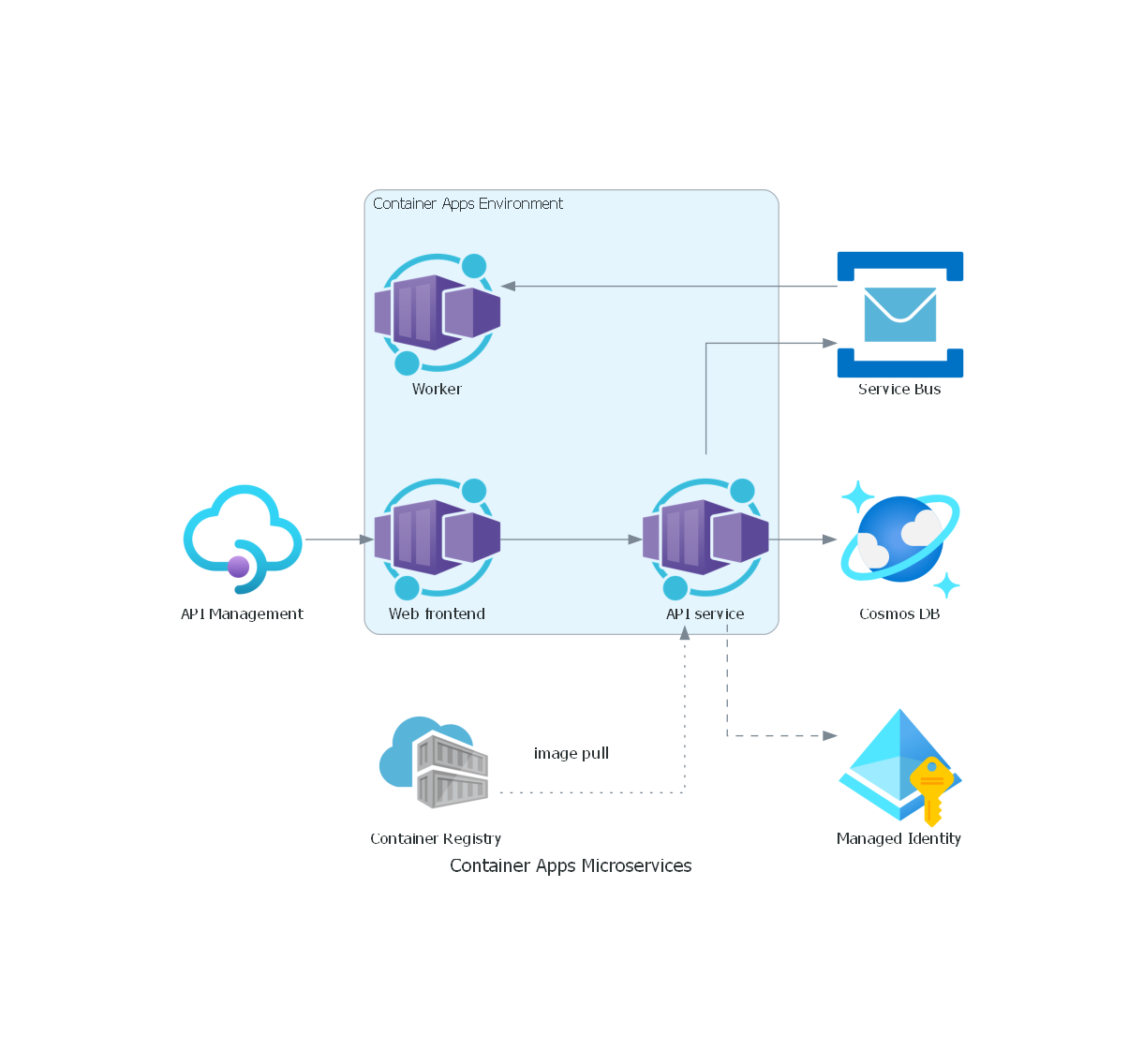
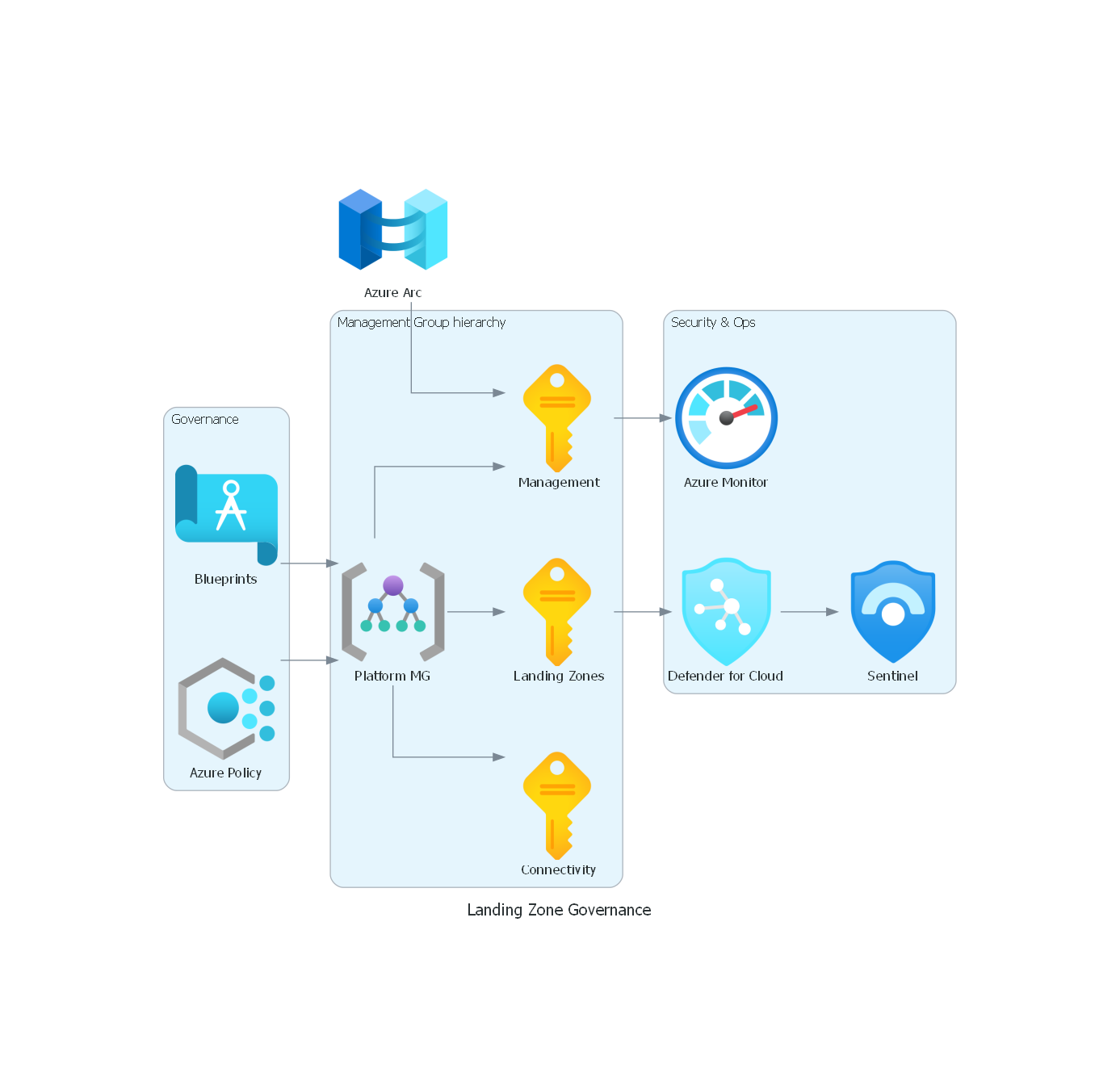
Modern Azure patterns, generated from the runnable examples in references/common-patterns.md:
| Azure AI / RAG | Container Apps | Landing Zone Governance | |:---:|:---:|:---:| | 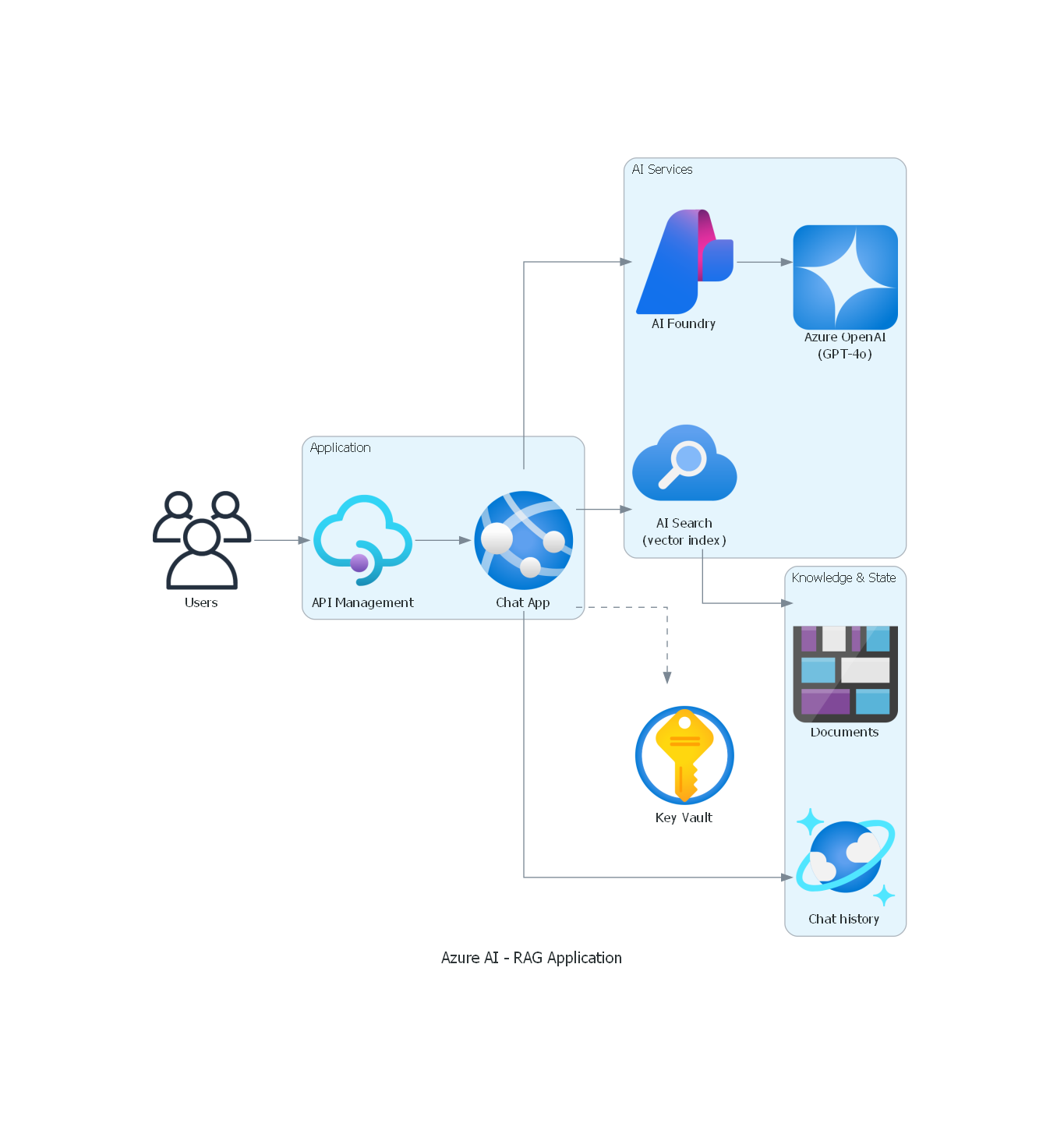 |
|  |
|  |
|
Output Formats
| Format | Use Case | Example | |--------|----------|---------| | PNG (Recommended for sharing) | GitHub, email, presentations | outformat="png" | | SVG | Local docs, web embedding | outformat="svg" | | Both | Maximum flexibility | outformat=["svg", "png"] |
Note: SVG output from the diagrams library references external icon files via absolute paths. For sharing diagrams (GitHub, email), use PNG format. SVG works best for local documentation where the icon files are accessible.
Built For
- Presales Engineers - Create architecture diagrams for proposals in minutes
- Solutions Architects - Document designs with professional quality
- Developers - Generate ERDs, flowcharts, and technical documentation
- Project Managers - Build timelines and roadmaps
- Business Analysts - Create process flows and swimlane diagrams
800+ Azure Components
Azure service icons spanning 32 modules in the diagrams library (0.25.1). Run python skills/azure-diagrams/scripts/listazurenodes.py to list every available class:
| Category | Services | |----------|----------| | Compute | VMs, AKS, Functions, App Service, Container Apps, Batch | | Networking | VNets, Load Balancer, App Gateway, Front Door, Firewall, ExpressRoute | | Database | SQL, Cosmos DB, PostgreSQL, MySQL, Redis, Synapse | | Storage | Blob, Data Lake, Files, NetApp, Queue | | Integration | Logic Apps, Service Bus, Event Grid, APIM, Data Factory | | Security | Key Vault, Sentinel, Defender, Entra ID, Managed Identity | | AI/ML | Azure OpenAI, Cognitive Services, ML Workspace, Bot Service | | Analytics | Synapse, Databricks, Data Explorer, Stream Analytics, Event Hubs | | DevOps | Azure DevOps, Pipelines, Repos, Boards, Artifacts | | IoT | IoT Hub, IoT Edge, Digital Twins, Time Series Insights |
Installation
Prerequisites
# Graphviz (system package), then restart your terminal:
winget install -e --id Graphviz.Graphviz   # Windows  (or: choco install graphviz)
brew install graphviz                       # macOS
sudo apt-get install graphviz               # Linux
Python library (venv recommended); matplotlib/cairosvg are optional extras:
pip install "diagrams>=0.25.1"
Full step-by-step setup with per-OS troubleshooting (Windows/macOS/Linux) is in
SETUP.md. This skill works across AI tools - Claude Code, GitHub Copilot,
Cursor, Windsurf, and any Agent Skills / AGENTS.md compatible tool (see AGENTS.md).
Recommended: GitHub CLI (works across Copilot, Claude Code, Cursor and more; needs gh >= v2.90.0)
gh skill preview cmb211087/azure-diagrams-skill azure-diagrams # inspect first gh skill install cmb211087/azure-diagrams-skill azure-diagrams # repo and skill are TWO args@<tag-or-sha>, or use --scope user to install everywhere. gh skill defaults to the GitHub Copilot agent; pass --agent claude (etc.) for other hosts.
Claude Code via agr
pip install agr agr add cmb211087/azure-diagrams-skill/azure-diagrams # agr uses a slash-joined pathManual
git clone https://github.com/cmb211087/azure-diagrams-skill.git Claude Code (user or project scope):
cp -r azure-diagrams-skill/skills/azure-diagrams ~/.claude/skills/ cp -r azure-diagrams-skill/skills/azure-diagrams YOUR_PROJECT/.claude/skills/ GitHub Copilot (repository scope):
cp -r azure-diagrams-skill/skills/azure-diagrams YOUR_REPO/.github/skills/For Cursor / Other Agent Skills Tools
Copy to your project's .claude/skills/ directory - most Agent Skills compatible tools scan this path.
For Claude.ai
Upload the skill folder to a Claude Project, or simply share the GitHub link and ask Claude to reference it.
Verify Installation
# Check prerequisites are installed
python -c "import diagrams; print('diagrams installed')"
dot -V  # Should show graphviz version
Example Prompts
Architecture Diagram:
Create an e-commerce platform architecture with: - Front Door for global load balancing
- AKS for microservices
- Cosmos DB for product catalog
- Redis for session cache
- Service Bus for order processing
Create a swimlane diagram for employee onboarding with lanes for: - HR, IT, Manager, and New Employee
Show the process from offer acceptance to first day completionERD Diagram:
Generate an entity relationship diagram for an order management system with: - Customers, Orders, OrderItems, Products, Categories
- Show primary keys, foreign keys, and cardinality
Create a cloud migration timeline showing: - Phase 1: Assessment (Month 1-2)
- Phase 2: Pilot Migration (Month 3-4)
- Phase 3: Production Migration (Month 5-8)
- Phase 4: Optimization (Month 9-12)
Design a sales dashboard wireframe with: - Header with logo and navigation
- KPI cards showing revenue, deals, conversion rate
- Line chart for monthly trends
- Table of recent opportunities
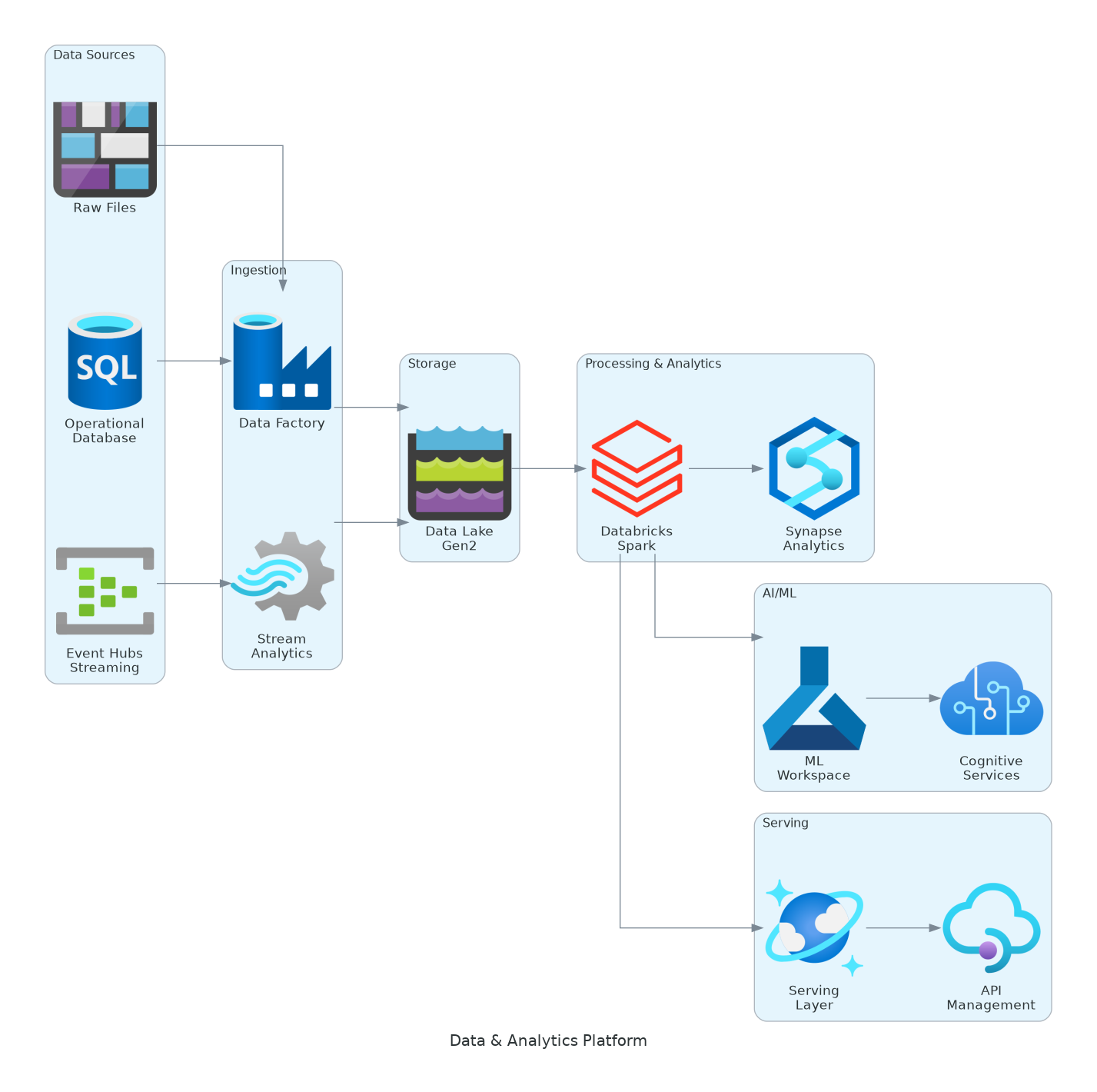
Data platform with Databricks, Synapse, and Data Lake
Bonus: Generate from Infrastructure Code
Can also create diagrams directly from your IaC:
Read the Bicep files in /infra and generate an architecture diagram
showing all resources grouped by subnet
Analyze our Terraform modules and create a data flow diagramParse azure-pipelines.yml and create a CI/CD deployment diagramSupports: Bicep • Terraform • ARM Templates • Azure Pipelines • GitHub Actions
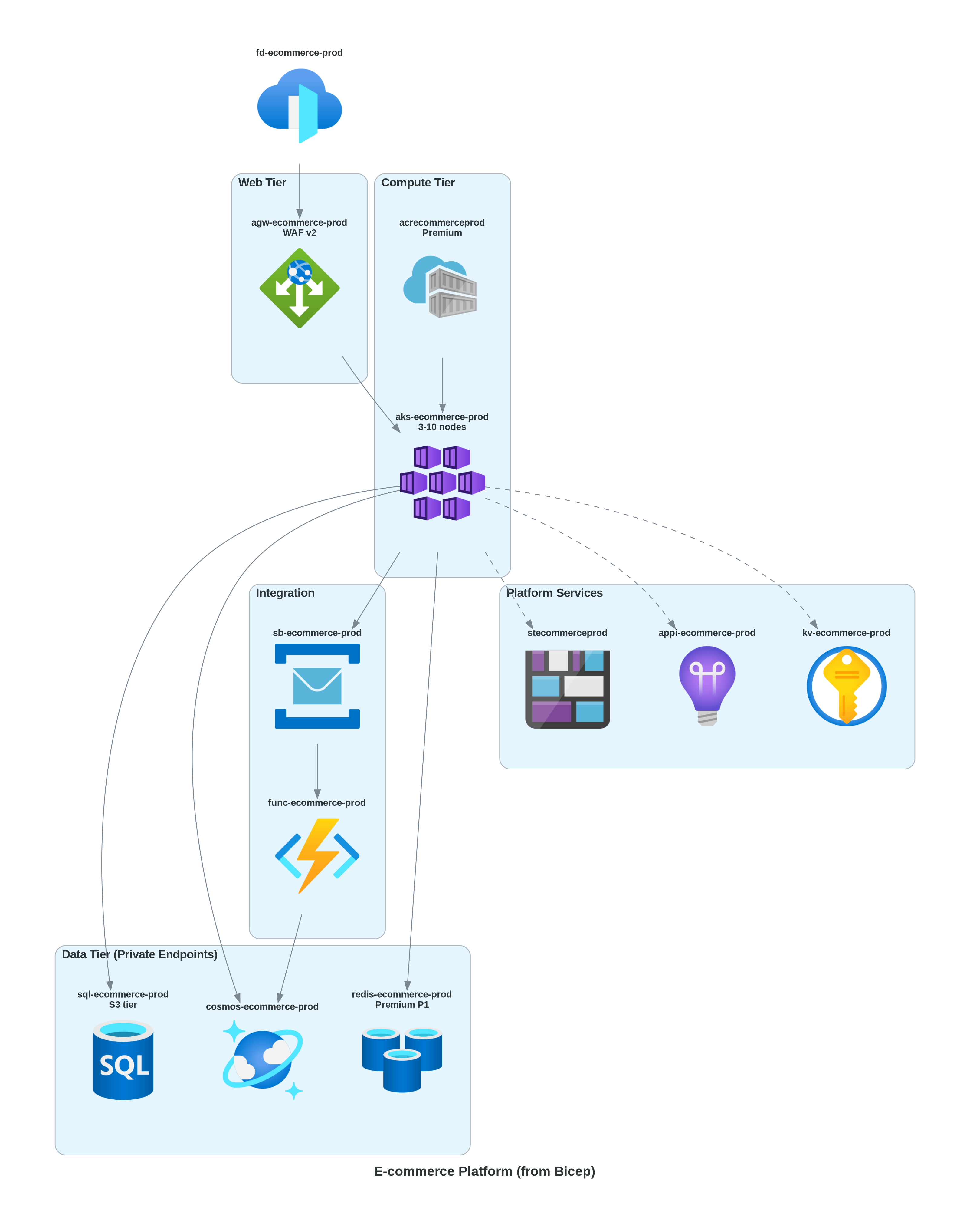
Architecture generated from Bicep with actual resource names
What's Included
skills/azure-diagrams/
├── SKILL.md                              # Main skill instructions
├── README.md                             # Skill documentation
├── references/
│   ├── azure-components.md               # 700+ Azure components + Nov 2025 icons
│   ├── common-patterns.md                # Architecture patterns (SVG output)
│   ├── business-process-flows.md         # Workflow & swimlane patterns
│   ├── entity-relationship-diagrams.md   # ERD patterns
│   ├── timeline-gantt-diagrams.md        # Timeline patterns
│   ├── ui-wireframe-diagrams.md          # Wireframe patterns
│   ├── iac-to-diagram.md                 # Generate from Bicep/Terraform
│   ├── large-diagram-strategies.md       # Handling 50+ node diagrams
│   ├── preventing-overlaps.md            # Layout troubleshooting
│   └── quick-reference.md                # Snippets + WAF patterns
└── scripts/
    ├── generate_diagram.py               # Secure interactive generator
    └── verify_installation.py            # Check prerequisites
Compatibility
| Tool | Status | |------|--------| | GitHub Copilot | ✅ | | Claude | ✅ | | VS Code Copilot | ✅ |
Built on the Agent Skills open standard.
Example Gallery
| Architecture | Business Flow | Data Platform | |--------------|---------------|---------------| | 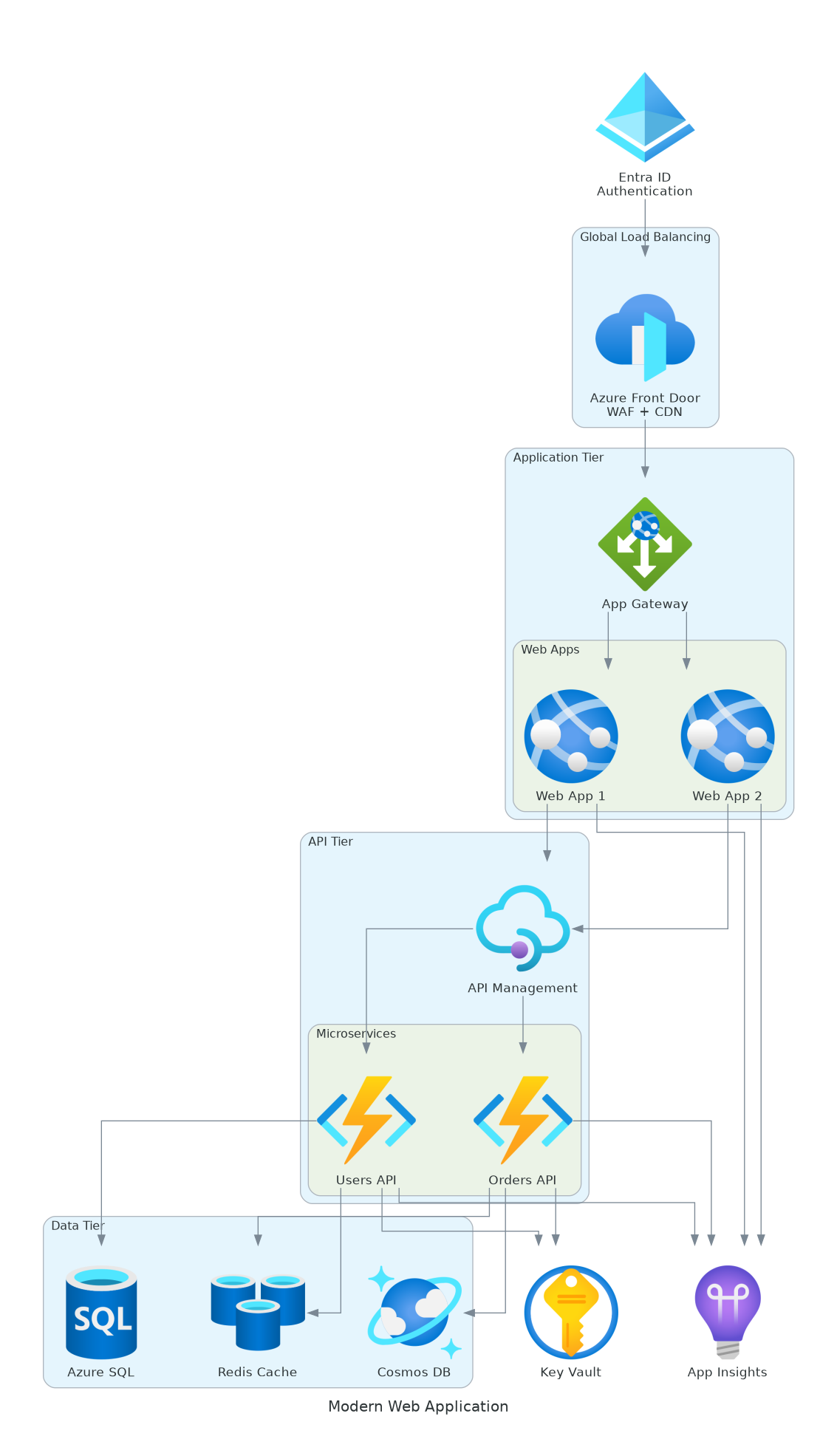 |
|  | | | 3-Tier Web App | CI/CD Pipeline | Analytics Platform |
| Microservices | Serverless | From Terraform | |---------------|------------|----------------| | | 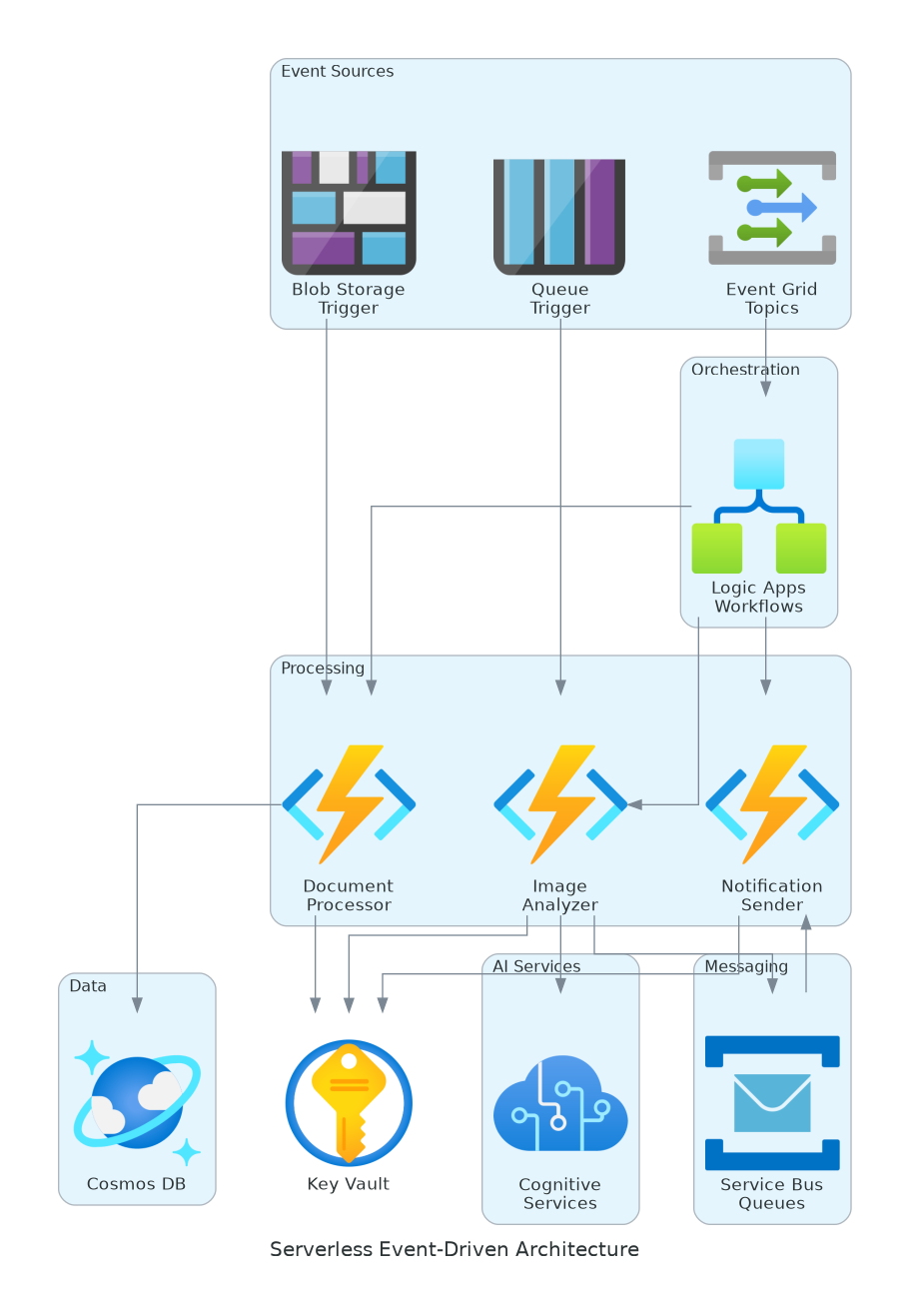 |
| 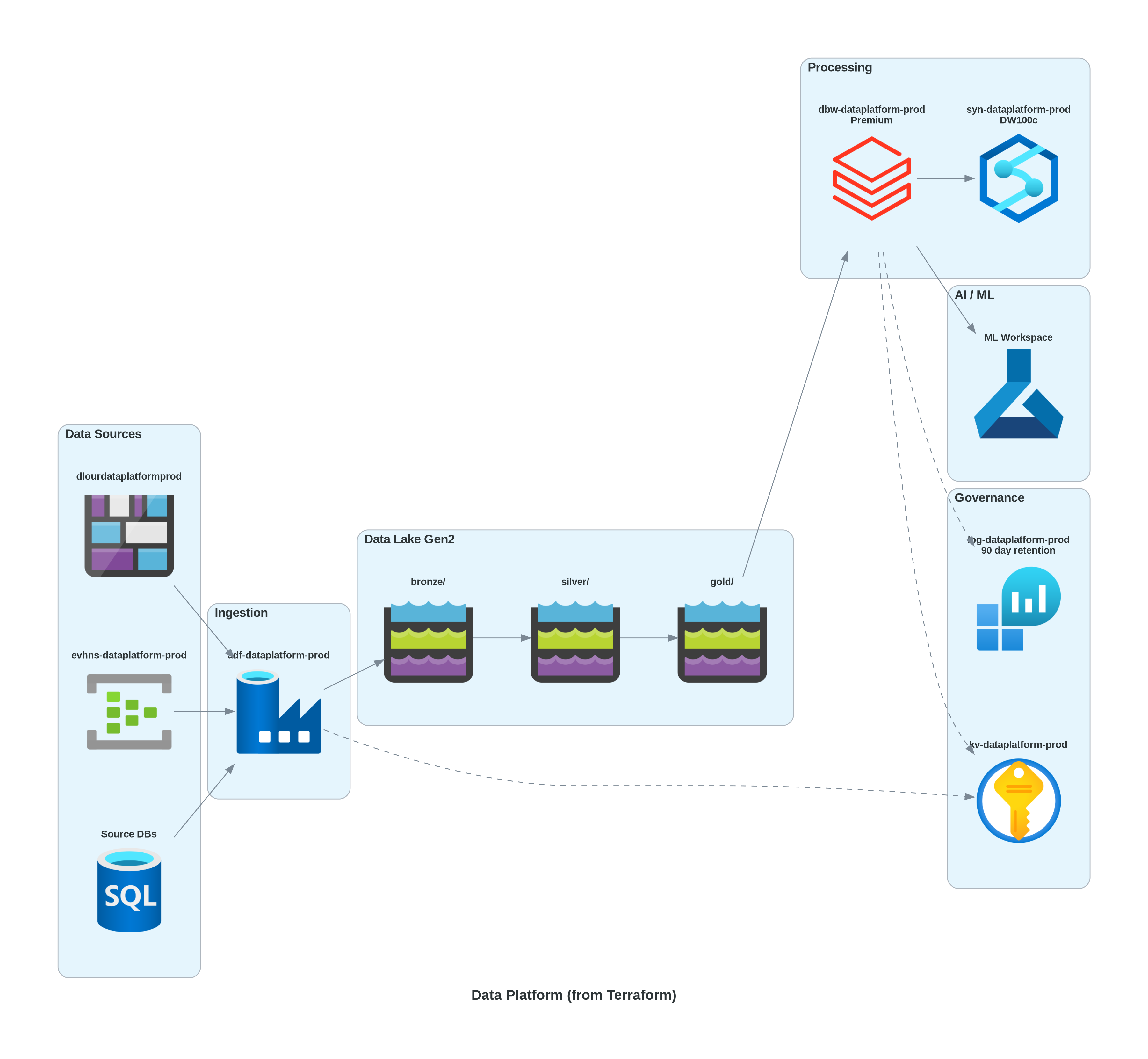 | | AKS + Services | Event-Driven | IaC Generated |
Well-Architected Framework Examples
| WAF Reliability | WAF Security | Large Diagram Strategy | |-----------------|--------------|------------------------| | 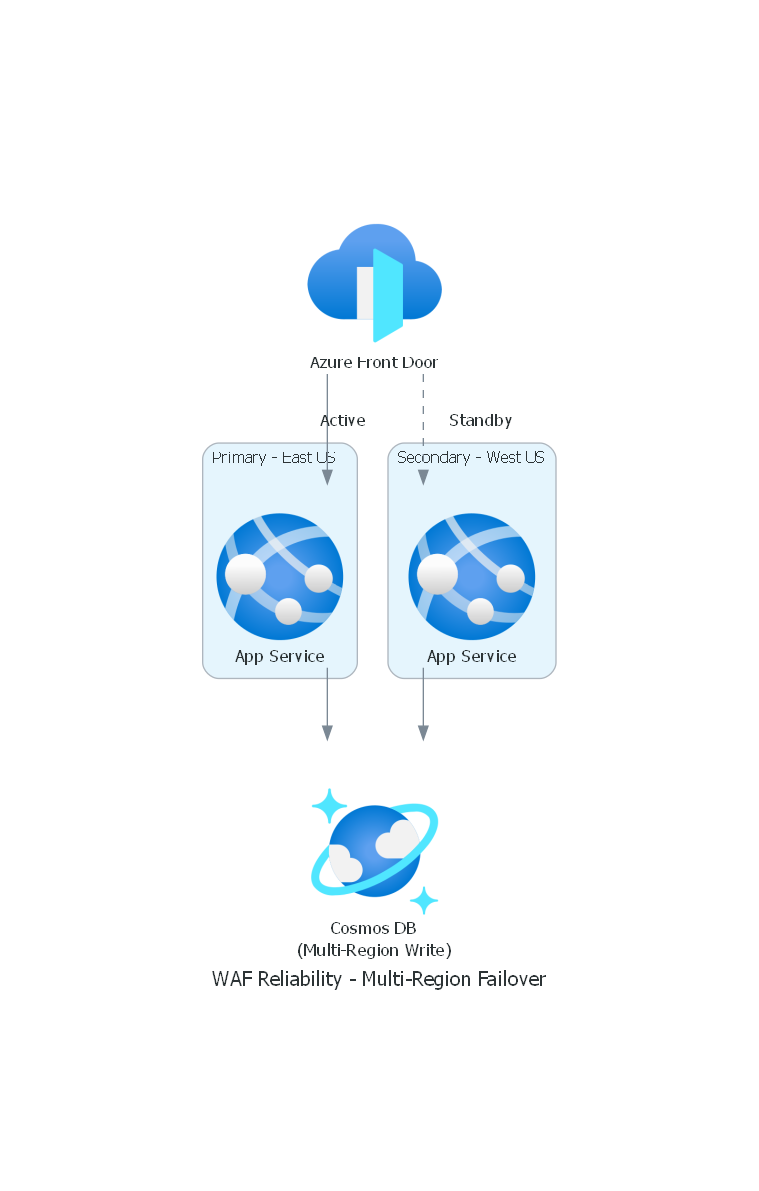 |
| 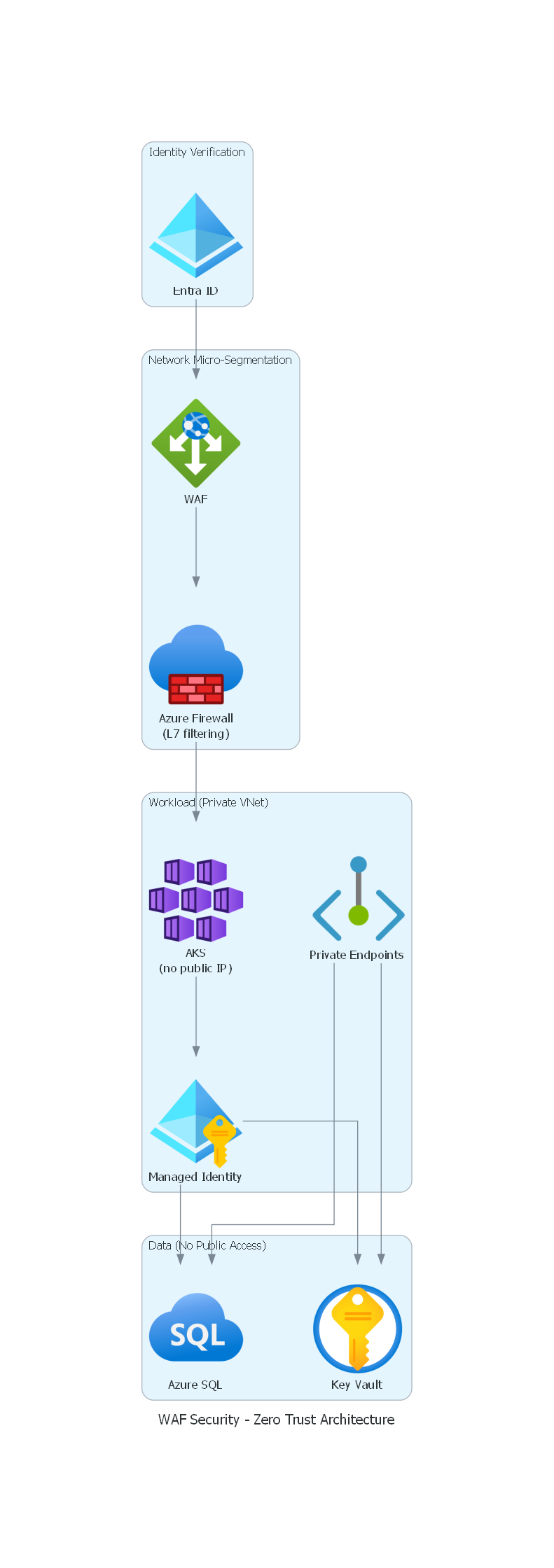 |
| 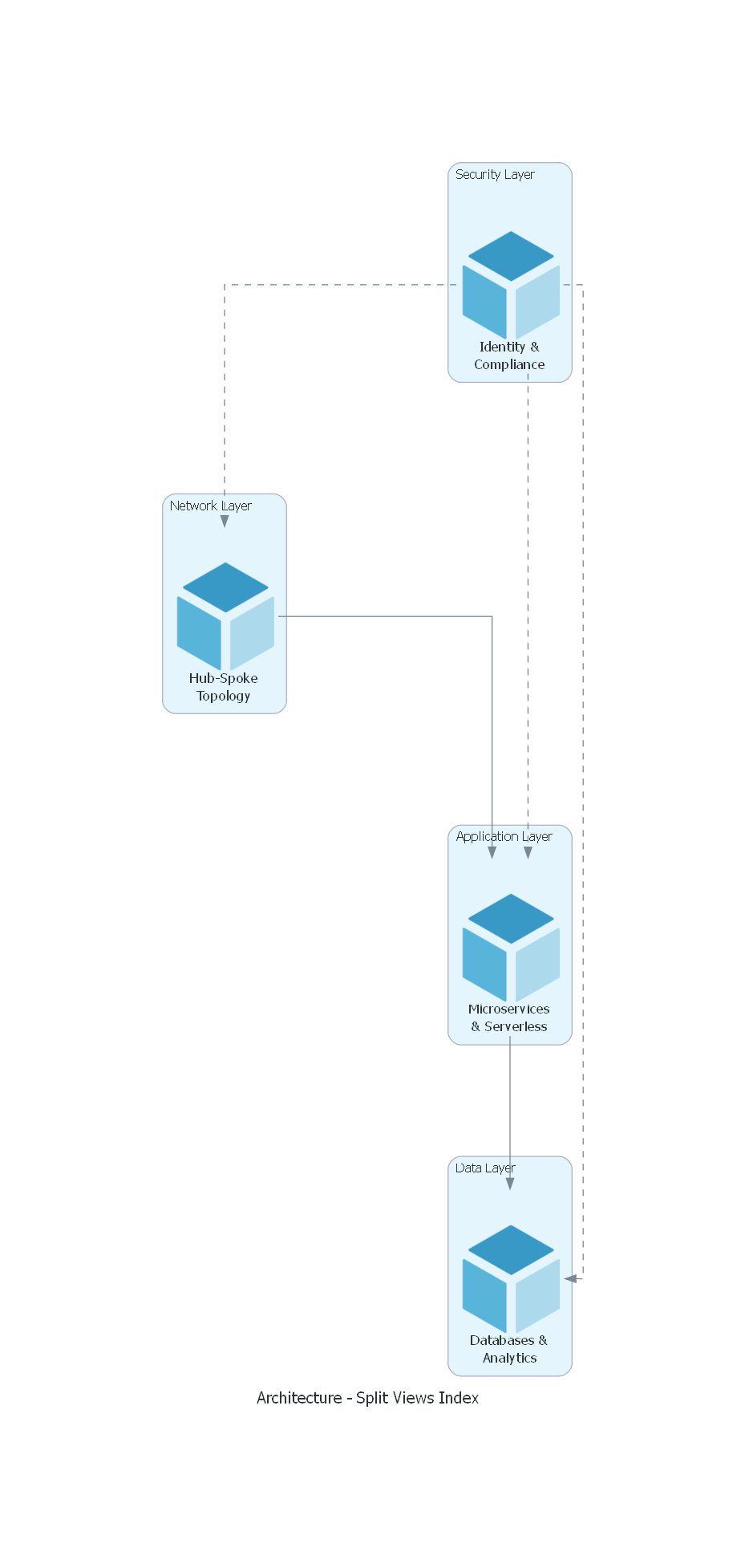 | | Multi-Region Failover | Zero Trust Architecture | Split Views Index |
Security
The diagram generator uses sandboxed execution with multiple protection layers:
| Protection | Description | |------------|-------------| | Import Whitelisting | Only diagrams, graphviz, matplotlib, numpy libraries allowed | | AST Code Validation | Blocks exec, eval, open, dangerous attributes | | Subprocess Isolation | Code runs in isolated process with minimal environment | | Input Sanitization | Diagram names and output paths are sanitized | | Timeout Enforcement | 60-second execution limit prevents infinite loops | | Path Restriction | Output limited to allowed directories |
This prevents arbitrary code execution when processing diagram code.
Contributing
Contributions welcome! Ideas:
- Additional architecture patterns
- New diagram types
- More Azure service coverage
- Bug fixes and improvements
License
MIT License - free to use, modify, and distribute.
Credits
- diagrams - Diagram as Code library
- Graphviz - Graph visualization
- Agent Skills - Open standard for AI skills
Support
If this skill saves you time, you can support its development:


