
A copilot for your terminal
Whiz
A copilot for your terminal.
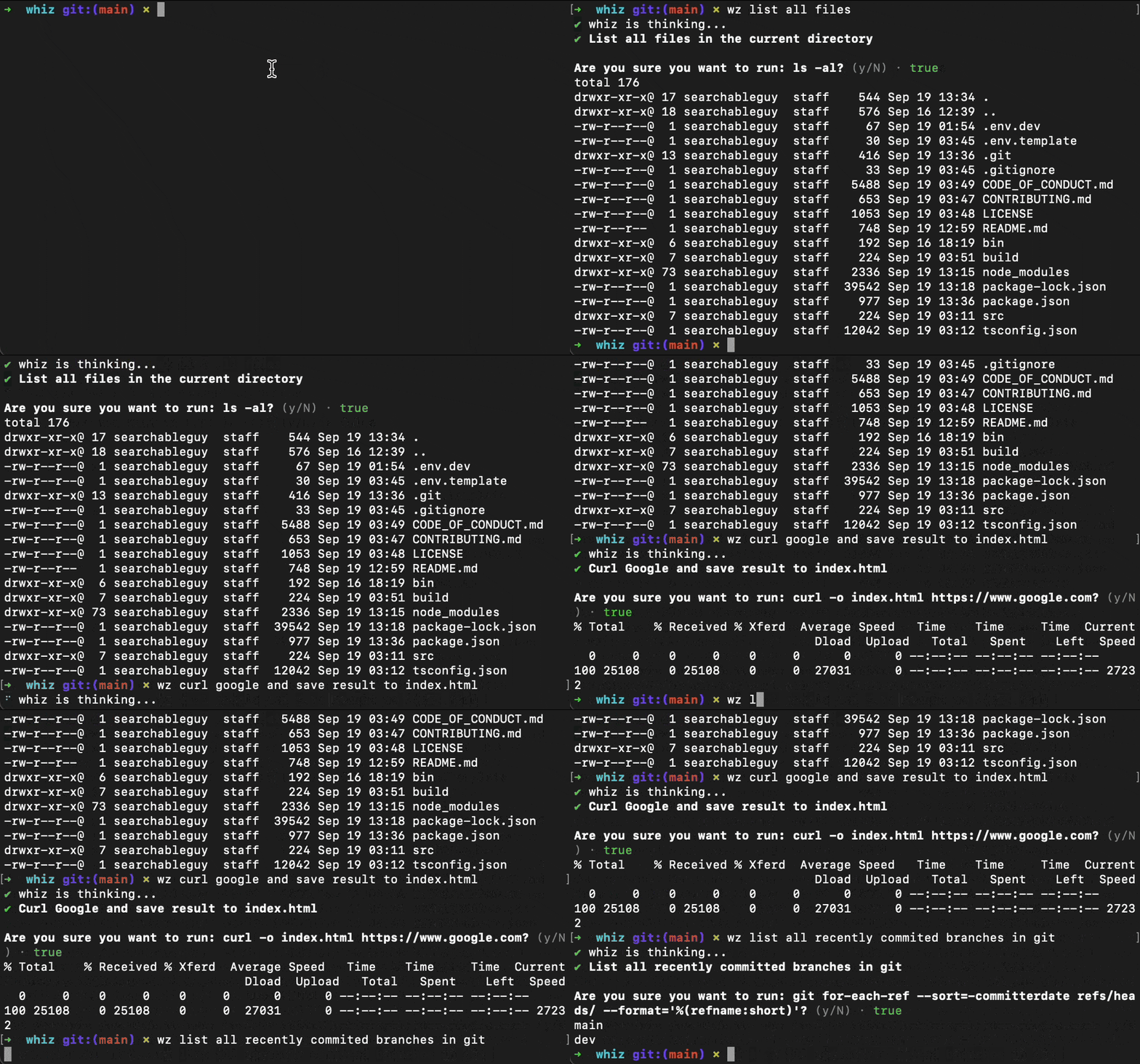
Installation
npm install -g whiz_cliNow, you will need to set OPENAIAPIKEY in your environment. You can do this by adding the following to your .bashrc or .zshrc. On windows, you can set this in the environment variables.
If you want to use a different model than gpt-3.5-turbo, then set WHIZLLMMODEL to the model name. You can find a list of models here. As an example, you can set WHIZLLM_MODEL=gpt-4 to use the gpt-4 model.
export OPENAIAPIKEY=<your key>🚀 Usage
# wz <request>
wz curl google and store response in google.html
wz open google.com in chrome
wz list recent github branches sorted by activity
Privacy
Whiz sends the following information to OpenAI:
- Your OS platform (
process.platform): 'android', 'darwin', 'linux', 'openbsd', or 'win32'. - Your CPU architecture (
process.arch): 'x32', 'x64', 'arm', or 'arm64'. - Your shell path (
process.env.SHELL). - Your request, so don't send any sensitive information.
Work with me
I am available for one fixed-price $300 paid trial covering a bounded TypeScript, AI integration, browser automation, or deployment task. The trial includes one real bug or small feature, focused verification, and a concise handoff note.
See the scope and working proof or email sandwichandshake@gmail.com with the issue or repository context.
🤗 Contributing
Please read CONTRIBUTING.md for details.
🔖 License
This project is licensed under the MIT License - see the LICENSE file for details


