
A web application that assists network defenders, analysts, and researchers in the process of mapping adversary behaviors to the MITRE ATT&CK® framework.
Decider

This work is licensed under a Creative Commons Attribution 4.0 International License. This project makes use of MITRE ATT&CK® - ATT&CK Terms of Use.
:newspaper: 3.0.0 - Kiosk is Here
- Decider is now login-less and responsive.
- Content updates have been simplified to copying files and restarting Docker.
- The Docker setup has changed enough that there isn't exactly a 2 → 3 update process, just a fresh install of 3.
- The database structure is the same though - so Decider 2.x.y can be leveraged for editing content.
:thinking: What is it?
:fast_forward: In-Short
A web application that assists network defenders, analysts, and researchers in the process of mapping adversary behaviors to the MITRE ATT&CK® Framework.
:closed_book: In-Depth
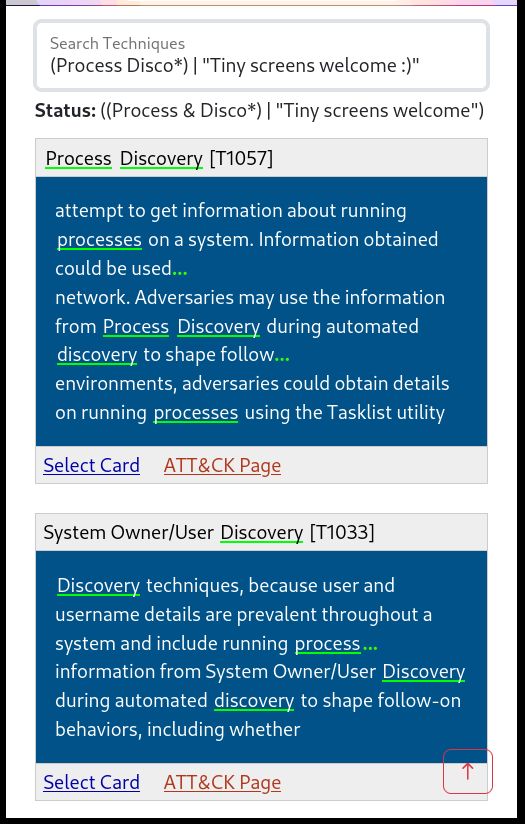
Decider is a tool to help analysts map adversary behavior to the MITRE ATT&CK Framework. Decider makes creating ATT&CK mappings easier to get right by walking users through the mapping process. It does so by asking a series of guided questions about adversary activity to help them arrive at the correct tactic, technique, or subtechnique. Decider has a powerful search and filter functionality that enables users to focus on the parts of ATT&CK that are relevant to their analysis. Decider also has a cart functionality that lets users export results to commonly used formats, such as tables and ATT&CK Navigator heatmaps.
:book: User Guide
Note: The MD can be viewed directly on GitHub, while the HTML must be downloaded for local viewing. The MD will appear slightly weird - as it contains Pandoc directives used in generating the HTML.:triangular_ruler: Intended Purpose
Decider ultimately tries to make mapping to ATT&CK easier.
It offers:
- A question tree with pagination of results (structures your progress)
- Technique search + filtering options
- Suggestions of other techniques that may have occurred
:computer: In-App Screenshots
:deciduous_tree: Question Tree
\(you are here\)\[Matrix > Tactic\] > Technique > SubTechnique 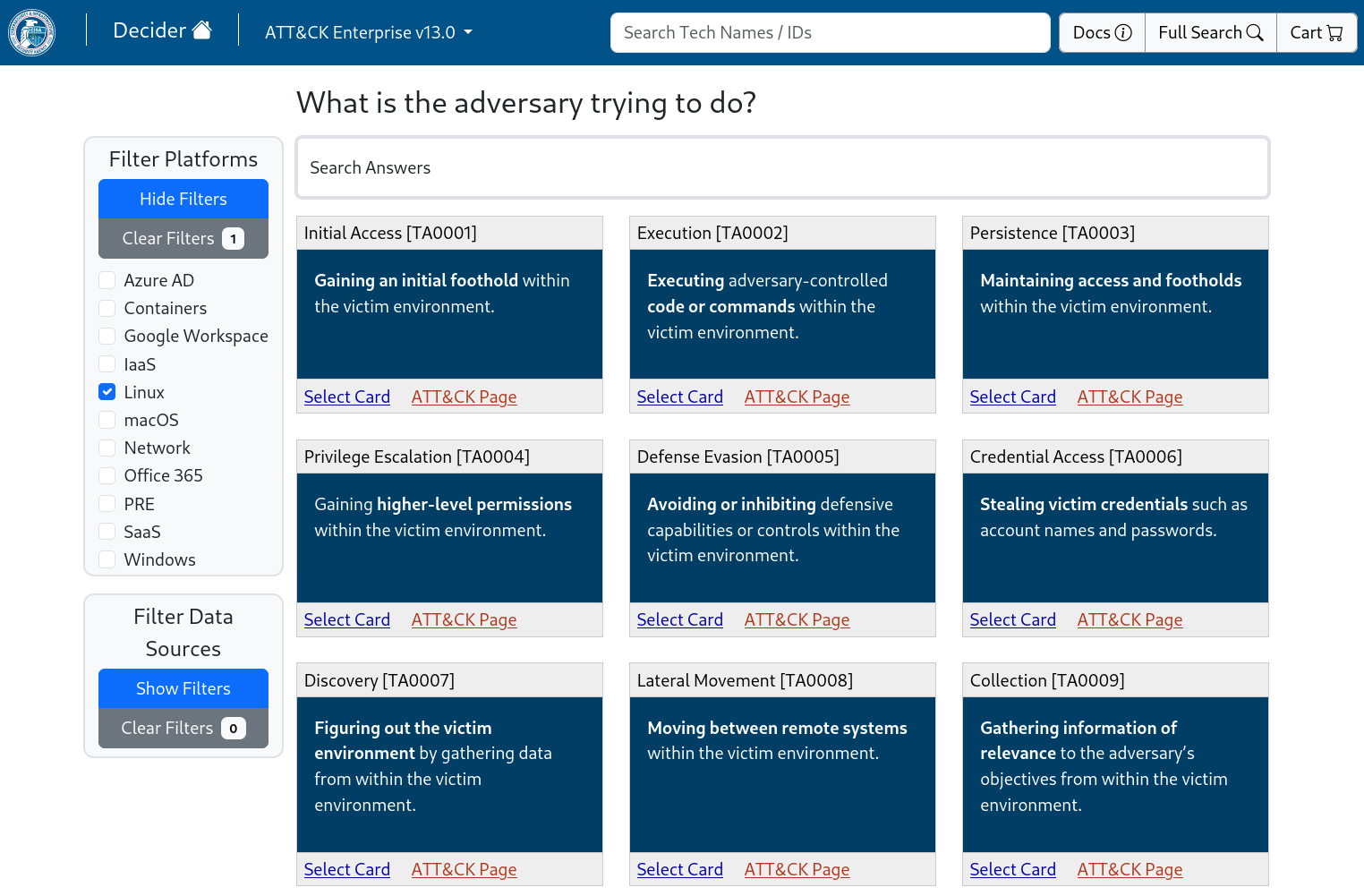
:mag: Full Technique Search
Boolean expressions, prefix-matching, and stemming included. 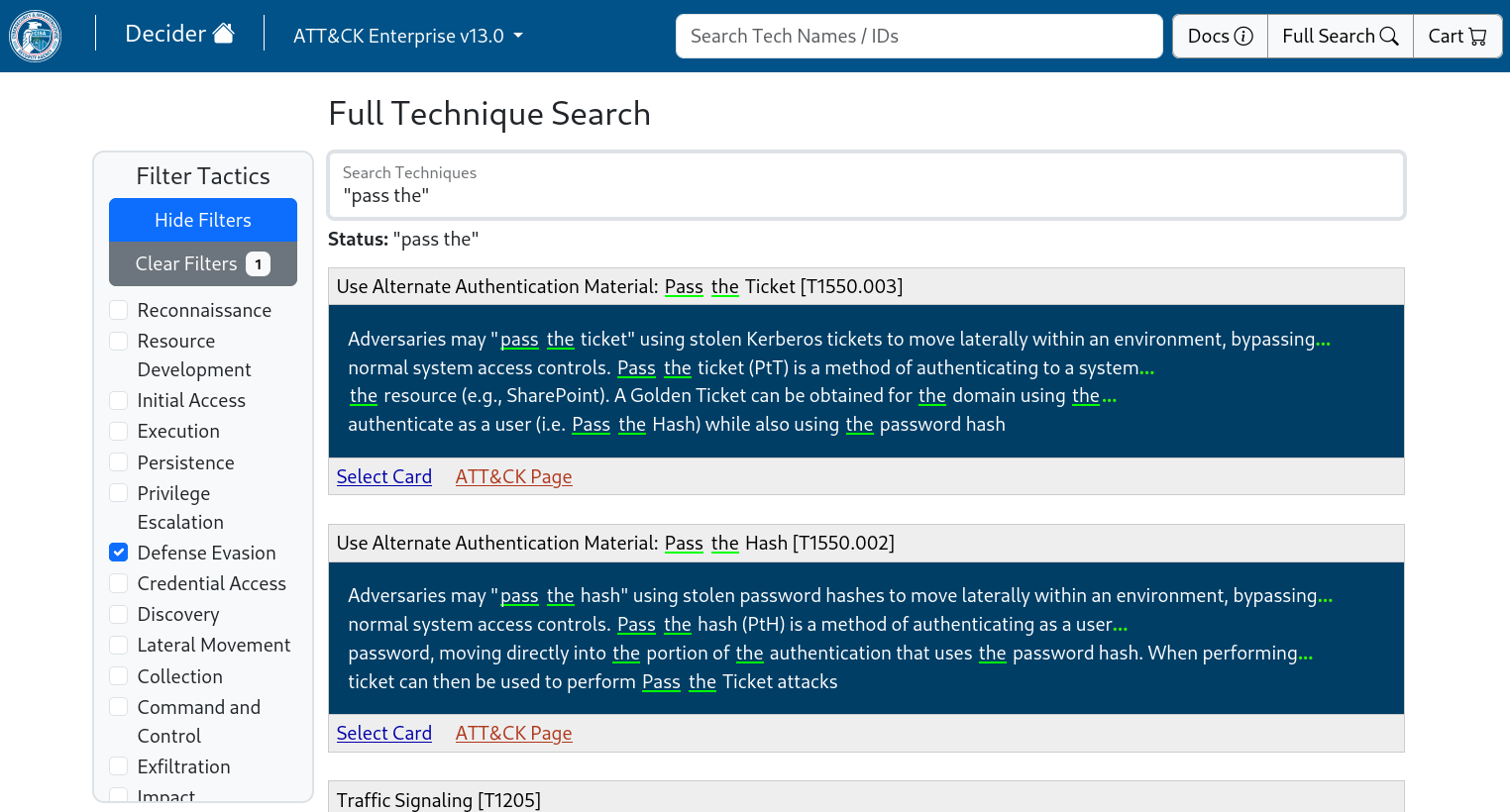
Installation
:whale: Docker
Best option for 99% of people
git clone https://github.com/cisagov/decider.git
cd decider
cp .env.docker .env
edit .env - define DBADMINPASS, DBKIOSKPASS, CARTENCKEY, APPADMINPASS
no default passwords are given :)
cp -r default_config/. config/
sudo docker compose up
Then visit the link once started (default: http://localhost:8001/). 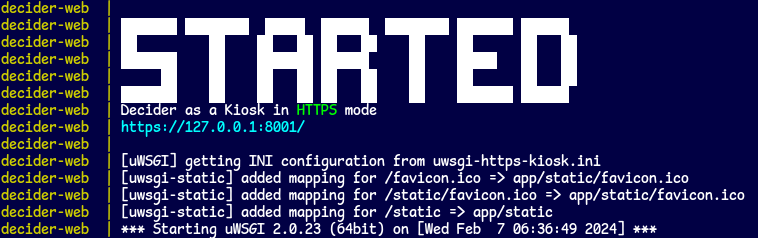
Config Made Easy
Changing config/? Just:
sudo docker compose stop
sudo docker compose start
However, changing variables in .env requires
sudo docker compose upwhich will recreate containers with modified environments
HTTPS / URL
Endpoint Determination (.env vars):
WEBHTTPSON=''-> http://WEBIP:WEBPORT/WEBHTTPSON='anything'-> https://WEBIP:WEBPORT/
HTTPS Cert Location
- Write these 2 files to set SSL up:
- If either file is missing, a self-signed cert is generated and used instead
:technologist: Manual Install
:warning: Instructions out of date
- Docker is the preferred method of install
- The manual install instructions require adjustments if followed
Ubuntu 22.04
CentOS 7
Pip Requirements Note
For Everyone
pip install -r requirements-pre.txt
pip install -r requirements.txt
For Developers
pip install -r requirements-dev.txt
pre-commit install
Other OSes
Read the Ubuntu & CentOS guides and recreate actions according to your platform.
Windows
open() in Python uses the system's default text encoding
- This is
utf-8on macOS and Linux - This is
windows-1252on Windows
encoding='utf-8' as an arg in each open() may allow Windows deployment
macOS
(M1 users at least) Make sure to (1) install Postgres before (2, 3) installing the pip requirements
brew install postgresqlpip install -r requirements-pre.txtpip install -r requirements.txt
:gear: Requirements
as of April 24th, 2023
Software
Docker
Exact required version(s) unspecified.
- An up-to-date version of Docker and Docker Compose should be used.
docker composeshould work, whereasdocker-composeis outdated.
Manual
- Operating System
- Python 3.12+ (instructions mention Python 3.8.16, which will not work :warning:)
- PostgreSQL 16 (instructions mention PostgreSQL 12+, which should work)
Hardware
Suggested Specs
- 1-2 Cores
- 1-2 GB Memory
- 20 GB Disk Space
docker stats).
It does peak during the build process where sources are loaded into RAM, hitting 375MB or so.
:judge: ATT&CK® Data Disclaimer
JSONs under defaultconfig/buildsources/enterprise-attack are pulled from https://github.com/mitre-attack/attack-stix-data/tree/master/enterprise-attack
© 2023 The MITRE Corporation. This work is reproduced and distributed with the permission of The MITRE Corporation.
Appendix A: Updating ATT&CK Content on Decider 1/2
:whale: Docker Update Instructions
# (in repo root)
pull v13 content
git pull
remove containers (DB data is safe)
sudo docker compose down
rebuild images (v13 files copy-over)
sudo docker compose up --build
add version
sudo docker exec decider-web python -m app.utils.db.actions.add_version --config DefaultConfig --version v13.0
:technologist: Manual Update Instructions
# (install root, same as repo root, contains app/ folder)
cd /opt/decider/1.0.0
use decider app-user, with app venv, for add_version script
sudo -u decider -g decider /opt/decider/python3.8.10/bin/python3.8 -m app.utils.db.actions.add_version --config DefaultConfig --version v13.0


