
trmt is a 2D Turing machine (turmite) for your terminal.
▜▘▞▘▞▄▚▝▛
2D Turing machine for your terminal.


Installation | Examples
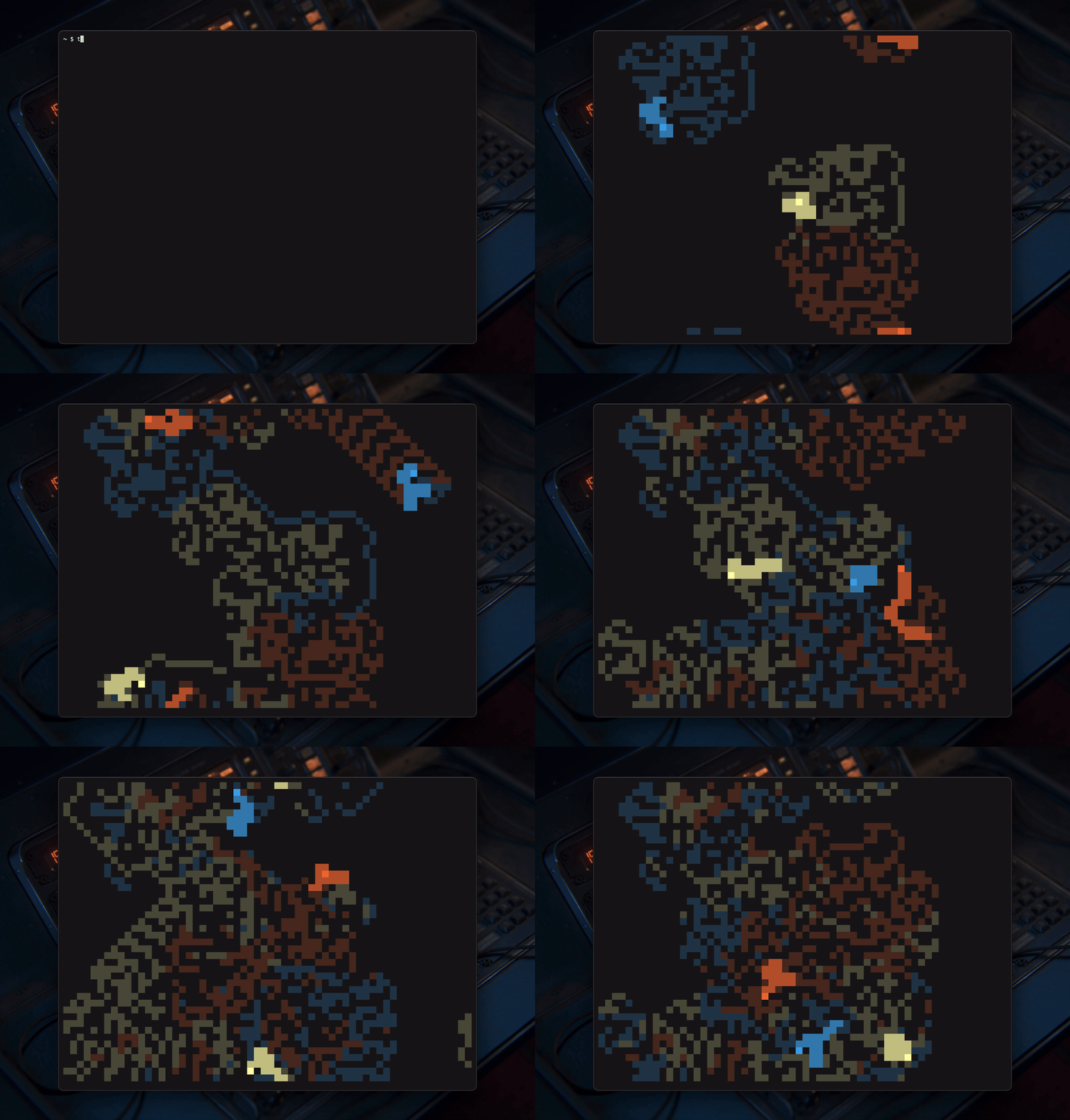
Demo background by Raphael Rau
About
trmt can simulate multiple turmites simultaneously with customizable rules, colors, and characters, and has support for both relative and absolute turmites.Running trmt will start a simulation with the default config.
Features
- Full Unicode support
- Up to 256 simultaneous heads
- Full color support: 16-color, 256-color, and RGB/hex
- Randomized rule generator with roughly
10^15possible rules - Deterministic seed-based simulation for reproducible patterns
- Highly configurable parameters for simulation, display and keybinds
- Several rule formats for various degrees of complexity
- Real-time interaction with configurable keybinds
- Toroidal grid with seamless wrapping
Installation
trmt only requires Rust with Cargo as a prerequisite.From crates.io
cargo install trmtFrom AUR (Arch Linux)
paru -S trmtUsing Flakes (Nix)
Add trmt to your flake as an input,
{ inputs = { ... # other inputs trmt.url = "github:cenonym/trmt"; }; }Then, you can add inputs.trmt.packages.${pkgs.stdenv.hostPlatform.system}.default directly into your environment.systemPackages or home.packages:
{ outputs = { nixpkgs, trmt, ... }: { nixosConfigurations.<mysystem> = nixpkgs.lib.nixosSystem { modules = [ ({ pkgs, ... }: { environment.systemPackages = [ trmt.packages.${pkgs.stdenv.hostPlatform.system}.default ]; }) ]; }; }; }Installing and configuring trmt with home-manager
You can also use the home-manager module to install and configure trmt. First, you need to add inputs.trmt.homeManagerModules.default to your imports in your home-manager config, and then you can directly configure trmt (it will create the $XDGCONFIGHOME/.config/trmt/config.toml file for you):
{inputs, ...}: {   imports = [     inputs.trmt.homeManagerModules.default   ];
programs.trmt = {     enable = true;     config = {       simulation = {         autoplay = true;         mode = "halt";         heads = 3;         rule = "RL";         speed_ms = 20;         trail_length = 30;         color_cells = true;         seed = "";       };       display = {         keycast = false;         colors = ["rgb(241, 113, 54)" "#45a8e9" "229"];         fadetrailcolor = "";         statebasedcolors = false;         live_colors = false;         head_char = ["██"];         trail_char = ["▓▓"];         cell_char = "░░";         randomize_heads = false;         randomize_trails = false;         directionbasedchars = false;       };       controls = {         quit = "q";         toggle = " ";         step = ".";         reset = "r";         faster = "+";         slower = "-";         config_reload = "c";         help = "h";         statusbar = "b";         randomize_seed = "s";         randomize_rule = "n";         randomize = "R";       };     };   }; }
Install from source
cargo install --git https://github.com/cenonym/trmtUsage
Simply runtrmt in your terminal to start a simulation.
trmtYou can also pass a rule and/or seed directly:
trmt --rule RL --seed abc123 trmt -r 'R1>1,L0>2' -s myseed[!NOTE]
Quote rules containing special characters (>,,,{,}, etc.) to prevent shell interpretation.
Examples
Check out the examples to see some of the possibilities.https://github.com/user-attachments/assets/eefc272b-09b2-4c9c-93dc-984c1ae60ed0
Controls
trmt has controls that can be used while the simulation is running. Keybinds can all be customized through the config file, but the defaults are: | Key | Action | |:----|:-------| |Space | Pause/resume simulation |
| . | Step one tick (when paused) |
| q | Quit |
| r | Reset simulation with current parameters |
| h | Toggle help overlay |
| b | Toggle statusbar overlay |
| + | Increase simulation speed |
| - | Decrease simulation speed |
| c | Reload from config (clears runtime state) |
| s | Generate random seed and reset |
| n | Generate random rule and reset |
| R | Generate random seed and rule, then reset |
| 1-9 | Set head count (1, 2, 4, 8, 16, 32, 64, 128, 256) |
Configuration
trmt automatically generates a default config file on first run, or if no config file is present. The location depends on your system:- Unix/Linux:
$XDGCONFIGHOME/trmt/config.tomlor~/.config/trmt/config.toml - macOS:
~/Library/Application Support/trmt/config.toml - Windows:
%APPDATA%\trmt\config.toml
Config options
[simulation]
autoplay = true                     # If true, simulation starts running automatically on launch, reset and config reload
mode = "halt"                       # What happens when a run stalls or repeats exactly. "halt" = pause, "loop" = restart
heads = 3                           # Number of heads on initialization
rule = "RL"                         # Rules for the simulation
speed_ms = 20                       # Simulation speed in milliseconds
trail_length = 24                   # Number of trail characters following the head
color_cells = true                  # If true, leaves behind an infinite trail of colored cell chars
seed = ""                           # Seed for initial position/direction. Empty = random
[display] keycast = false                     # Displays the pressed key in bottom left corner, if key has an action colors = [                          # Array of colors mapped to number of heads sequentially, using hex, RGB or 256-colors.     "rgb(241, 113, 54)",            # If there are more heads than colors, remaining colors are generated.     "#45a8e9",     "229", ] fadetrailcolor = ""               # Creates gradient trail from head color to this. Set to terminal bg color to fade out. Empty = no gradient statebasedcolors = false          # Printed cells use color config per state livecolors = false                 # Heads change color with state, only works with statebased_colors = true head_char = ["██"]                  # Array of head characters, cycles through it sequentially per step trail_char = ["▓▓"]                 # Array of trail characters, where first character is mapped to first trail, and so on cellchar = "░░"                    # The characters left behind the trail when colorcells = true randomizeheads = false             # Randomize head character in headchar array randomizetrails = false            # Randomize trail characters in trailchar array directionbasedchars = false       # Map characters based on movement direction and turns
[controls] quit = "q"                          # Quit toggle = " "                        # Pause/resume simulation step = "."                          # Step one tick (when paused) reset = "r"                         # Reset simulation faster = "+"                        # Increase simulation speed slower = "-"                        # Decrease simulation speed config_reload = "c"                 # Reload config help = "h"                          # Toggle help overlay statusbar = "b"                     # Toggle statusbar overlay randomize_seed = "s"                # Generate random seed randomize_rule = "n"                # Generate random rule randomize = "R"                     # Generate random seed and rule
[!NOTE]
State takes precedence over config and is used across sessions. Usecto clear states and reload config defaults,s/nto generate new random seeds and rules respectively.
Rules
Rules in trmt are what defines how the simulation will play out, and how the heads will behave. trmt provides you with tools to simulate everything from very basic sequential rules, all the way up to academic-level notation (don't quote me on this).A rule consists of several states, and a state holds specific instructions on how a head should move when encountered. You can theoretically have several hundred states in a rule, but many of the most interesting patterns will appear with just 3-5 states.
Available states:
L/R- Turn left/rightU- U-turn (move backward)D- No turn (don't turn, move forward)N/S/E/W- Absolute directionsNW/NE/SW/SE- Diagonal directions
"NE" always becomes diagonal, never N+E.
Basic sequential format Using the states above, we can create simple sequential rules that move through each state in turn. One of the simplest and most famous turmites is Langton's Ant, which can be replicated with trmt using just RL as a rule.
rule = "RL"Or try something like WRSWNL or RRLL, or even RULE if you're feeling meta.
Rule operators In addition to these basic directional states, trmt also has logical operators for more complex rules:
>- State transition (e.g. R>1 = turn right, go to state 1),- Separates rule combinations for explicit state rules:- Separates states in multi-state rules
L1>1= turn left, write cell state 1, go to state 1R0>0= turn right, write cell state 0, go to state 0
{{{1, 8, 1}, {1, 8, 1}}, {{1, 2, 1}, {0, 1, 0}}} into a more rule = "L1>1,L1>1:R1>1,D0>0"Standard notation support trmt also supports standard notation for compatibility.
rule = "{{{1, 8, 1}, {1, 8, 1}}, {{1, 2, 1}, {0, 1, 0}}}"[!TIP]
When experimenting with new rules, it is recommended to use 1 head for testing to make the simulation less chaotic.
Planned
- [x] Improved error handling and printing - Added in v0.3.0
- [x] Redesign help and statusbar TUI - Added in v0.3.0
- [x] Per-state color customization - Added in v0.3.0
- [x] Toggleable random characters for both heads and trails - Added in v0.4.0
- [x] Gradient trails - Added in v0.4.0
- [x] Clean up reset and config reload functions - Added in v0.5.0
- [x] Random rule generation - Added in v0.5.0
- [x] Direction based characters - Added in v0.6.0
- [ ] Proper wiki/documentation
Acknowledgements
A big thanks to:- Raphael Rau for letting me use his SLV Console render as the background for the demo gif.
- Developers of cmatrix, pipes.sh, asciiquarium and the like for inspiring the creation of trmt.
- Ferkel on Wikipedia for turmite rule notations used in testing and development of the trmt rule syntax.
- orhun for packaging trmt on AUR
- yunusey for adding Nix flake and home-manager support
Contributing
You are very welcome to contribute to the project, be that through feature requests, improvements to the code or by adding functions. Please follow these steps:- Fork the repository
- Create a branch with a conventional prefix (
feat/,fix/,refactor/, etc.) - Make your changes
- Build:
cargo build - Check for issues:
cargo clippy - Commit your changes, preferably following conventional commits
- Push to your branch and open a Pull Request


