
An in terminal youtube music client with focus on privacy, simplicity and performance
Last updated Jul 5, 2026
683
Stars
30
Forks
55
Issues
+1
Stars/day
Attention Score
66
Language breakdown
No language data available.
▸ Files
click to expand
README
YTerMusic
YTerMusic is a TUI based Youtube Music Player that aims to be as fast and simple as possible.
Screenshots
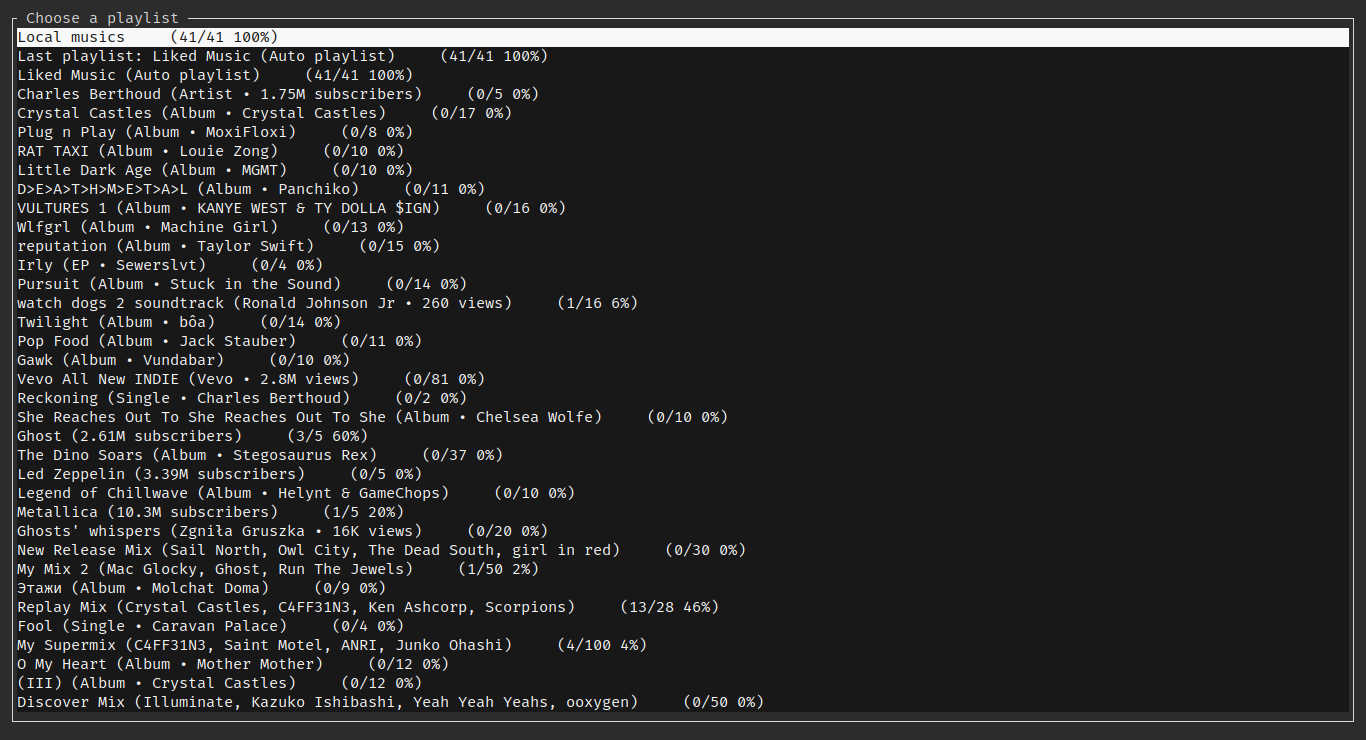
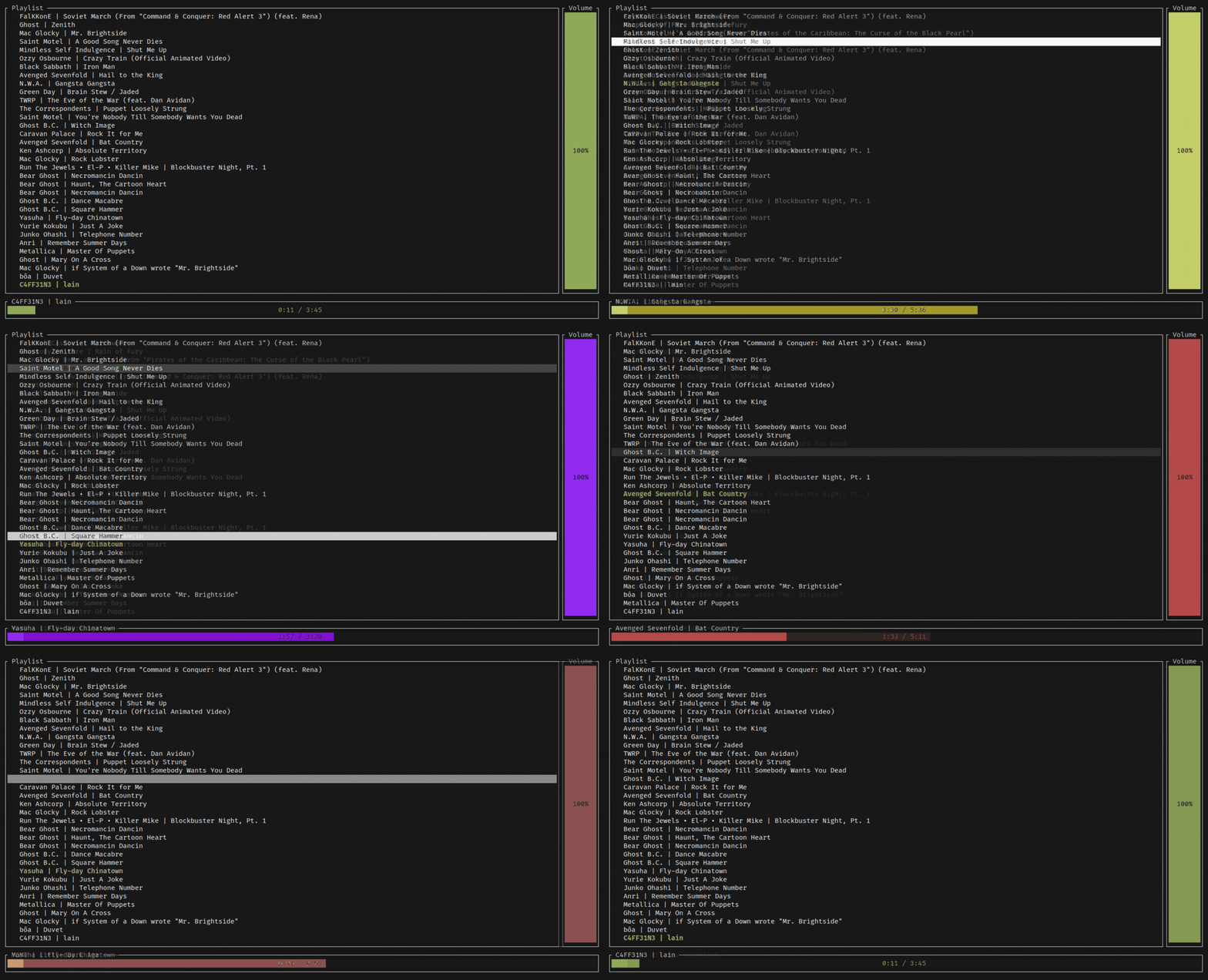
Features and upcoming features
- Play your Youtube Music Playlist and Supermix.
- Memory efficient (Around 20MB of RAM while fully loaded)
- Cache all downloads and store them
- Work even without connection (If musics were already downloaded)
- Automatic background download manager
 )
)
Install
[!TIP]
3rd party AUR packages are available here.
- Download the latest version from releases.
sudo apt install alsa-tools libasound2-dev libdbus-1-dev pkg-config- Use
cargoto install the latest version
cargo install ytermusic --git https://github.com/ccgauche/ytermusicSetup
[!IMPORTANT]
If you're using Firefox enable the "Raw" switch so the cookie isn't mangled.

- Give
ytermusicauthentication to your account, by copying out the headers
music.youtube.com document / page
5. Copy the Cookie header from the associated response request
6. Create a headers.txt file in one of the checked paths.
7. Create an entry like this :
Cookie: <cookie>
User-Agent: Mozilla/5.0 (X11; Linux x86_64) AppleWebKit/537.36 (KHTML, like Gecko) Chrome/110.0.0.0 Safari/537.36- Then you can start
ytermusic
(Optional) Using a brand account
- If you use a second account for youtube music
account_id.txt file in the same folder as headers.txt
Building from source
- Clone the repository
- Install rust
https://rustup.rsnightly - Run
cargo build --release - The executable is in
target/release/ytermusic.exeortarget/release/ytermusic
Usage
- Use your mouse to click in lists if your terminal has mouse support
- Press Space to play/pause
- Press Enter to select a playlist or a music
- Press f to search
- Press s to shuffle
- Press r to remove a music from the main playlist
- Press Arrow Right or \> to skip 5 seconds
- Press Arrow Left or \< to go back 5 seconds
- Press CTRL + Arrow Right or CTRL + \> to go to the next song
- Press CTRL + Arrow Left or CTRL + \< to go to the previous song
- Press + for volume up
- Press - for volume down
- Press Arrow down to scroll down
- Press Arrow up to scroll up
- Press ESC to exit the current menu
- Press CTRL + C or CTRL + D to exit
How to fix common issues
If you have any issues start by running:
ytermusic --fix-dbIf you still have issues, you can clear the cache by running:
ytermusic --clear-cacheIf you need to report an issue or find the files related to ytermusic:
ytermusic --filesChangelog
Beta b0.1.1
- Added hidechannelson_homepage with a default value of true to the config file
- Added hidealbumson_homepage with a default value of false to the config file
- Fixed default style to support transparency
- Added more color configuration options
Beta b0.1.0 - Fixed keyboard handling on windows - Improved error handling - Fixed youtube downloads - Made volume bar optional in config - Improved performance and updated dependencies
Alpha a0.0.11
- Added scrollable music view
- Added shuffle functionality
- Fixed some crashes while resizing the app
- Added error messages for invalid headers or cookies
- Added error messages for expired cookies
Alpha a0.0.10
- Speed up the download process
- Fix the download limit
- Fix music artists getting smashed together
- Fix the download manager not downloading all musics
- Improved stability
- Improved logs and added timings to better debug
Alpha a0.0.9:
- Progress info for downloads
- Mouse support on time bar
- Vertical volume bar
- Vertical volume bar supports mouse click
- Scroll to change volume and skip in timeline
- Improved the scrolling action
- Fixed the bug where the time bar would not update
- Debouncing the search input
- Changed the location of the cache folder to follow the XDG Base Directory Specification (By @FerrahWolfeh #20)
- More configuration options (By @ccgauche and @FerrahWolfeh)
Alpha a0.0.8
- Fixed scrolling
- Fixed audio-glitches
- Removed nightly flag use
Alpha a0.0.7
- Major changes in the API
- Fixed log file bloat issue
Alpha a0.0.6
- Fix: Fix a bug where the app would crash when trying to play a song that was not downloaded
- Fix: Improve the logger to not print the same error twice
- Improved startup time
- Fixed linux build
- Changed how task are distributed to the thread pool
Alpha a0.0.5
- Added local database cache to improve IO accesses
- Added searching for musics in the local library
- Greatly improved render performance and RAM usage
- Error management and error display in specific screen
Alpha a0.0.4
- Added menu navigation
- Added searching for musics
- Added new terminal backend
Alpha a0.0.3
- Mouse support to select playlist and music
- Download limiter
- Connection less music playing
Alpha a0.0.2
- Playlist selector
- Improved error management
- Improved TUI
- Performance upgrade
- Switch to Rustls instead of openSSL


