
This custom card allows you to embed 13 different, fully configurable TradingView widgets into your Home Assistant dashboards. With a single card file, you can display market data in a variety of formats.

TradingView Widget Card for Home Assistant







This custom card allows you to embed ten different, fully configurable TradingView widgets into your Home Assistant dashboards. With a single card file, you can display market data in a variety of formats.
This card is a bridge to Tradingview widgets and all card ui or visual things are managed by Tradingview!
⚠️ This is v2.0 — a complete rewrite. All previous YAML configurations may be no longer compatible. Use the new visual editor to recreate your cards effortlessly!
✨ Features
- 13 Widget Types in One:
Ticker Tape (Scrolling horizontal bar)
* Tickers (Vertical list of symbols)
* Single Quote (Detailed view of one symbol)
* Stock Heatmap (Market-wide sector visualization)
* Forex Cross Rates (Currency matrix)
* Technical Analysis (Candlestick + indicators)
* News (Finance-focused news ticker)
* ETF Heatmap (Exchange-traded funds by region)
* Forex Heat Map (Currency pair strength map)
* Economic Calendar (Macro data releases)
* Market Overview (Market Watchlist)
* Stock Market (Stock Market Watchlist)
* Market Data (Detailed Market Watchlist)
- Fully Visual Configuration: Configure your cards easily with a visual editor (no YAML needed!)
- Highly Customizable: Control display mode, theme, symbols, sizing (px or %), languages, filters, and more.
- Multi-language Support: Over 20 languages supported including English, Turkish, German, French, etc.
- Easy Installation: Install with a single click via the Home Assistant Community Store (HACS).
🛠️ Installation
HACS Installation (Recommended)
- If you don't have it, install HACS.
- Go to HACS > Frontend.
- Search for
TradingView Widget Card, select it, and install. - Clear your browser or mobile HA app cache.
- Ctrl+F5 for browsers.
Manual Installation
- Download the
tradingview-widget-card.jsfile from the latest release. - Copy the file to your Home Assistant
/www/Tradingview-Widget-Card/directory. - In Home Assistant, go to Settings > Dashboards.
- Click the three dots in the top right and select "Resources".
- Click "Add Resource" and enter:
/local/Tradingview-Widget-Card/tradingview-widget-card.js
* Resource Type: JavaScript Module
- Click "Create", clear your browser's cache, and refresh with Ctrl+F5.
🚀 What's New in v2.0?
| Feature | Old Version (v1.x) | NEW VERSION (v2.0) | | --------------------- | -------------------------------------------------------------------- | -------------------------------------------------------------------------------------------- | | Widget Count | 5 | 13 | | Supported Widgets | Ticker Tape, Tickers, Single Quote, Stock Heatmap, Forex Cross Rates | ✅ + Technical Analysis
✅ News
✅ ETF Heatmap
✅ Forex Heat Map
✅ Economic Calendar | | Configuration | Manual YAML Only | ✅ Visual Editor + YAML | | Customization | Basic | ✅ Advanced Block Size / Feed Filter / Display Modes | | Language Support | ❌ | ✅ 20+ languages | | Sizing | Pixels (px) only | ✅ Pixels + Percent (%) | | Ease of Use | 😓 | 😍 |
⚠️ Migration Notice
Your existing YAML-based configurations from v1.x may not work with v2.0. The structure and logic have changed entirely.
However, thanks to the new visual editor, you can easily recreate your old setups without writing a single line of YAML. Use the visual UI to pick widget type, options, tickers, colors, dimensions, and more.
⚙️ Configuration Options
Add your card via Card Picker of Home Assistant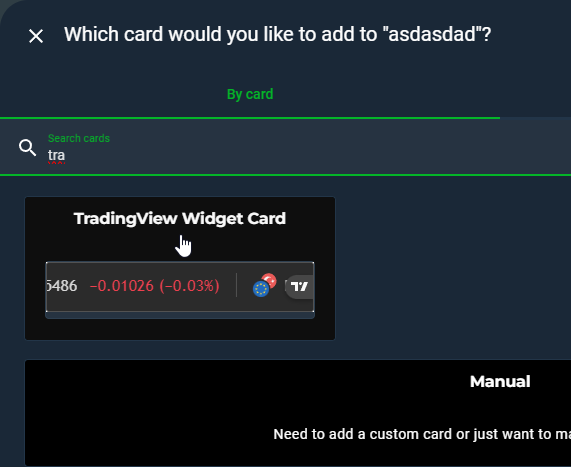
Fully Visual Configuration
Please refer to the visual editor for most configuration. Manual YAML is still supported for advanced users. For YAML usage examples, see the section below.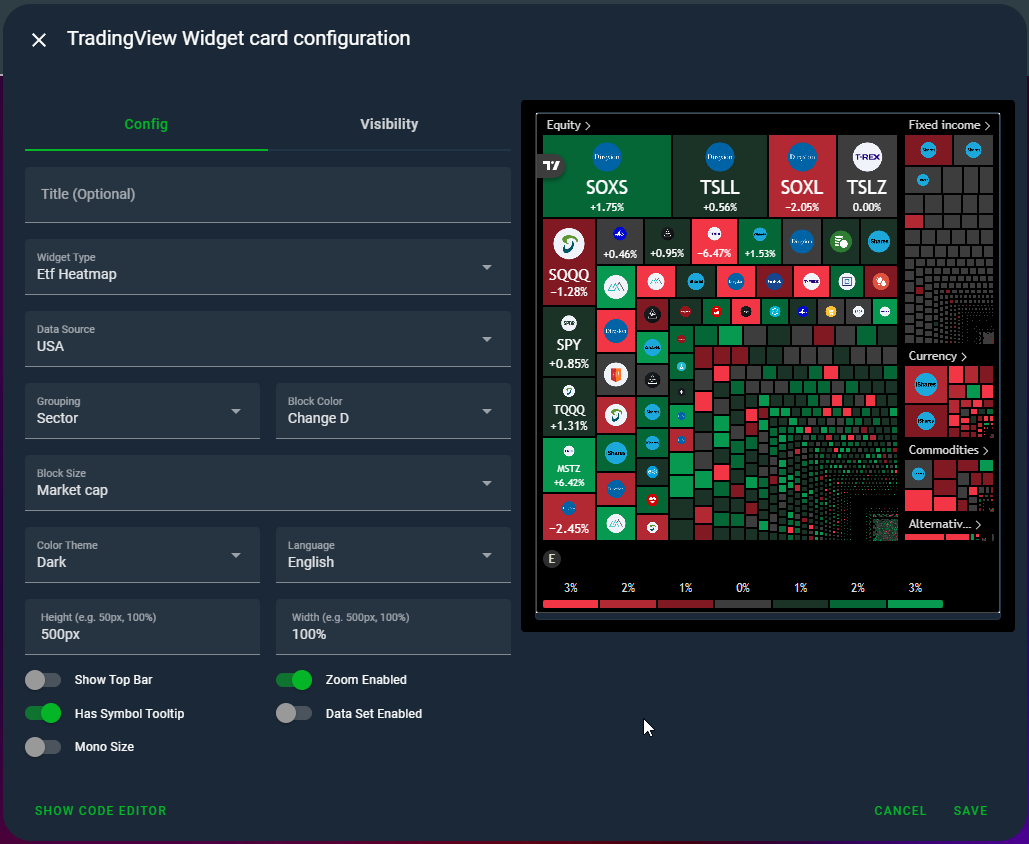
Note: New widgets liketechnical-analysis,news,etf-heatmap,forex-heat-map, andeconomic-calendarsupport additional filtering, display modes, and data source configuration, which will be detailed in the updated docs soon.
📘 YAML Examples
Check the documentation or visual editor for the latest syntax.Ticker Tape

- type: custom:tradingview-widget-card
  widget_type: ticker-tape
  title: Piyasa Şeridi
  pairs:
    - OANDA:USDTRY
    - OANDA:EURTRY
    - BINANCE:BTCUSDTPERP
    - BIST:XU100
  showsymbollogo: true
  display_mode: regular # regular, adaptive, compact
  is_transparent: false
  height: 50px
  width: 100%
  color_theme: dark # dark, light
  locale: tr
Tickers

- type: custom:tradingview-widget-card
  widget_type: tickers
  title: Popüler Hisseler
  pairs:
    - NASDAQ:AAPL
    - NASDAQ:GOOGL
    - NASDAQ:MSFT
  showsymbollogo: true
  height: 75px
  width: 100%
  color_theme: light
  locale: en
  is_transparent: false
Single Quote

- type: custom:tradingview-widget-card
  widget_type: single-quote
  title: USD/TRY Paritesi
  pairs:
    - OANDA:USDTRY
  is_transparent: false
  height: 100px
  width: 100%
  color_theme: dark
  locale: tr
Stock Heatmap
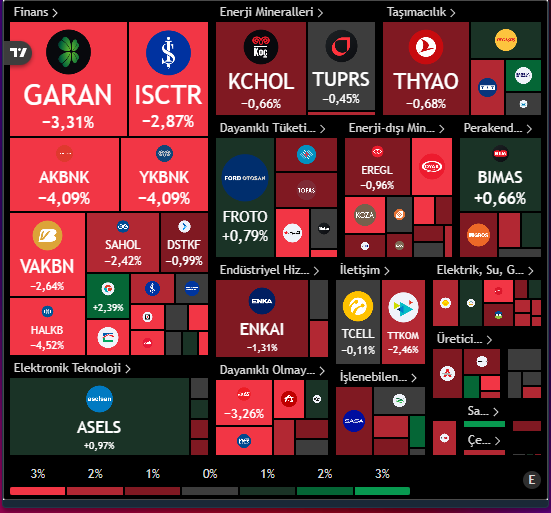
- type: custom:tradingview-widget-card
  widget_type: stock-heatmap
  title: ABD Hisse Senedi Isı Haritası
  data_source: SPX500 # Örneğin SPX500, NASDAQ, DowJones
  height: 500px
  width: 100%
  exchange: ""
  grouping: sector
  blocksize: marketcap_basic
  block_color: change
  hastopbar: false
  iszoomenabled: true
  hassymboltooltip: true
  isdataset_enabled: false
  ismonosize: true
  color_theme: dark
  locale: en
ETF Heatmap
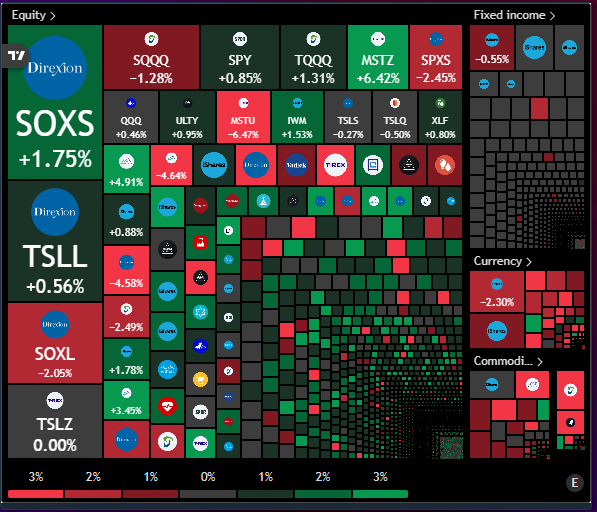
- type: custom:tradingview-widget-card
  widget_type: etf-heatmap
  title: Küresel ETF Isı Haritası
  data_source: AllUSEtf # AllUSEtf, AllAUEtf, vb.
  height: 500px
  grouping: assetclass # assetclass, no_group
  block_size: volume # volume, Value.Traded, monoSize
  block_color: change # change, Perf.W, Perf.1M, vb.
  hastopbar: false
  iszoomenabled: true
  hassymboltooltip: true
  isdataset_enabled: false
  ismonosize: false
  locale: en
  color_theme: dark
  width: 100%
Forex Cross Rates
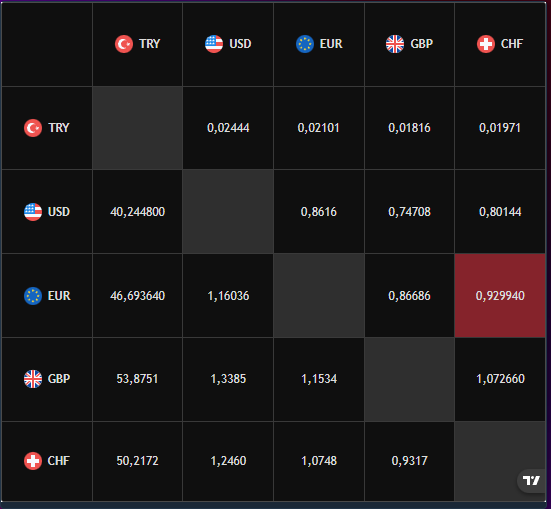
- type: custom:tradingview-widget-card
  widget_type: forex-cross-rates
  title: Döviz Çapraz Kurları
  currencies:
    - EUR
    - USD
    - GBP
    - JPY
    - CHF
    - CAD
    - TRY
  color_theme: dark
  locale: en
  background_color: "#000000"
  width: 100%
  height: 500px
Forex Heatmap
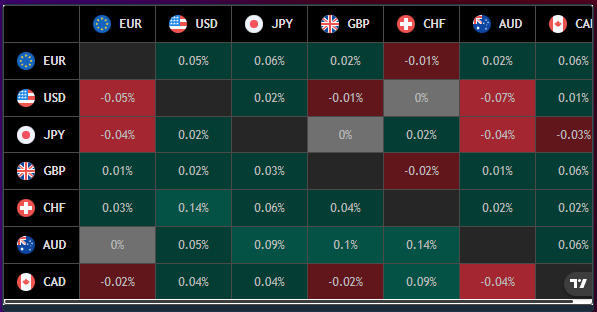
- type: custom:tradingview-widget-card
  widget_type: forex-heat-map
  title: Döviz Isı Haritası
  currencies:
    - EUR
    - USD
    - JPY
    - GBP
    - CHF
    - AUD
    - CAD
  color_theme: dark
  locale: en
  is_transparent: false
  background_color: "#000000"
  width: 100%
  height: 300px
Technical Analysis
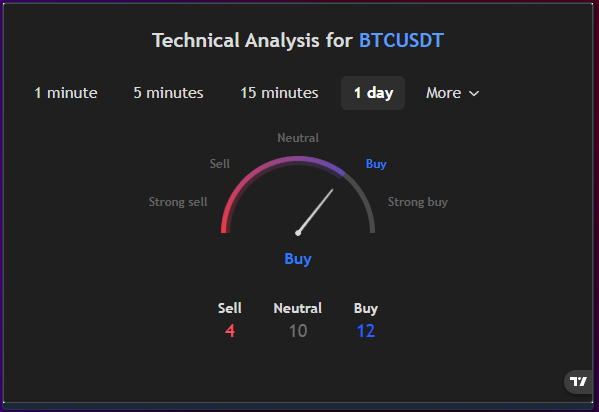
- type: custom:tradingview-widget-card
  widget_type: technical-analysis
  title: BTC/USDT Teknik Analiz
  pairs:
    - BINANCE:BTCUSDT
  interval: 1D # 1m, 5m, 15m, 1H, 4H, 1D, 1W, 1M
  height: 100%
  width: 100%
  showintervaltabs: true
  is_transparent: false
  display_mode: single
  locale: en
  color_theme: dark
Economic Calendar
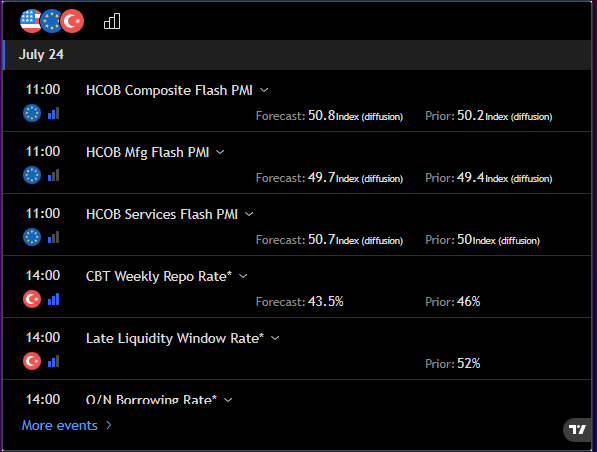
- type: custom:tradingview-widget-card
  widget_type: economic-calendar
  title: Ekonomik Takvim
  height: 450px
  country_filter: us,eu,tr
  importance_filter: -1,0,1
  color_theme: dark
  locale: en
  width: 100%
  is_transparent: false
News
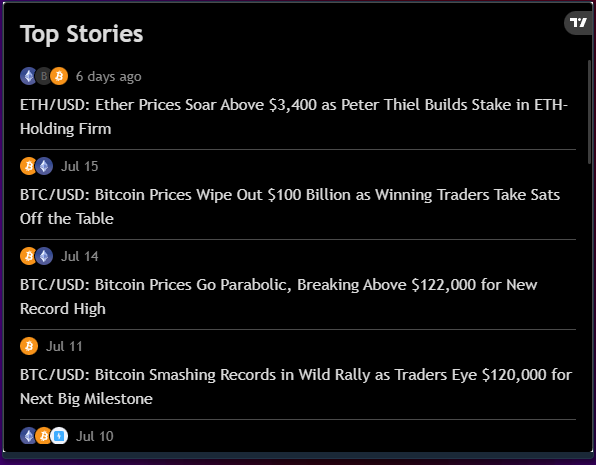
- type: custom:tradingview-widget-card
  widget_type: news
  title: Piyasa Haberleri
  display_mode: adaptive # adaptive, regular, compact
  feedmode: allsymbols # all_symbols, symbol, market
  # feed_mode 'symbol' ise aşağıdaki satırı kullanın:
  # symbol: NASDAQ:AAPL
  # feed_mode 'market' ise aşağıdaki satırı kullanın:
  # market: crypto # crypto, forex, stock, index, futures, cfd
  height: 450px
  color_theme: dark
  locale: en
  width: 100%
  is_transparent: false
Market Overview Watchlist
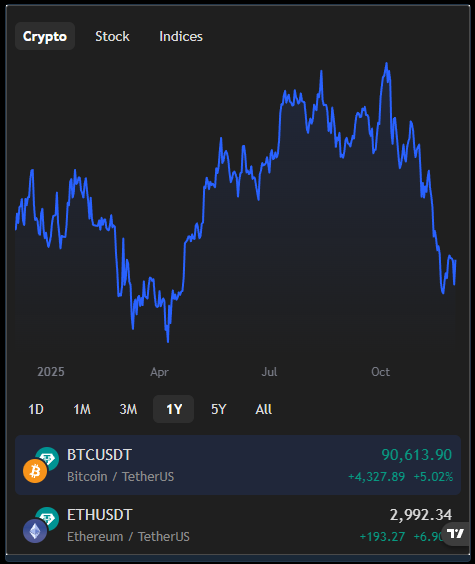
type: custom:tradingview-widget-card
widget_type: market-overview
title: ""
height: 550px
width: 100%
color_theme: dark
locale: en
date_range: 12M
show_chart: true
showfloatingtooltip: true
is_transparent: false
tab_config: |-
  Crypto:
   - BINANCE:BTCUSDT
   - BINANCE:ETHUSDT
  Stock:
   - NASDAQ:AAPL
   - NASDAQ:TSLA
  Indices:
  - INDEX:NKY
Stock Market Hotlist
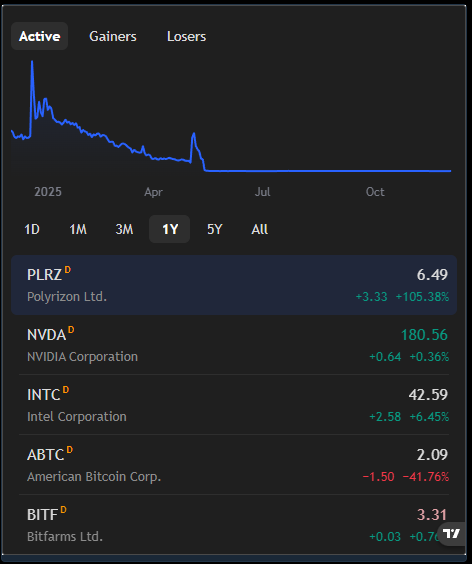
type: custom:tradingview-widget-card
widget_type: stock-market-hotlists
title: ""
height: 550px
width: 100%
exchange: US Exchanges
date_range: 12M
show_chart: true
showfloatingtooltip: true
is_transparent: false
color_theme: dark
locale: en
Market Quotes
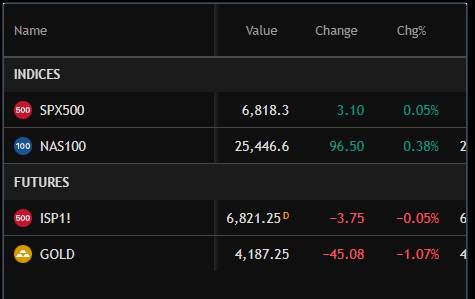
type: custom:tradingview-widget-card
widget_type: market-quotes
title: ""
height: 550px
width: 100%
showsymbollogo: true
is_transparent: false
color_theme: dark
locale: en
tab_config: |-
  Indices:
   - FOREXCOM:SPXUSD
   - FOREXCOM:NSXUSD
  Futures:
   - BMFBOVESPA:ISP1!
   - CMCMARKETS:GOLD
⭐ Support
If you like this card, feel free to ⭐ star the project on GitHub and share it with the Home Assistant community!
We're excited to see the amazing dashboards you'll create with TradingView Widget Card v2.0! 🎉


