
This script allows you to create a photomosaic from a set of images.
Photomosaic Creator
Index
-createphotomosaic
- getbest
- treatimages
- treatallimages
- createallfolder
- cleanbestfolders
Install needed packages
pip3 install -r requirements.txt1. Introduction
This program allows you to create a photomosaic from a set of images.You can use the preset sets/folders of images or you can upload your own folders to the images folder.
2. Results
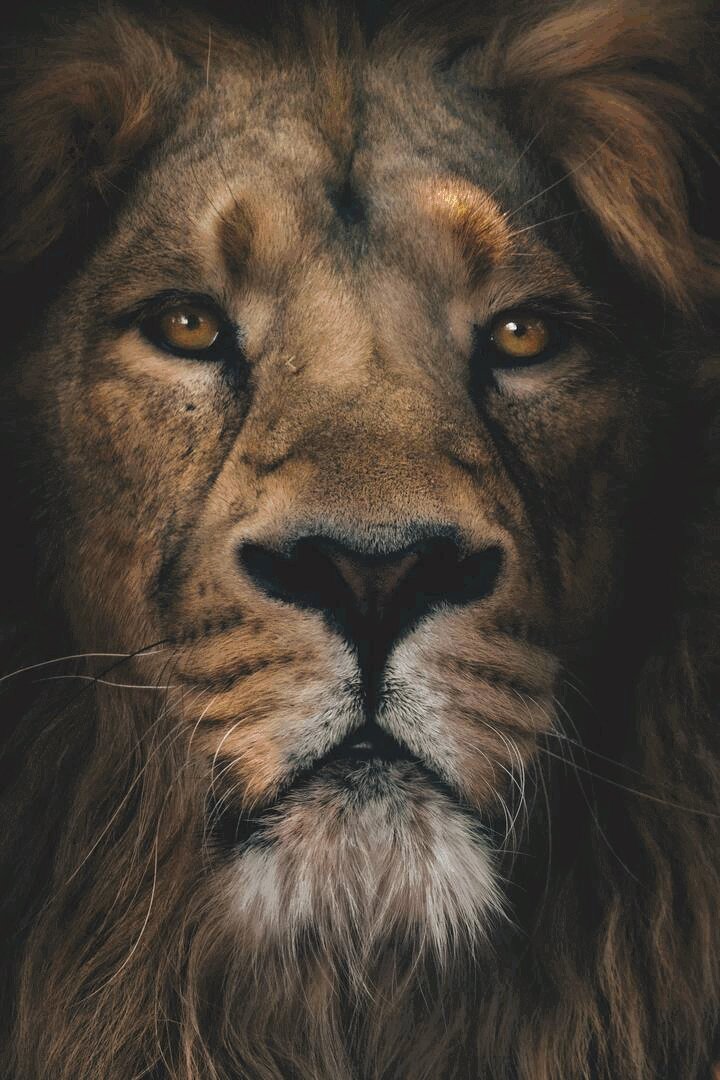
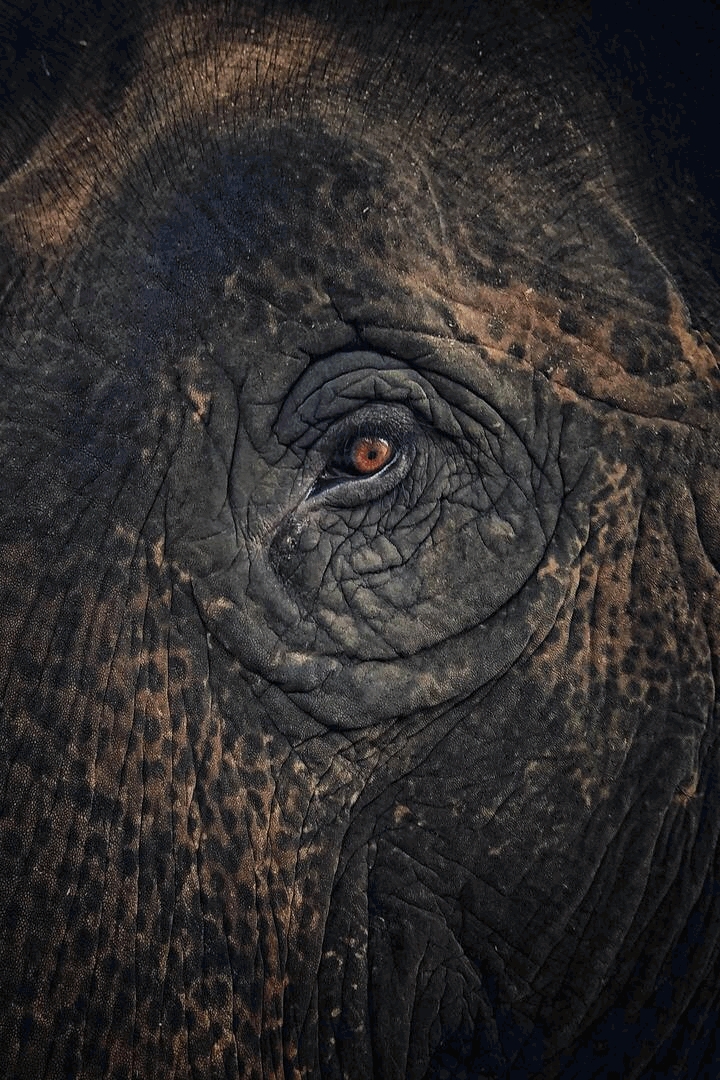
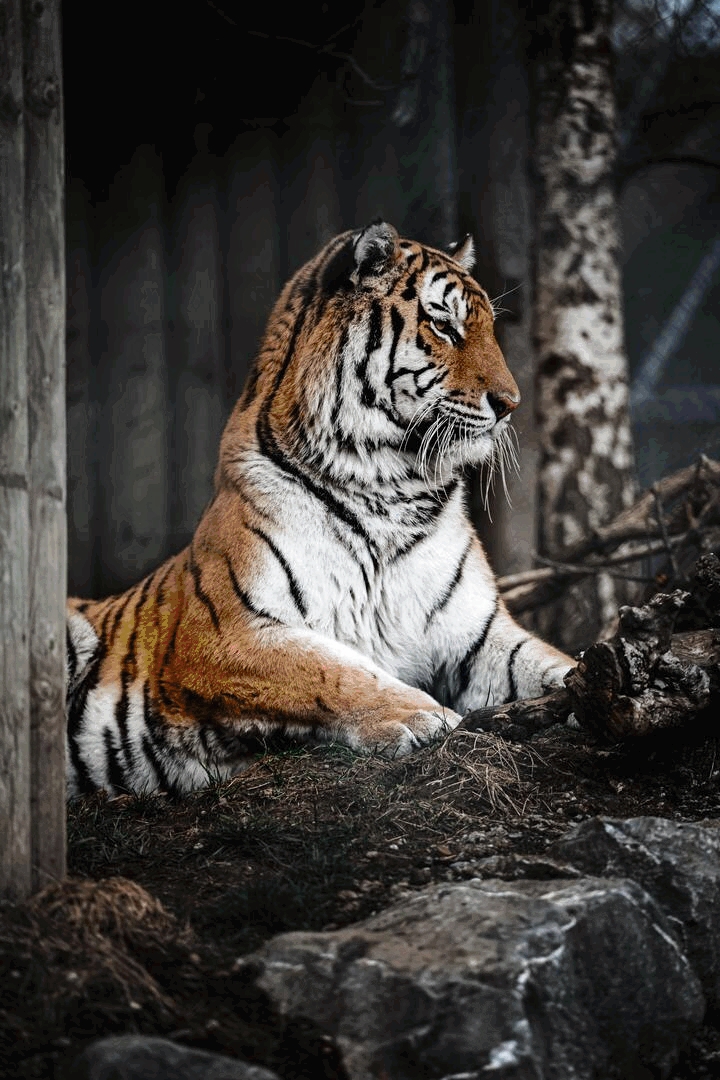
https://user-images.githubusercontent.com/65092569/200093661-00c553d7-2e53-48b0-8513-beaada3676cb.mp4
3. Run the script
Call the desired functions in this part of themain.py file:
#########################################################################################
startTime = time.time()
#########################################################################################
Your calls go here
create_photomosaic(      main_image= "lion-h.jpg",      imagesfolder= "$b$all",     new_name= "photomosaic",     num_images= False,     save_fullres= False,     save_lowres= True,     save_gif= False,     savegifreversed= False,     save_vid= False,     savevidreversed= True,     save_zooms= False,     resize_main= False,     images_size= 50,     quality= 85,     maxzoomedimages= 5,     zoom_incr= 1.02,     frame_duration= 30 ) ######################################################################################### print(f'{Fore.CYAN}Done in: {round(time.time() - startTime,4)}s{Fore.RESET}') #########################################################################################
Open the terminal, go to this path and type:
python3 main.pyThen, after the script runs, the result should appear in the output folder.
4. How it works
create_photomosaic
Creates a photomosaic from a set of images
Arguments
| Argument | Description | Default | Example | Range | | -------- | ----------- | ------- | ------- | ----- | | main_image | Filename of the main image, save on themain-images folder | lion-h | elephant-h.jpg ||
| images_size | Size of the images to be used in the photomosaic | 50 | 100 ||
| imagesfolder | Folder inside the images folder to be used as a set of images | $b$all | animals ||
| new_name | Name of the new image and folder | photomosaic | lion ||
| num_images | Number of images to be used to create the photomosaic | False | 255 | [3,255] |
| quality | Quality of the new images | 85 | 75 | [0,100] |
| save_fullres | Save the photomosaic in the full resolution | False | True ||
| save_lowres | Save the photomosaic in the same resolution as the main image | True | False ||
| save_gif | Save the photomosaic as a GIF, created by zooming into the photomosaic | False | True ||
| savegifreversed | Save the photomosaic as a GIF, created by zooming out the photomosaic | False | True ||
| save_vid | Save the photomosaic as a vid, created by zooming into the photomosaic | True | False ||
| savevidreversed | Save the photomosaic as a vid, created by zooming out of the photomosaic | True | False ||
| save_zooms | Save zoomed images of the photomosaic | False | True ||
| resize_main | Resize the main image (If you have an image too big to process) | False | (720, 540) | [1,...] |
| maxzoomedimages | Maximum number of images the final zoomed image will have | 10 | 5 | [1,...] |
| zoom_incr | Increment of the zoom in each frame | 1.05 | 1.015 | [1,...] |
| frame_duration | Duration of each frame of the GIF/video, in milliseconds | 30 | 15 | [1,...] |
Explanation
- Creates the needed folders
- If
resizemain != False, resizes themainimagetoresize_main, a tuple with the width and the height. - If
num_images != False, it will obtain the best images to create the photomosaic, based on the palette of colors of the main image. - Sorts the files in the
images_folderfolder - Gets the average color of each image in the
images_folderfolder - Creates a list with all the numpy arrays of the images in the
imagesfolderfolder, resized toimagessize - Creates an empty numpy array (
newimgarr) with the size of the main image multiplied byimages_size - For each pixel in the
mainimagearray, it will add to thenewimg_arrthe image whose average color matches best with the pixel's color - Creates a folder to store the created images, with the name
new_name - Saves the result in the
outputfolder with qualityquality:
save_fullres == True, it will save the photomosaic in the full resolution
- If save_lowres == True, it will save the photomosaic in the same resolution as the main image
- If save_zooms == True, it will save zoomed images of the photomosaic
- If save_gif == True, it will save the photomosaic as a GIF, created by zooming into the photomosaic
- If savegifreversed == True, it will save the photomosaic as a GIF, created by zooming out the photomosaic
- If save_vid == True or, it will save the photomosaic as a video, created by zooming into the photomosaic
- If savevidreversed == True, it will save the photomosaic as a video, created by zooming out of the photomosaic
Examples
# Default
create_photomosaic(
    main_image= "lion-h.jpg",
    imagesfolder= "$b$all",
    new_name= "photomosaic",
    num_images= False,
    save_fullres= False,
    save_lowres= True,
    save_gif= False,
    savegifreversed= False,
    save_vid= False,
    savevidreversed= True,
    save_zooms= False,
    resize_main= False,
    images_size= 50,
    quality= 85,
    maxzoomedimages= 5,
    zoom_incr= 1.02,
    frame_duration= 30
)
create_photomosaic(      main_image= "elephant-h.jpg",      images_size= 50,     imagesfolder= "$banimals",     new_name= "elephant",     num_images= 255,     save_zooms= True, )
create_photomosaic(      main_image= "tiger-m.jpg",      images_size= 50,     new_name= "tiger", )
get_best
Gets the best images from the folder folder
Arguments
| Argument | Description | Default | Example | Range | | -------- | ----------- | ------- | ------- | ----- | | folder | Folder inside the images folder to be used | $all | animals || | maxavgcolor_deviation | Maximum average of the deviations from every pixel from the image's average color | 765 | 120 | [0,765] | | max_contrast | Maximum contrast between the image's top and bottom and left and right parts | 765 | 150 | [0,765] | | size | Size that the images of the new folder will have. The less size, the less it will take to create a photomosaic with these images | 1000 | 200 | [1,...] |
Explanation
- Creates a new folder inside the
imagesfolder, with the name of thefolderargument preceded by$b_ - Sorts the files in the
folderfolder - Gets the average color of each image in the
folderfolder - Checks each image in the
folderfolder. If it meets the requirements (checkcontrasts(...) == Trueandcheckcolor_deviation(...) == True), it will be added to the new folder:
Examples
# Default
get_best(
    folder= "$all",
    maxavgcolor_deviation= 765,
    max_contrast= 765,
    size= 1000
)
get_best(     folder= "animals",     maxavgcolor_deviation= 120,     max_contrast= 150,     size= 200 )
treatallimages
Arguments
| Argument | Description | Default | Example | Range | | -------- | ----------- | ------- | ------- | ----- | | size | Size that the treated images of all the folders will have | 1000 | 500 | [1,...] |
Explanation
Resizes and eliminates duplicates from every folder
Examples
# Default
treatallimages(
    size= 1000
)createallfolder
Arguments
| Argument | Description | Default | Example | Range | | -------- | ----------- | ------- | ------- | ----- | | size | Size that the images of the new folder will have | 200 | 100 | [1,...] |
Explanation
Creates a new folder called $all inside the images folder, with all the images of the folders (not including the "best folders" (that start with $b_)) inside the images folder
Examples
# Default
createallfolder(
    size= 200
)
createallfolder(     size= 100 )
cleanbestfolders
Explanation
Deletes the best folders (the ones that start with $b_)
Examples
cleanbestfolders()5. Possible errors
If you get the error:zsh: killed python3 main.py, it means that the program is taking too much memory.
To solve it, you can try to reduce the imagessize in createphotomosaic or the size of the mainimage.


