
🔥 Enterprise SaaS Starter Kit - Kickstart your enterprise app development with the Next.js SaaS boilerplate 🚀
⭐ Enterprise SaaS Starter Kit






The Open Source Next.js SaaS boilerplate for Enterprise SaaS app development.
Please star ⭐ the repo if you want us to continue developing and improving the SaaS Starter Kit! 😀
📖 Additional Resources
Video - BoxyHQ's SaaS Starter Kit: Your Ultimate Enterprise-Compliant Boilerplate
Blog - Enterprise-ready Saas Starter Kit
Next.js-based SaaS starter kit saves you months of development by starting you off with all the features that are the same in every product, so you can focus on what makes your app unique.
🛠️ Built With
This is a React framework that provides features such as server-side rendering and static site generation. It's used for building the user interface of your application. The main configuration for Next.js can be found innext.config.js.
This is a utility-first CSS framework for rapidly building custom user interfaces. It's used for styling the application. The configuration for Tailwind CSS can be found in postcss.config.js.
This is a powerful, open source object-relational database system. It's used for storing application data. The connection to Postgres is likely managed through Prisma.
This is a JavaScript library for building user interfaces. It's used for creating the interactive elements of your application. The React components are located in the components directory.
This is an open-source database toolkit. It's used for object-relational mapping, which simplifies the process of writing database queries. Prisma configuration and schema can be found in the prisma directory.
This is a typed superset of JavaScript that compiles to plain JavaScript. It's used to make the code more robust and maintainable. TypeScript definitions and configurations can be found in files like next-env.d.ts and i18next.d.ts.
- SAML Jackson (Provides SAML SSO, Directory Sync)
- Svix (Provides Webhook Orchestration)
- Retraced (Provides Audit Logs Service)
- Stripe (Provides Payments)
- Playwright (Provides E2E tests)
- Docker (Provides Docker Compose)
- NextAuth.js (Provides Authentication)
pages/api/auth/[...nextauth].ts file.
🚀 Deployment


✨ Getting Started
Please follow these simple steps to get a local copy up and running.
Prerequisites
- Node.js (Version: >=18.x)
- PostgreSQL
- NPM
- Docker compose
Development
1. Setup
- Fork the repository
- Clone the repository by using this command:
git clone https://github.com/<yourgithubusername>/saas-starter-kit.git2. Go to the project folder
cd saas-starter-kit3. Install dependencies
npm install4. Set up your .env file
Duplicate .env.example to .env.
cp .env.example .env5. Create a database (Optional)
To make the process of installing dependencies easier, we offer a docker-compose.yml with a Postgres container.
docker-compose up -d6. Set up database schema
npx prisma db push7. Start the server
In a development environment:
npm run dev8. Start the Prisma Studio
Prisma Studio is a visual editor for the data in your database.
npx prisma studio9. Testing
We are using Playwright to execute E2E tests. Add all tests inside the /tests folder.
Update playwright.config.ts to change the playwright configuration.
Install Playwright dependencies
npm run playwright:updateRun E2E tests
npm run test:e2eNote: HTML test report is generated inside the report folder. Currently supported browsers for test execution chromium and firefox
⚙️ Feature configuration
To get started you only need to configure the database by following the steps above. For more advanced features, you can configure the following:
Authentication with NextAuth.js
The default login options are email and GitHub. Configure below:
- Generate a secret key for NextAuth.js by running
openssl rand -base64 32and adding it to the.envfile asNEXTAUTH_SECRET. - For email login, configure the
SMTP*environment variables in the.envfile to send magic link login emails. You can use services like AWS SES, Sendgrid or Resend. - For social login with GitHub and Google, you need to create OAuth apps in the respective developer consoles and add the client ID and secret to the
.envfile. The default is email login and For GitHub, follow the instructions here. For Google, follow the instructions here.
Svix Webhooks
- Create an account on Svix
- The authenticaton token and add
SVIXAPIKEYto the.envfile.
Stripe Payments
- Create an account on Stripe
- Add the Stripe API secret key to the
.envfile asSTRIPESECRET_KEY. - Create a webhook in the Stripe dashboard. The URL is your app hostname plus
/api/webhooks/stripe. If you want to set this up locally you will need to use the Stripe CLI forwarder. - Once created, add the signing secret to the
.envfile asSTRIPEWEBHOOKSECRET.
Recaptcha
- Create an account on Google reCAPTCHA. This will create a Google Cloud account if you don't have one.
- From the Key Details in the Google Cloud Console, add the reCAPTCHA ID to the
.envfile asRECAPTCHASITE_KEY. - Click Key Details > Integration then click Use legacy key to get the secret key and add it to the
.envfile asRECAPTCHASECRETKEY.
Sentry
- Create an account on Sentry, skip the onboarding and create a new Next.js project.
- At the bottom of the page, get the DSN and add it to the
.envfile asSENTRY_DSN. The other variables are optional.
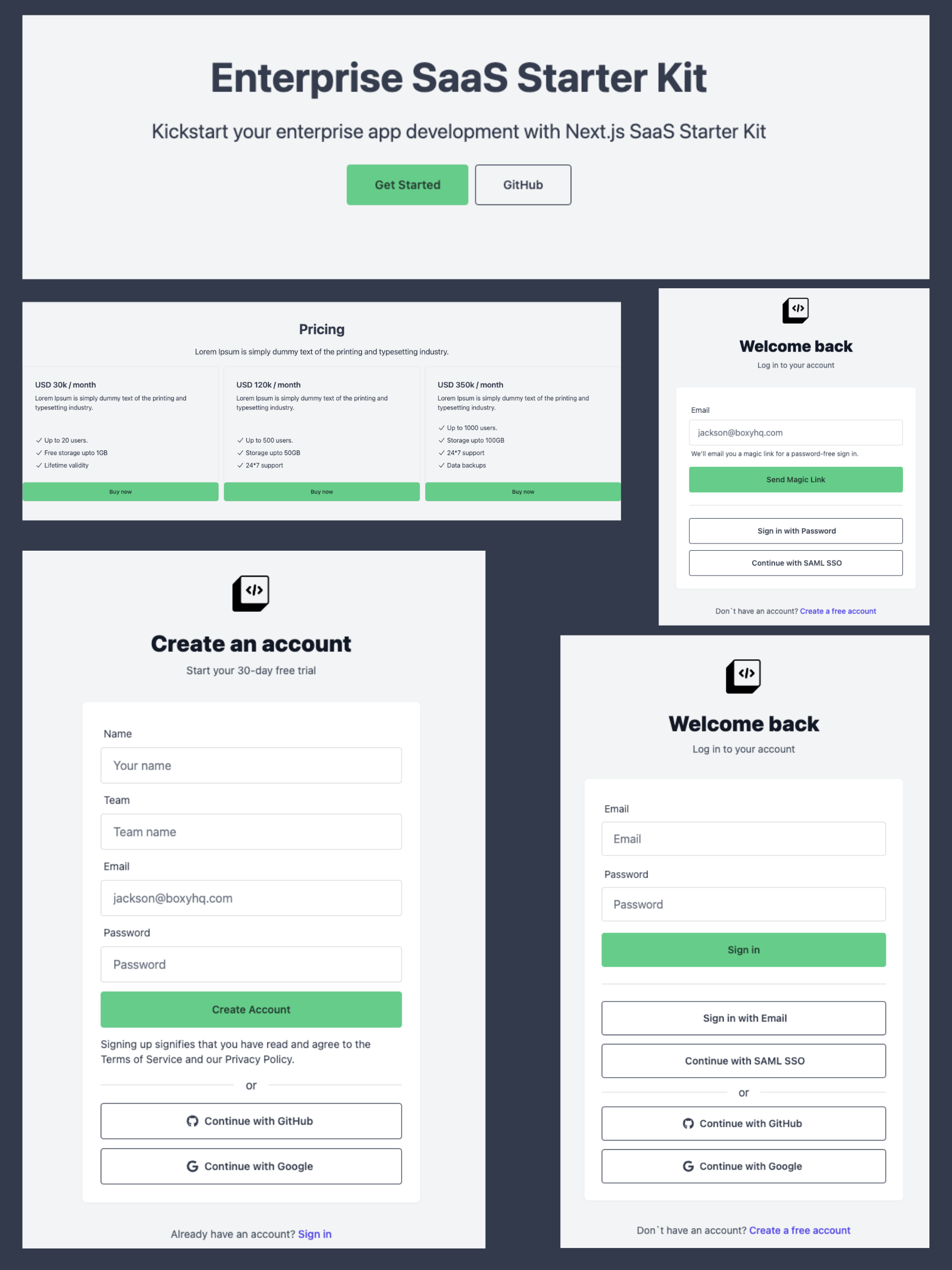
Fully customizable boilerplate out of the box, see images below 👇👇👇
🥇 Features
- Create account
- Sign in with Email and Password
- Sign in with Magic Link
- Sign in with SAML SSO
- Sign in with Google [Setting up Google OAuth]
- Sign in with GitHub [Creating a Github OAuth App]
- Directory Sync (SCIM)
- Update account
- Create team
- Delete team
- Invite users to the team
- Manage team members
- Update team settings
- Webhooks & Events
- Internationalization
- Audit logs
- Roles and Permissions
- Dark mode
- Email notifications
- E2E tests
- Docker compose
- Prisma Studio
- Update member role
- Directory Sync Events
- Avatar Upload
- SAML SSO
- Audit Log
- Webhook
- Payments
- Security Headers
➡️ Coming Soon
- Billing & subscriptions
- Unit and integration tests
✨ Contributing
Thanks for taking the time to contribute! Contributions make the open-source community a fantastic place to learn, inspire, and create. Any contributions you make are greatly appreciated.
Please try to create bug reports that are:
- Reproducible. Include steps to reproduce the problem.
- Specific. Include as much detail as possible: which version, what environment, etc.
- Unique. Do not duplicate existing opened issues.
- Scoped to a Single Bug. One bug per report.
🤩 Community
- Discord (For live discussion with the Open-Source Community and BoxyHQ team)
- Twitter / LinkedIn (Follow us)
- Youtube (Watch community events and tutorials)
- GitHub Issues (Contributions, report issues, and product ideas)
🌍 Contributors
Made with contrib.rocks.


