
Play Ace Streams on macOS using Docker.
[!WARNING]
Due to time constraints, I will not review issues or pull requests unless core functionality is broken for most users. I am open to transferring ownership of this project to contributors who have selflessly helped improving this project in 2025 or before. You are also welcome to fork the project. If a fork gains traction within the community, I will archive this project and link to the fork.
Ace Link
Ace Link is a menu bar app that allows playing Ace Streams on macOS.
Play an Ace Stream or Magnet in any media player by pasting the URL in the Ace Link menu, or open an acestream or magnet link in Ace Link.
Download for macOS
- Install using HomeBrew: brew install --cask ace-link - Download an older version
Requires Docker and macOS High Sierra (10.13) or later.
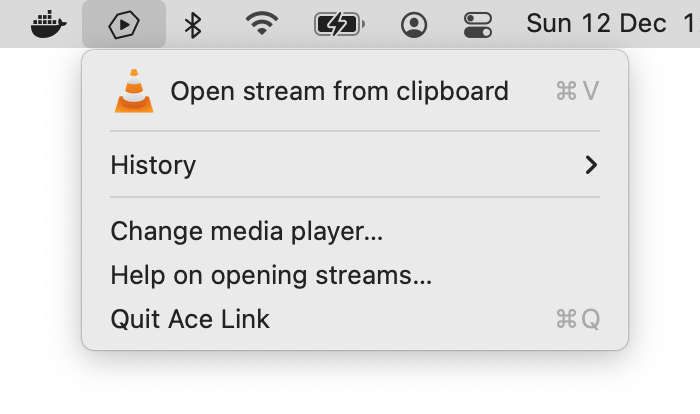
Media players
Ace Link allows selecting your own media player. Ace Link does not transcode streams, so pick a player that supports popular audio and video codecs. VLC, IINA and MPV are free and open source media players that are able to play nearly anything. QuickTime and web browsers will play most streams, but not all.
Signing
Ace Link is an unsigned app because Apple does not allow p2p related applications. If your version of macOS does not allow opening unsigned applications, follow these instructions to bypass this restriction.
Ace Stream server only
If you just want to run the AceStream engine, you can do so without Ace Link:
docker run --platform=linux/amd64 --rm -p 6878:6878 blaiseio/acelink
now open http://<network ip>:6878/ace/getstream?id=<acestream id>
or http://<network ip>:6878/ace/getstream?infohash=<magnet uri> in a player
If you want to use a custom acestream.conf:
docker run --platform=linux/amd64 --rm -p 6878:6878 -v "$(pwd)/acestream.conf:/opt/acestream/acestream.conf" blaiseio/acelinkView Ace Link logs
- Open Console.app
- In the Console.app search field, type
Process: Ace Link - Click on Start or Start streaming
- Launch Ace Link and perform an action you want to debug
- It should now start populating Console.app with debug information


