
Top-like interface for container metrics

#
![release][release] ![homebrew][homebrew] ![macports][macports] ![scoop][scoop]
Top-like interface for container metrics
ctop provides a concise and condensed overview of real-time metrics for multiple containers:
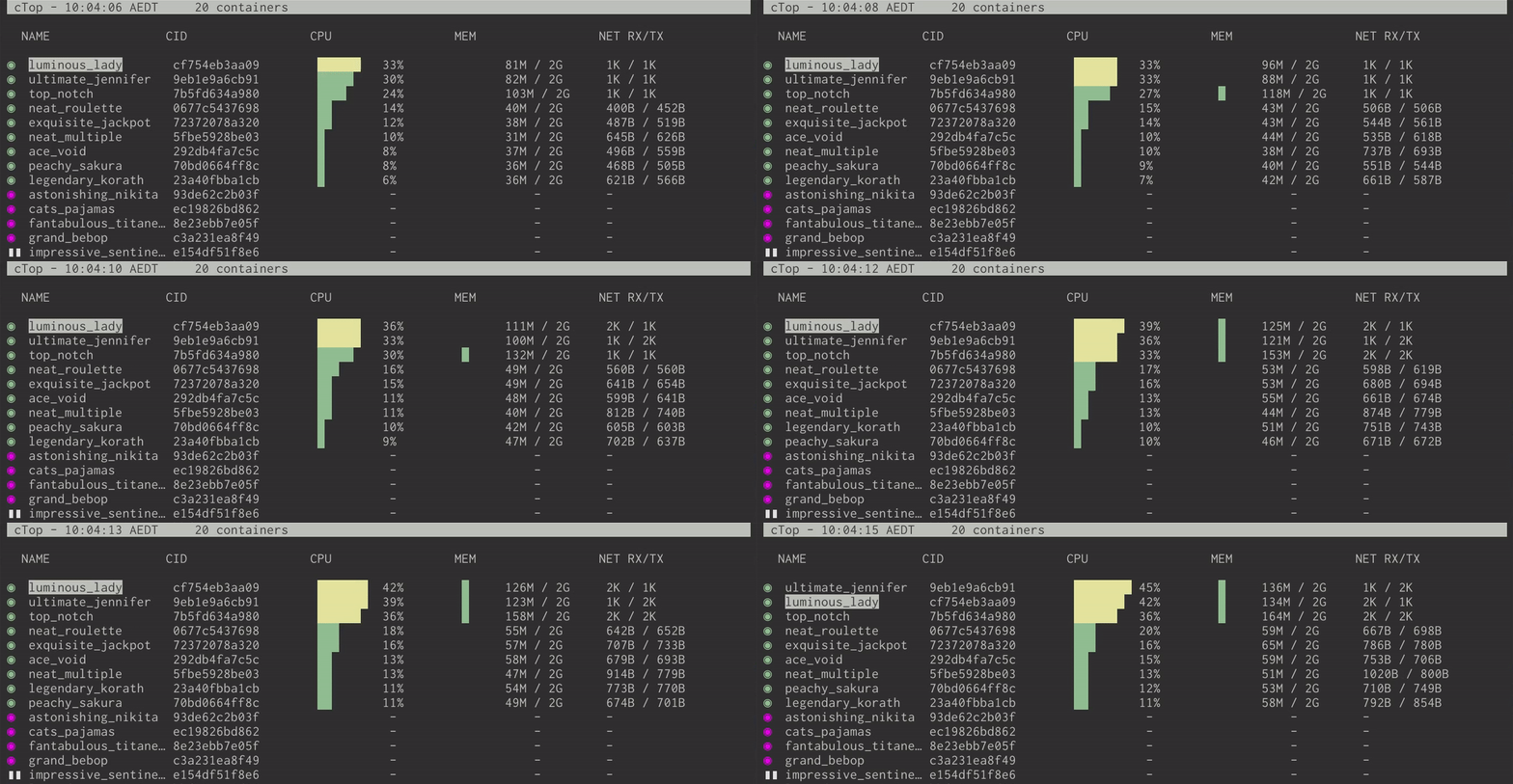
as well as a [single container view][single_view] for inspecting a specific container.
ctop comes with built-in support for Docker and runC; connectors for other container and cluster systems are planned for future releases.
Install
Fetch the latest release for your platform:
Debian/Ubuntu
Maintained by a third party
sudo apt-get install ca-certificates curl gnupg lsb-release curl -fsSL https://azlux.fr/repo.gpg.key | sudo gpg --dearmor -o /usr/share/keyrings/azlux-archive-keyring.gpg echo \ "deb [arch=$(dpkg --print-architecture) signed-by=/usr/share/keyrings/azlux-archive-keyring.gpg] http://packages.azlux.fr/debian \ $(lsb_release -cs) main" | sudo tee /etc/apt/sources.list.d/azlux.list >/dev/null sudo apt-get update sudo apt-get install docker-ctopArch
sudo pacman -S ctopctop is also available for Arch in the AUR_
Linux (Generic)
sudo wget https://github.com/bcicen/ctop/releases/download/v0.7.7/ctop-0.7.7-linux-amd64 -O /usr/local/bin/ctop
sudo chmod +x /usr/local/bin/ctop
OS X
brew install ctopsudo port install ctopsudo curl -Lo /usr/local/bin/ctop https://github.com/bcicen/ctop/releases/download/v0.7.7/ctop-0.7.7-darwin-amd64
sudo chmod +x /usr/local/bin/ctopWindows
ctop is available in scoop:
scoop install ctopDocker
docker run --rm -ti \
  --name=ctop \
  --volume /var/run/docker.sock:/var/run/docker.sock:ro \
  quay.io/vektorlab/ctop:latest
Building
Build steps can be found [here][build].
Usage
ctop requires no arguments and uses Docker host variables by default. See [connectors][connectors] for further configuration options.
Config file
While running, use S to save the current filters, sort field, and other options to a default config path (~/.config/ctop/config on XDG systems, else ~/.ctop).
Config file values will be loaded and applied the next time ctop is started.
Options
Option | Description --- | --- -a | show active containers only -f <string> | set an initial filter string -h | display help dialog -i | invert default colors -r | reverse container sort order -s | select initial container sort field -v | output version information and exit
Keybindings
| Key | Action | | :----------------------: | ---------------------------------------------------------- | | <ENTER> | Open container menu | | a | Toggle display of all (running and non-running) containers | | f | Filter displayed containers (esc to clear when open) | | H | Toggle ctop header | | h | Open help dialog | | s | Select container sort field | | r | Reverse container sort order | | o | Open single view | | l | View container logs (t to toggle timestamp when open) | | e | Exec Shell | | c | Configure columns | | S | Save current configuration to file | | q | Quit ctop |
[build]: _docs/build.md [connectors]: _docs/connectors.md [singleview]: docs/single.md [release]: https://img.shields.io/github/release/bcicen/ctop.svg "ctop" [homebrew]: https://img.shields.io/homebrew/v/ctop.svg "ctop" [macports]: https://repology.org/badge/version-for-repo/macports/ctop.svg?header=macports "ctop" [scoop]: https://img.shields.io/scoop/v/ctop?bucket=main "ctop"
Alternatives
See Awesome Docker list for similar tools to work with Docker.


