
Interactive cli tool for HTTP inspection
wuzz
Interactive cli tool for HTTP inspection.
Wuzz command line arguments are similar to cURL's arguments, so it can be used to inspect/modify requests copied from the browser's network inspector with the "copy as cURL" feature.
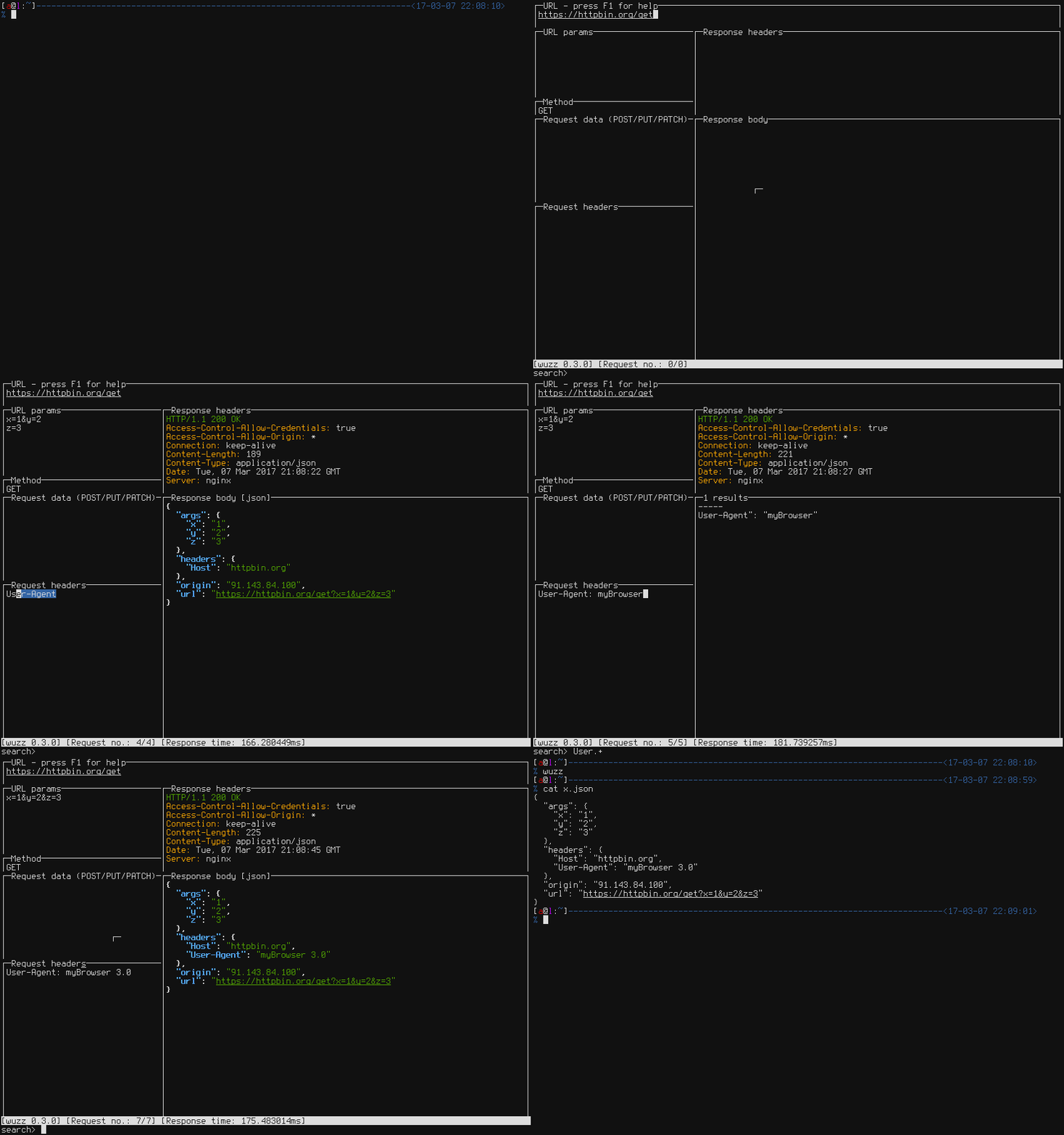
Installation and usage
GO
$ go get github.com/asciimoo/wuzz
$ "$GOPATH/bin/wuzz" --help
Note: golang >= 1.10 required.
Binary releases are also available.
Apt
$ apt install wuzzApk
$ apk add wuzzScoop
$ scoop bucket add main
$ scoop install main/wuzz
X-CMD
$ x env use wuzzNix
$ nix-shell -p wuzzConfiguration
It is possible to override default settings in a configuration file. The default location is "$XDGCONFIGHOME/wuzz/config.toml"on linux and ~/.wuzz/config.toml on other platforms. -c/--config switches can be used to load config file from custom location.
See example configuration for more details.
Commands
Keybinding | Description ----------------------------------------|--------------------------------------- F1 | Display help Ctrl+R | Send request Ret | Send request (only from URL view) Ctrl+S | Save response Ctrl+E | Save request Ctrl+F | Load request Ctrl+C | Quit Ctrl+K, Shift+Tab | Previous view Ctlr+J, Tab | Next view Ctlr+T | Toggle context specific search Ctrl+L | Clear all tabs to default Alt+H | Toggle history Down | Move down one view line Up | Move up one view line Page down | Move down one view page Page up | Move up one view page F2 | Jump to URL F3 | Jump to query parameters F4 | Jump to HTTP method F5 | Jump to request body F6 | Jump to headers F7 | Jump to search F8 | Jump to response headers F9 | Jump to response body F11 | Redirects Restriction Mode
Context specific search
Wuzz accepts regular expressions by default to filter response body. Custom query syntax can be toggled by pressing Ctrl+T. The following formats have context specific search syntax:
Response format | Query syntax -----------------|---------------------------------------- HTML | https://github.com/PuerkitoBio/goquery JSON | https://github.com/tidwall/gjson
TODO
- Better navigation
- Autocompletion
- Tests
Bugs / Suggestions
Bugs or suggestions? Visit the issue tracker or join #wuzz on freenode


